


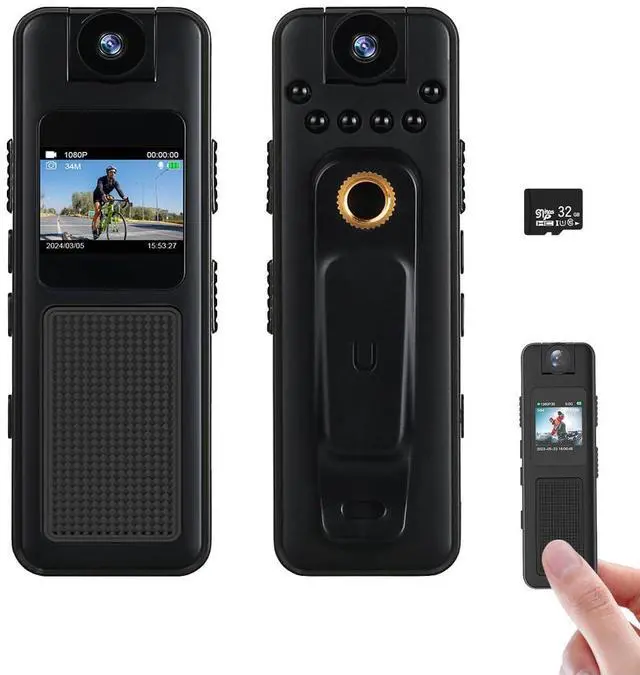
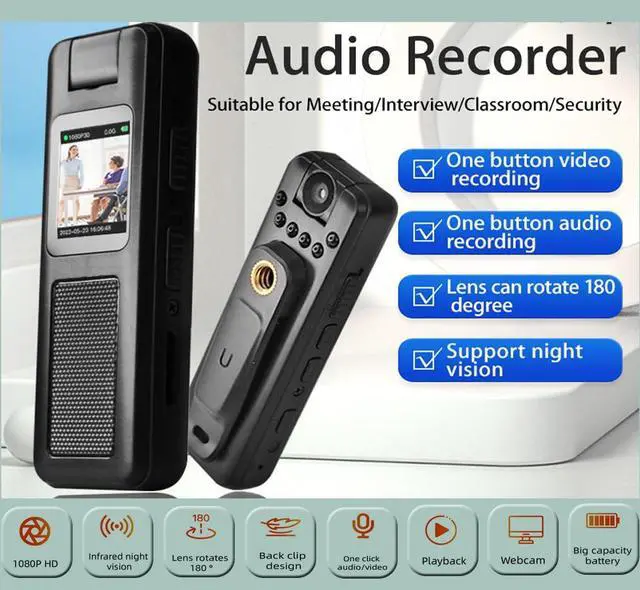

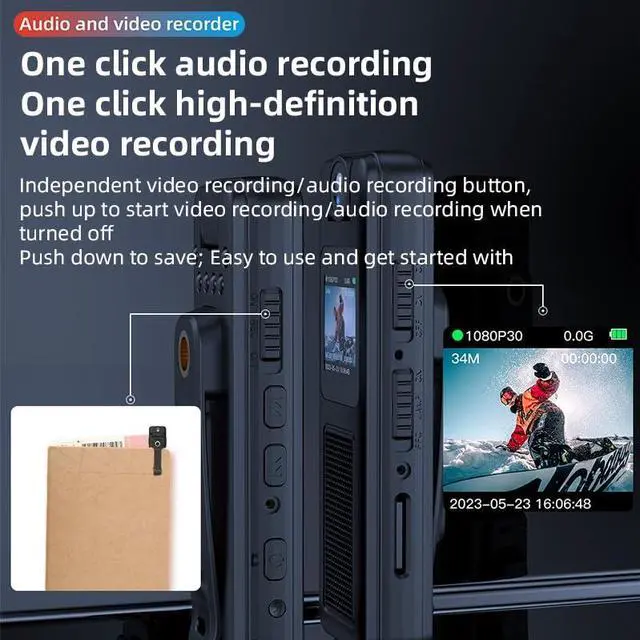
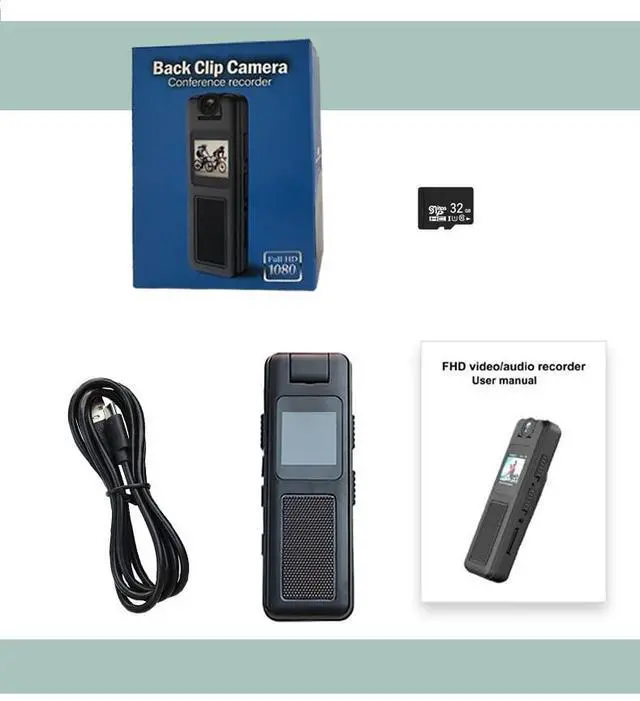


Versatile Usage: This 1080P HD video voice recorder is suitable for capturing meetings, speeches, cycling sessions, and classroom lectures.
Multi-Function: Features video recording, sound recording, 180° lens rotation, and night vision capabilities.
Convenient Design: Equipped with a magnetic suction base and clamp for secure mounting on various surfaces.
Compact Display: Comes with a 0.85-inch color screen that allows you to record while watching the live view.
Multimedia Support: Supports local device video playback, inserting headphones for video playback, and listening to recordings.

Wide-angle
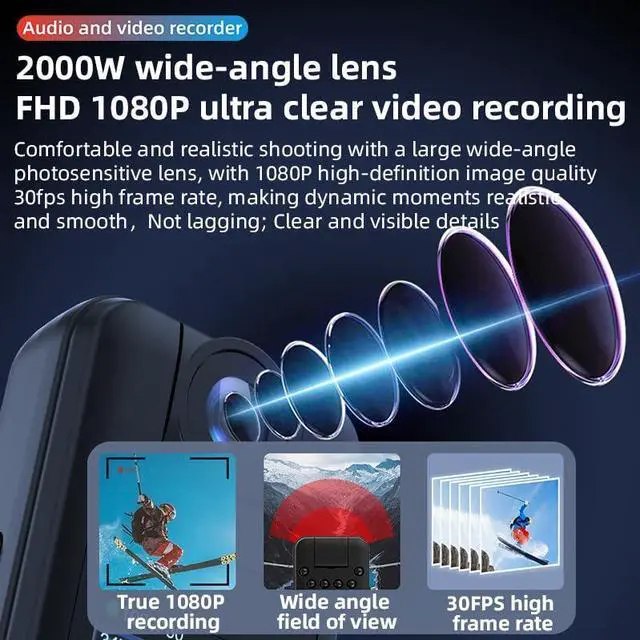
Wide-angle photosensitive lens for easy and natural shooting. 1080P HD and 30 FPS ensure smooth, stutter-free dynamic footage.

6 high-power infrared night vision lights
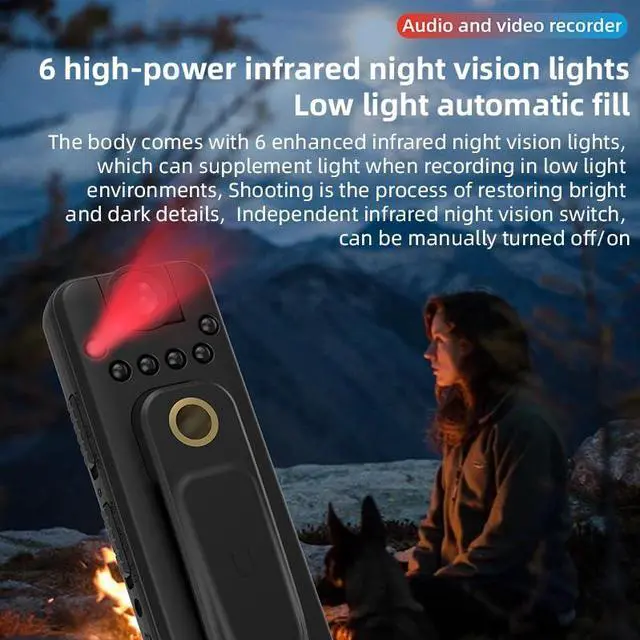
6 high-power infrared night vision lights (auto fill light in low light); independent infrared night vision switch for manual on/off. Restores bright/dark details when shooting, with saturated colors and clear layers.

Charge while recording
Charge while recording (Allows normal video recording during charging, meeting the needs of long-time shooting).

Meeting/Class
This device is ideal for meetings and classes. It clips easily into your pocket, enabling portable recording.

Vlog short video
Enables you to capture wonderful moments anytime, anywhere — whether it's the stunning scenery during a trip or the joy of fishing.

Cycling/Sports
Attaches securely to sportswear/armband for shake-free wear during cycling, running, etc.
Captures your sports moments from your view, perfect for sharing or recalling adventures.

Body Camera Frequently Asked Questions (FAQ)
1. Q: The device shuts down automatically shortly after being turned on and cannot be used normally. How to fix this?
A: This is because an SD card is not inserted into the device. Please first insert the SD card into the device's card slot correctly, then turn on the device, and it will work normally.
2. Q: Why can't I read the data in the device when connecting it to the computer with a data cable?
A: It is recommended that you use the original data cable of the device. Some data cables on the market only have the charging function and lack data transmission lines, so they cannot realize data reading between the computer and the device.
3. Q: The camera shows abnormal colors after being turned on, with only black and white instead of color. How to handle this?
A: This is usually because it is accidentally switched to the black-and-white mode. Please find the color mode adjustment button on the lower right side of the camera, near the SD card slot. By pushing this button up or down, switch the mode from "Black and White" to "Color", and the normal color display will be restored.
4. Q: The camera fails to work normally when first received, and there is no response when turning it on. What should I do?
A: This is most likely due to the device having low or exhausted battery power from the factory. Please first use the original charger and data cable to charge the camera for at least 2 consecutive hours. After charging is complete, try turning it on again, and it should start normally.
Versatile Usage: This 1080P HD video voice recorder is suitable for capturing meetings, speeches, cycling sessions, and classroom lectures.
Multi-Function: Features video recording, sound recording, 180° lens rotation, and night vision capabilities.
Convenient Design: Equipped with a magnetic suction base and clamp for secure mounting on various surfaces.
Compact Display: Comes with a 0.85-inch color screen that allows you to record while watching the live view.
Multimedia Support: Supports local device video playback, inserting headphones for video playback, and listening to recordings.
Wide-angle
Wide-angle photosensitive lens for easy and natural shooting. 1080P HD and 30 FPS ensure smooth, stutter-free dynamic footage.
6 high-power infrared night vision lights
6 high-power infrared night vision lights (auto fill light in low light); independent infrared night vision switch for manual on/off. Restores bright/dark details when shooting, with saturated colors and clear layers.
Charge while recording
Charge while recording (Allows normal video recording during charging, meeting the needs of long-time shooting).
Meeting/Class
This device is ideal for meetings and classes. It clips easily into your pocket, enabling portable recording.
Vlog short video
Enables you to capture wonderful moments anytime, anywhere — whether it's the stunning scenery during a trip or the joy of fishing.
Cycling/Sports
Attaches securely to sportswear/armband for shake-free wear during cycling, running, etc.
Captures your sports moments from your view, perfect for sharing or recalling adventures.
Body Camera Frequently Asked Questions (FAQ)
1. Q: The device shuts down automatically shortly after being turned on and cannot be used normally. How to fix this?
A: This is because an SD card is not inserted into the device. Please first insert the SD card into the device's card slot correctly, then turn on the device, and it will work normally.
2. Q: Why can't I read the data in the device when connecting it to the computer with a data cable?
A: It is recommended that you use the original data cable of the device. Some data cables on the market only have the charging function and lack data transmission lines, so they cannot realize data reading between the computer and the device.
3. Q: The camera shows abnormal colors after being turned on, with only black and white instead of color. How to handle this?
A: This is usually because it is accidentally switched to the black-and-white mode. Please find the color mode adjustment button on the lower right side of the camera, near the SD card slot. By pushing this button up or down, switch the mode from "Black and White" to "Color", and the normal color display will be restored.
4. Q: The camera fails to work normally when first received, and there is no response when turning it on. What should I do?
A: This is most likely due to the device having low or exhausted battery power from the factory. Please first use the original charger and data cable to charge the camera for at least 2 consecutive hours. After charging is complete, try turning it on again, and it should start normally.