Your Browsing History
Meet Your Seller
VHS to Digital Converter 2.0, HD Video to Digital Converter Recorder with Remote, Convert Record Analog Video Audio from VHS/VCR, DVR/DVD/Hi8/Mini DV/Camcorder/Gaming ConsolesTapes Players Needed)
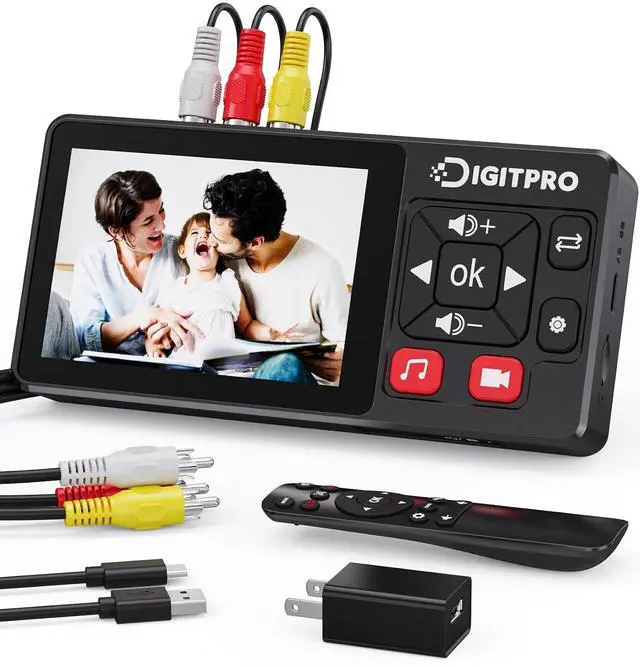
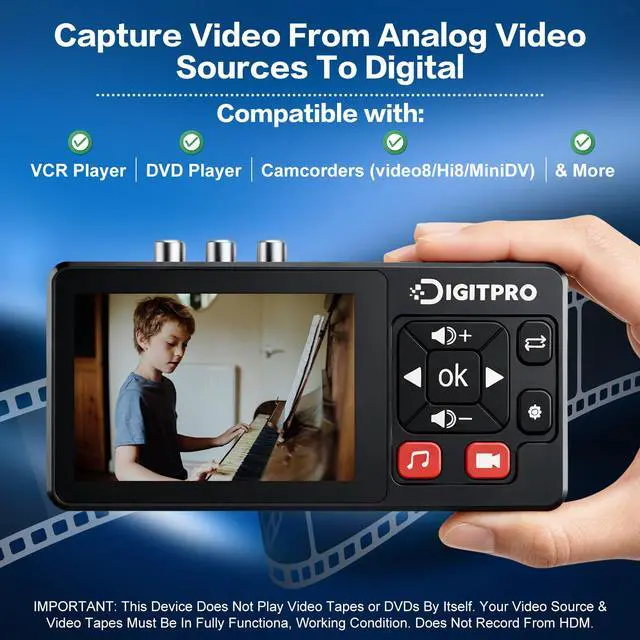
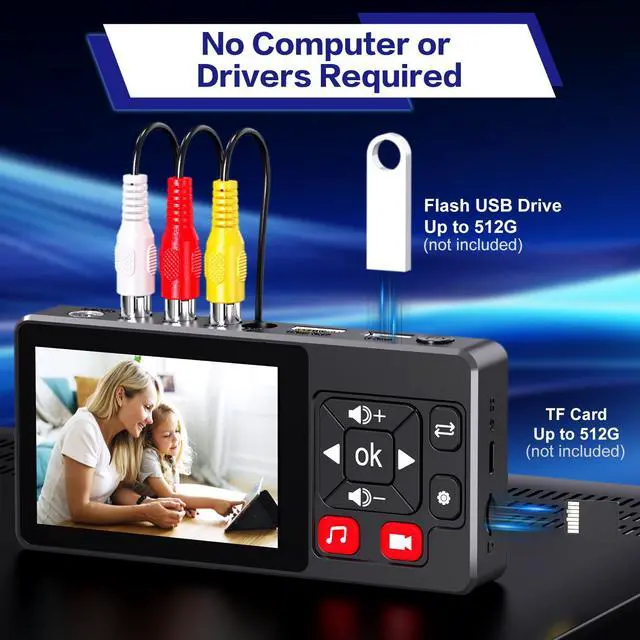
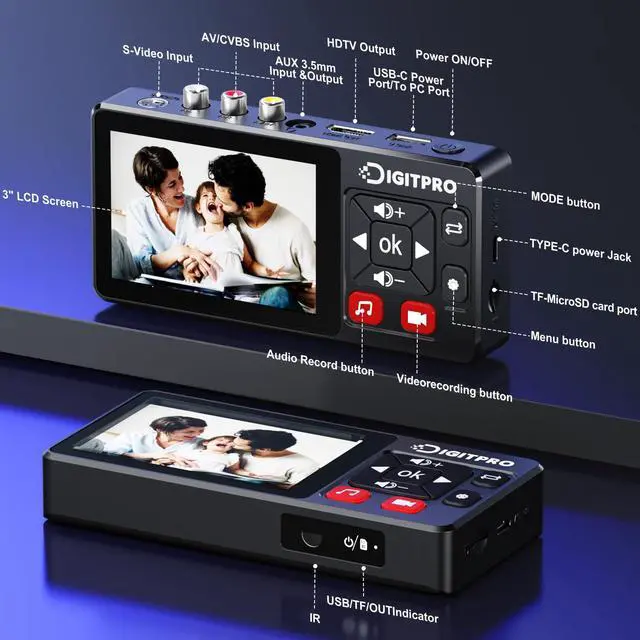
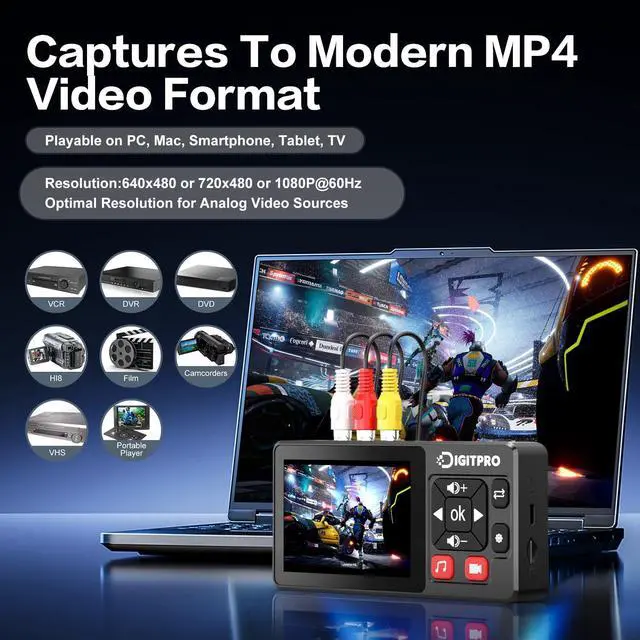
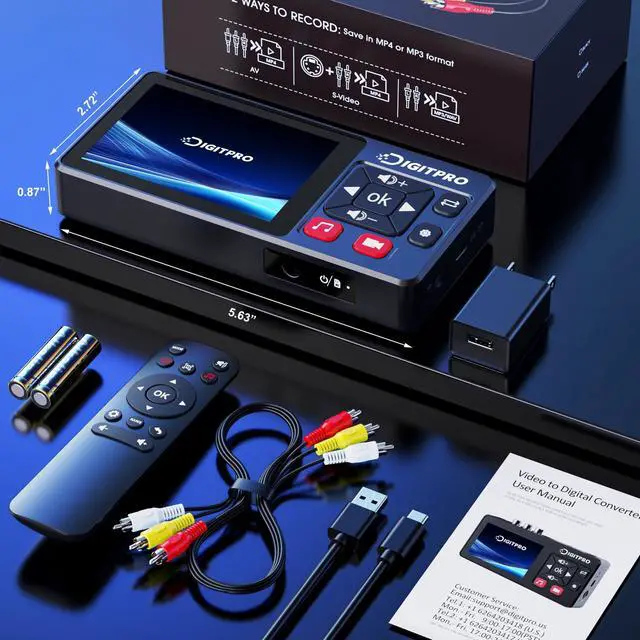
- One-Touch Digital Conversion: Easily convert analog video signals from VHS, VCR, DVD, Hi8, camcorders, and more into digital formats (supports AV/RCA and S-Video inputs), recording resolution up to 1080P 30Hz. No computer or software requireddirectly records in MP4/MP3/WAV formats. Supports storage devices (USB/TF cards) up to 512GB. Plug-and-play operation with simple controls.; 3.5-Inch HD Preview Screen & Real-Time Playback: Features a 3.5-inch LCD screen and built-in stereo speakers for real-time preview and playback of recorded videos/audio without external devices. Connect via HDMI output to on a larger display.; Multi-Functional Recording & Smart Settings: Supports separate video/audio recording with a long-press screenshot function. Intelligent features include auto pause/resume during signal loss, time watermark, and scheduled recording. Adjustable video resolution: 1080p or auto-detection (supports NTSC/PAL formats) for versatile needs.; Wide Compatibility & Portable Design: Compatible with VHS, VCR, DVD, Hi8, camcorders, Mini DV, and retro gaming consoles. Compact and lightweight with Type-C power supplyrequires external power supply, 2AAA batteries is for the remote), ideal for both home and professional use.; Complete Accessories & Worry-Free Support: Includes Type-C power cable, AV cable, adapter, and a detailed user manualready to use out of the box. Backed by professional bilingual customer support (U.S.-based) offering reliable after-sales service.
+
+
Overview
Specs
Reviews
Any questions? Our AI beta will help you find out quickly.
Try me now
Product description Click to play video 3.5" Screen Plug & Play Autostop/Schedule Record Storage Options Built-in Speaker DigitPro VHS to Digital Converter VHS Converter 3.0 Add to Cart 5" VHS Converter Add to Cart VHS Converter Buying Options VHS Converter 2.0 Add to Cart 4K VHS Converter Add to Cart Customer Reviews 4.4 out of 5 stars 249 4.6 out of 5 stars 45 3.6 out of 5 stars 23 3.1 out of 5 stars 9 3.4 out of 5 stars 26 Price $ 89.99 $89. 99 $ 169.99 $169. 99 $ 109.99 $109. 99 $ 189.99 $189.
99 Display Size 3.0" Preview LCD 5.0" Preview LCD 2.4" Preview LCD 5.0" Preview LCD 5.0" Preview LCD Input Ports AV (CVBS+R/L), S-Video, AUX AV (CVBS+R/L), S-Video, AUX AV (CVBS+R/L) AV (CVBS+R/L), HDMI AV (CVBS+R/L), HDMI Output Ports HDMI, AUX 3.5 mm HDMI, AUX 3.5 mm HDMI, AUX 3.5 mm HDMI, AUX 3.5 mm HDMI, AUX 3.5 mm Output Storage USB/TF USB/TF/Portable Drive (5TB Max) USB/TF USB/TF USB/TF/Portable Drive (5TB Max) Recording Resolution 1080p@60Hz 1080p@60Hz 720p@60Hz 1080p@60Hz 4K@30Hz Supported Formats NTSC / PAL NTSC / PAL NTSC / PAL NTSC / PAL NTSC / PAL Recording Format MP4MP3WAV MP4MP3WAV AVI MOV MP4 Trouble Shooting 1.
Make sure that the input source(eg set-top box, computer, game concole, etc. ) is switched on and can provide an audio or video singal to the product before pressing the REC button on the product 2. Make sure the connection cable is securely connected to the input source and the device 3. If the product crashes, please power off and restart 4. Please use a Micro SD card with a transfer speed of Class 10 or higher 5. If you fail to successfully record video material to Video to Digital Converter, the connection may be incorrectly connected or too loosely connected.

99 Display Size 3.0" Preview LCD 5.0" Preview LCD 2.4" Preview LCD 5.0" Preview LCD 5.0" Preview LCD Input Ports AV (CVBS+R/L), S-Video, AUX AV (CVBS+R/L), S-Video, AUX AV (CVBS+R/L) AV (CVBS+R/L), HDMI AV (CVBS+R/L), HDMI Output Ports HDMI, AUX 3.5 mm HDMI, AUX 3.5 mm HDMI, AUX 3.5 mm HDMI, AUX 3.5 mm HDMI, AUX 3.5 mm Output Storage USB/TF USB/TF/Portable Drive (5TB Max) USB/TF USB/TF USB/TF/Portable Drive (5TB Max) Recording Resolution 1080p@60Hz 1080p@60Hz 720p@60Hz 1080p@60Hz 4K@30Hz Supported Formats NTSC / PAL NTSC / PAL NTSC / PAL NTSC / PAL NTSC / PAL Recording Format MP4MP3WAV MP4MP3WAV AVI MOV MP4 Trouble Shooting 1.
Make sure that the input source(eg set-top box, computer, game concole, etc. ) is switched on and can provide an audio or video singal to the product before pressing the REC button on the product 2. Make sure the connection cable is securely connected to the input source and the device 3. If the product crashes, please power off and restart 4. Please use a Micro SD card with a transfer speed of Class 10 or higher 5. If you fail to successfully record video material to Video to Digital Converter, the connection may be incorrectly connected or too loosely connected.
Warranty & Returns
Warranty, Returns, And Additional Information
Warranty
- Please contact the Seller directly for warranty information. Warranty information may also be found on the Manufacturer's website.
- CONTACT
Return Policies
- Return for refund within: 30 days
- Return for replacement within: 30 days
- This item is covered by LUOYIMAN Return Policy
Manufacturer Contact Info
- For a directory of all our manufacturers, please click below.
- Manufacturers Directory
LOADING...