Your Browsing History
- Free 30-day Returns
$222.99
Meet Your Seller
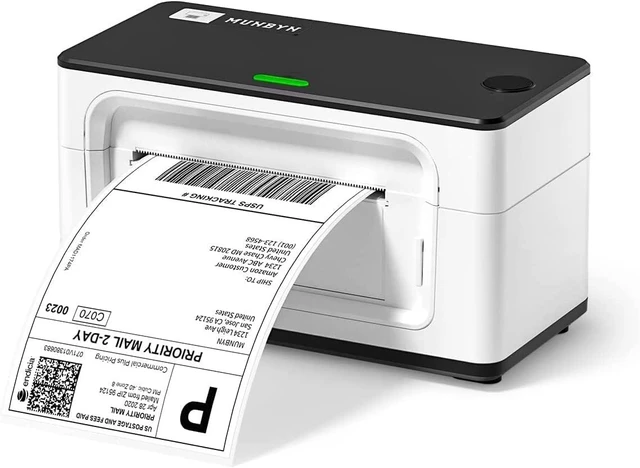
MUNBYN RealWriter 941 Bluetooth USB 4x6 Shipping Thermal Label Printer
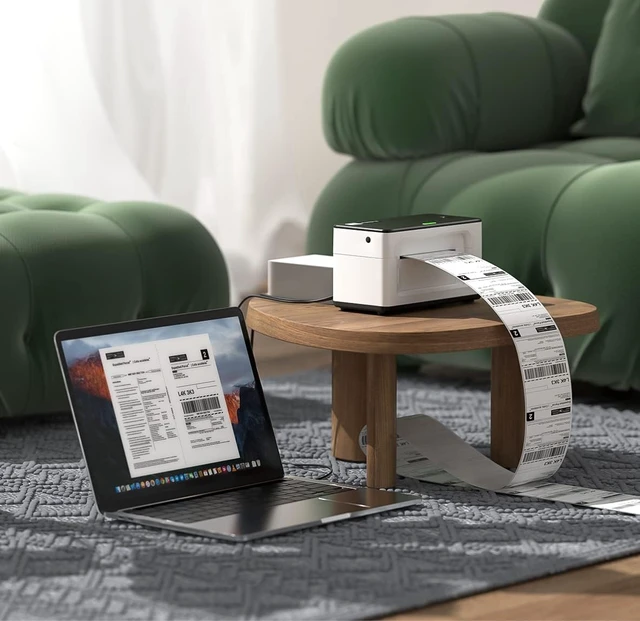
- USB & Bluetooth, Compatible with macOS & Windows, Supports Shopify USPS, Small Business & Home Use White
- One Minute to Set up, Money and Time Saver: 203dpi thermal label printer RealWriter 941 is easy to work with Windows, macOS. MUNBYN shipping label printer installs and works like a regular thermal printer that can create customized labels directly from any application
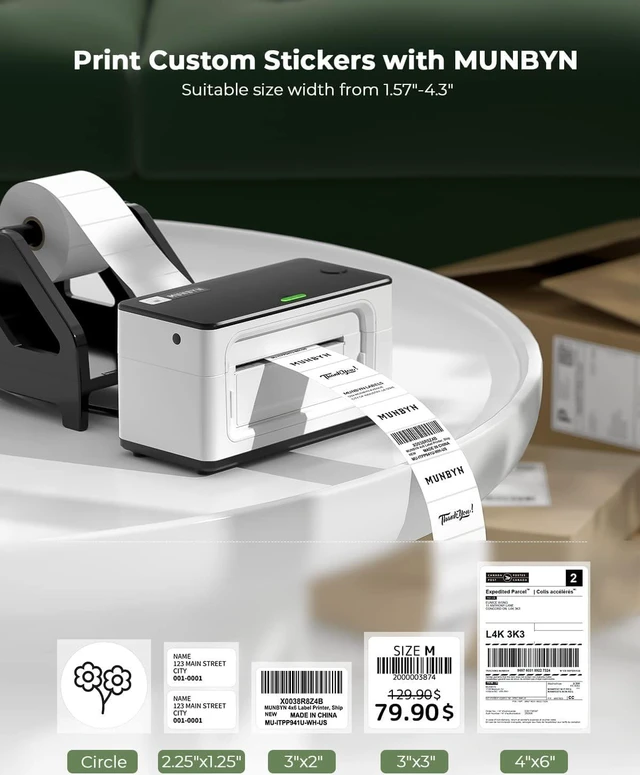
- Easy Learning Labels: MUNBYN 4x6 label printer Auto Analyze and learn your label, bringing more convenience to your business. Compatible with warehouse labels, shipping labels, food nutrition labels, and most other thermal direct labels
- Multi-Compatibility: The MUNBYN thermal label printer is compatible with Etsy, Shopify, eBay, Poshmark, Ship Station, Shipping Easy, Shippo, Ordoro, Endicia Dazzle, Shipwire, Shipworks, Stockx, Xps Ship, and all other major shipping and selling platforms
- Automatic Label Identification: Close the lid and insert the paper from the back of the printer, MUNBYN postage label printer wil
+
+
Overview
Specs
Reviews
Any questions? Ask CelesteSM will help you find out quickly.
Try me now
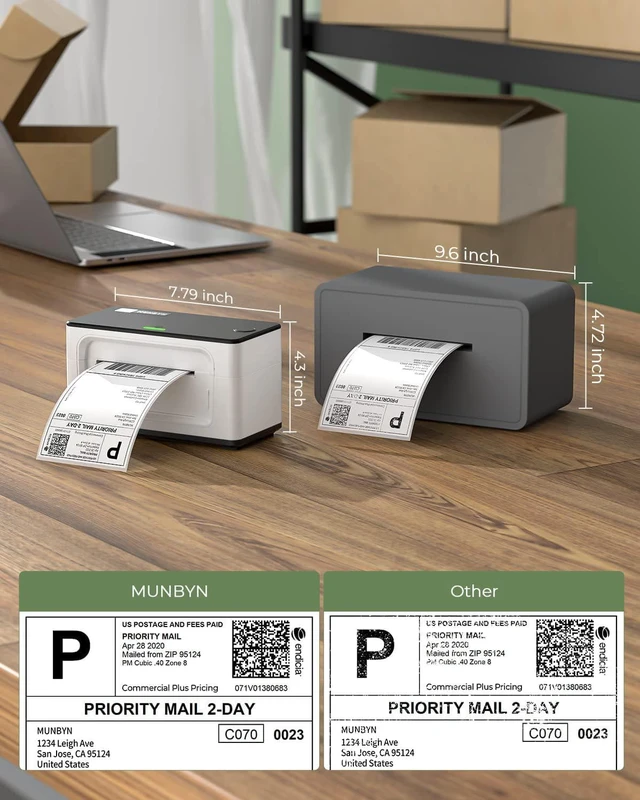
MUNBYN RealWriter 941 thermal printers are inkless, they use heat to print images on paper without replenishing ink supplies, you will save big on operational costs.
One-click installation to print eliminates complex installation issues.
Auto-rewind to avoid paper waste
Support via Email, Phone, Chat, and Remote Desktop.
1No More Ghost Printing2Batch Print 8x11 Labels3Support for Multiplatform4Support for Multi-Size52 Year Product Protection
USB Wired Connectivity Version - Without Bluetooth & Wi-Fi
This version does not have Bluetooth or Wi-Fi capabilities, so you need a cable to connect it to your computer for printing.
If you need the 941 Bluetooth or AirPrint version, please click the button above to learn more:
Why is my shipping label not completely printed? Too small or only part of it?
If you were printing your labels on a regular printer previously, please change your label size from 8.5"x 11" to 4"x 6" on the website that generates your labels.
Why does my computer show that the printer's status is offline or Error or not displayed on the computer?
Offline or Not display on Mac
If the status of the printer is offline, it means that Mac did not recognize the printer, please replug the USB cable and restart the printer. The status will be online.
How to run the calibration of the printer?
1. Load at least 4 consecutive labels into the printer.
2. Press the FEED button (red/green light) and hold it until you hear one beep sound, then release the button.
3. The label's gap should stop on the printer's edge and the LED will turn green.
Thermal Shipping Label
One-click installation to print eliminates complex installation issues.
Auto-rewind to avoid paper waste
Support via Email, Phone, Chat, and Remote Desktop.
1No More Ghost Printing2Batch Print 8x11 Labels3Support for Multiplatform4Support for Multi-Size52 Year Product Protection
USB Wired Connectivity Version - Without Bluetooth & Wi-Fi
This version does not have Bluetooth or Wi-Fi capabilities, so you need a cable to connect it to your computer for printing.
If you need the 941 Bluetooth or AirPrint version, please click the button above to learn more:
Why is my shipping label not completely printed? Too small or only part of it?
If you were printing your labels on a regular printer previously, please change your label size from 8.5"x 11" to 4"x 6" on the website that generates your labels.
Why does my computer show that the printer's status is offline or Error or not displayed on the computer?
Offline or Not display on Mac
If the status of the printer is offline, it means that Mac did not recognize the printer, please replug the USB cable and restart the printer. The status will be online.
How to run the calibration of the printer?
1. Load at least 4 consecutive labels into the printer.
2. Press the FEED button (red/green light) and hold it until you hear one beep sound, then release the button.
3. The label's gap should stop on the printer's edge and the LED will turn green.
Thermal Shipping Label
Warranty & Returns
Warranty, Returns, And Additional Information
Warranty
- Please contact the Seller directly for warranty information. Warranty information may also be found on the Manufacturer's website.
- CONTACT
Return Policies
- Return for refund within: 30 days
- Return for replacement within: 45 days
- This item is covered by Ali Wangwang E-commerce Limited Return Policy
Manufacturer Contact Info
- For a directory of all our manufacturers, please click below.
- Manufacturers Directory
LOADING...