Your Browsing History
- Free 30-day Returns
$304.99
Meet Your Seller
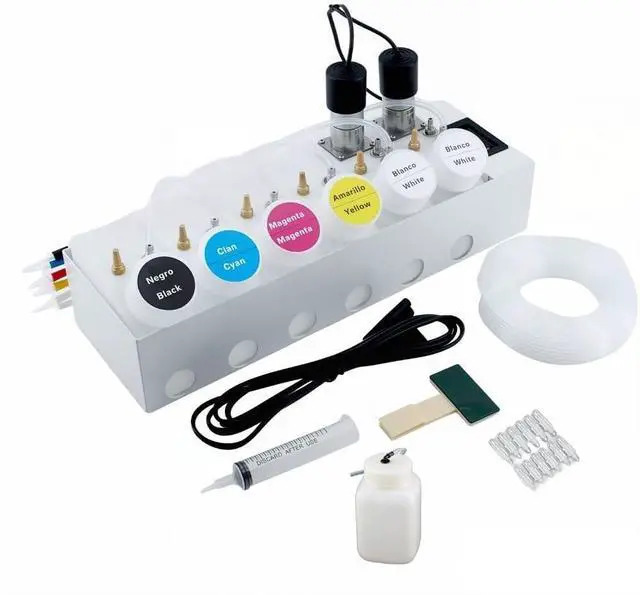
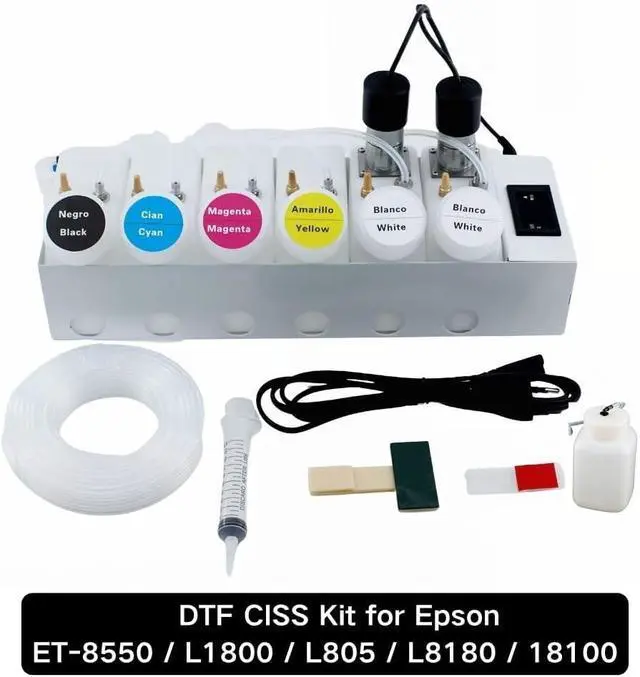
DTF CISS Kit for ET-8550 L1800 L805, Dual White Tank Auto Stirrer
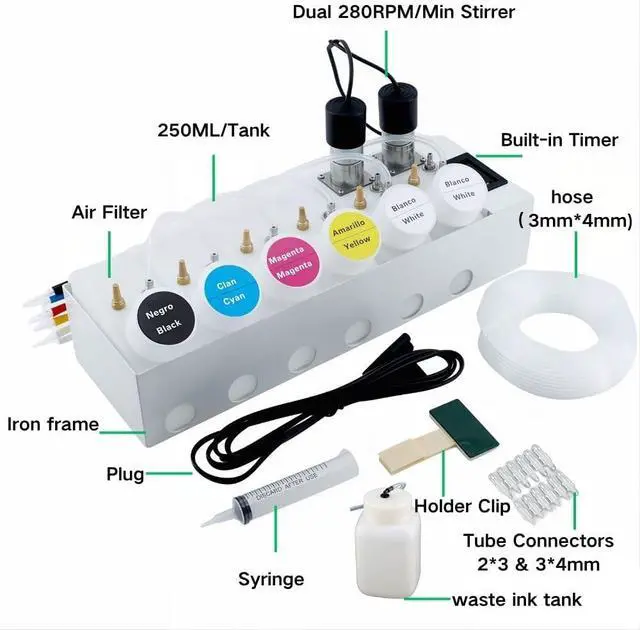
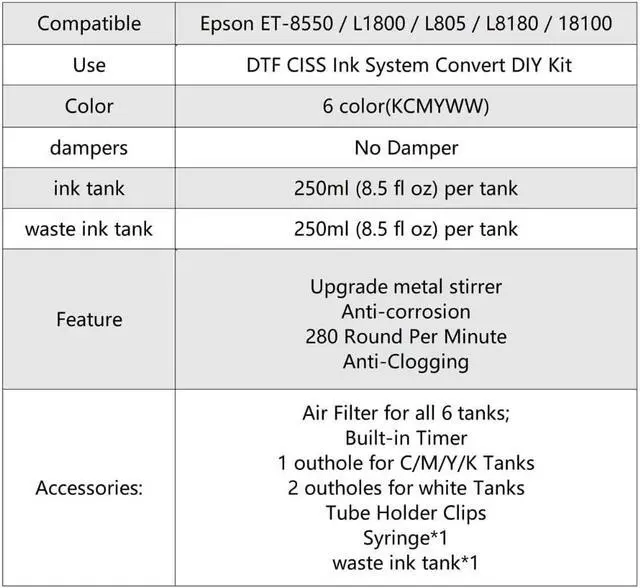
- 6-color DTF CISS kit for L8180 18100.with dual white tank with auto stirrer, timer & waste ink collector for smooth DTF print
- Wide Compatibility & Clean Waste Management: Works seamlessly with popular 6-color DTF printers including Epson ET-8550, 8050, L1800, L805, L8180, and L18100. Includes a dedicated waste ink tank for tidy and convenient ink disposal.
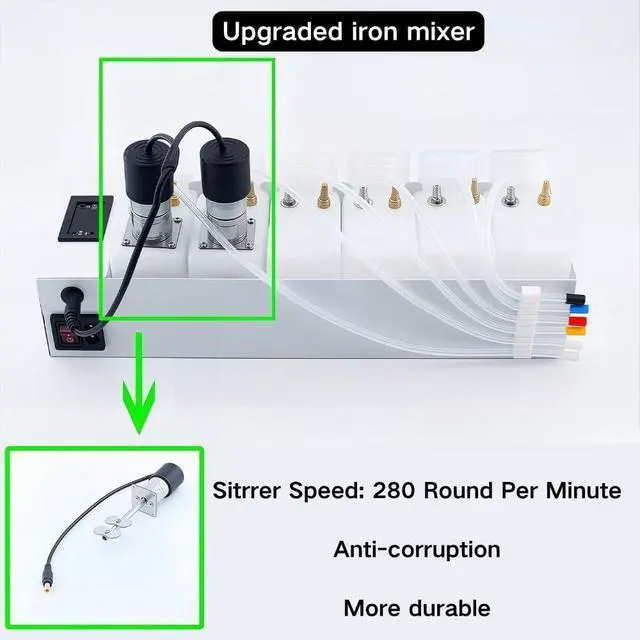
- Auto White Ink Stirring & Anti-Clogging System: Features a corrosion-resistant metal stirrer rotating at 280 RPM to automatically circulate and mix white ink, preventing sedimentation and nozzle clogsno more daily manual shaking.
- High-Capacity & User-Friendly Ink Setup: Equipped with six 8.5 oz (Approx. 250ml) wide-mouth ink tanks for easy, spill-free refilling. Comes with all necessary accessories: air filters, syringe, holder clips, tubing, and connectors.
- Easy Setup with Visual Guidance: Scan the QR code on CISS to access step-by-step installation video, a printed instruction was included.
- Durable Construction &
+
+
Overview
Specs
Reviews
Any questions? Our AI mode will help you find out quickly.
Try me now
How to install waste ink tank?
The video showcases the product in use.The video guides you through product setup.The video compares multiple products.The video shows the product being unpacked.
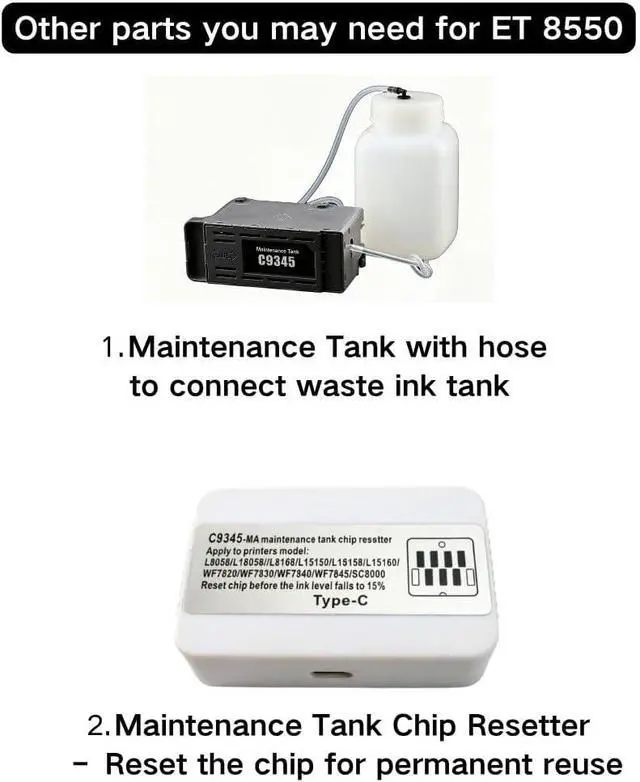
The video showcases the product in use.The video guides you through product setup.The video compares multiple products.The video shows the product being unpacked. Situation 1printer use our maintenance box (C9345) How to connect waste ink tank to maintenance box Situation 2printer has no maintenance box How to connect (without maintenance box)?
The video showcases the product in use.The video guides you through product setup.The video compares multiple products.The video shows the product being unpacked.
The video showcases the product in use.The video guides you through product setup.The video compares multiple products.The video shows the product being unpacked. Situation 1printer use our maintenance box (C9345) How to connect waste ink tank to maintenance box Situation 2printer has no maintenance box How to connect (without maintenance box)?
Warranty & Returns
Warranty, Returns, And Additional Information
Warranty
- Please contact the Seller directly for warranty information. Warranty information may also be found on the Manufacturer's website.
- CONTACT
Return Policies
- Return for refund within: 30 days
- Return for replacement within: 30 days
- This item is covered by Zhanfu Technology Co., Limited Return Policy
Manufacturer Contact Info
- For a directory of all our manufacturers, please click below.
- Manufacturers Directory
LOADING...