






Does it have a back-up battery?Can it be used without being plugged in?
Yes. Each unit has a built-in button battery that saves all settings during a power outage, so they restore automatically when power returns. However, it cannot keep the clock running while unplugged. The unit must stay plugged in to work.
Does it have a headphone jack?
No it does not
I want to give this to my child as a gift. Is it easy to set up?
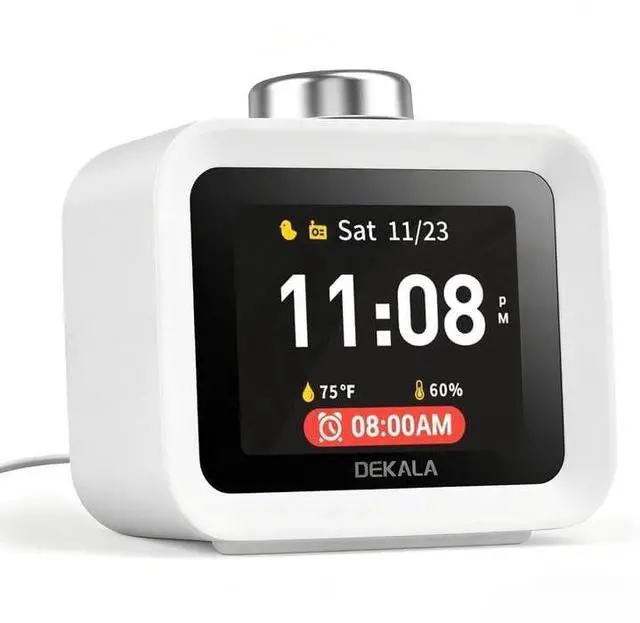
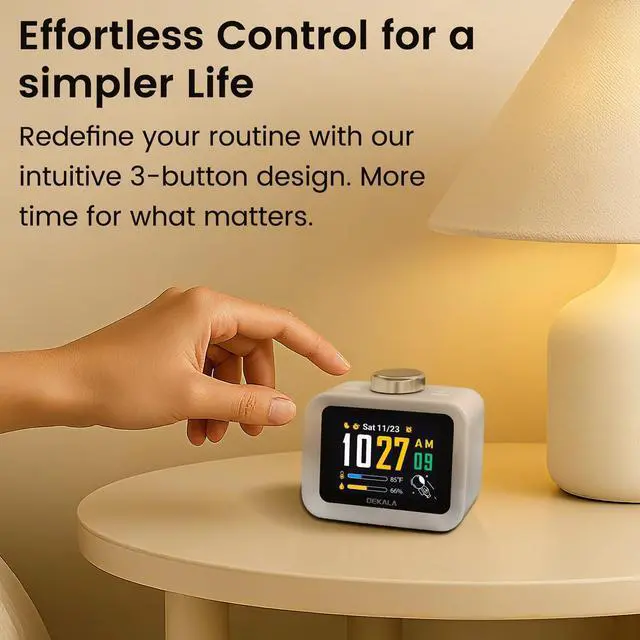
Yes. The IPS screen clearly guides each setting and shows every parameter name, making setup as easy as using a smartphone. With only 3 physical buttons, each function is simple to learn.
Can I turn off the hourly chime or set quiet hours?
Yes. In the Settings menu, select Hourly Chime to adjust the on/off switch, chime sound, volume, and quiet time.
Can this alarm clock adjust automatically for Daylight Saving Time?
Yes. Go to Settings > System > Language & Region. After selecting the language and time zone, set Daylight Saving Time to “Yes” to enable it.


Does it have a back-up battery?Can it be used without being plugged in?
Yes. Each unit has a built-in button battery that saves all settings during a power outage, so they restore automatically when power returns. However, it cannot keep the clock running while unplugged. The unit must stay plugged in to work.
Does it have a headphone jack?
No it does not
I want to give this to my child as a gift. Is it easy to set up?
Yes. The IPS screen clearly guides each setting and shows every parameter name, making setup as easy as using a smartphone. With only 3 physical buttons, each function is simple to learn.
Can I turn off the hourly chime or set quiet hours?
Yes. In the Settings menu, select Hourly Chime to adjust the on/off switch, chime sound, volume, and quiet time.
Can this alarm clock adjust automatically for Daylight Saving Time?
Yes. Go to Settings > System > Language & Region. After selecting the language and time zone, set Daylight Saving Time to “Yes” to enable it.