


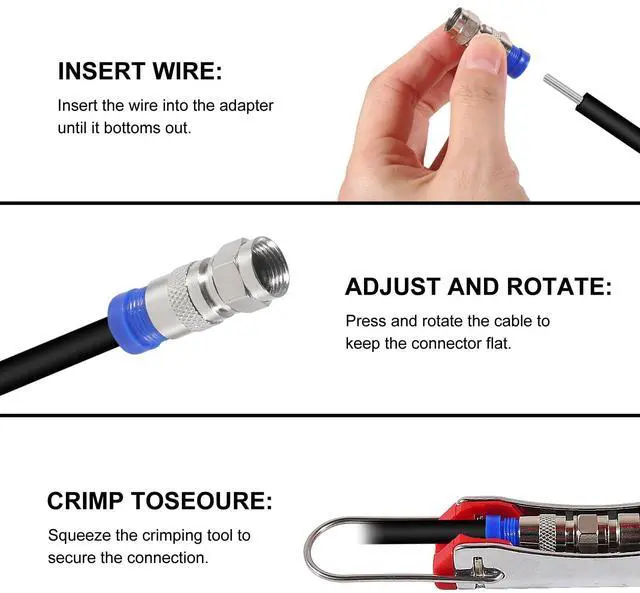
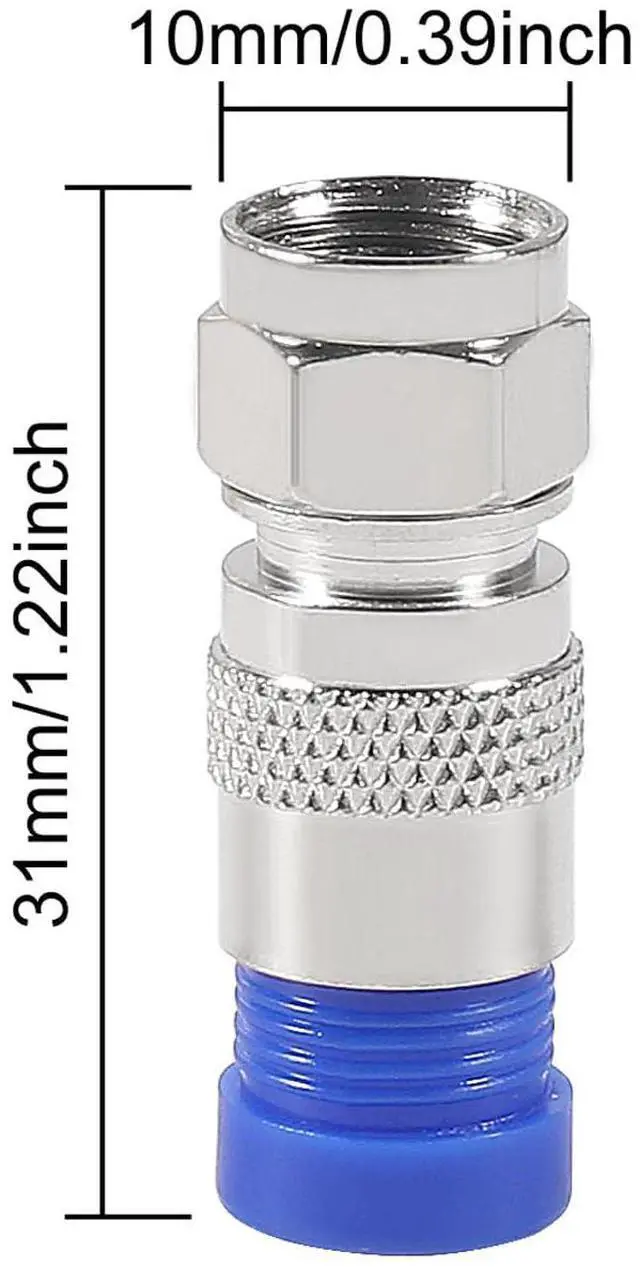


Package include:
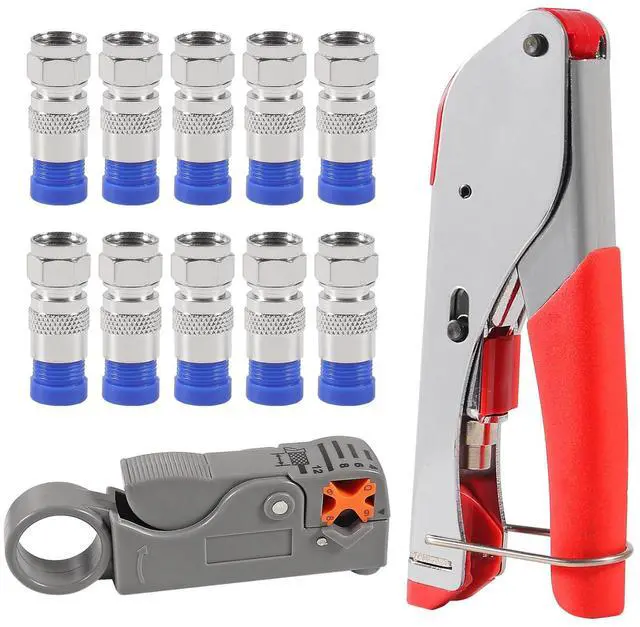
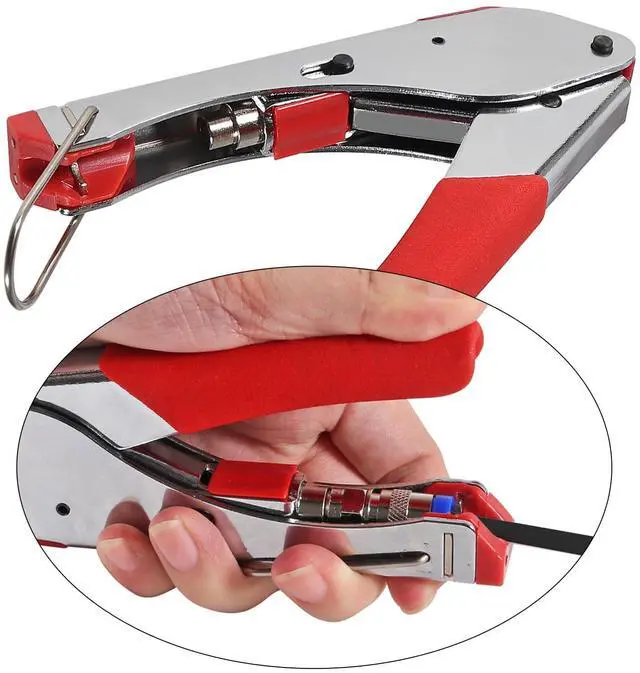
- 1 x Crimping Tool
- 1 x Stripping Tool
- 10 x Blue Connectors
How to Use the Stripping Tool:
- Cassette Removal & Reversibility:
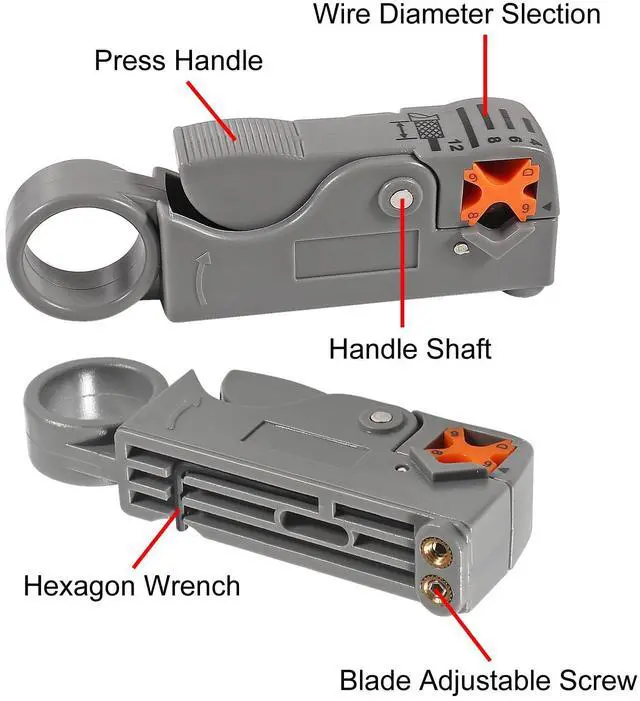
- Push the cassette out of the housing from the front. The cassette is reversible, with one side designed for RG-59/6 cables and the other for RG-7/11, ensuring versatility for different coaxial cables.
- Stripping Coaxial Cable:
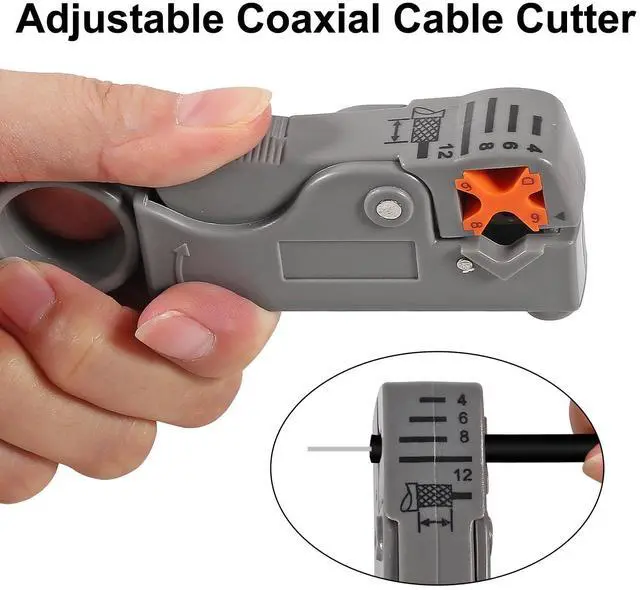
- Step a: Insert the cable until it aligns with the guide.
- Step b: Place your index finger in the stripper’s finger ring and rotate counterclockwise 3-5 times to cut the insulation.
- Step c: Open the jaws, remove the cable, and pull away the outer jacket and dielectric to expose the inner conductor.
- Step d: The stripping distance is preset to 6mm for both dielectric and inner conductor.
- Stripping Round Networking Cable:
- Step a: Insert the cable into the second stripping hole, rotate counterclockwise 1-3 times, then open the jaws to remove the outer jacket.
- Step b: Adjust the blade depth using the black knob—turn clockwise to increase depth or counterclockwise to decrease it.
- Cutting Cables:
- Easily cut coaxial, round networking, or flat telephone cables by placing them in position and squeezing the handles.
- Stripping Flat Cable:
- Step a: Insert 4p/6p cable into the two-bladed side until it touches the stop guide.
- Step b: For 8p cable, let it extend slightly past the lower cut blade.
- Pro Tip: Keep the cable perpendicular while squeezing the handles, then pull away for a clean strip.
- This tool combines precision and ease, making it ideal for professionals and DIY enthusiasts. Its ergonomic design ensures smooth operation for various cable types, delivering flawless results every time.
- Effortlessly Strip and Cut Cables with Precision Using Our Rotary Coaxial Cable Cutter Tool!
- This versatile cable cutter is your go-to solution for clean, professional-grade stripping and cutting of coaxial, networking, and flat cables.
- Here’s how it works:
- Stripping Coaxial Cable: Insert the cable into the designated hole, rotate the tool 3-5 times counterclockwise, and effortlessly remove the outer jacket to expose the conductor with a perfect 6mm stripping distance.
- Stripping Networking Cable: Use the second hole for Ethernet or similar cables. Rotate 1-3 times and adjust the blade depth as needed for a flawless strip every time.
- Cutting Cables: Need a clean cut? Simply place the cable between the blades and squeeze the handles—sharp, precise cuts with no fraying or damage.
- Flat Cable Stripping: For flat cables, insert perpendicularly, squeeze gently, and pull to achieve accurate stripping without nicking the inner wires.
- Ideal for technicians, DIYers, and professionals, this tool combines durability, ease of use, and versatility to handle all your cable prep tasks. Save time and achieve consistent results with every use!
Package include:
- 1 x Crimping Tool
- 1 x Stripping Tool
- 10 x Blue Connectors
How to Use the Stripping Tool:
- Cassette Removal & Reversibility:
- Push the cassette out of the housing from the front. The cassette is reversible, with one side designed for RG-59/6 cables and the other for RG-7/11, ensuring versatility for different coaxial cables.
- Stripping Coaxial Cable:
- Step a: Insert the cable until it aligns with the guide.
- Step b: Place your index finger in the stripper’s finger ring and rotate counterclockwise 3-5 times to cut the insulation.
- Step c: Open the jaws, remove the cable, and pull away the outer jacket and dielectric to expose the inner conductor.
- Step d: The stripping distance is preset to 6mm for both dielectric and inner conductor.
- Stripping Round Networking Cable:
- Step a: Insert the cable into the second stripping hole, rotate counterclockwise 1-3 times, then open the jaws to remove the outer jacket.
- Step b: Adjust the blade depth using the black knob—turn clockwise to increase depth or counterclockwise to decrease it.
- Cutting Cables:
- Easily cut coaxial, round networking, or flat telephone cables by placing them in position and squeezing the handles.
- Stripping Flat Cable:
- Step a: Insert 4p/6p cable into the two-bladed side until it touches the stop guide.
- Step b: For 8p cable, let it extend slightly past the lower cut blade.
- Pro Tip: Keep the cable perpendicular while squeezing the handles, then pull away for a clean strip.
- This tool combines precision and ease, making it ideal for professionals and DIY enthusiasts. Its ergonomic design ensures smooth operation for various cable types, delivering flawless results every time.
- Effortlessly Strip and Cut Cables with Precision Using Our Rotary Coaxial Cable Cutter Tool!
- This versatile cable cutter is your go-to solution for clean, professional-grade stripping and cutting of coaxial, networking, and flat cables.
- Here’s how it works:
- Stripping Coaxial Cable: Insert the cable into the designated hole, rotate the tool 3-5 times counterclockwise, and effortlessly remove the outer jacket to expose the conductor with a perfect 6mm stripping distance.
- Stripping Networking Cable: Use the second hole for Ethernet or similar cables. Rotate 1-3 times and adjust the blade depth as needed for a flawless strip every time.
- Cutting Cables: Need a clean cut? Simply place the cable between the blades and squeeze the handles—sharp, precise cuts with no fraying or damage.
- Flat Cable Stripping: For flat cables, insert perpendicularly, squeeze gently, and pull to achieve accurate stripping without nicking the inner wires.
- Ideal for technicians, DIYers, and professionals, this tool combines durability, ease of use, and versatility to handle all your cable prep tasks. Save time and achieve consistent results with every use!