Your Browsing History
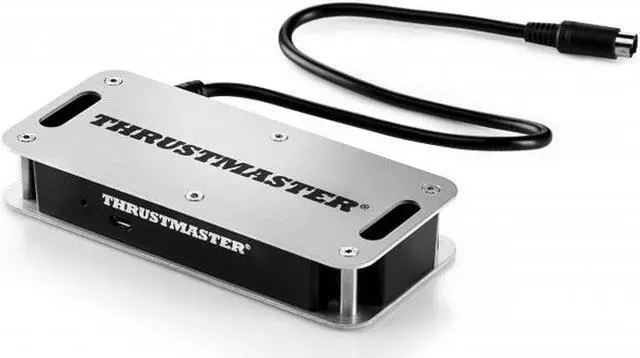
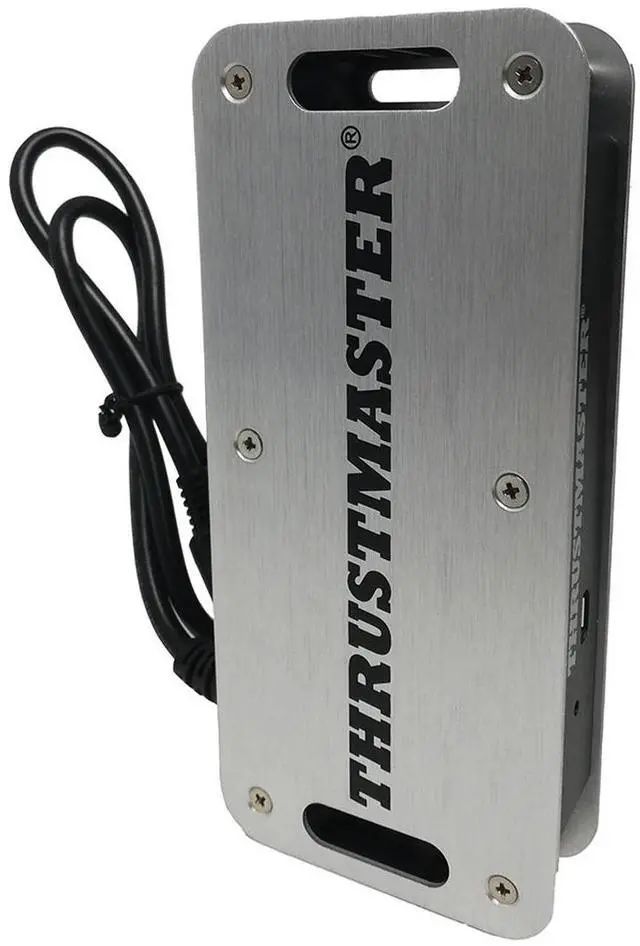
Thrustmaster TM SIM HUB (Compatible with PS5, PS4, XBOX Series X/S, One, PC)
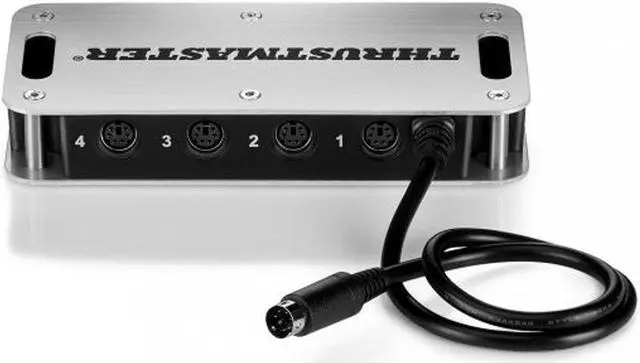
- The TM sim hub allows to connect up to 4 Thrustmaster add-ons
- simultaneously on compatible Thrustmaster wheel bases.
- Connect the TM Sim Hub directly to For TSS handbrake (plus), TH8A Gearbox
- and future Thrustmaster add-ons (sold separately)Thrustmaster wheel bases.
- Compatible on PS4 and Xbox One.
+
+
Overview
Specs
Reviews
See all Q & A
Any questions? Our AI beta will help you find out quickly.
Try me now
Enjoy the Thrustmaster ecosystem on console (PS4 , Xbox One) with the new TM Sim Hub. The TM Sim Hub allows up to four Thrustmaster add-ons to be connected simultaneously to compatible Thrustmaster steering wheel bases.
TM SIM HUB: Connect up to four Thrustmaster add-ons simultaneously to your compatible Thrustmaster steering wheel base.
Compatible on PS4 with T-GT and T300 series wheels
Compatible on Xbox One with TS-XW Racer and TX series wheels
The TM Sim Hub is compatible on PS4 and Xbox One with:
The basis of the Thrustmaster T-GT, T300, TS-XW Racer and TX steering wheels
The handbrake / sequential gearbox TSS Handbrake Sparco Mod / TSS Handbrake Sparco Mod +
The TH8A Add-On Shifter gearbox.
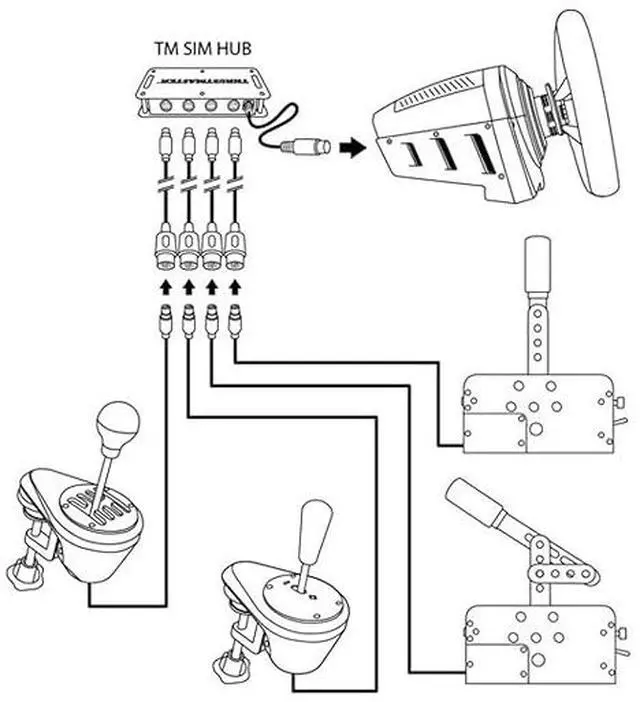
On PS4 and Xbox One, the TM SIM HUB allows up to four accessories to be connected simultaneously directly to the mini-DIN connector on the back of the base of the compatible Thrustmaster steering wheel.
Examples of possible simultaneous connections to the TM SIM HUB:
A TSS Handbrake Sparco Mod in sequential mode [+/-]
A TSS Handbrake Sparco Mod in handbrake mode [progressive]
A TH8A Add-On Shifter in sequential mode [+/-]
A TH8A Add- On Shifter in H mode [7 + R]
Notes on the TSS Handbrake Sparo MOD in PS4 and XBOX ONE games
When the TSS Handbrake Sparco Mod is plugged into a compatible Thrustmaster steering wheel base or the TM SIM HUB:
The sequential mode [+/-] is functional in all games, because it is coupled with the UP and DOWN of the steering wheel.
The handbrake mode [Progressive] is functional in the games supporting the handbrake function.
Additional details on multi-equipment on console
On Xbox One, the TM Sim Hub is required to play with more than one add-on. The TM Sim Hub must be plugged into the DIN port of a compatible steering wheel base. The add-ons (TH8A, TSSH) must be plugged into the ports of the TM Sim Hub.
On PS4 , some games support / allow plugging the TH8A into the PS4's USB port and plugging the TSS Handbrake Sparco Mod into the DIN port of a steering wheel base.
On games that do not support TH8A via USB connection, the TM Sim Hub is required to play with more than one add-on.

TM SIM HUB: Connect up to four Thrustmaster add-ons simultaneously to your compatible Thrustmaster steering wheel base.
Compatible on PS4 with T-GT and T300 series wheels
Compatible on Xbox One with TS-XW Racer and TX series wheels
The TM Sim Hub is compatible on PS4 and Xbox One with:
The basis of the Thrustmaster T-GT, T300, TS-XW Racer and TX steering wheels
The handbrake / sequential gearbox TSS Handbrake Sparco Mod / TSS Handbrake Sparco Mod +
The TH8A Add-On Shifter gearbox.
On PS4 and Xbox One, the TM SIM HUB allows up to four accessories to be connected simultaneously directly to the mini-DIN connector on the back of the base of the compatible Thrustmaster steering wheel.
Examples of possible simultaneous connections to the TM SIM HUB:
A TSS Handbrake Sparco Mod in sequential mode [+/-]
A TSS Handbrake Sparco Mod in handbrake mode [progressive]
A TH8A Add-On Shifter in sequential mode [+/-]
A TH8A Add- On Shifter in H mode [7 + R]
Notes on the TSS Handbrake Sparo MOD in PS4 and XBOX ONE games
When the TSS Handbrake Sparco Mod is plugged into a compatible Thrustmaster steering wheel base or the TM SIM HUB:
The sequential mode [+/-] is functional in all games, because it is coupled with the UP and DOWN of the steering wheel.
The handbrake mode [Progressive] is functional in the games supporting the handbrake function.
Additional details on multi-equipment on console
On Xbox One, the TM Sim Hub is required to play with more than one add-on. The TM Sim Hub must be plugged into the DIN port of a compatible steering wheel base. The add-ons (TH8A, TSSH) must be plugged into the ports of the TM Sim Hub.
On PS4 , some games support / allow plugging the TH8A into the PS4's USB port and plugging the TSS Handbrake Sparco Mod into the DIN port of a steering wheel base.
On games that do not support TH8A via USB connection, the TM Sim Hub is required to play with more than one add-on.
Warranty & Returns
Warranty, Returns, And Additional Information
Warranty
- Limited Warranty period (parts): 1 year
- Limited Warranty period (labor): 1 year
- Read full details
Return Policies
- Return for refund within: 15 days
- Return for replacement within: 15 days
- This item is covered by Newegg.com's 15-Day Return Policy.
- Read full return policy for details.
Manufacturer Contact Info
- Manufacturer Website
- Support Phone: 1-866-889-5036
- Support Website
- View other products from Thrustmaster
LOADING...
LOADING...