





On the Fly Remappable Paddles
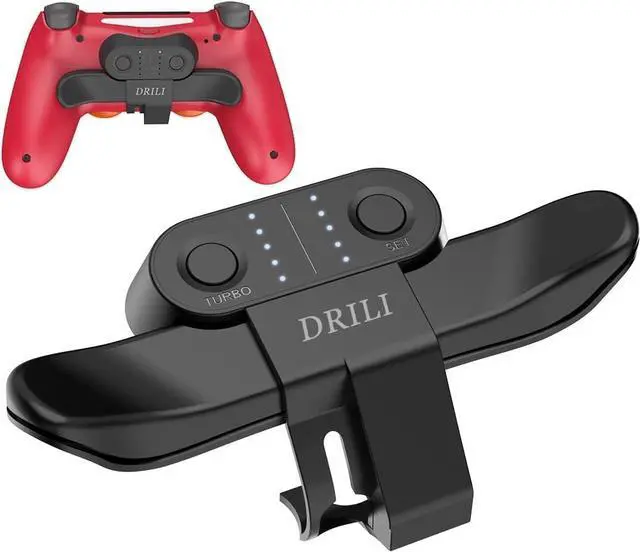
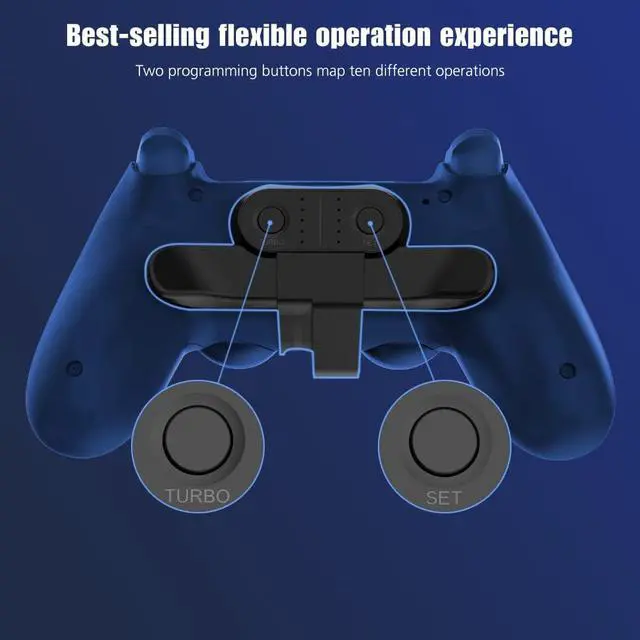
It supports you to customize the mapping of the button functions on the back, supports the TURBO continuous shooting function, increases your response time, and has an absolute advantage over other players in controlling the game time. Plug and play, bringing you a different gaming experience .

Ergonomic Design and Headphone Port Special Design
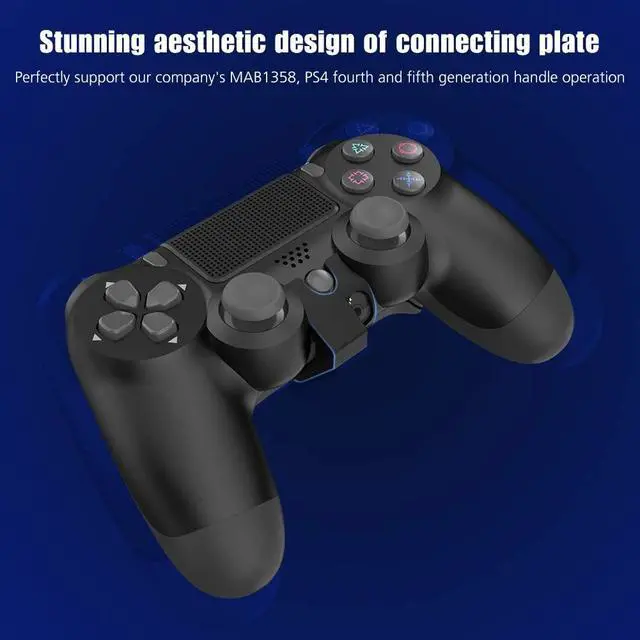
After careful design, Controller Paddles is ergonomically suitable for the official standard PS4 controller, you can use the paddle board optimally and get a comfortable feeling. Hollow-carved design , do not affect you to use the headphone.


SETTING
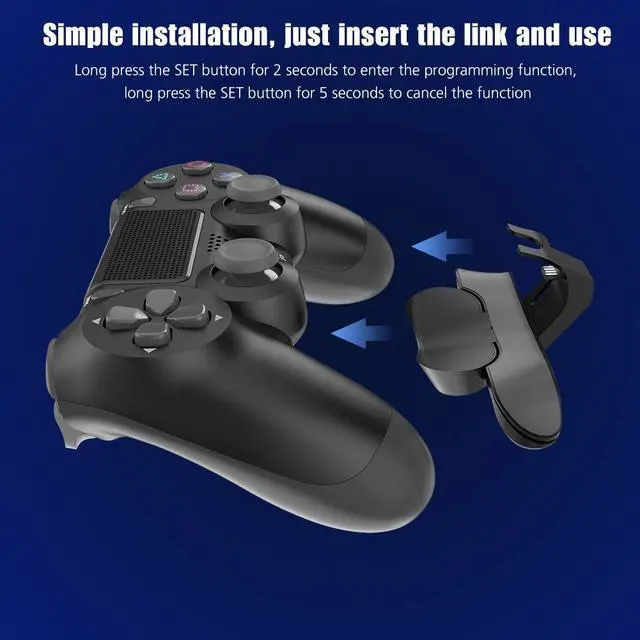
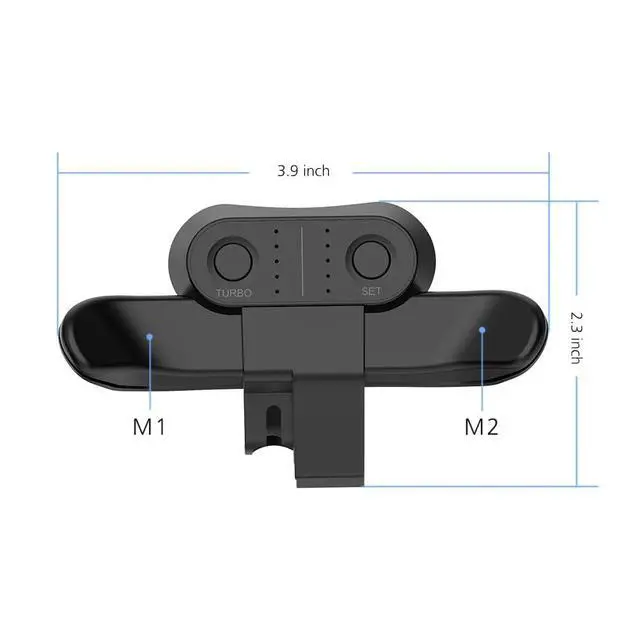
- A. Long press the SET button for 2 seconds, ? light flashes quickly.
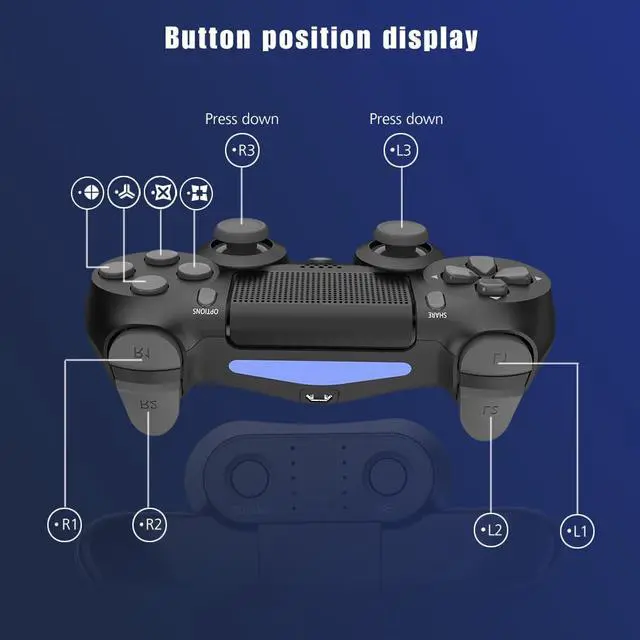
- B . Press the M1 or M2 Paddles ,lights flashing slowly in sequence ( press once, switch once)( Flashing Sequence:????????R3?L3?R2?L2?R1?L1 )
- C. When the target button is flashing, press the SET button,finish setting.
- D . Clear Cache : Long press the SET button for 5 seconds,the LED changes from blinking to off.
- E. Turbo function :Press the M1/M2 and Turbo key at the same time,the function key has Turbo continuous launch function .Repeat this step to cancel.
- NOTE:
- Suitable for genuine ps4 controller(If not , need to upgrade the controller)
On the Fly Remappable Paddles
It supports you to customize the mapping of the button functions on the back, supports the TURBO continuous shooting function, increases your response time, and has an absolute advantage over other players in controlling the game time. Plug and play, bringing you a different gaming experience .
Ergonomic Design and Headphone Port Special Design
After careful design, Controller Paddles is ergonomically suitable for the official standard PS4 controller, you can use the paddle board optimally and get a comfortable feeling. Hollow-carved design , do not affect you to use the headphone.
SETTING
- A. Long press the SET button for 2 seconds, ? light flashes quickly.
- B . Press the M1 or M2 Paddles ,lights flashing slowly in sequence ( press once, switch once)( Flashing Sequence:????????R3?L3?R2?L2?R1?L1 )
- C. When the target button is flashing, press the SET button,finish setting.
- D . Clear Cache : Long press the SET button for 5 seconds,the LED changes from blinking to off.
- E. Turbo function :Press the M1/M2 and Turbo key at the same time,the function key has Turbo continuous launch function .Repeat this step to cancel.
- NOTE:
- Suitable for genuine ps4 controller(If not , need to upgrade the controller)