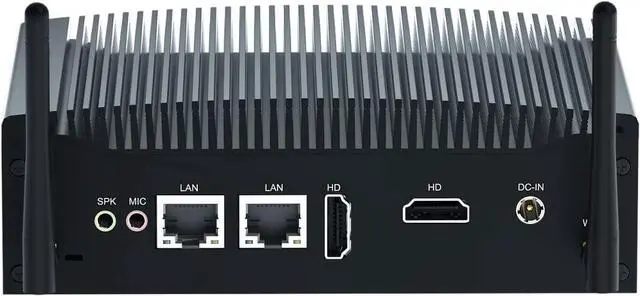
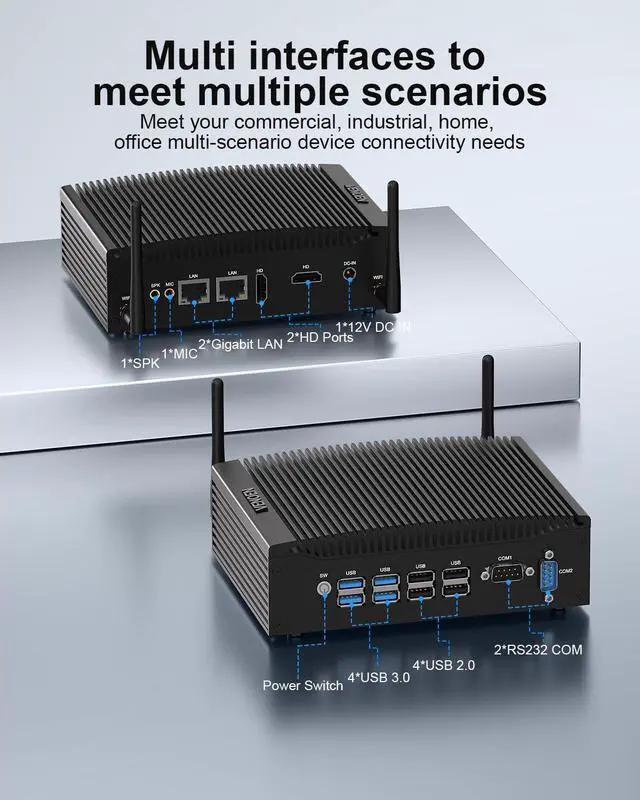
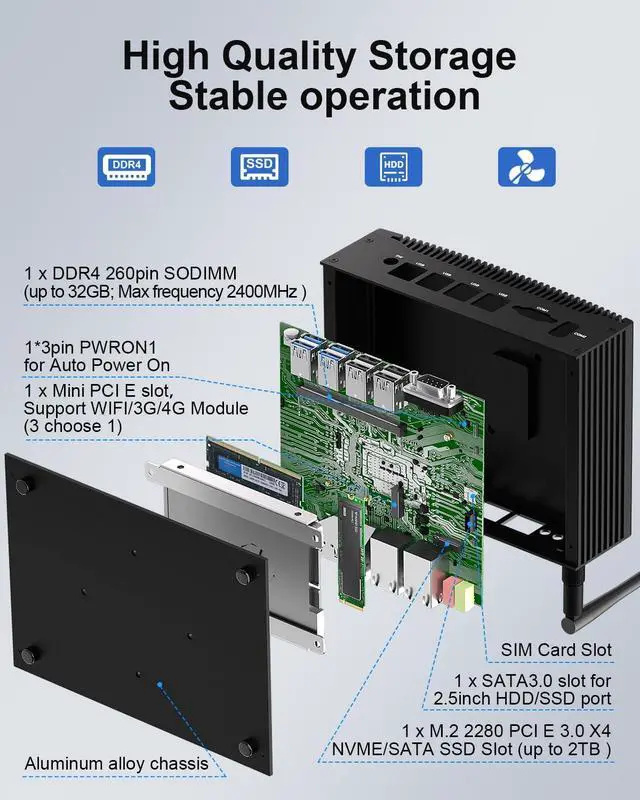
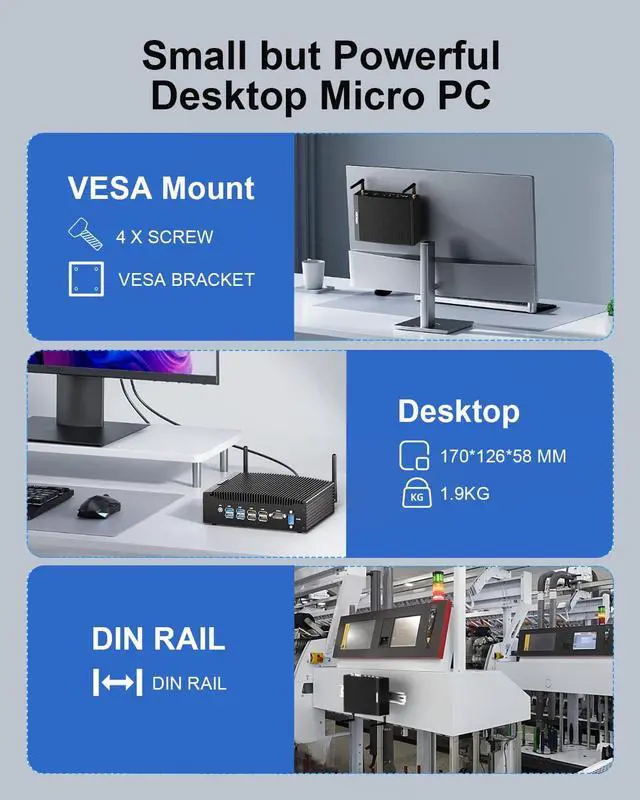
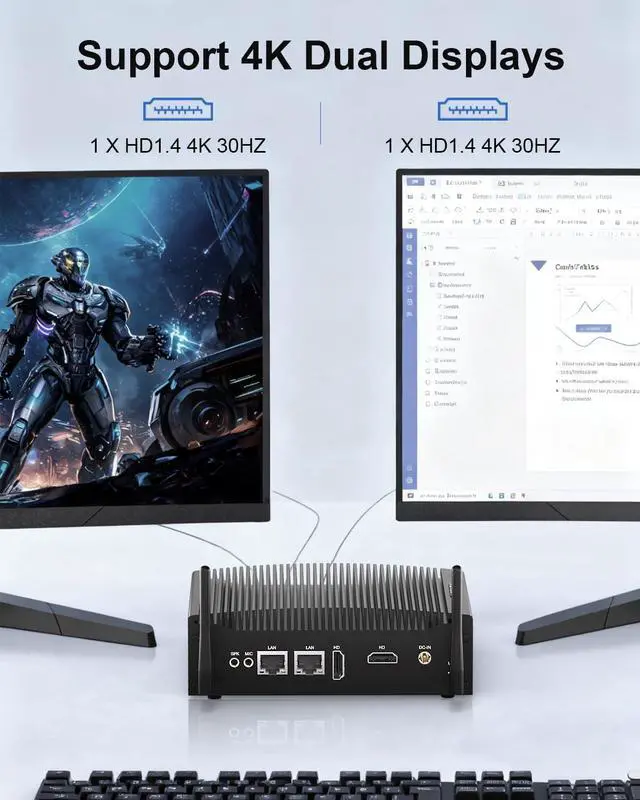
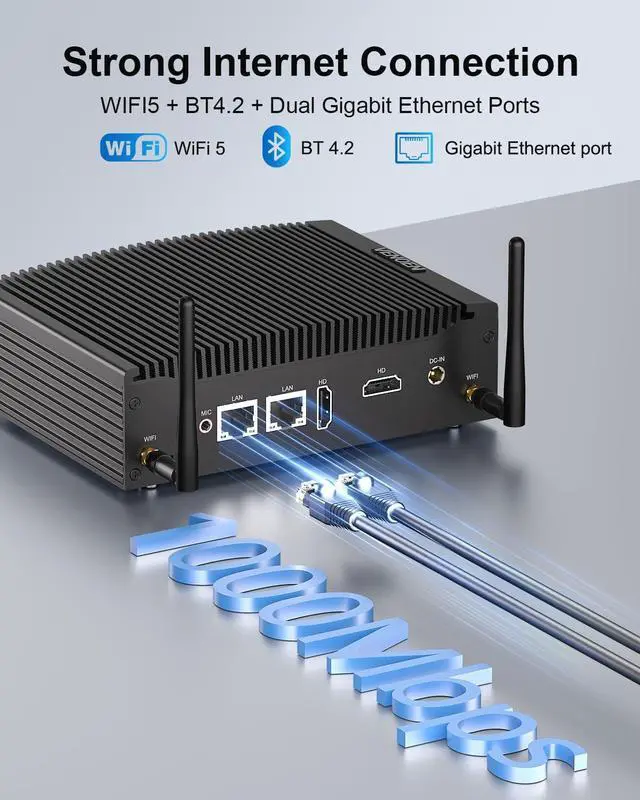
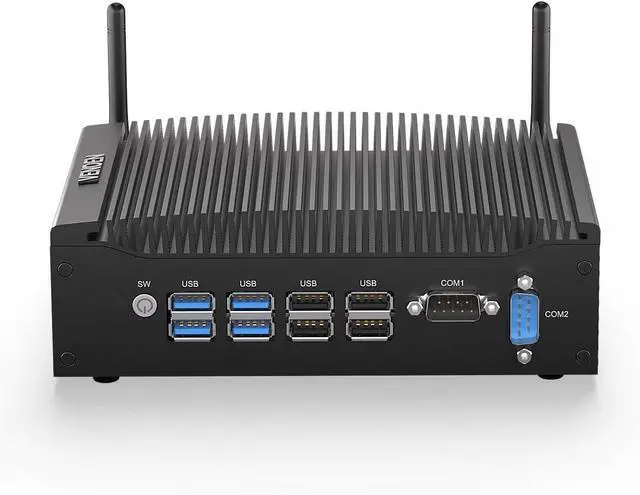
CPUCore i5 8350U (4 Core 8 Thread, Max 3.60GHz)GPUUHD Graphics 620OSPre-installed as Win11 Pro, Supports Win 11/10 / Linux / UbuntuRAM1 x DDR4 slots onboard, MAX 32GB DDR4 RAMSSD1 x M.2 NVME/SATA PCIE3.0 X4 SSD + 1 x 2.5-inch SATA3.0 SSD/HDDDisplay2 x HD1.4 (4K 30Hz) port, supports dual-screen displayWIFiMini PCI-E slot, supports dual-band WLAN and BT4.2 model/ 4G module (2 choose 1), pre-installed WiFi moduleLAN2 x Gigabit RJ45 LanSerial Port2 x DB9 RS232 COM-PortUSB4x USB 2.0 + 4x USB 3.0UniqueFanless Design, 0 Noise, Small Size, Durable, Dustproof, and Lint-resistantFunctionSupport Auto Power On, Wake On Lan, RAID0/RAID1, PXE (Legacy mode only) etc.Size170 x 126 x 58 MM and 1.9 KG (Includes power adapter and other accessories, NW1.1KG)Package1 x Mini PC, 1 x Power Adapter, 1 x HD-MI cable, 1 x SATA cable, 1 x VESA Mount 14K Dual-Display2WIFI & BT 4.23VESA Mount & Space-Saving4Package Contents How do I set the Auto Power On?
1. Remove the 4 screws on the bottom plate as shown in the diagram and open the case.
2. Locate the PWRON1 pin on the motherboard and connect the jumper cap to pins 2 and 3 to access AC power.
How do I use a 4G module?
Das Motherboard hat einen SIM-Karten-Slot und einen 4G-Modul-Slot; zuerst die NANO-SIM-Karte einlegen, dann das 4G-Modul in den Mini-PCI-E-Slot einsetzen, und dann kann es verwendet werden.
Which boot modes does the computer support?
The computer supports both UEFI boot mode and legacy boot mode.
Mini Desktop PC For Business/Office/Home/Industry How do I set the Auto Power On?
How do I use a 4G module?
Which boot modes does the computer support?
Multi-functional, Low-power consumption, Suitable for multiple scenarios