

Your Browsing History
- Free 30-day Returns
$574.99


Meet Your Seller


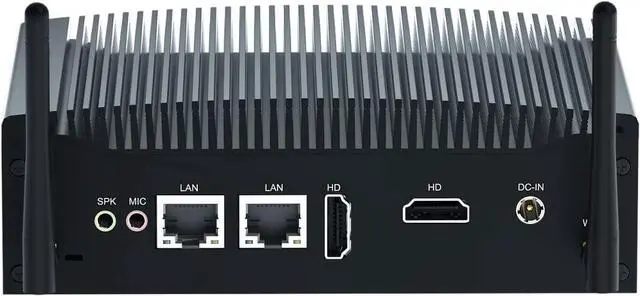


ITX Fanless Mini PC, Core i5 4278U, Windows 7 / 10, 8GB DDR3 RAM 256GB SSD, Dual HD, 2 display, RS232 COM, Dual Gigabit Lan, USB3.0, Dual Band Wifi, BT4.2, Auto Power On, WOL, FP1 9Pin, 12V Micro PC
- Core i5 4278U and Windows 10Fanless PC with Core i5 4278U (dual-core quad threads, base frequency 2.40GHz to frequency 2.90GHz), pre-installed Windows 10. Powerful performance processor makes Venoen PC a ultra fast & smooth & power-saving mini PC which is effortless satisfy your daily entertainment, Games, office, education industry etc.
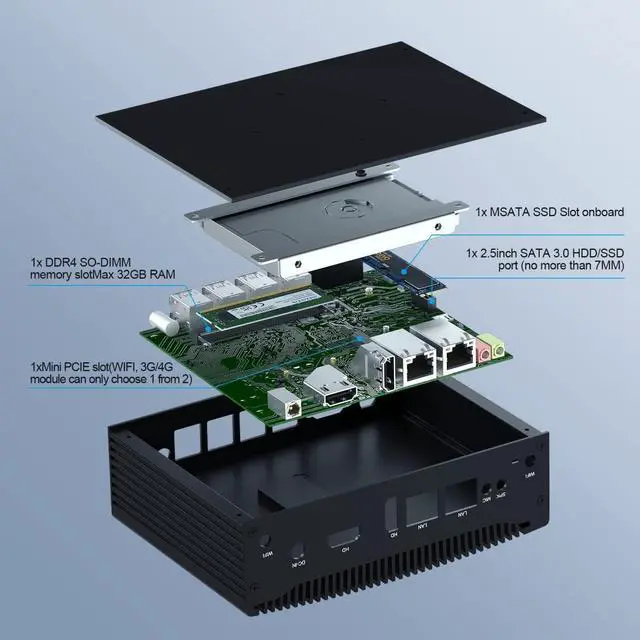
- Memory and Storage Capacity Expansion Venoen mini desktop computer Single-channel memory; And 1 * MSATA SSD + 1 * SATA3.0 for 2.5inch HDD/SSD up to 2TB, no more than 7mm) onboard, you can expand the storage as your demand, Large storage drives Small Case PC runs smoothly without waiting.
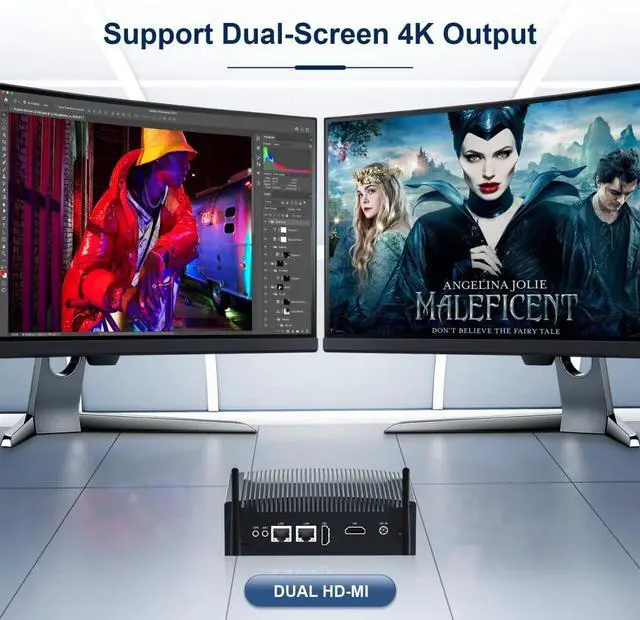
- In-tel Iris Graphics 5100 & Dual Screen Display Desktop Fanless PC with Inte Iris Graphics 5100 ,support 4K ultra high definition streaming capability, offers you a amazing visual experience with true-to-life picture quality,which can be used as home media center to enjoy TV shows or games. Support 4K@30Hz Dual display port (HD-MI port), makes i
+
+
Overview
Reviews

Any questions? Our AI mode will help you find out quickly.
Try me now
System introduction:
Pre-installed Windows 10 pro operating system and also support Windows 7, Linux ect.
Abundant functions:
Support RAID, Wake on LAN, Auto power on 7x24 hours working, Power on regularly, PXE(legancy only), etc.
There is FP1 9pin on the motherboard and supports external power button.
Fanless silent mini pc
Fanless design, wide heat dissipation, bring different heat dissipation effect.
Aluminum alloy housing design, suitable for harsh environments.
Low power consumption, 5A 12V, is your good helper for energy saving
Small body, big ability
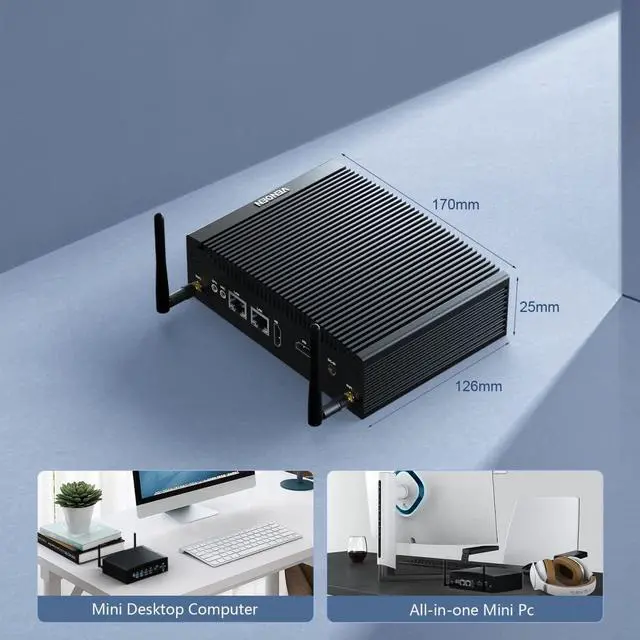
Computer size: 170MM*126MM*58MM.Small and light design makes the office more neat. You can carry it to everywhere. Ideal for the business trip.
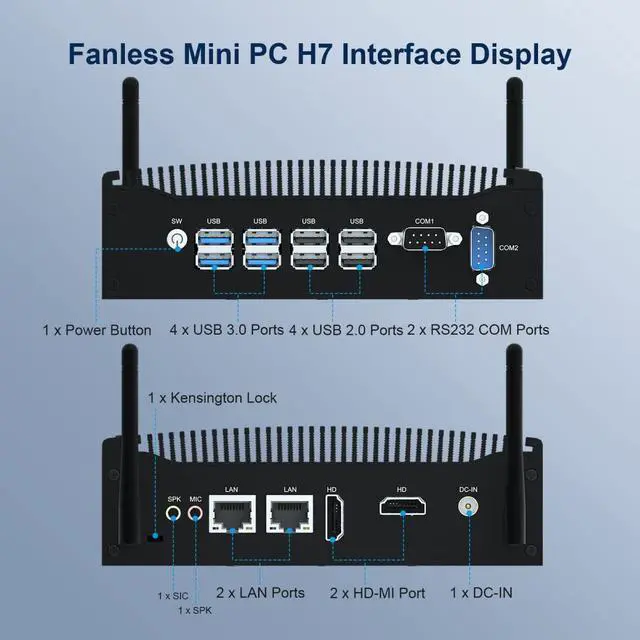
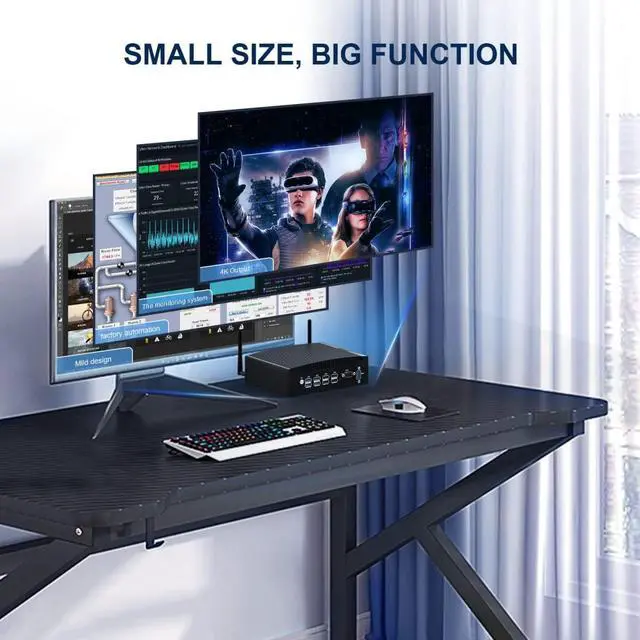
CPUIn-tel Core i5 4278U/7300U; Core i7 4578U; Core i3 6157UGPUIn-tel Iris / HD GraphicsRAM4th : 1* DDR3L RAM Slot; 6th/7th : 1 x DDR4 RAM SlotStroage4th : 1* MSATA SSD + 1* SATA3.0 for 2.5inch SATA SSD/HDD; 6th/7th : 1 x M.2 22*80 SSD + 1 x SATA3.0 for 2.5inch SATA HDD/SSDWifiMini PCI E slot onboard, Support Wifi / 3G / 4G Module ( 3 choose 1 )SIMSIM Card slot onboard, support Nano-SIM only (9MM*12MM)Extension interfacesFP1 9Pin onabord, Support Connect the external switch, restart ect.Display port2 x HD-MI port , Support 4K 30HZ dual-screen displayLan2 x Gigabit RJ45 LanFunction Support RAID, Auto Power On Function, Wake on Lan, PXE (Legancy only)Pakage Content1 x Mini PC, 1 x Power Adapter, 1 x HD-MI cable, 1 x SATA cable, 1 x VESA MountWeightNet 1.35 kg, Gross 2 kg VENOEN mini pc with Dual HD-MI ports support connect 2 screens at the same time. Support 4K@30Hz Displays , 4K ultra high definition display and bringing a striking visual.
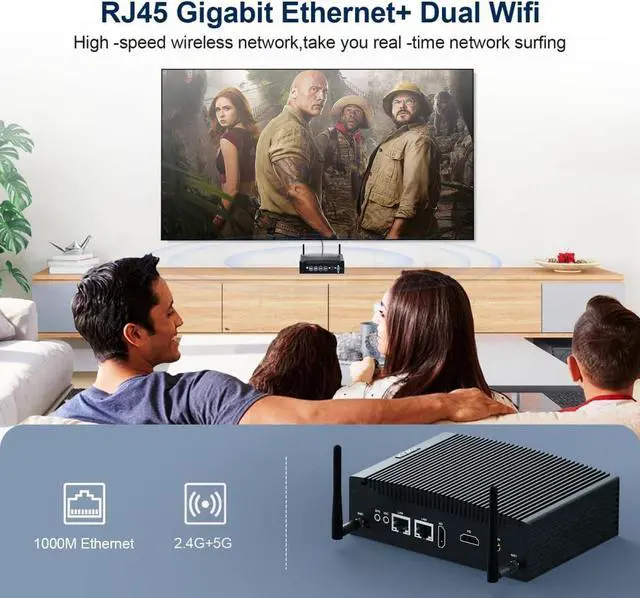
You can Feel free to enjoy 4K Web surfing, video playback, watching TV, home theater, and games with your family.
FAQ :
Q1: Does the unit come with vesa monitor mount?
A1: Yes. The Computer comes with Vesa mounting plate that needs to be mounted back of a monitor or any vertical surface. There is also a small plastic bag with 4 special screws. These screws are attached to the back side of the computer.
Q2: How to enter the BIOS?
A2: Press "Delete" to enter the BIOS setting; press "F11" to enter the boot options menu (continuously click immediately after booting)
Q3: What is the maximum expansion of SATA3.0 slot?
A3: There is no capacity limit for SATA3.0, but hard drives cannot be thick more than 7mm.
VENOEN Windows 10 pro Fanless Small Desktop PC 4K Dual Screen display General Specifications Support Dual display ports 4K Output.
Pre-installed Windows 10 pro operating system and also support Windows 7, Linux ect.
Abundant functions:
Support RAID, Wake on LAN, Auto power on 7x24 hours working, Power on regularly, PXE(legancy only), etc.
There is FP1 9pin on the motherboard and supports external power button.
Fanless silent mini pc
Fanless design, wide heat dissipation, bring different heat dissipation effect.
Aluminum alloy housing design, suitable for harsh environments.
Low power consumption, 5A 12V, is your good helper for energy saving
Small body, big ability
Computer size: 170MM*126MM*58MM.Small and light design makes the office more neat. You can carry it to everywhere. Ideal for the business trip.
CPUIn-tel Core i5 4278U/7300U; Core i7 4578U; Core i3 6157UGPUIn-tel Iris / HD GraphicsRAM4th : 1* DDR3L RAM Slot; 6th/7th : 1 x DDR4 RAM SlotStroage4th : 1* MSATA SSD + 1* SATA3.0 for 2.5inch SATA SSD/HDD; 6th/7th : 1 x M.2 22*80 SSD + 1 x SATA3.0 for 2.5inch SATA HDD/SSDWifiMini PCI E slot onboard, Support Wifi / 3G / 4G Module ( 3 choose 1 )SIMSIM Card slot onboard, support Nano-SIM only (9MM*12MM)Extension interfacesFP1 9Pin onabord, Support Connect the external switch, restart ect.Display port2 x HD-MI port , Support 4K 30HZ dual-screen displayLan2 x Gigabit RJ45 LanFunction Support RAID, Auto Power On Function, Wake on Lan, PXE (Legancy only)Pakage Content1 x Mini PC, 1 x Power Adapter, 1 x HD-MI cable, 1 x SATA cable, 1 x VESA MountWeightNet 1.35 kg, Gross 2 kg VENOEN mini pc with Dual HD-MI ports support connect 2 screens at the same time. Support 4K@30Hz Displays , 4K ultra high definition display and bringing a striking visual.
You can Feel free to enjoy 4K Web surfing, video playback, watching TV, home theater, and games with your family.
FAQ :
Q1: Does the unit come with vesa monitor mount?
A1: Yes. The Computer comes with Vesa mounting plate that needs to be mounted back of a monitor or any vertical surface. There is also a small plastic bag with 4 special screws. These screws are attached to the back side of the computer.
Q2: How to enter the BIOS?
A2: Press "Delete" to enter the BIOS setting; press "F11" to enter the boot options menu (continuously click immediately after booting)
Q3: What is the maximum expansion of SATA3.0 slot?
A3: There is no capacity limit for SATA3.0, but hard drives cannot be thick more than 7mm.
VENOEN Windows 10 pro Fanless Small Desktop PC 4K Dual Screen display General Specifications Support Dual display ports 4K Output.
Warranty & Returns
Warranty, Returns, And Additional Information
Warranty
- Please contact the Seller directly for warranty information. Warranty information may also be found on the Manufacturer's website.
- CONTACT
Return Policies
- Return for refund within: 30 days
- Return for replacement within: 30 days
- This item is covered by Zhanfu Technology Co., Limited Return Policy
Manufacturer Contact Info
- For a directory of all our manufacturers, please click below.
- Manufacturers Directory
LOADING...