• $763.99
  • Price alert
    Server System configurator/ABS
    Shop it at NeweggBusiness.

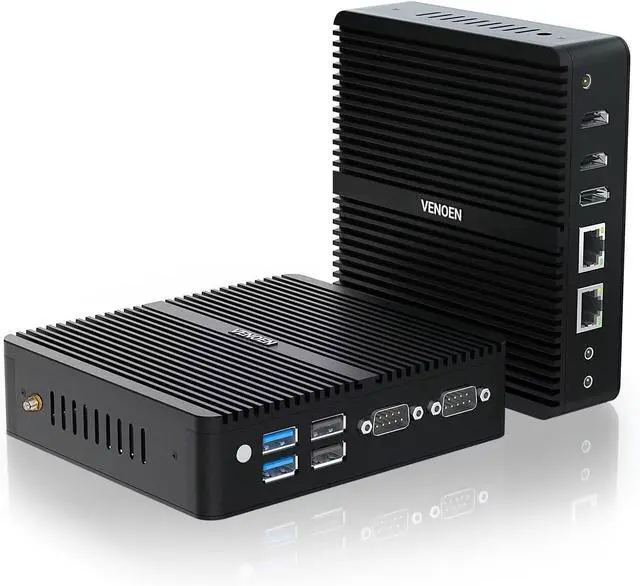
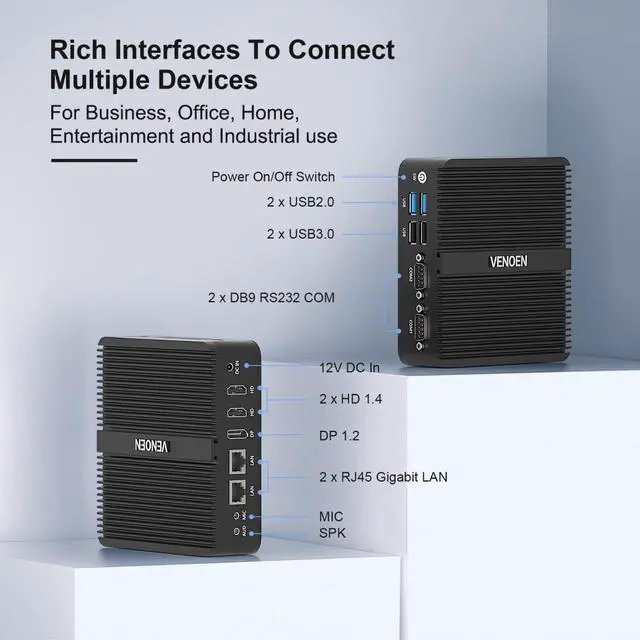
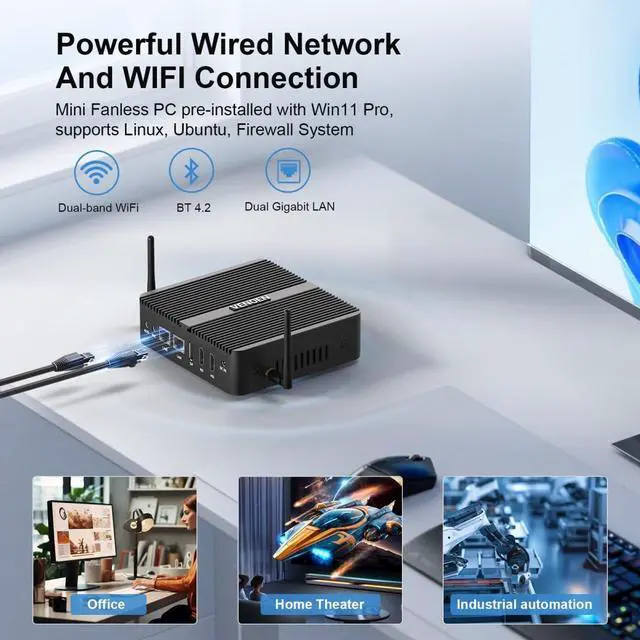
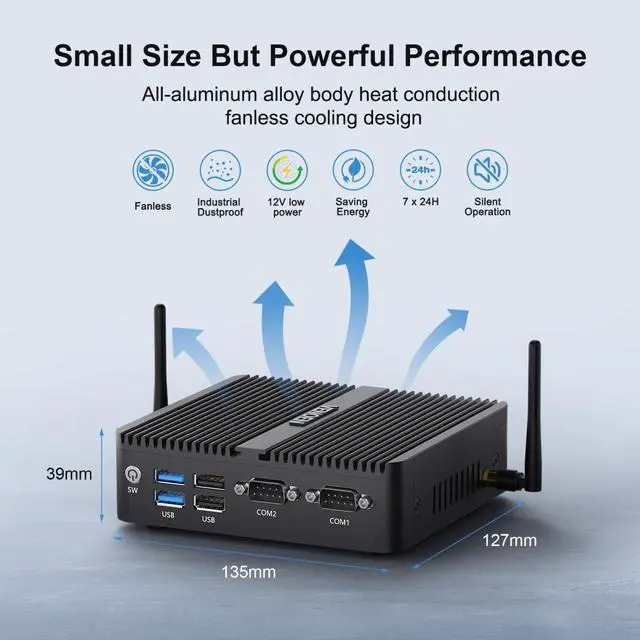
    VENOEN Fanless mini PC Win 11 Pro Industrial PC 12th Gen J6412 Processor, 8G DDR4 256G M.2 SSD Office Home Industrial Mini Computer, 2xHD+DP Triple Display/2xLan/2xRS232 COM/WiFi/BT 4.2

    • 12th Gen J6412 ProcessorVENOEN Fanless industrial mini PC with J6412 processor (4 cores, 4 threads, 2.0GHz up to 2.6GHz). UHD Graphics,Compatible with Win 11 pro.Fanless Micro PC equipped with the 12th generation 10nm processor framework and 10W low-power TDP, which is faster and consumes energy. It allows you to easily deal with entertainment, office, education, and other scenarios.
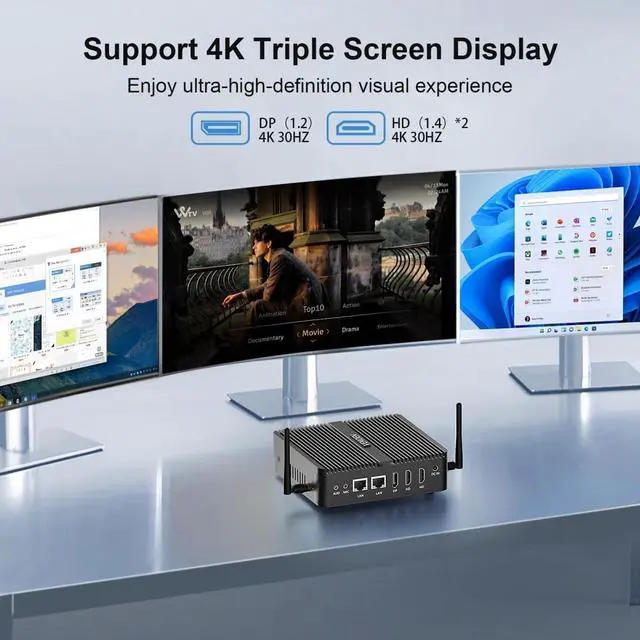
    • Ultra HD 4K Triple displayWin 11 Pro Fanless mini pc supports dual HD+ one DP three screen 4K output. HD realistic image quality brings you an immersive visual experience. You can also easily connect three monitors at the same time and perform different tasks on three screens. The images inside the monitor reduce the tedious switching interface back and forth and improve work efficiency.
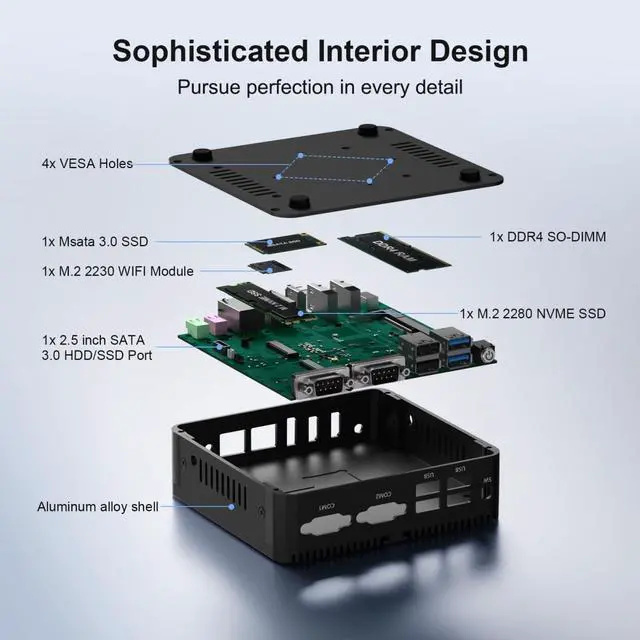
    • M.2 SSD/DDR4 RAMMini industrial coumpter with an expansion bay to allow adding an mSATA (up to 1TB), m.2 2280 NVME Pcie SSD, and 2.5 inch SATA3.0 SSD or HDD (up to 4TB), 1 x DDR4 SO-DIMM Socket up to 32GB RAM. Mas
    +
    +
    Overview
    Reviews
    avatar

    Any questions? Our AI beta will help you find out quickly.

    Is it possible to connect 3 monitors?
    The H3D-J6412 Fanless mini computer is equipped with two HD+ one DP ports. Not only can it support three-screen display, it can also bring you a better 4K ultra-high-definition visual experience while multitasking.

    Why does the computer get hot?
    The MINI PC transmits heat to the air through the aluminum alloy chassis and heat sink, so the chassis will heat up. This is a normal phenomenon of fanless design computers. Don't worry.

    What should I do if the system fails to work normally after installing Linux 22.04?
    Please upgrade the latest BIOS version through VENOEN to try to solve it.

    How to set Auto Power On?
    After booting, quickly press the "Delete" key to enter the BIOS.Select "Chipset"-"PCH-IO Configuration"-then "State After G3"-"Always On"-finally select "Save & Exit"-"Save Changes and exit".
    The VENOEN team can provide pictures of the setup steps

    Fanless Industrial Mini PC H3D-J6412 Detailed Specifications Easy Installation Packing list How do I get the download driver?
    Is it possible to connect 3 monitors?
    Why does the computer get hot?
    What should I do if the system fails to work normally after installing Linux 22.04?
    How to set Auto Power On?

    Warranty & Returns

    Warranty, Returns, And Additional Information

    Warranty

    • Please contact the Seller directly for warranty information. Warranty information may also be found on the Manufacturer's website.
    • CONTACT

    Return Policies

    Manufacturer Contact Info

    LOADING...