10 Million+Users Worldwide
Available 10+ Countries
Pioneer in Mini PC for 5 Years
Q1: What should I do when this fanless mini PC doesn't boot up?
1. Check whether the memory is connected properly and re-plug it;
2. Use other memory in good condition to test.
Q2: What should I do when there is no display via HDMI/VGA port of this firewall appliance?
1. Confirm that the monitor and cables are in good condition;
2. Discharge the BIOS and check again. Steps: Open the back cover, take off the button battery on the motherboard, wait a few minutes, and put it back;
3. Use good RAM to test.
Q3: What should I do when I cannot enter the BIOS interface of this firewall pc?
1. Press and hold the "reset" key on the side of the device to reset and check again;
2. Discharge the BIOS and check again. Steps: Open the back cover, take off the button battery on the motherboard, wait a few minutes, and put it back.
Q4: What should I do when I install the system but I get the following error: " cant find '/boot/entropy' " and " cant find '/boot/hostid' "?
1. Turn off the power and restart to enter the BIOS again, change the settings to: Advanced > CSM Configuration > Boot option filter > UEFI only;
2. If it still can't be resolved, please replace a USB disk to re-create a bootable USB drive.
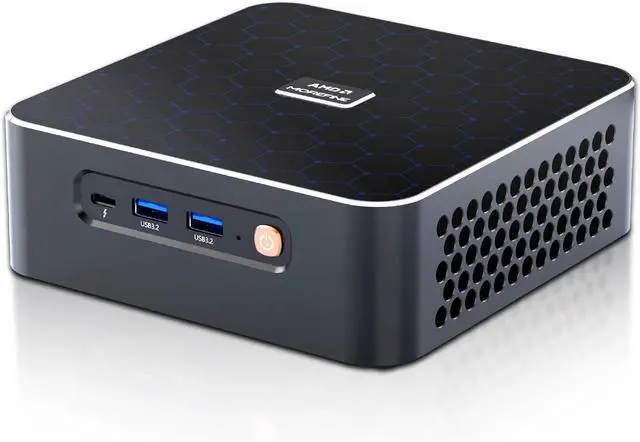
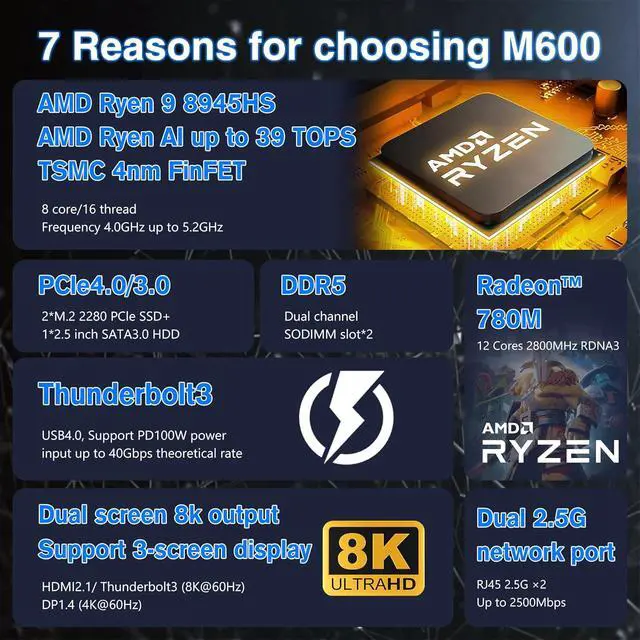
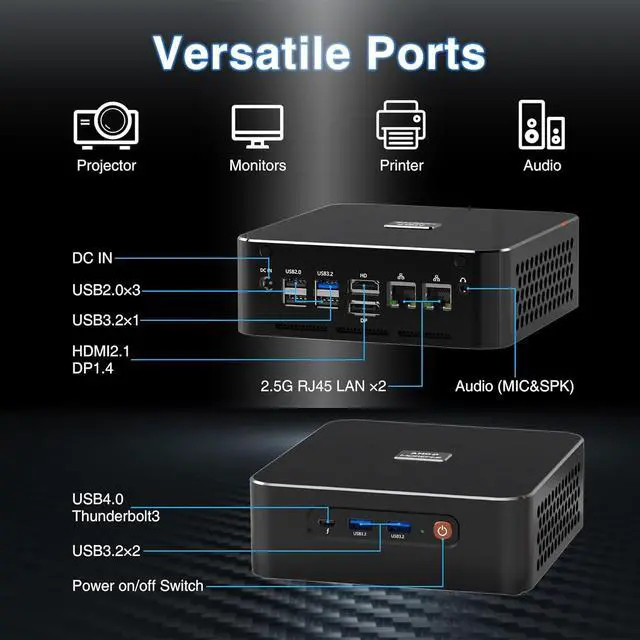
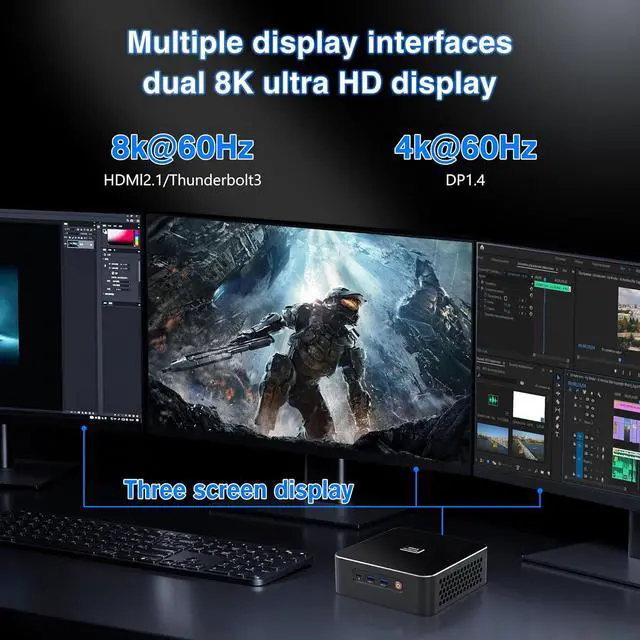
ProcessorRyzen 9 8945HS (Up to 5.2GHz)Ryzen 9 8945HS (Up to 5.2GHz)Core i9 13900H(Up to 5.4GHz)Alder Lake-N100(Up to 3.4GHz)Ryzen 7 8845HS(Up to 5.1GHz)Ryzen 7 8845HS(Up to 5.1GHz)Operating System11 Pro (64bit)11 Pro (64bit)11 Pro (64bit)11 Pro (64bit)11 Pro (64bit)11 Pro (64bit)Graphics CoprocessorRadeon 780MRadeon 780MIris Xe GraphicsUHD GraphicsRadeon 780MRadeon 780MMemory (RAM) Size32GB DDR5 Dual Channel32GB DDR5 Dual Channel32GB DDR4 Dual Channel32GB DDR432GB DDR5 Dual Channel32GB DDR5 Dual ChannelHard Disk (ROM) Size1TB1TB1TB1TB1TB1TBCore/Threads8 Cores / 16 Threads8 Cores / 16 Threads14 Cores / 20 Threads4 Cores / 4 Threads8 Cores / 16 Threads8 Cores / 16 ThreadsVideo Interface2xHDMI (4K@60Hz) & Type-CHDMI 2.1 (8K@60Hz) & Type-C (8K@60Hz) & DP1.4HDMI (4K@60Hz) & Type-C (4K@60Hz) & DP1.42xHDMI (4K@60Hz) & DPHDMI 2.1 (8K@60Hz) & Type-C (8K@60Hz) & DP1.42xHDMI (4K@60Hz) & Type-CWi-Fi & EthernetRJ45 LAN/WiFi6E/Bluetooth5.3RJ45 LAN/Wi-Fi6/Bluetooth5.2RJ45 LAN/WiFi6E/Bluetooth5.3RJ45 LAN/Wi-Fi5/Bluetooth4.2RJ45 LAN/Wi-Fi6/Bluetooth5.2RJ45 LAN/WiFi6E/Bluetooth5.3Power Consumption45W60W65W6 W60W45WAuto Power On/Wake on LAN/PXE HAICOTECH MINI PC Mini Laptop Mini PC Win-11 Fanless Mini PC Pocket Mini PC Firewall Router PC HAICOTECH Mini Computer Frequently Asked Questions: