• $1,182.99
  • Price alert
    Server System configurator/ABS
    Shop it at NeweggBusiness.

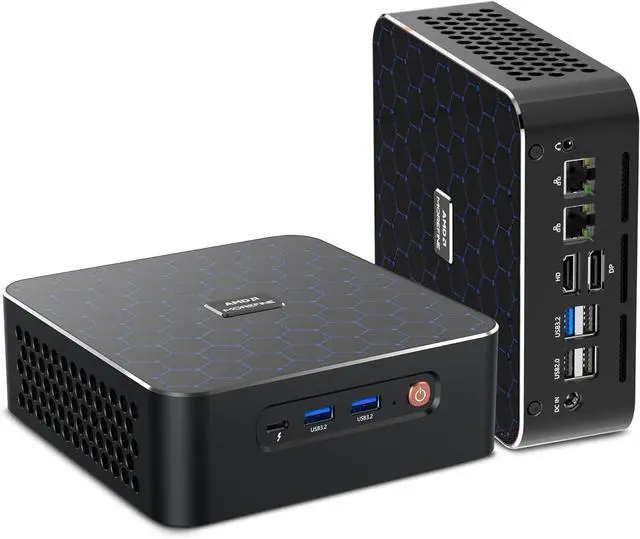
    Mini PC Ryzen 7 8845HS(8C/16T, up to 5.1GHz) Desktop Computer, Dual 8K Output Support 3 Display l 6 USB l Dual 2.5G, Barebone, NO RAM NO Storage

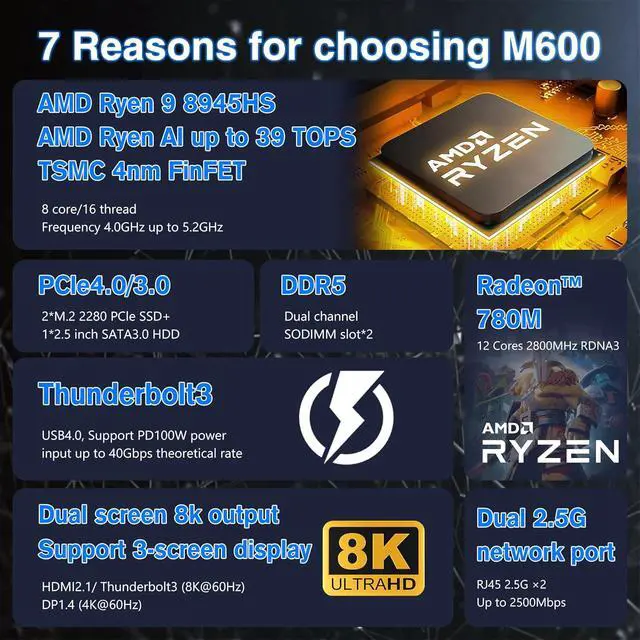
    • Mini PC Ryzen 7: This Mini Computer is equipped with a Ryzen 7 8845HS processor, 8 cores, 16 threads, L3 16MB Cache, up to 5.1GHz, Integrated AMD Radeon graphics ensures seamless visuals without the need for a dedicated GPU, widely used in light gaming, streaming media playback, photo editing, etc, in-home and business It performs well in home and business work.
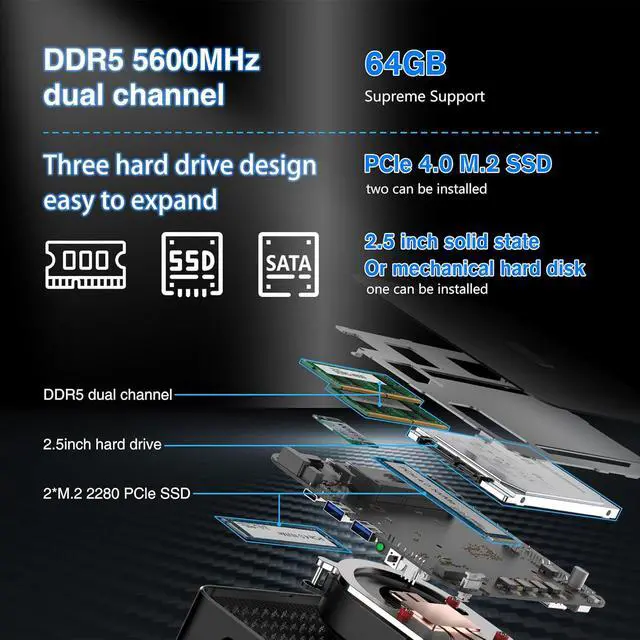
    • Barebone: No RAM, No SSD, No OS, No WI-FI. Dual-channel DDR5 5600 SODIMM RAM -supports expansion up to 64GB and dual M.2 2280 NVMe/PCIE4.0x4 (compatible with PCIE3.0), expansion to 4TB(2*2TB). Support 2.5 inch 7-9mm HDD/SSD.
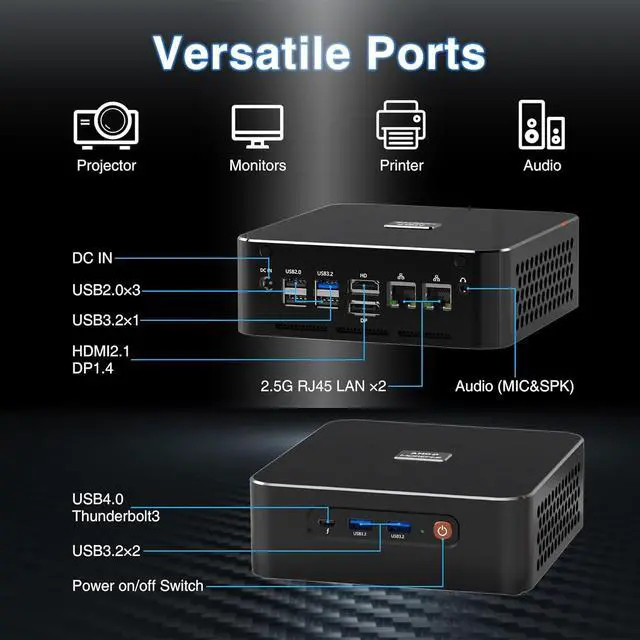
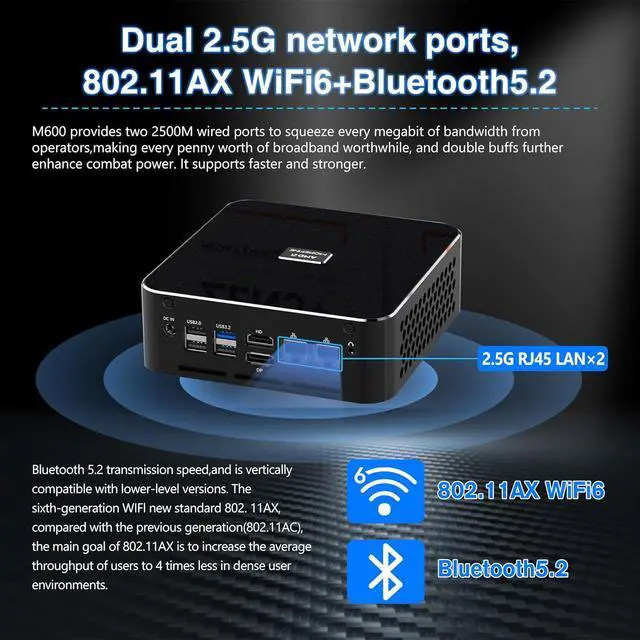
    • Rich Interface: Mini computer is equipped with 3 x USB 3.2 Gen2(10Gbps), 1 x Type-C USB4.0 thunderbolt 3(40Gbps), 3 x USB 2.0, 1 x HDMI2.1, 1 x DP1.4, 2 x 2.5G RJ45 LAN, 1 x DC-IN, 1 x Switch and 3.5mm Audio Jack.
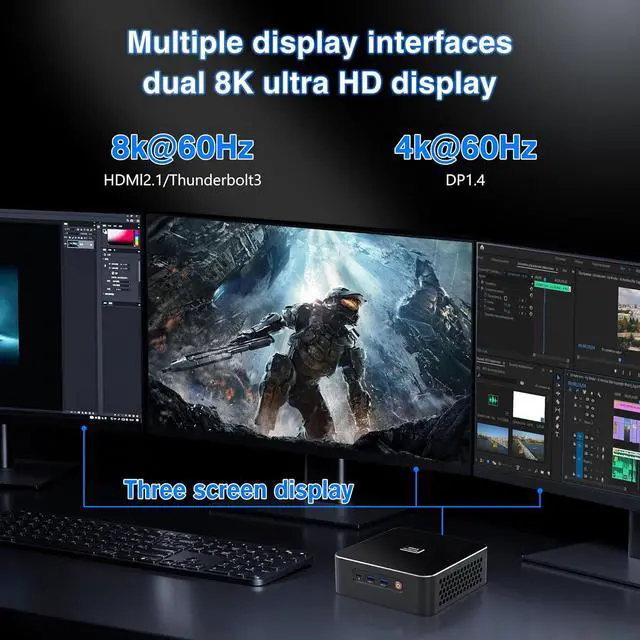
    • 8K UHD & 3 Screens Support: This mini PC supports 8K@60Hz high-definition video playback, the advanced Type-C USB4 port supports 8K@60Hz display experience, the maximum transmission speed
    +
    +
    Overview
    Reviews
    avatar

    Any questions? Our AI beta will help you find out quickly.

    Q1: What should I do when this fanless mini PC doesn't boot up?
    1. Check whether the memory is connected properly and re-plug it;
    2. Use other memory in good condition to test.

    Q2: What should I do when there is no display via HDMI/VGA port of this firewall appliance?
    1. Confirm that the monitor and cables are in good condition;
    2. Discharge the BIOS and check again. Steps: Open the back cover, take off the button battery on the motherboard, wait a few minutes, and put it back;
    3. Use good RAM to test.

    Q3: What should I do when I cannot enter the BIOS interface of this firewall pc?
    1. Press and hold the "reset" key on the side of the device to reset and check again;
    2. Discharge the BIOS and check again. Steps: Open the back cover, take off the button battery on the motherboard, wait a few minutes, and put it back.

    Q4: What should I do when I install the system but I get the following error: " cant find '/boot/entropy' " and " cant find '/boot/hostid' "?
    1. Turn off the power and restart to enter the BIOS again, change the settings to: Advanced > CSM Configuration > Boot option filter > UEFI only;
    2. If it still can't be resolved, please replace a USB disk to re-create a bootable USB drive.

    HAICOTECH Mini Computer Frequently Asked Questions:

    Warranty & Returns

    Warranty, Returns, And Additional Information

    Warranty

    • Please contact the Seller directly for warranty information. Warranty information may also be found on the Manufacturer's website.
    • CONTACT

    Return Policies

    Manufacturer Contact Info

    LOADING...