Your Browsing History
Most customers receive within 7-9 days.
Meet Your Seller
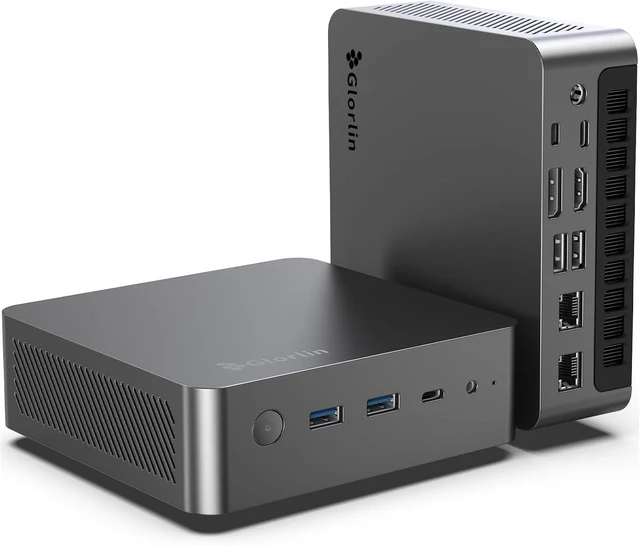
Glorlin Mini PC Ryzen 7 8845HS, Mini Desktop Computer 16GB DDR5 RAM 1TB SSD, Radeon 780M with AI NPU up to 38 Tops, 4X 4K Display, USB4, Dual 2.5G LAN, WiFi 6, BT5.3 for Home/Office/Light Gaming
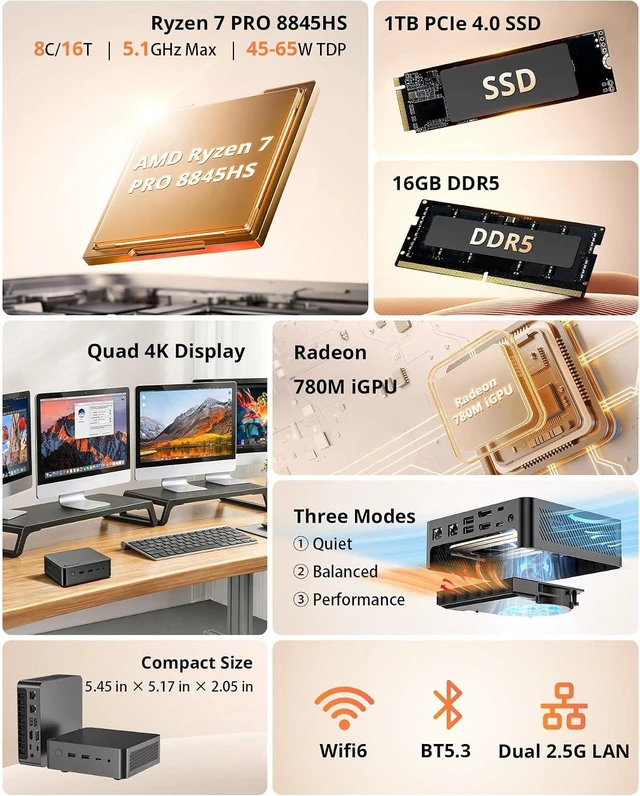
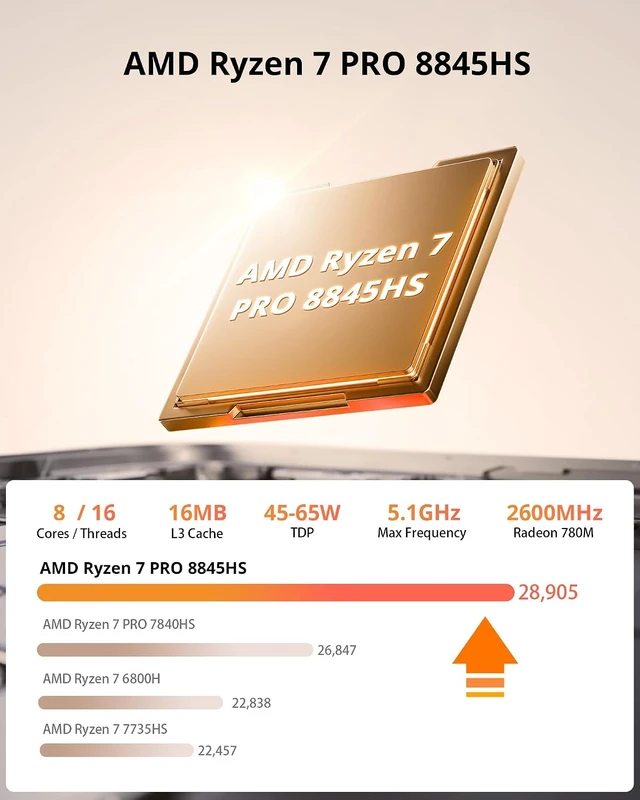
- Ryzen 7 PRO Performance with Integrated AI SupportThis mini pc features AMD Ryzen 7 8845HS (8 cores, 16 threads, up to 5.1GHz) for consistent multitasking and productivity. The built-in AI NPU up to 38 TOPS supports modern workloads such as automation, development, and data processing. For AI-intensive tasks, expanding memory is recommended.
- Radeon 780M for Graphics and Daily UseThe integrated Radeon 780M enables smooth 4K video playback and supports mini gaming pc scenarios with adjusted settings. This mini computer is suitable for media editing, streaming, and light gaming workloads.
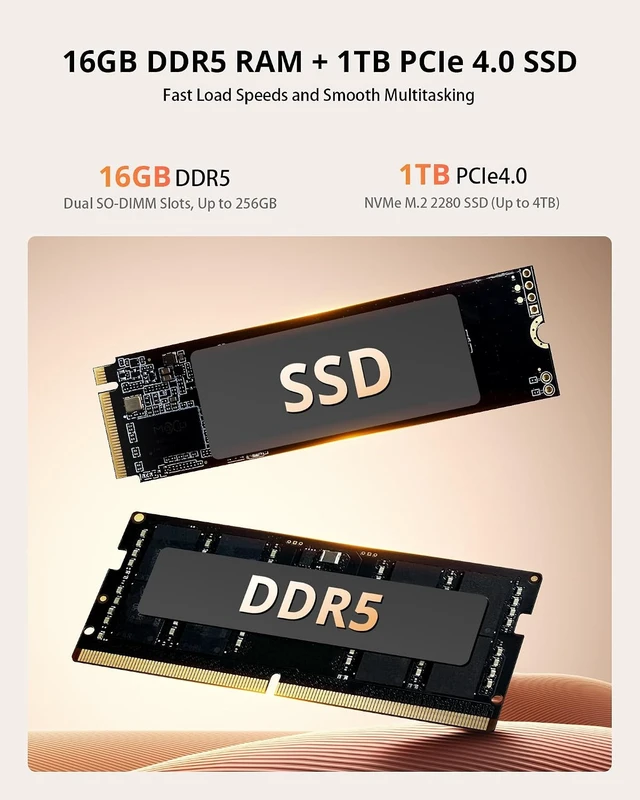
- Mini PC 16GB RAM with Expandable StorageConfigured with mini pc 16gb ram (DDR5 4800MHz, 3GB of memory is allocated to video memory by default, adjustable in BIOS.) and a 1TB NVMe SSD, this system delivers fast responsiveness and short load times. Memory can be expanded up to 256GB, while dual M.2 slots support up to 4TB storage for larger files and projects.
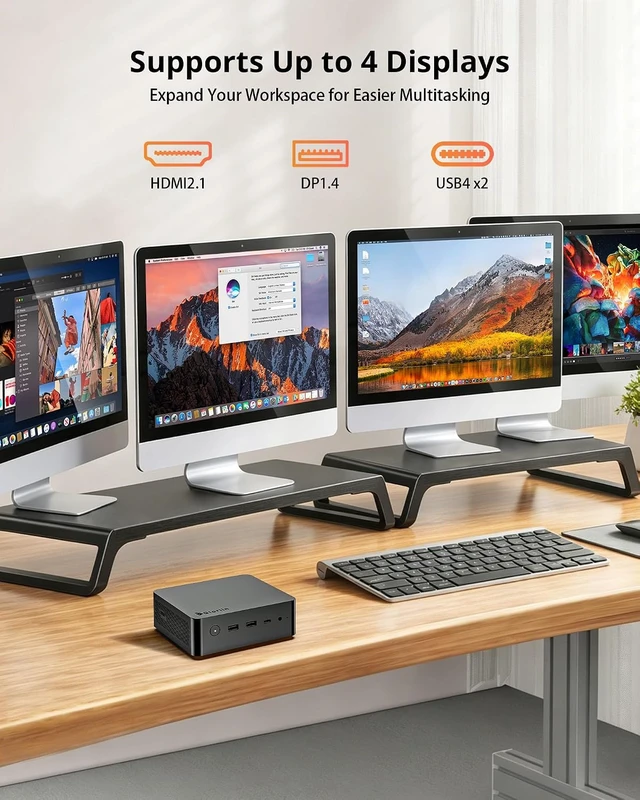
- Quad 4K Display for Multi-TaskingT
Overview
Specs
Reviews
Any questions? Ask CelesteSM will help you find out quickly.
Try me now
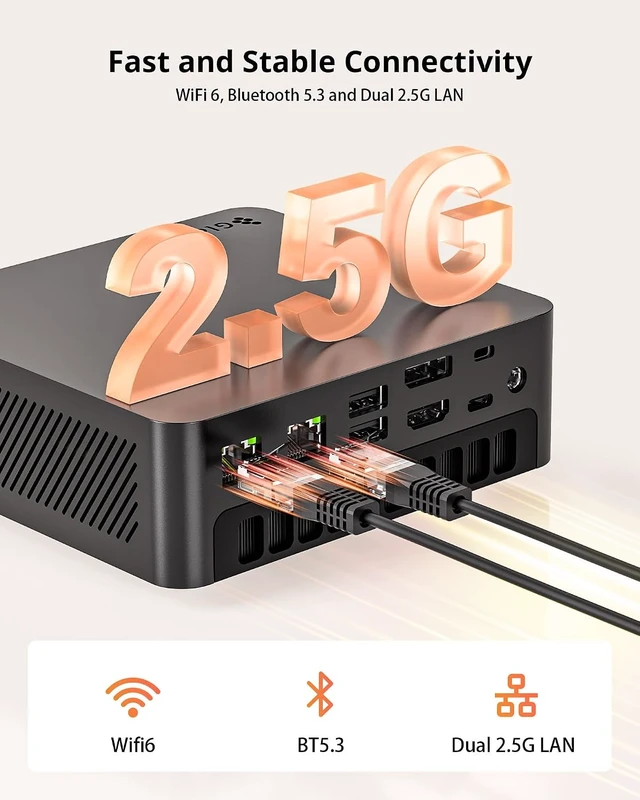
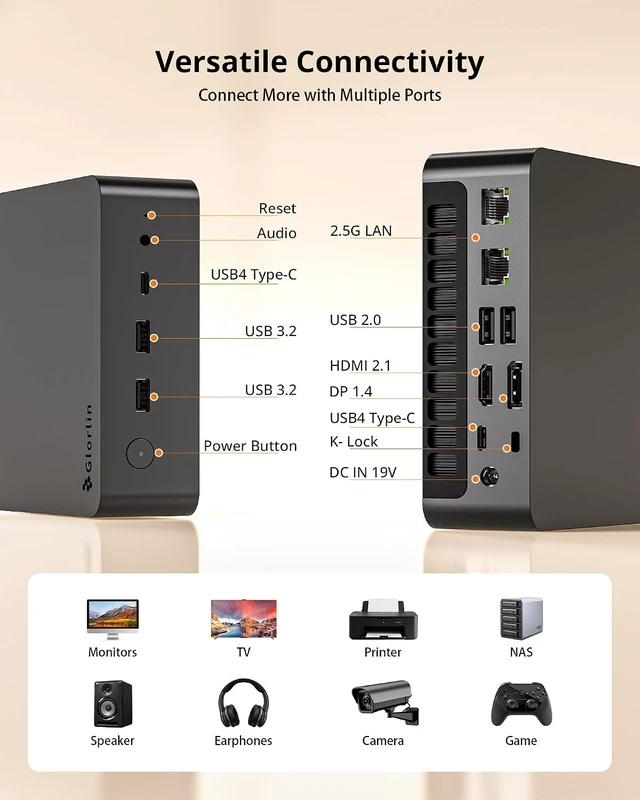
1Ryzen 7 8845HS2Radeon 780M iGPU32.5G LAN + Wifi 6116G DDR5 + 1TB SSD2Quad Display3I/O Ports1Cooling System2Dual USB4 Ports3Space Saving4Package Contents1Light Gaming2Gift 3Family Entertainment4Office Work5Light Video Editing Why wont my Mini PC power on?
1.Ensure the power adapter is connected and the outlet works. 2.Hold the power button 10 seconds and restart. 3.Try using the reset hole for 510 seconds. 4.Contact support if the issue persists.
Why is there no signal on my monitor?
1.Check the monitor input source. 2.Reconnect or try a different HDMI/DP cable. 3.Test another monitor if needed. 4.If the screen still shows nothing, try the reset hole.
Why does the PC shut down unexpectedly or show display artifacts?
1.Reconnect the HDMI cable. 2.Update OS and graphics drivers. 3.Contact support if the issue continues.
Why is the fan so loud?
1.Fan may spin faster during updates or heavy workloads. 2.Ensure vents are clear. 3.Update BIOS if available.
Why wont the system boot?
1.Disconnect all external devices and restart. 2.Try the reset hole to restore hardware defaults. 3.Contact support if the issue persists.
Why wont my Mini PC power on?
Why is there no signal on my monitor?
Why does the PC shut down unexpectedly or show display artifacts?
Why is the fan so loud?
Why wont the system boot?

1.Ensure the power adapter is connected and the outlet works. 2.Hold the power button 10 seconds and restart. 3.Try using the reset hole for 510 seconds. 4.Contact support if the issue persists.
Why is there no signal on my monitor?
1.Check the monitor input source. 2.Reconnect or try a different HDMI/DP cable. 3.Test another monitor if needed. 4.If the screen still shows nothing, try the reset hole.
Why does the PC shut down unexpectedly or show display artifacts?
1.Reconnect the HDMI cable. 2.Update OS and graphics drivers. 3.Contact support if the issue continues.
Why is the fan so loud?
1.Fan may spin faster during updates or heavy workloads. 2.Ensure vents are clear. 3.Update BIOS if available.
Why wont the system boot?
1.Disconnect all external devices and restart. 2.Try the reset hole to restore hardware defaults. 3.Contact support if the issue persists.
Why wont my Mini PC power on?
Why is there no signal on my monitor?
Why does the PC shut down unexpectedly or show display artifacts?
Why is the fan so loud?
Why wont the system boot?
Warranty & Returns
Warranty, Returns, And Additional Information
Warranty
- Please contact the Seller directly for warranty information. Warranty information may also be found on the Manufacturer's website.
- CONTACT
Return Policies
- Return for refund within: 30 days
- Return for replacement within: 30 days
- This item is covered by XinjintongLimited Return Policy
Manufacturer Contact Info
- For a directory of all our manufacturers, please click below.
- Manufacturers Directory
LOADING...