Your Browsing History
- Free 30-day Returns
$1,982.99
Meet Your Seller
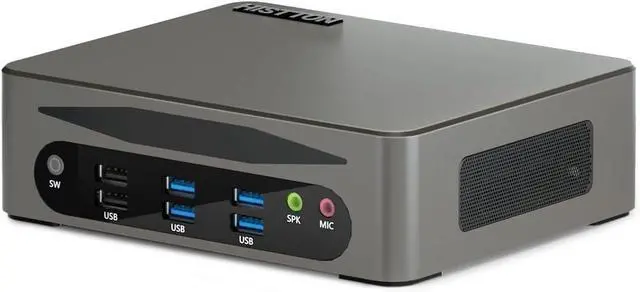
HISTTON Mini PC Win 11 Pro, i5-1340P, 16GB RAM 512GB NVME SSD
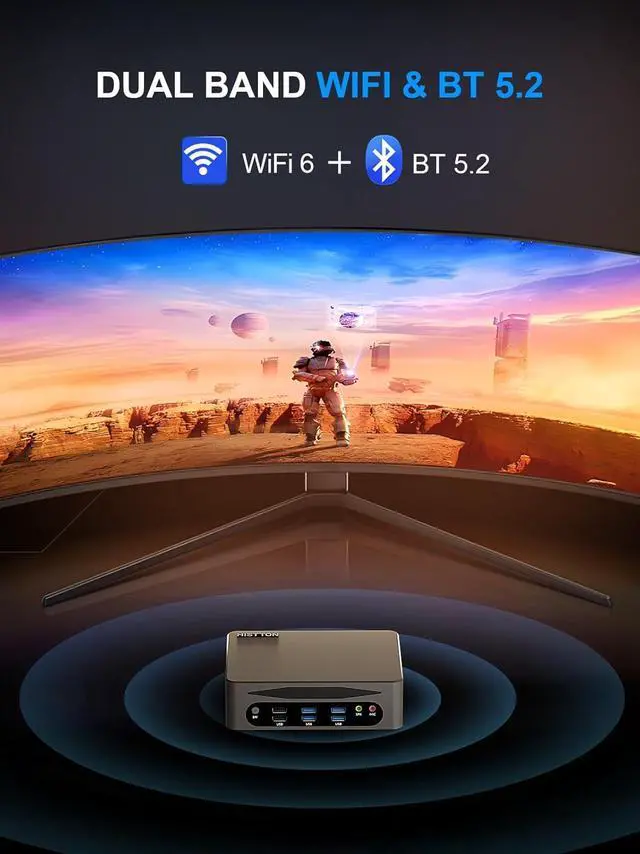
- Mini Desktop PC with WiFi6, BT5.2, 4K Triple Display, TPM2.0, Wake on Lan, Auto Power on, Mini Computers
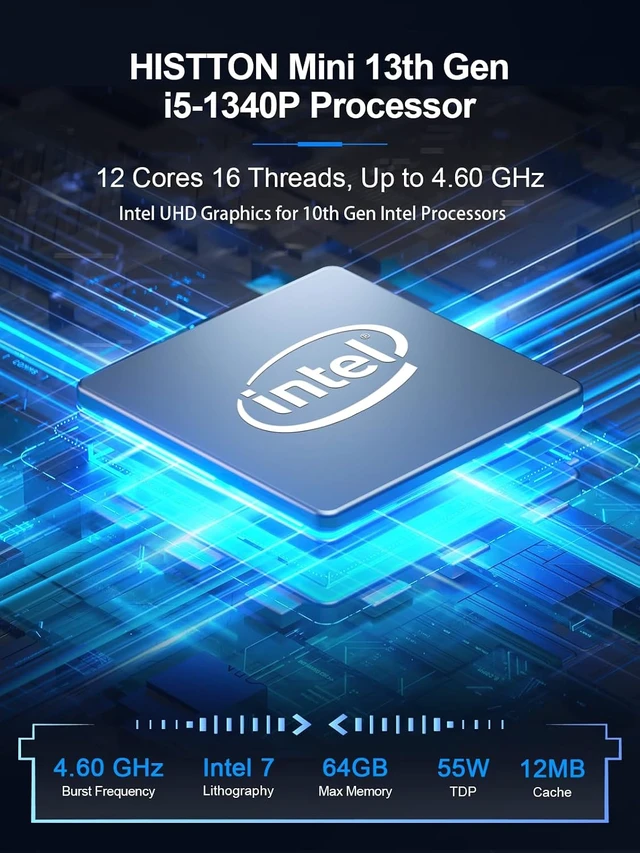
- Powerful Core i5-1340P ProcessorHISTTON Mini Computer is equipped with a powerful 13th generation Core i5-1340P processor (12 cores, 16 threads, 12M cache, up to 4.6GHz). HISTTON HM9 is a fast, power-saving mini desktop pc. The processor can handle multi-tasking at the same time. Whether it is daily office work, web browsing or complex graphics processing tasks, it can be completed in a smooth and efficient manner.
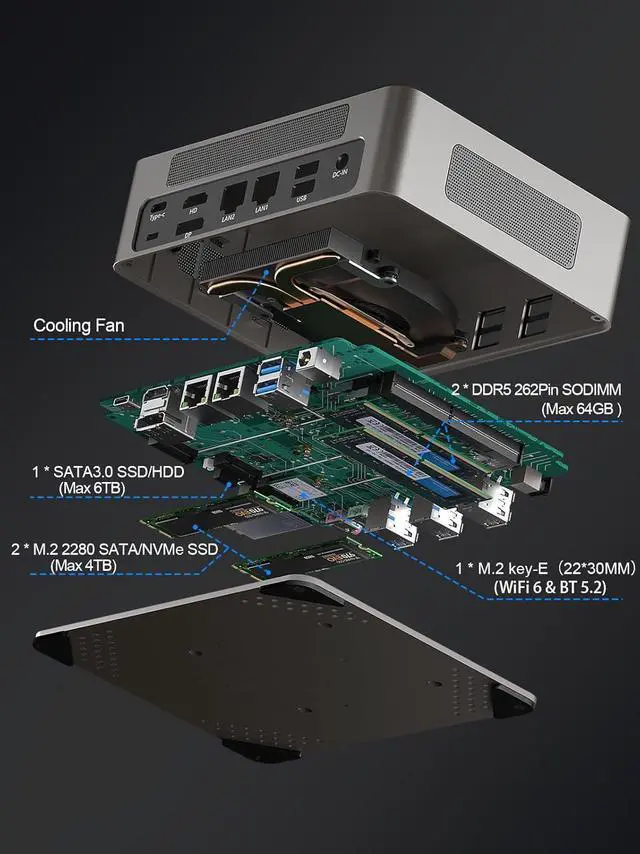
- Large Memory Meets DemandMicro PC is equipped with dual-channel DDR5 SO-DIMM memory (maximum 64GB) and 2*M.2 2280 slots (maximum support 4TB), NVME 1 slot supports NVME Gen3 X4/SATA Protocol NVME SSD, the NVME 2 slot supports NVME Gen4 X4 protocol NVME SSD. M.2 NVME Gen3 X4 SSD is pre-installed by default. The SATA3.0 slot is suitable for 2.5-inch HDD/SSD not exceeding 7 mm (supports up to 6TB). More storage will make your mini PC run smoother.
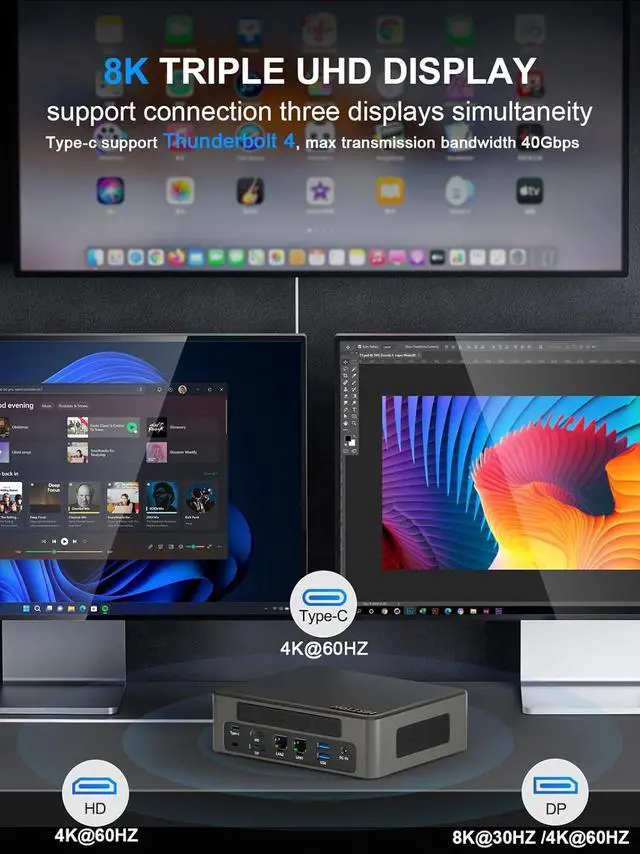
- 4K UHD Triple D
+
+
Overview
Reviews
Any questions? Ask CelesteSM will help you find out quickly.
Try me now
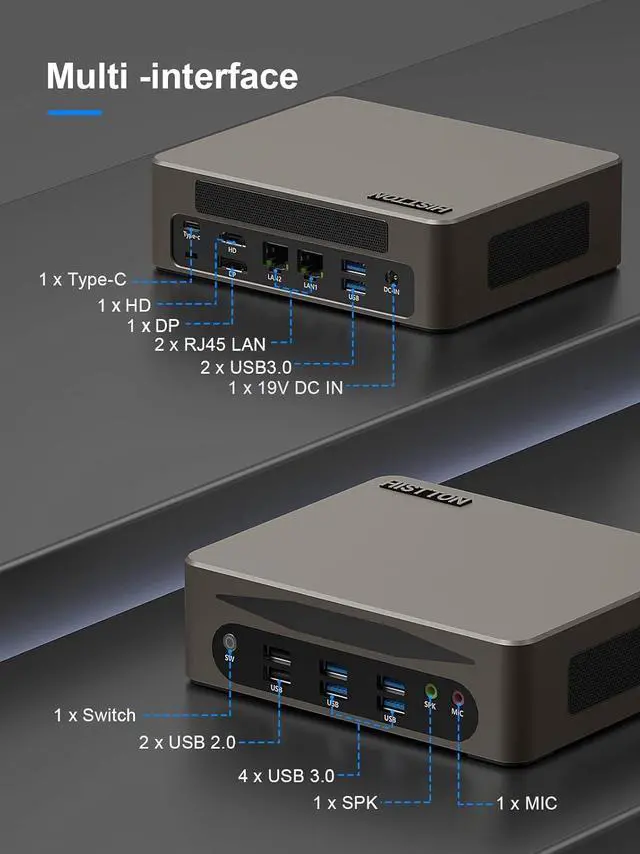
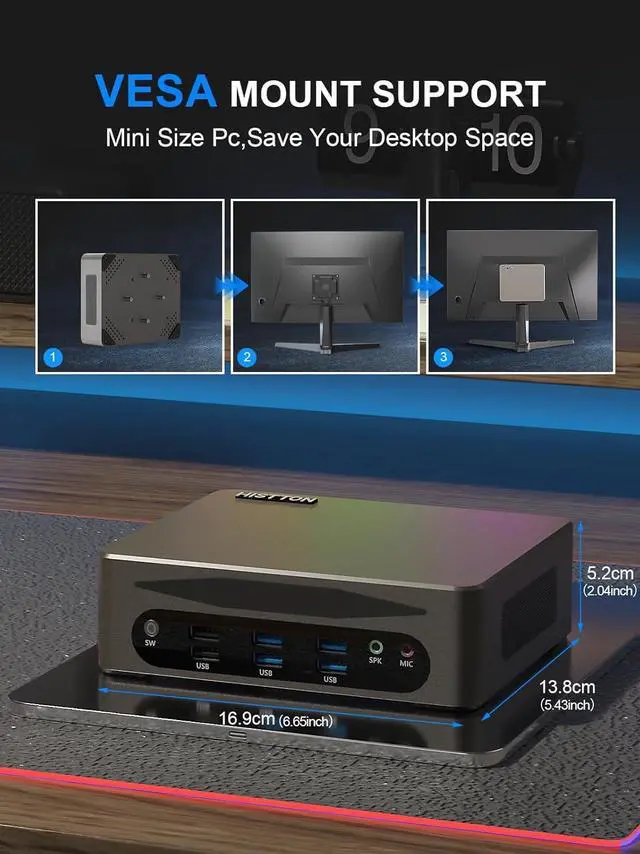
CPU 13th Gen Intel Core i5-1340P (12 Cores, 16 Threads, up to 4.6GHz, 12M Cache GPU Intel UHD Graphics for 13th Gen CPU Memory Dual channel, 2 × 262 pin DDR5 SO-DIMMs, Max 64GB (32GB × 2) Storage 2 x M.2 2280, NVME1 support NVME Gen3 X4/SATA SSDNVME2 support NVME Gen4 X4 SSD(Max 4T), and 1 x 2.5 inch SATA3.0 HDD/SSD Video Triple Display, 1 x HD 2.0 4K 60Hz, 1 x Type-C 4K 60Hz and 1 x DP 1.2 8K 30Hz/4K 60Hz WiFi & BT WIFI6 BT 5.2 is installed by default. Power 19V 4.74A Power Input Total power 85W(Max) Cooling Method Cooling Fan System Preinstall Windows 11 Pro, support Win10, Win11, Linux (Ubuntu\Debain\Vmware Esxi) Language English as defaulted (Support pre-installed designated language system. Size&Weight 6.65 * 5.43 * 2.05 inches (3.75 lb) 1Intel Core i5-1340P2RAM & Storage3Triple Display4DlY Upgrade storage5WiFi 6 & BT 5.21Multiple Ports2Multiple Systems3Cooling Fan 4Installation5Package Contains How to enter the BIOS and boot quickly?
After booting, quickly press "Delete" to enter BIOS settings, and then press "F11" to enter Boot Setup.
Is Windows 11 Pro already installed?
Yes, HISTTON HM9 Mini PC comes with Windows 11 Pro pre-installed. There is no need for an additional activation key. You are free to use another operating system, such as Windows 10, Linux, Ubuntu or Debian.
What application scenarios is Mini PC suitable for?
HM9 Mini PC is very powerful and complete. Triple Display can effectively improve your work efficiency. You can use it for office, gaming, education, data analysis and home entertainment.
The computer blue screen?
There are many reasons for a computer blue screen, such as abnormal shutdown, unexpected power outage, virus invasion, memory or hard disk damage, etc. When a blue screen appears, we recommend that you restart the computer or reinstall the system.
HISTTON HM9 Mini PC Specification How to enter the BIOS and boot quickly?
Is Windows 11 Pro already installed?
What application scenarios is Mini PC suitable for?
The computer blue screen?

After booting, quickly press "Delete" to enter BIOS settings, and then press "F11" to enter Boot Setup.
Is Windows 11 Pro already installed?
Yes, HISTTON HM9 Mini PC comes with Windows 11 Pro pre-installed. There is no need for an additional activation key. You are free to use another operating system, such as Windows 10, Linux, Ubuntu or Debian.
What application scenarios is Mini PC suitable for?
HM9 Mini PC is very powerful and complete. Triple Display can effectively improve your work efficiency. You can use it for office, gaming, education, data analysis and home entertainment.
The computer blue screen?
There are many reasons for a computer blue screen, such as abnormal shutdown, unexpected power outage, virus invasion, memory or hard disk damage, etc. When a blue screen appears, we recommend that you restart the computer or reinstall the system.
HISTTON HM9 Mini PC Specification How to enter the BIOS and boot quickly?
Is Windows 11 Pro already installed?
What application scenarios is Mini PC suitable for?
The computer blue screen?
Warranty & Returns
Warranty, Returns, And Additional Information
Warranty
- Please contact the Seller directly for warranty information. Warranty information may also be found on the Manufacturer's website.
- CONTACT
Return Policies
- Return for refund within: 30 days
- Return for replacement within: 30 days
- This item is covered by XinjintongLimited Return Policy
Manufacturer Contact Info
- For a directory of all our manufacturers, please click below.
- Manufacturers Directory
LOADING...