




 here!
I’m your shopping assistant for PC builds, upgrades, and everything tech.
Got questions? Ask away!
Start a conversation
here!
I’m your shopping assistant for PC builds, upgrades, and everything tech.
Got questions? Ask away!
Start a conversation





Any questions? Ask CelesteSM will help you find out quickly.
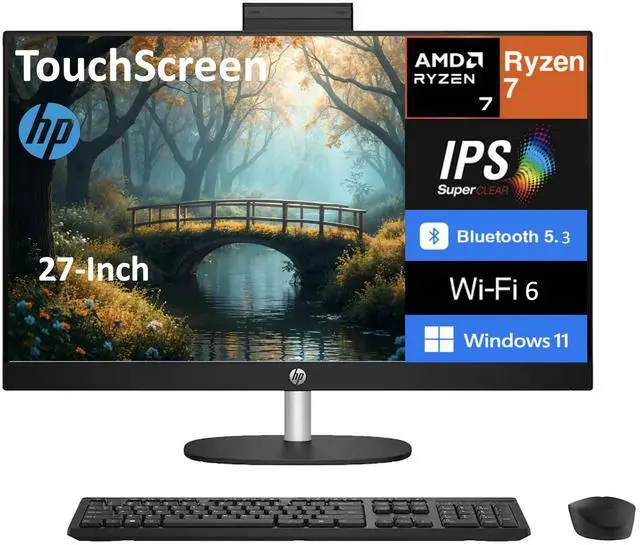
The HP 27 is a 27-inch touchscreen all-in-one PC with an 8-core AMD Ryzen 7 7730U, 32GB RAM, and a 4TB SSD, suited to home offices and workspaces that need responsive multitasking and ample local storage in a single-device setup.
| Attribute | Value |
|---|---|
| Best For | Home or office computing in an all-in-one setup with an integrated 27-inch touchscreen |
| Processor And Core Count | AMD Ryzen 7 processor with 8 cores and 16MB L3 cache |
| Graphics | Integrated AMD Radeon graphics |
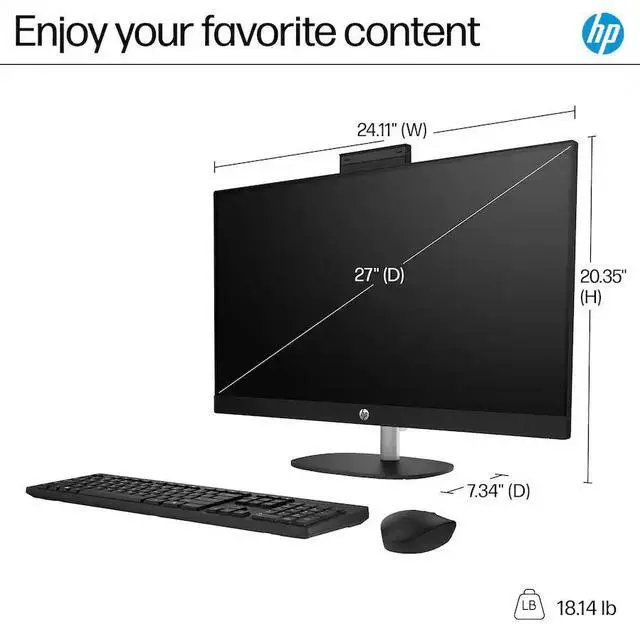
| Display | 27-inch touchscreen display; monitor included |
| Memory | 32GB DDR4 memory |
| Storage | 4TB PCIe SSD; no HDD |
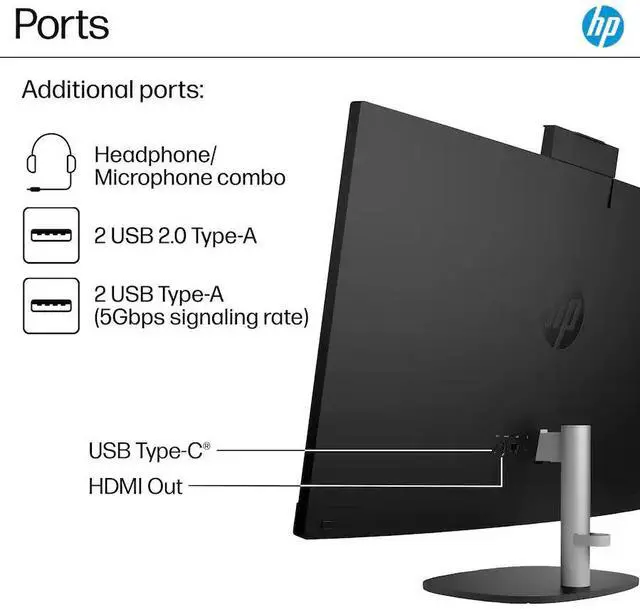
| Networking And Connectivity | 802.11ax Wi-Fi, Bluetooth 5.3, one RJ-45 port, and a combo audio port; no card reader |
| Power | 90W power supply |
| Operating System | Windows 11 Home |
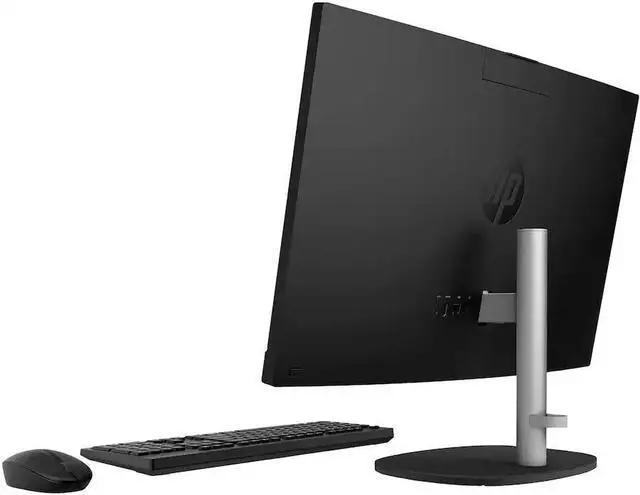
| Keyboard And Form Factor | Wireless keyboard in an all-in-one form factor |
| Model Identifiers | HP 27 |
Q: HP 27 with 32GB RAM and 1TB SSD vs this 32GB/4TB version—which should I choose?
A: Choose this Newegg configuration if you want the same 32GB memory and Ryzen 7 7730U platform with more built-in storage: 4TB instead of 1TB. Choose the 1TB HP 27 configuration if that capacity fits your file library. Both are listed with a 27-inch FHD touchscreen and Ryzen 7 7730U.
Q: Is this HP 27 worth choosing over the 16GB/1TB HP 27 configuration?
A: Choose this listing if you want 32GB of RAM and 4TB of storage alongside the Ryzen 7 7730U and 27-inch FHD touchscreen. The standard HP 27-cr0054 configuration lists the same processor and display with 16GB RAM and a 1TB SSD, so the clearest differences are memory and storage capacity.
Q: HP 27 Ryzen 7 vs HP 24-cr Ryzen 5: which is the better fit for a larger desktop screen?
A: Choose the HP 27 if you prefer a 27-inch touchscreen workspace and the listed Ryzen 7 7730U, 32GB RAM, and 4TB SSD. The HP 24-cr AMD model has a 23.8-inch FHD touchscreen and offers a Ryzen 5 7520U configuration; it is the smaller-screen alternative in HP’s all-in-one range.
Q: Is this all-in-one suitable for everyday office work and multitasking?
A: Yes. Its 8-core Ryzen 7 processor, 32GB of memory, 4TB SSD, and Windows 11 Home suit typical office tasks such as documents, browsing, email, and video calls, including running several applications at once. The integrated Radeon graphics are a practical fit for general use, not a guarantee of performance in demanding professional workloads.
Q: Does it have a built-in webcam for video meetings?
A: Yes. The product listing specifies a webcam, so a separate camera is not required for video meetings. The listing does not specify the webcam’s resolution or image quality.
Q: Can I use the touchscreen for notes and everyday navigation?
A: Yes. The 27-inch display supports touch, which is useful for tapping, scrolling, and interacting directly with on-screen content. The product information does not confirm stylus compatibility, so check before buying if handwritten pen input is important.
Q: Can I connect it to the internet with an Ethernet cable?
A: Yes. It has an RJ-45 port for a wired network connection, as well as Wi-Fi 6 for wireless networking.
Q: Is this HP 27 All-in-One suitable for gaming?
A: It is better suited to everyday tasks than demanding games. This configuration has integrated AMD Radeon graphics, not a dedicated graphics card. Reddit discussion of another HP 27 All-in-One also cautions that the model’s graphics are not intended for demanding gaming, so check performance for specific games before buying.
Q: Is 1080p a drawback on a 27-inch screen?
A: It can be a trade-off if you prefer sharper text or detailed images: this model’s 27-inch display is 1920×1080. Reddit discussions about HP 27-inch all-in-ones include concerns about FHD resolution at this screen size. It may suit general use, but compare it with a higher-resolution display if screen sharpness matters to you.
Q: Should I choose this All-in-One over a traditional desktop?
A: Choose it if you value a combined computer-and-display setup and want to reduce desk clutter. A Reddit discussion of HP 27 All-in-Ones highlights the countertrade-off: compared with a separate desktop and monitor, an All-in-One can offer less flexibility for upgrades and repairs. The product listing does not include a price, so value depends on the price you find and how much you prioritize the integrated design.


