




 here!
I’m your shopping assistant for PC builds, upgrades, and everything tech.
Got questions? Ask away!
Start a conversation
here!
I’m your shopping assistant for PC builds, upgrades, and everything tech.
Got questions? Ask away!
Start a conversation





Any questions? Ask CelesteSM will help you find out quickly.
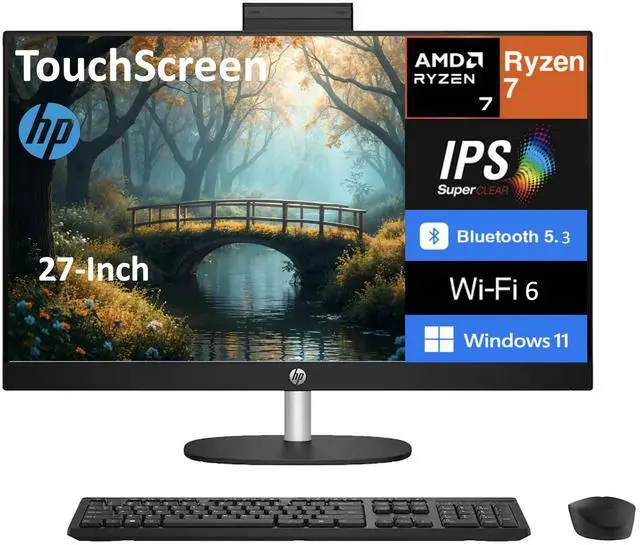
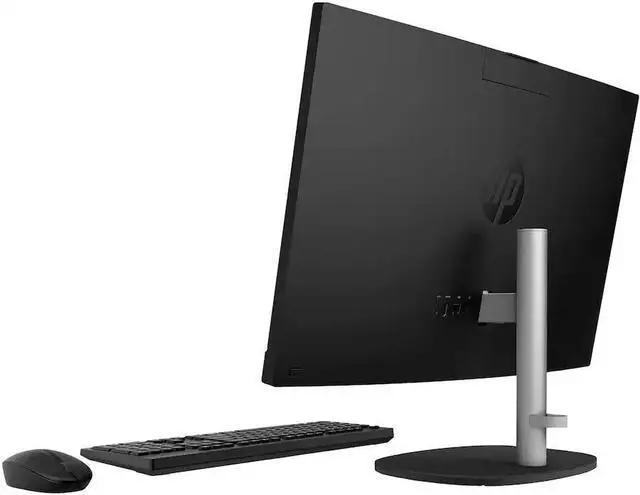
The HP 27 Business All-in-One is a Windows 11 Pro desktop with an 8-core Ryzen 7 7730U, 32GB RAM, and a 1TB SSD, suited to office work, multitasking, and business users who want a capable computer with its display built in.
| Attribute | Value |
|---|---|
| Best For | Desktop productivity and interactive work in a 27-inch touchscreen all-in-one setup |
| Processor And Core Count | AMD Ryzen 7 processor with 8 cores and 16MB L3 cache |
| Graphics | Integrated AMD Radeon graphics |
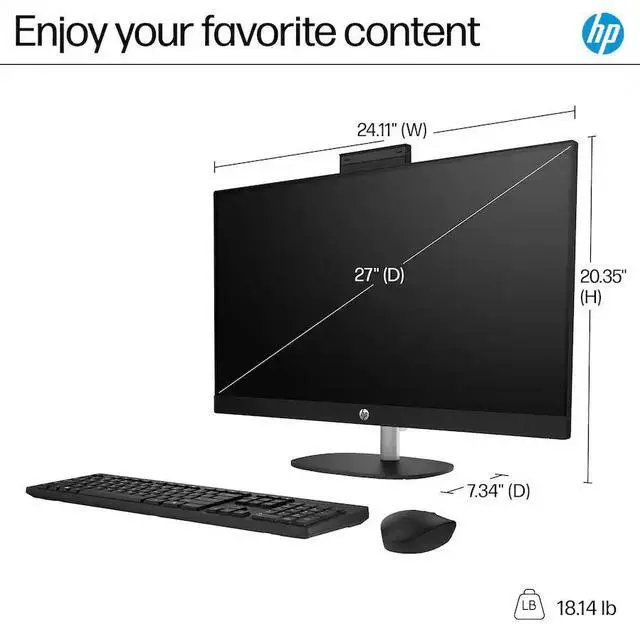
| Display | 27-inch touchscreen display; monitor included |
| Memory | 32GB DDR4 memory |
| Storage | 1TB PCIe SSD with no HDD |
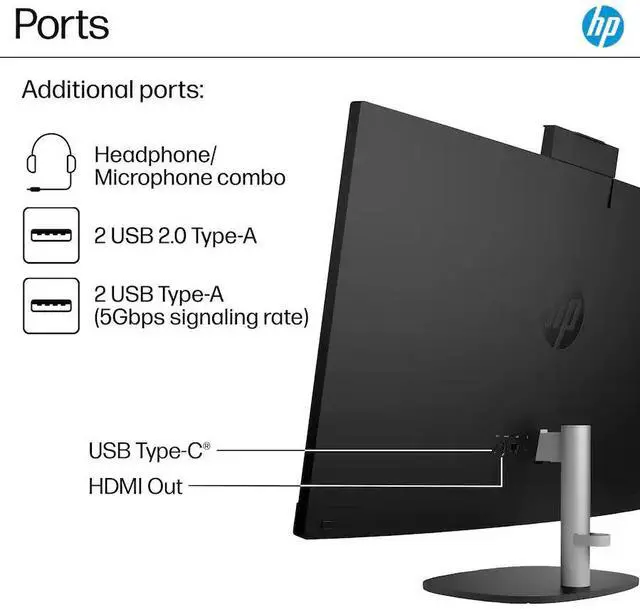
| Networking And Connectivity | 802.11ax Wi-Fi, Bluetooth 5.3, and one RJ-45 port |
| Audio And Peripherals | Wireless keyboard and a combo audio port; no card reader |
| Power | 90W power supply |
| Operating System | Windows 11 Pro |
| Model Identifiers | HP 27 All-in-One PC |
Q: Should I choose this HP 27 All-in-One or the newer HP 27-cr2075t?
A: Choose the HP 27-cr2075t if you want its Intel Core Ultra 7 255U processor and 12-TOPS AI Boost NPU. Choose this Newegg configuration if 32GB of memory and Windows 11 Pro are priorities: both have a 27-inch FHD touchscreen and 1TB SSD, while the HP 27-cr2075t listing has 16GB of memory and Windows 11 Home.
Q: How does this compare with the HP 27-cr0054 16GB configuration?
A: Both configurations use the Ryzen 7 7730U processor and include a 1TB SSD. This Newegg listing has 32GB of memory versus 16GB in the HP 27-cr0054 configuration, so it is the better match when you want more memory for keeping multiple applications open at once.
Q: Should I get this HP 27 or an HP OmniStudio X 27?
A: Choose the HP OmniStudio X 27 if you want options such as a 27-inch 4K display or an Intel Core Ultra H-series processor. Choose this HP 27 configuration if you prefer a 27-inch FHD touchscreen with 32GB of memory and Windows 11 Pro included in the listed setup.
Q: Is this all-in-one suitable for office work and video meetings?
A: Yes. Its Ryzen 7 processor, 32GB of memory, 1TB SSD, and Windows 11 Pro suit common office tasks and multitasking. The product information also lists a webcam, Wi‑Fi 6, and Bluetooth 5.3, making it equipped for video meetings; webcam quality is not specified.
Q: Is this all-in-one good for gaming?
A: It may suit casual games, but it is not the best fit for graphics-intensive gaming: it uses integrated AMD Radeon graphics rather than a dedicated graphics card. Check each game’s minimum and recommended requirements before buying.
Q: Can I upgrade the memory or storage later?
A: The listing provides 32GB of DDR4 memory and a 1TB PCIe SSD, but does not confirm whether either component can be upgraded further. Because this unit was professionally upgraded by Velztorm, verify upgrade options with the seller before purchase rather than assuming they are user-accessible.
Q: Can I use the touchscreen for everyday tasks and note-taking?
A: The 27-inch display supports touch, so you can interact with compatible Windows apps directly on the screen. The listing does not specify stylus compatibility, so confirm pen support separately if handwritten notes are important.
Q: Is this HP 27 suitable for gaming?
A: It should be treated as a productivity-focused all-in-one, not a gaming PC: it has integrated AMD Radeon graphics rather than a dedicated graphics card. A YouTube video covering the same HP 27 and Ryzen 7 7730U explores gaming, but demanding games may require lower settings; choose a gaming desktop or laptop if gaming performance is a priority.
Q: Is it a good fit for work, school, and everyday use?
A: Its Ryzen 7 7730U, 32GB RAM, 1TB SSD, webcam, and 27-inch display make it a suitable configuration to consider for office work, school tasks, web browsing, and multitasking. The all-in-one format also combines the computer and display in one unit.
Q: What are the trade-offs compared with a desktop tower?
A: The all-in-one design saves space and includes a display, but it is less flexible than a tower for upgrades and repairs. Its integrated graphics also limit graphics-heavy work and gaming compared with a desktop that can use a separate graphics card.


