




 here!
here!
I’m your shopping assistant for PC builds, upgrades, and everything tech.
Got questions? Ask away!
Start a conversation
here!
I’m your shopping assistant for PC builds, upgrades, and everything tech.
Got questions? Ask away!
Start a conversationShipped by Hebei XG Technology Co., Ltd.






Any questions? Ask CelesteSM will help you find out quickly.
1. Complete Customization:The absence of CPU, memory, disk, RAID card, and power supply allows you to build a server tailored to your exact needs. Whether for large - scale data analytics, cloud hosting, or enterprise - level storage, you can hand - pick components for optimal performance.
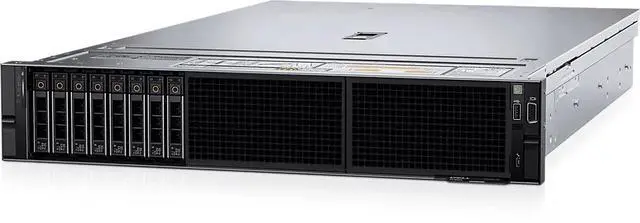
2. Abundant Storage Capacity:With 12 x 3.5 - inch drive bays, the server offers substantial storage expansion potential. You can choose from high - capacity HDDs for cost - effective bulk storage or high - speed SSDs for rapid data access, depending on your data - handling requirements.
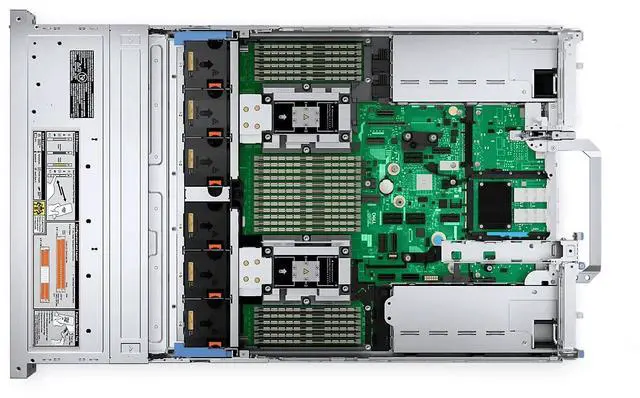
3. High - Performance Potential:Despite lacking pre - installed components, the R7625's 2U design is engineered to support high - end CPUs, memory modules, and RAID cards. It can handle demanding workloads once you outfit it with the right parts for your applications.
4. Fresh and Reliable:As a brand - new server, it comes with the latest technology and build quality from Dell, ensuring reliability and long - term performance. You can start building your server infrastructure with confidence.
5. Cost - Effective Solution:Purchasing the server in this state gives you control over your initial investment. You can add components as your business grows, making it an affordable option for startups and businesses on a budget.
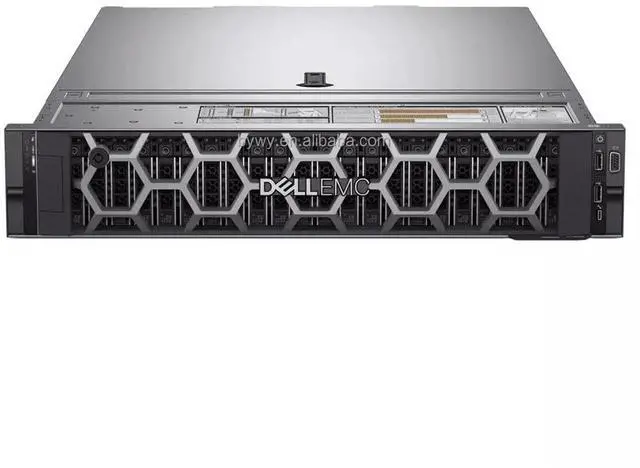
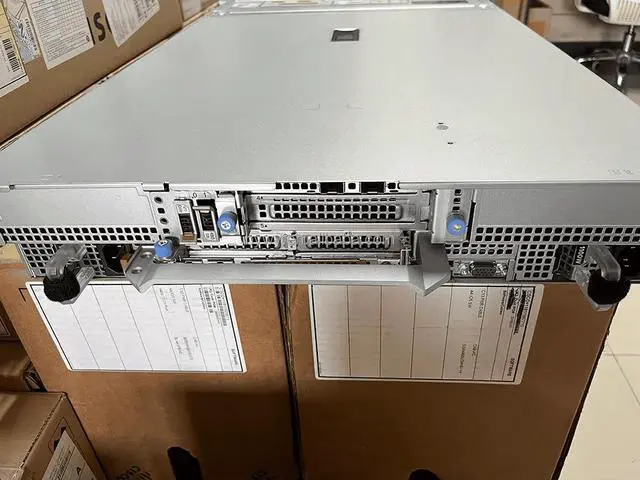
The Dell R7625 2U server chassis with 12 x 3.5-inch drive bays is a customizable foundation for IT teams, MSPs, and businesses building a storage-heavy or application-specific server with their own CPU, memory, RAID, power, and drives.
| Attribute | Value |
|---|---|
| Best For | Organizations building a custom 2U rack server that prioritizes high storage density and component selection flexibility; suitable for storage-dense workloads such as large-scale data analytics, cloud hosting, and enterprise storage |
| Chassis And Drive Bays | 2U rack chassis with 12 × 3.5-inch drive bays to populate with high-capacity HDDs or 3.5-inch SSDs for large storage capacity |
| Included Components / Ship State | Sold as a bare chassis — no CPU, no memory, no disks, no RAID card, and no power supply included |
| Expandability And Compatibility | Engineered to accept high-end CPUs, memory modules, and RAID cards so you can outfit the system for demanding workloads (components must be added separately) |
| Condition | Brand new server chassis ready for customization and component installation |
| Model Identifiers | Dell R7625 2U server chassis |
Q: Should I choose the Dell PowerEdge R7625 or the R7615 for a 12-bay 3.5-inch server build?
A: Choose the PowerEdge R7625 if you need dual-socket compute, higher VM density, or more memory headroom alongside large-capacity storage. Dell positions the R7625 for HPC, VDI, and virtualization, while the R7615 is a one-socket 2U platform aimed more at software-defined storage, virtualization, and data analytics. In practice, the R7625 gives you two AMD EPYC 9004-series CPU sockets, 24 DDR5 DIMM slots, and a higher maximum memory ceiling than the R7615. The R7615 is the better fit when you want a simpler, lower-component single-socket build and do not need the extra CPU and memory scale.
Q: Is the Dell R7625 a better choice than the R7525 if I am upgrading from an older AMD PowerEdge platform?
A: Choose the R7625 if your upgrade goal is access to the current Dell AMD platform with DDR5 memory, PCIe Gen5 expansion, and newer 4th Gen AMD EPYC processors. StorageReview describes the R7625 as the replacement for the R7525 in Dell's high-end AMD rack-server line, and Dell positions the R7625 as its current dual-socket AMD 2U platform for compute-heavy workloads. The main trade-off is cost: an R7525 can still make sense for budget-sensitive refreshes if older-generation CPU, memory, and I/O standards are acceptable.
Q: Should I buy the Dell R7625 or the 1U R6625 if I want maximum performance?
A: Choose the R7625 if performance also depends on expansion, storage flexibility, and sustained dual-socket deployment in a 2U chassis. Dell groups both the R7625 and R6625 around HPC, VDI, and virtualization, but the R7625 supports larger 3.5-inch storage configurations, more drive options overall, and more PCIe slot capacity than the 1U R6625. Choose the R6625 when rack density is the priority and you want a more compact 1U footprint. Choose the R7625 when you want fewer compromises around storage bays and add-in expansion.
Q: Is a barebones R7625 better than buying a preconfigured server for enterprise deployment?
A: Choose this barebones R7625 if you already know the exact CPU, memory, storage, RAID, and power configuration you need, or if you are standardizing parts across multiple deployments. The main advantage is control: you can match the platform to a storage-heavy, virtualization, or mixed enterprise build instead of paying for components you plan to replace. A preconfigured server is the better choice when you want validated compatibility out of the box, a shorter deployment path, or a simpler procurement process.
Q: Should I choose a 12 x 3.5-inch R7625 or a smaller 2.5-inch or 1U server for storage-focused use?
A: Choose the 12 x 3.5-inch R7625 when your plan centers on high-capacity HDD storage with room for strong compute and memory scaling in the same chassis. That layout is a practical fit for bulk storage, virtualization with large local datasets, or software-defined infrastructure that benefits from larger-capacity drives. A smaller 2.5-inch or 1U server is the better fit when you prioritize rack density, more compact deployment, or an all-flash layout over maximum per-chassis nearline capacity.
Q: Who is this server suitable for?
A: This chassis is best for IT teams, system integrators, and experienced buyers who already know which CPUs, memory, storage, RAID, and power configuration they need. It is a good fit for custom virtualization, storage, HPC, or lab builds. It is not ideal for buyers who want a ready-to-run server, because core components are not included.
Q: Is this a ready-to-use server out of the box?
A: No. This listing is for a bare server platform, not a complete working system. You must add CPUs, memory, storage drives, a RAID option if needed, and power supplies before deployment. Buyers should confirm all required parts and compatibility before purchasing.
Q: Is this a good choice if I want large storage capacity?
A: Yes, if your main goal is building a high-capacity storage server. The 12 x 3.5-inch front-bay layout is well suited to bulk HDD capacity, and it also gives flexibility to choose drive types based on cost, speed, and workload. The trade-off is that storage, controllers, and supporting components must all be selected separately.
Q: What are the main trade-offs of buying this server without CPU, memory, disks, RAID card, or power supplies?
A: The main advantage is configuration control: you can build around your exact workload and budget. The main trade-offs are added setup complexity, longer time to deployment, and the need to manage component compatibility yourself. This type of listing usually makes the most sense when you already have parts, standards, or a clear hardware plan.
Q: Do I need to verify hardware compatibility before buying parts for this server?
A: Yes. Compatibility matters for processor family, memory type and population rules, drive backplane configuration, RAID or non-RAID storage setup, cooling, and power delivery. This is especially important with a bare configuration, because missing one required part can delay deployment or limit supported configurations.
Q: Who is this barebones Dell R7625 best suited for?
A: This listing is best for buyers who already know the exact CPU, memory, storage, RAID, and power configuration they need. It fits enterprise, lab, or infrastructure builds where customization matters more than out-of-box usability. It is a poor fit for anyone expecting a ready-to-run server, because this unit ships without the core components required to power on and deploy workloads.
Q: Is this a good buy if I want a server mainly for large local storage?
A: It can be a good choice if you specifically want a modern 2U chassis with 12 large-form-factor drive bays and you plan to supply the missing parts yourself. The main trade-off is total build cost: once you add CPUs, DDR5 ECC memory, storage, RAID or HBA, and power supplies, the final cost can rise well beyond the barebones price. For storage-focused builds, it makes more sense when you value the 12 x 3.5-inch layout and current-generation platform more than low upfront cost.
Q: What are the main trade-offs of buying this R7625 without CPU, RAM, drives, RAID card, or power supplies?
A: The advantage is maximum flexibility: you can choose the exact parts for compute, storage, and redundancy. The trade-offs are higher integration effort, compatibility planning, and a less predictable final price. Buyers also need to account for enterprise-specific parts such as supported DIMMs, controller choices, and power configurations, so this is better for experienced server buyers than for first-time users.
Q: Is this a good choice for a first homelab server?
A: Usually no. A barebones R7625 is more suitable for advanced homelab or professional users who are comfortable sourcing enterprise parts and validating compatibility. For a first homelab server, the missing CPUs, memory, storage, controller, and power supplies add too much setup complexity and cost unless you already have a clear parts plan.
Q: Should I expect any setup or compatibility friction with storage on this server?
A: Yes. Community discussion around the R7625 shows that storage setup can involve controller mode, RAID presentation, and drive-detection details rather than simple plug-and-play behavior. If your goal is a straightforward storage build, confirm in advance which backplane, controller, and drive types you plan to use, because the barebones chassis alone does not guarantee an easy storage deployment path.


