Your Browsing History
Meet Your Seller
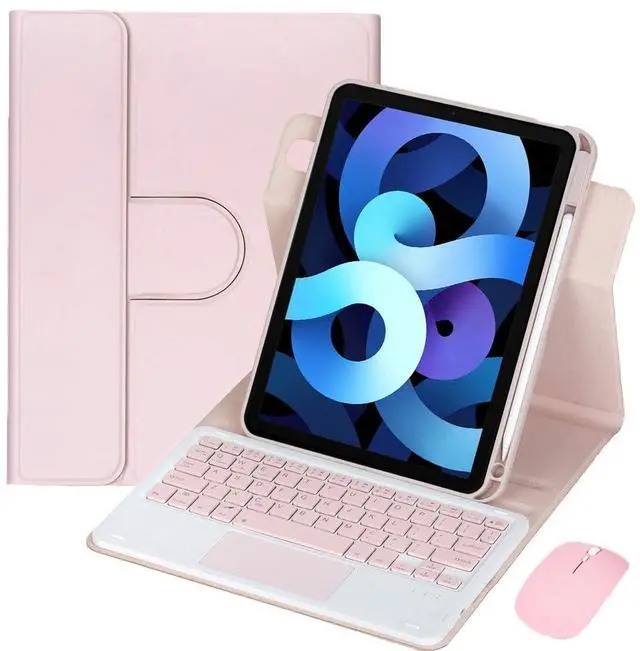
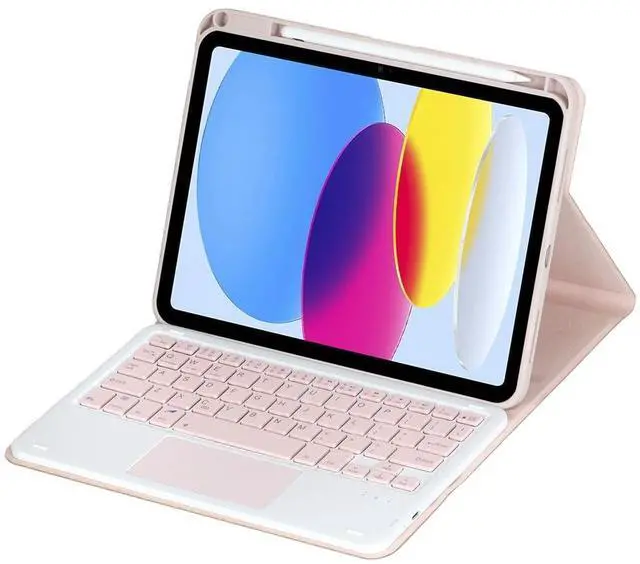
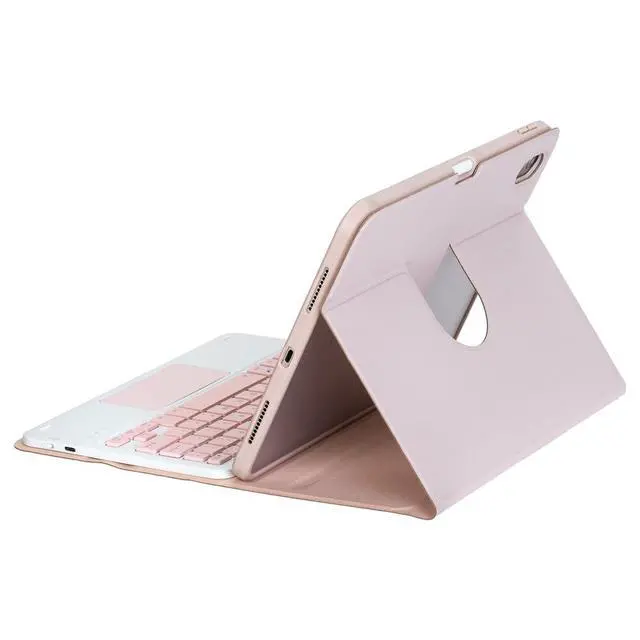
360° Rotatable Keyboard Case with Trackpad & Pencil Slot, Detachable Rechargeable English Keyboard, Horizontal & Vertical Stand for iPad Air 4/5 10.9" (Pink)
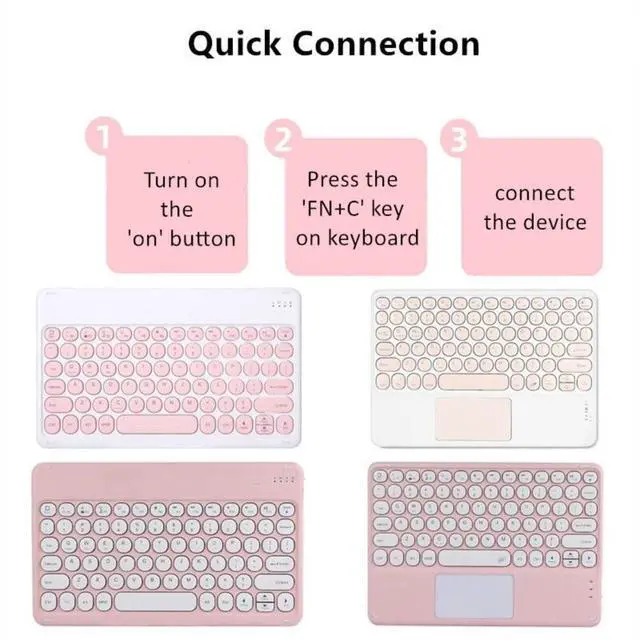
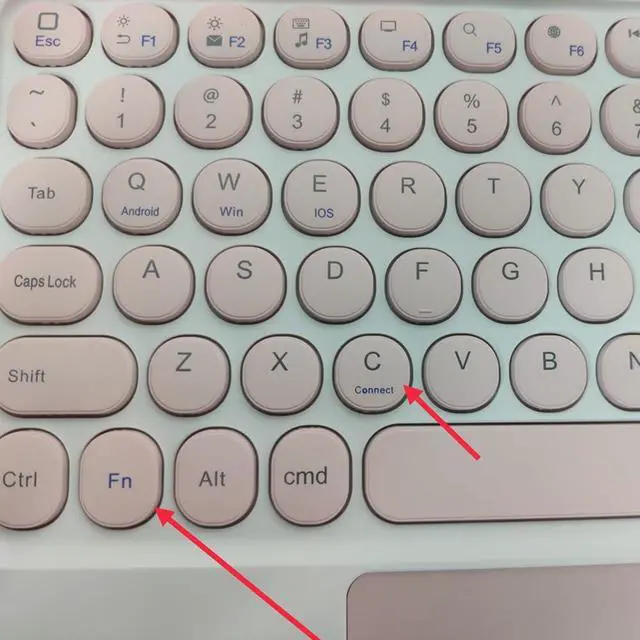
- CompatibilityTablet and stylus are not included. Compatible with iPad Air 5 2022 10.9"(A2591/A2589/A2588) and iPad Air 4 2020 10.9" (A2325/A2324/A2316/A2072). Press Fn+C (the Fn key is next to Ctrl) to enter Bluetooth pairing mode.
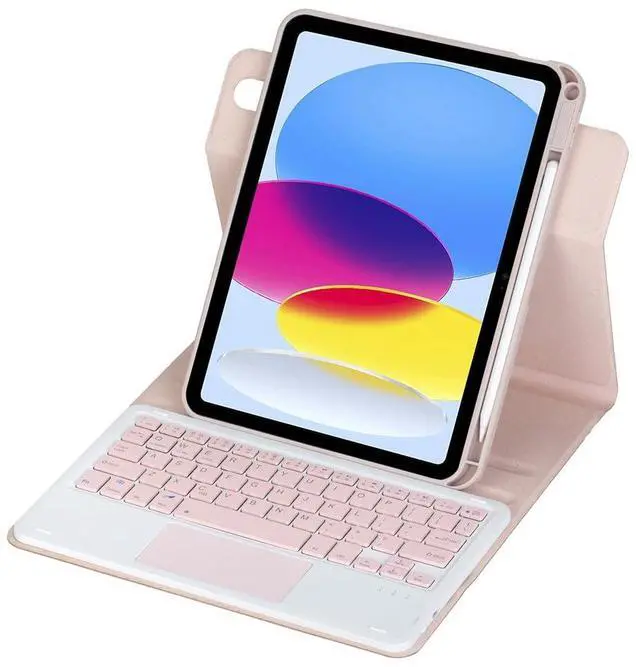
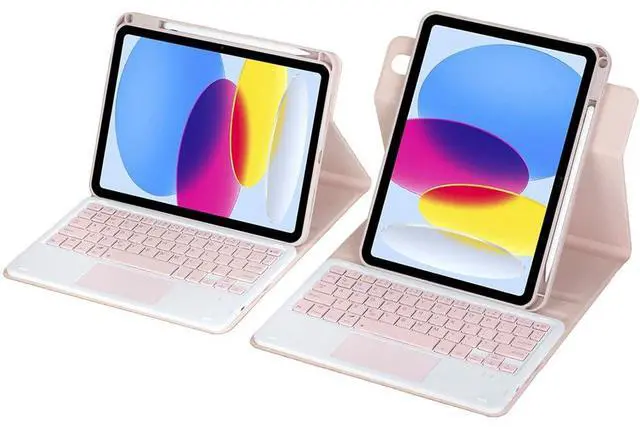
- 360° Rotatable CoverSupports horizontal and vertical viewing angles.
- Cover FeaturesComes with a built-in stylus holder; precise cutouts for volume buttons, headphone jack and charging port.
- Laptop ModeInstantly turns your tablet into a laptop for typing, reading, video watching and drawing.
- Rechargeable US Layout KeyboardAuto sleep mode to conserve power when unused.
- Trackpad OperationTurn on AssistiveTouch under Settings > Touch to use the trackpad.
- If you encounter any issues with your order, please avoid filing complaints or initiating returns directly. Instead, feel free to contact our customer service teamthey will wholeheartedly assist you in resolving the problem and provide a solution that meets your satisfaction.We value your experience and are committed to addressing any concerns you may have promptly and properly.Note: Tablets are not included in the product.
+
+
Overview
Specs
Reviews
Any questions? Our AI beta will help you find out quickly.
Try me now
Timoom 360° Rotatable Keyboard Case for iPad Air 10.9
Note: Tablet and pencil are not included.
Turn your iPad Air into a more versatile work-and-play device with the Timoom keyboard case. The 360° rotating design makes it easy to switch between landscape and portrait orientation for typing, reading, video calls, or drawing.
Compatibility
- iPad Air 5th Gen 2022 10.9" (A2591/A2589/A2588)
- iPad Air 4th Gen 2020 10.9" (A2325/A2324/A2316/A2072)
Highlights
- 360° rotation + dual-orientation stand for flexible viewing angles
- Detachable Bluetooth keyboard (US English QWERTY) for laptop-style typing
- Rechargeable keyboard with sleep mode to help conserve power
- Integrated trackpad (enable AssistiveTouch to use)
- Pencil slot and precise cutouts for ports and buttons
Setup Tips
- Pairing: Power on the keyboard, then press Fn + C to enter connection mode (Fn is next to Ctrl).
- Trackpad: Enable AssistiveTouch in Settings > Touch > AssistiveTouch.
Whats in the Box
- 1 x Case
- 1 x Keyboard
- 1 x Mouse
- 2 x USB charging cords
Warranty & Returns
Warranty, Returns, And Additional Information
Warranty
- Please contact the Seller directly for warranty information. Warranty information may also be found on the Manufacturer's website.
- CONTACT
Return Policies
- Return for refund within: 30 days
- Return for replacement within: non-replaceable
- This item is covered by Top tech Store Return Policy
Manufacturer Contact Info
- For a directory of all our manufacturers, please click below.
- Manufacturers Directory
LOADING...