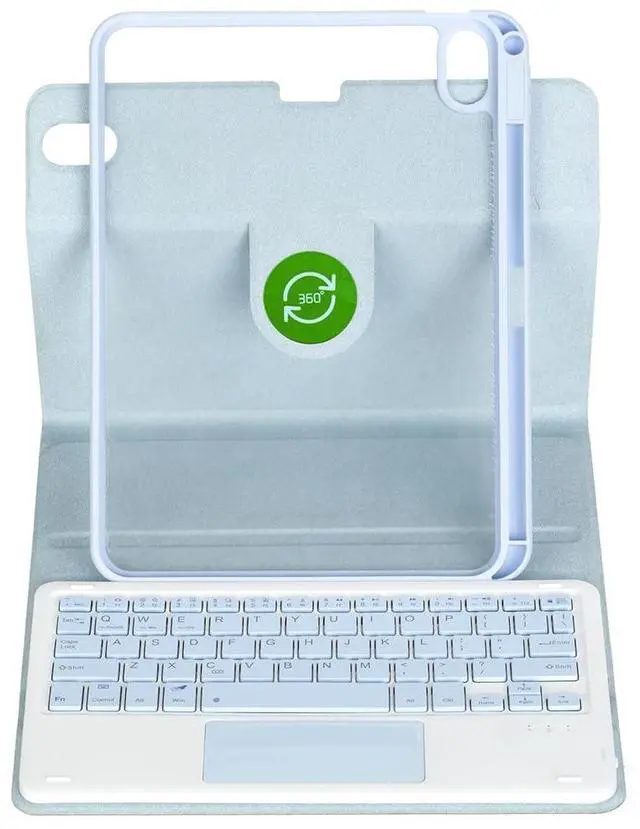
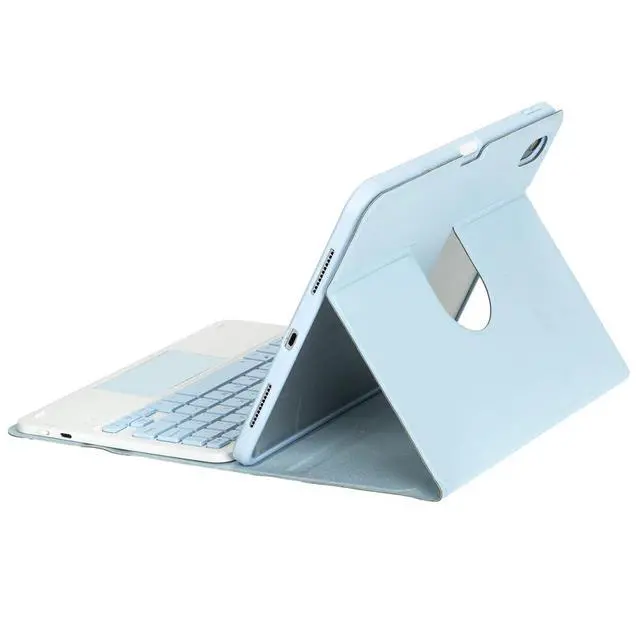
Timom 360° Rotating Keyboard Folio for iPad 10.5-inch
Upgrade your iPad into a more productive, laptop-style setup with the Timom 360° Rotating Keyboard Folio. Built for iPad Air 3 10.5-inch (2019) and iPad Pro 10.5-inch (2017), this folio case combines everyday protection with a detachable Bluetooth keyboard and trackpad support for typing, browsing, reading, and drawing.
Key Features
- Compatible models: iPad Air 3 10.5" (2019) A2152/A2123/A2153; iPad Pro 10.5" (2017) A1701/A1709
- 360° rotating stand for portrait and landscape viewing
- Detachable rechargeable US English Bluetooth keyboard
- Trackpad support (requires AssistiveTouch enabled in Settings)
- Pencil holder to keep your stylus secure and easy to find
- Precise cutouts for buttons and ports (volume, headphone jack, charging port)
Pairing / Trackpad Notes
- Turn on the keyboard, then press Fn + C to enter connection mode (Fn is next to Ctrl).
- To use the trackpad, enable AssistiveTouch: Settings > Touch > AssistiveTouch.
What's in the Box
- 1 x Rotating folio case
- 1 x Detachable keyboard
- 1 x Mouse
- 2 x USB charging cords
Note: Tablet and pencil shown in images are not included.
FAQ
- Q: Does this keyboard case fit my iPad Air 3 (2019) 10.5-inch?
- A: Yesthis case is compatible with iPad Air 3 10.5" (2019) models A2152/A2123/A2153.
- Q: Will it work with iPad Pro 10.5-inch (2017)?
- A: Yesthis folio is compatible with iPad Pro 10.5" (2017) models A1701/A1709.
- Q: How do I put the keyboard into pairing mode?
- A: After turning the keyboard on, press Fn + C to enter connection mode (Fn is next to Ctrl).
- Q: Why isnt the trackpad working?
- A: Trackpad use requires AssistiveTouch to be enabled on the iPad (Settings > Touch > AssistiveTouch).
- Q: Can I use the case in portrait mode?
- A: Yesthe 360° rotating design supports both portrait and landscape stand positions.





 here!
here!