

Your Browsing History

Meet Your Seller



13-in-1 USB C Docking Station 4K Triple Monitor with 100W Power Delivery | USB C Dock for Windows, Mac, ChromeOS, Thunderbolt | Driver Required | 3X HDMI and 3X DisplayPort (UD-ULTC4K)
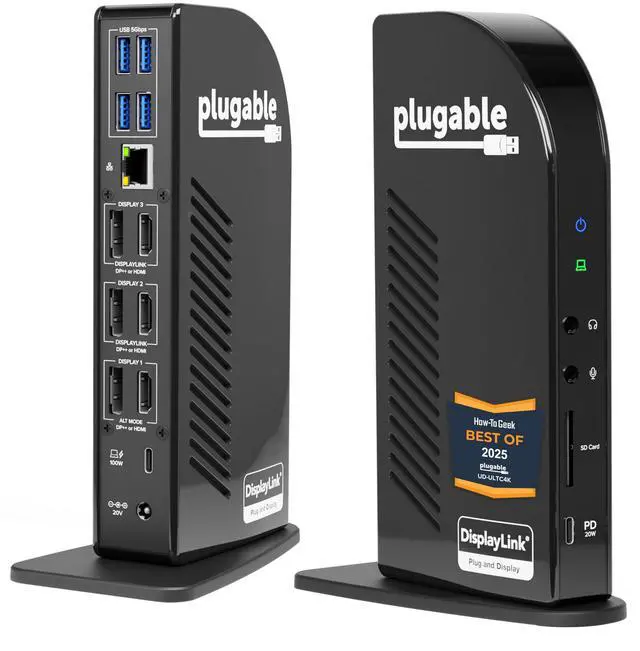
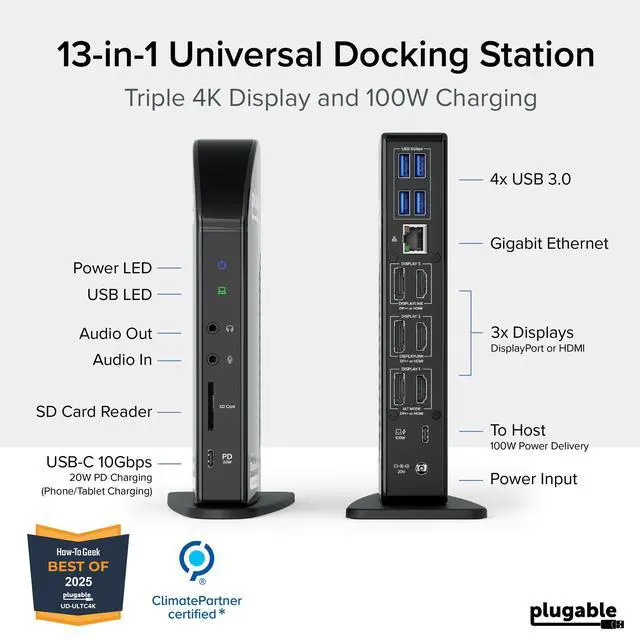
- Award-Winning 13-in-1 Dock for Complete Workstations: Recognized as "Best Docking Station 2025" by How-To Geek, the UD-ULTC4K transforms a compatible laptop into an extensive multi-monitor workstation. Link displays, USB accessories, Ethernet, audio, SD cards, and laptop charging via a single 10Gbps USB-C connection. Triple 4K Display Support: Operate up to three 4K 60Hz monitors - perfect for IT deployments, financial analysts, and developers requiring substantial screen space. Featuring 3× HDMI and 3× DisplayPort outputs, combine and match display connections without requiring additional adapters or dongles. 100W Laptop Charging + 20W Accessory Charging: Power your laptop through the rear USB-C host connection with up to 100W Power Delivery, 96W certified. The front USB-C port is designated for accessories, supporting up to 10Gbps data transfer and up to 20W charging for compatible phones, tablets, and peripherals. Compatibility & Setup Requirements: Works with supported Windows 10 or later, macOS 11+, and ChromeOS 100.x or later systems equipped with Thunderbolt, USB4, or USB-C. DisplayLink drivers are necessary on macOS. Screen Recording permission is needed by the driver to activate external displays; no screen recording takes place. HDCP is not supported, so protected streaming content might not display on connected monitors
+
+
Overview
Specs
Reviews

Any questions? Our AI mode will help you find out quickly.
Try me now
Award-Winning 13-in-1 Dock for
Complete Workstations: Recognized as "Best Docking Station 2025" by How-To Geek, the UD-ULTC4K transforms a compatible laptop into an extensive multi-monitor workstation. Link displays, USB accessories, Ethernet, audio, SD cards, and laptop charging via a single 10Gbps USB-C connection.
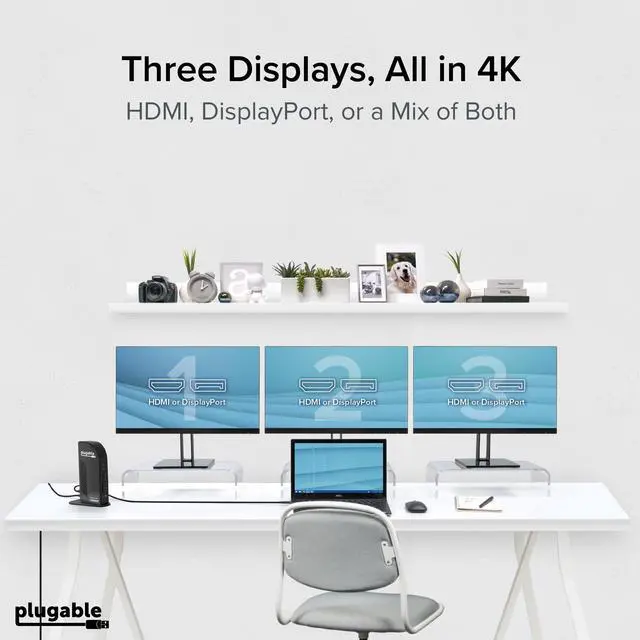
Triple 4K Display Support: Operate up to three 4K 60Hz monitors - perfect for IT deployments, financial analysts, and developers requiring substantial screen space. Featuring 3× HDMI and 3× DisplayPort outputs, combine and match display connections without requiring additional adapters or dongles. 100W Laptop Charging + 20W
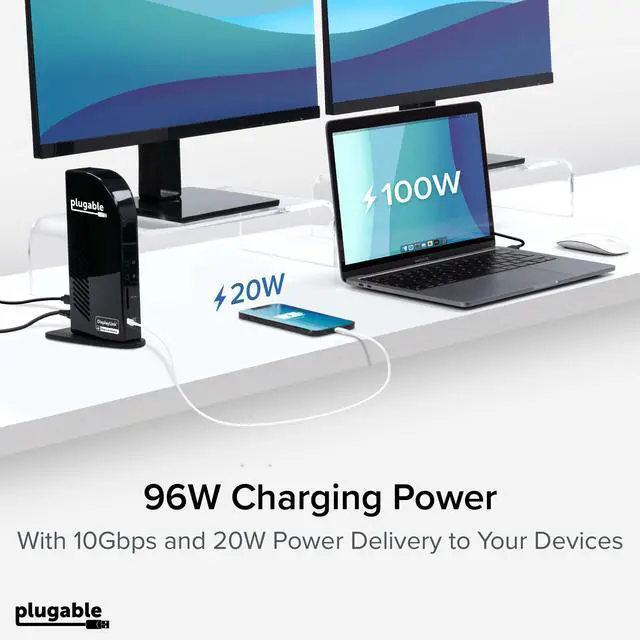
Accessory Charging: Power your laptop through the rear USB-C host connection with up to 100W Power Delivery, 96W certified. The front USB-C port is designated for accessories, supporting up to 10Gbps data transfer and up to 20W charging for compatible phones, tablets, and peripherals.
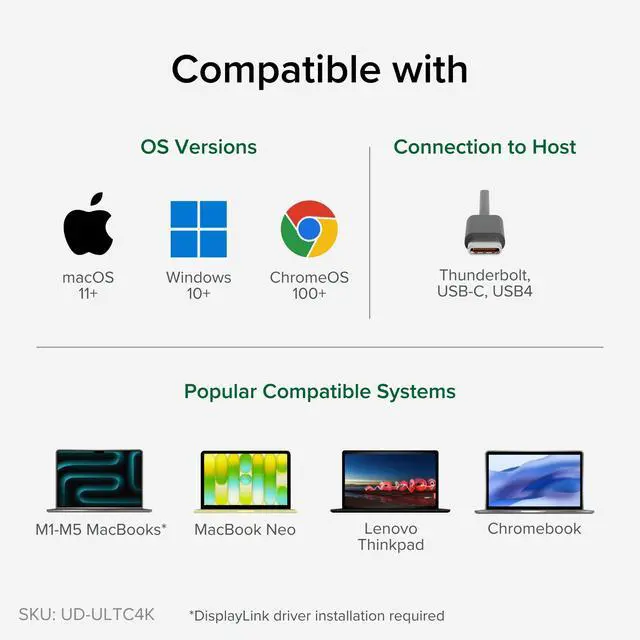
Compatibility & Setup Requirements: Works with supported Windows 10 or later, macOS 11+, and ChromeOS 100. x or later systems equipped with Thunderbolt, USB4, or USB-C. DisplayLink drivers are necessary on macOS. Screen Recording permission is needed by the driver to activate external displays; no screen recording takes place. HDCP is not supported, so protected streaming content might not display on connected monitors
Complete Workstations: Recognized as "Best Docking Station 2025" by How-To Geek, the UD-ULTC4K transforms a compatible laptop into an extensive multi-monitor workstation. Link displays, USB accessories, Ethernet, audio, SD cards, and laptop charging via a single 10Gbps USB-C connection.
Triple 4K Display Support: Operate up to three 4K 60Hz monitors - perfect for IT deployments, financial analysts, and developers requiring substantial screen space. Featuring 3× HDMI and 3× DisplayPort outputs, combine and match display connections without requiring additional adapters or dongles. 100W Laptop Charging + 20W
Accessory Charging: Power your laptop through the rear USB-C host connection with up to 100W Power Delivery, 96W certified. The front USB-C port is designated for accessories, supporting up to 10Gbps data transfer and up to 20W charging for compatible phones, tablets, and peripherals.
Compatibility & Setup Requirements: Works with supported Windows 10 or later, macOS 11+, and ChromeOS 100. x or later systems equipped with Thunderbolt, USB4, or USB-C. DisplayLink drivers are necessary on macOS. Screen Recording permission is needed by the driver to activate external displays; no screen recording takes place. HDCP is not supported, so protected streaming content might not display on connected monitors
Warranty & Returns
Warranty, Returns, And Additional Information
Warranty
- Please contact the Seller directly for warranty information. Warranty information may also be found on the Manufacturer's website.
- CONTACT
Return Policies
- Return for refund within: 30 days
- Return for replacement within: 30 days
- This item is covered by Audivibe Return Policy
Manufacturer Contact Info
- For a directory of all our manufacturers, please click below.
- Manufacturers Directory
LOADING...