Your Browsing History
- Free 30-day Returns
$71.33
Ships from China.
Meet Your Seller
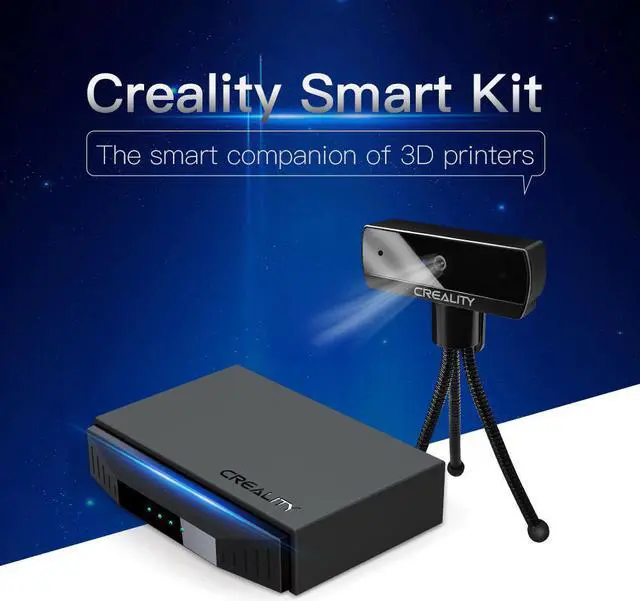
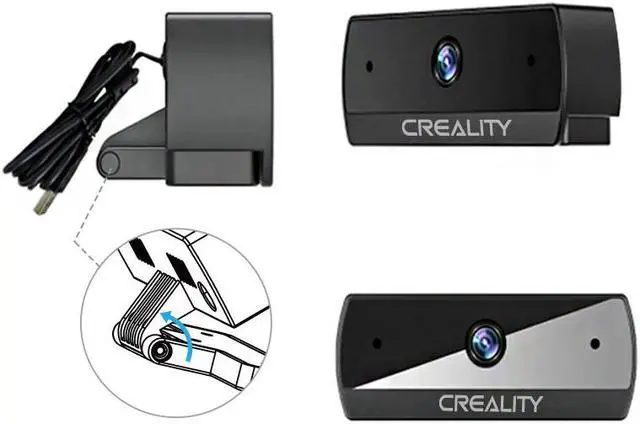
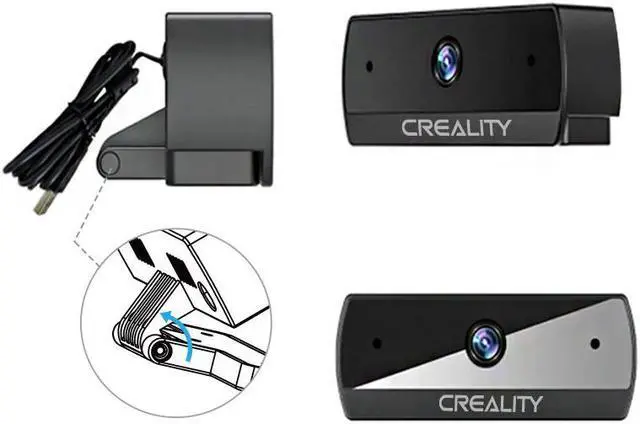
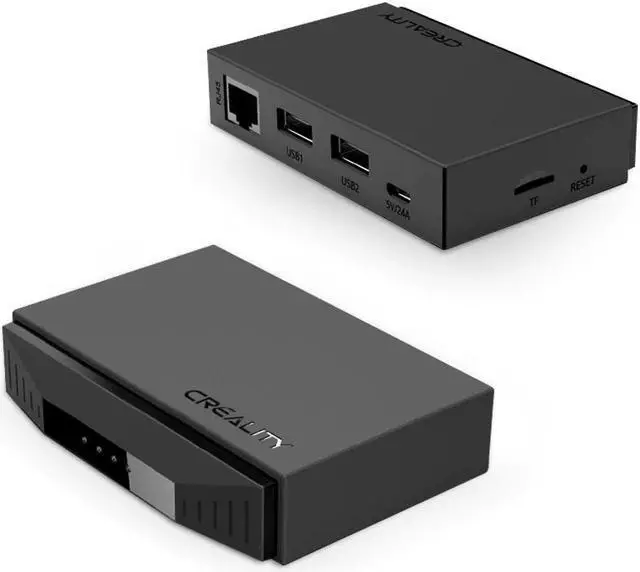
CREALITY 3D CRCC-S7 HD 1080P 1920(H)×1080(V) Web Camera 69.23*30.7*24.5mm 5V Remote Control Could Print+WiFi Box Kit
- CREALITY 3D CRCC-S7 HD 1080P 1920(H)×1080(V) Web Camera 69.23*30.7*24.5mm 5V Remote Control Could Print+WiFi Box Kit
+
+
Overview
Specs
Reviews
Any questions? Our AI beta will help you find out quickly.
Try me now
Origin:CN(Origin)
Item Type:WiFi Module
Model Number:CRCC-S7+WiFi Box
Product name:HD 1080P Web Camera
Packing Size:128*96*37mm
Minimum illumination:<10LUX
Processor:FH8852
Focus:40cm
Compatible system:Windows/Linux/Mac
Highest effective pixel:1920(H)*1080(V)
Video Format:H.265/MJPG/YUY2
Viewing Angle:D=70.6°/ H=63.6°/ V=38°
Input Voltage:5V
Support Standard::UVC/V4L2
Working Temperture:-20?-60?
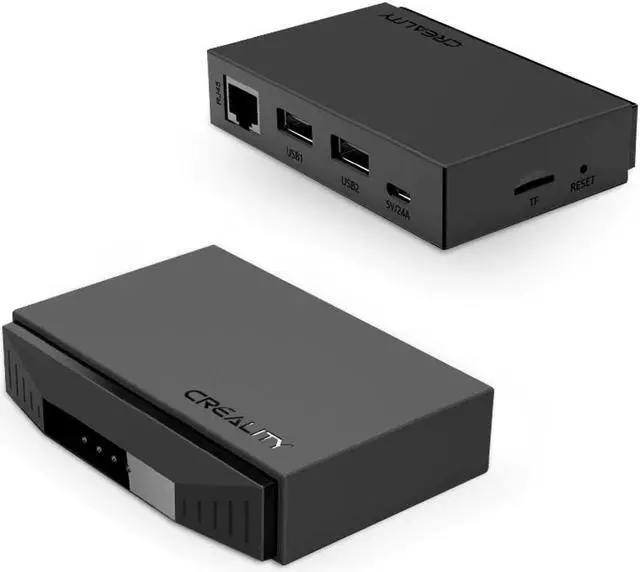
CREALITY 3D Camera CRCC-S7+WiFi Box HD 1080P Web Camera 69.23*30.7*24.5mm Remote Control
Features:
? One-click to open the ERA of Intelligent Could Print
? Equipped with a high-performance master control chip, the 3D printer is seamlessly connected to the Cloud Server,
bringing an efficient transmission experience
? Efficient Transmission, Signal Stabilization
? Creality Box supports multiple connection modes, making it much easier to use. It quickly transmits the Cresality Box
instructions and G-code file to the 3D printer. Wireless 3D printing brings more convenience
? Real-time Remote Control
? After connected to the Creality Box, your 3d printer can realize real-time remote control and printing monitoring,
relevant parameters set up directly by the APP of Creality Cloud
? The Best Match for 3D Printing: Creality Box + Creality Cloud
? There are many model files that are included in Creality Cloud, covering culture, art, education, industry, medical
and other fields, together with Creality Box, which truly becomes a mobile cloud model gallery
? Easy to connect: No worries of 3D Printing
? Connect the 3D printer to the USB port on the Creality Box, and you can start slicing and printing on the Creality
Cloud APP, which is easy to get started
? Operation steps: Insert TF card- Connect the 3D Printer-Connect the box power supply-Turn on the printer
switch-Download the Creality Cloud APP-Scan code to add Creality Box-Network configuration within the
APP-Start printing Tiny Body & Huge Power
Specification
Name: HD 1080P Web Camera
Product size: 69.23x30.7x24.5mm
Packing size:128*96*37mm
Input voltage: 5V
Video format: H.265/MJPG/YUY2
Focus: 40cm
Processor: FH8852
Minimum illumination:
Viewing angle: D=70.6°/ H=63.6°/ V=38°
Support standard: UVC/V4L2
Working temperature: -20?-60?
Compatible system: Windows/Linux/Mac
Highest effective pixel:1920(H)×1080(V)

Item Type:WiFi Module
Model Number:CRCC-S7+WiFi Box
Product name:HD 1080P Web Camera
Packing Size:128*96*37mm
Minimum illumination:<10LUX
Processor:FH8852
Focus:40cm
Compatible system:Windows/Linux/Mac
Highest effective pixel:1920(H)*1080(V)
Video Format:H.265/MJPG/YUY2
Viewing Angle:D=70.6°/ H=63.6°/ V=38°
Input Voltage:5V
Support Standard::UVC/V4L2
Working Temperture:-20?-60?
CREALITY 3D Camera CRCC-S7+WiFi Box HD 1080P Web Camera 69.23*30.7*24.5mm Remote Control
Features:
? One-click to open the ERA of Intelligent Could Print
? Equipped with a high-performance master control chip, the 3D printer is seamlessly connected to the Cloud Server,
bringing an efficient transmission experience
? Efficient Transmission, Signal Stabilization
? Creality Box supports multiple connection modes, making it much easier to use. It quickly transmits the Cresality Box
instructions and G-code file to the 3D printer. Wireless 3D printing brings more convenience
? Real-time Remote Control
? After connected to the Creality Box, your 3d printer can realize real-time remote control and printing monitoring,
relevant parameters set up directly by the APP of Creality Cloud
? The Best Match for 3D Printing: Creality Box + Creality Cloud
? There are many model files that are included in Creality Cloud, covering culture, art, education, industry, medical
and other fields, together with Creality Box, which truly becomes a mobile cloud model gallery
? Easy to connect: No worries of 3D Printing
? Connect the 3D printer to the USB port on the Creality Box, and you can start slicing and printing on the Creality
Cloud APP, which is easy to get started
? Operation steps: Insert TF card- Connect the 3D Printer-Connect the box power supply-Turn on the printer
switch-Download the Creality Cloud APP-Scan code to add Creality Box-Network configuration within the
APP-Start printing Tiny Body & Huge Power
Specification
Name: HD 1080P Web Camera
Product size: 69.23x30.7x24.5mm
Packing size:128*96*37mm
Input voltage: 5V
Video format: H.265/MJPG/YUY2
Focus: 40cm
Processor: FH8852
Minimum illumination:
Viewing angle: D=70.6°/ H=63.6°/ V=38°
Support standard: UVC/V4L2
Working temperature: -20?-60?
Compatible system: Windows/Linux/Mac
Highest effective pixel:1920(H)×1080(V)
Warranty & Returns
Warranty, Returns, And Additional Information
Warranty
- Please contact the Seller directly for warranty information. Warranty information may also be found on the Manufacturer's website.
- CONTACT
Return Policies
- Return for refund within: 30 days
- Return for replacement within: 30 days
- This item is covered by Shengkedianzi Return Policy
Manufacturer Contact Info
- For a directory of all our manufacturers, please click below.
- Manufacturers Directory
LOADING...