

Your Browsing History
- Free 30-day Returns
$22.43
Ships from China.

Meet Your Seller

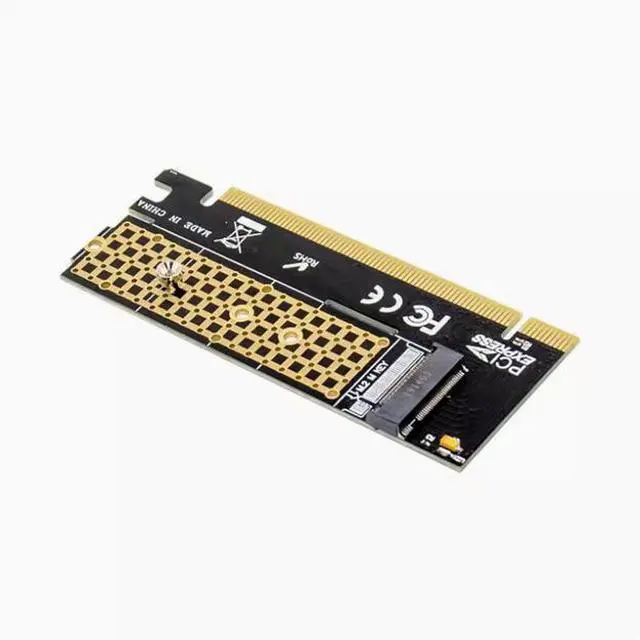
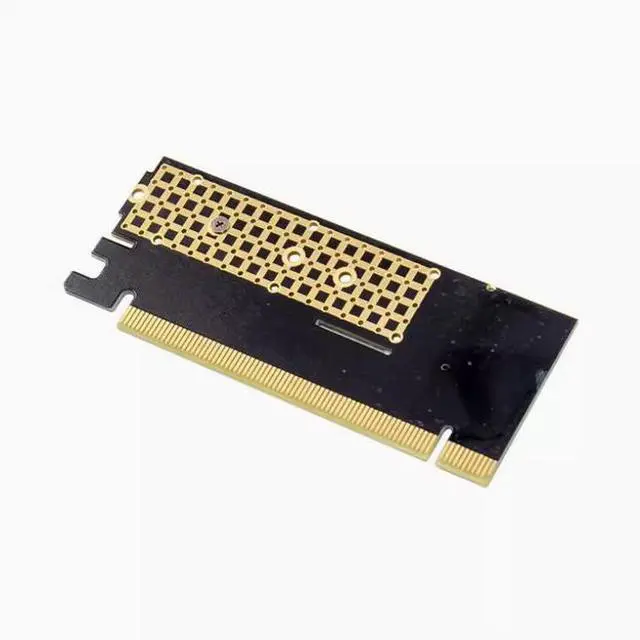
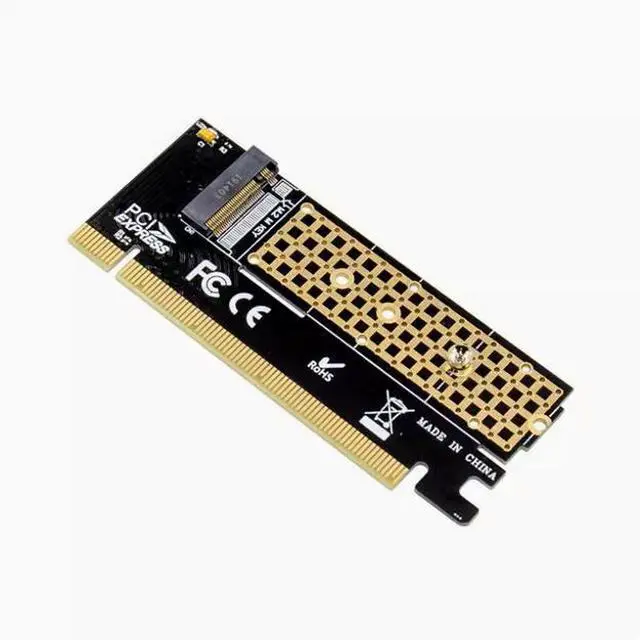
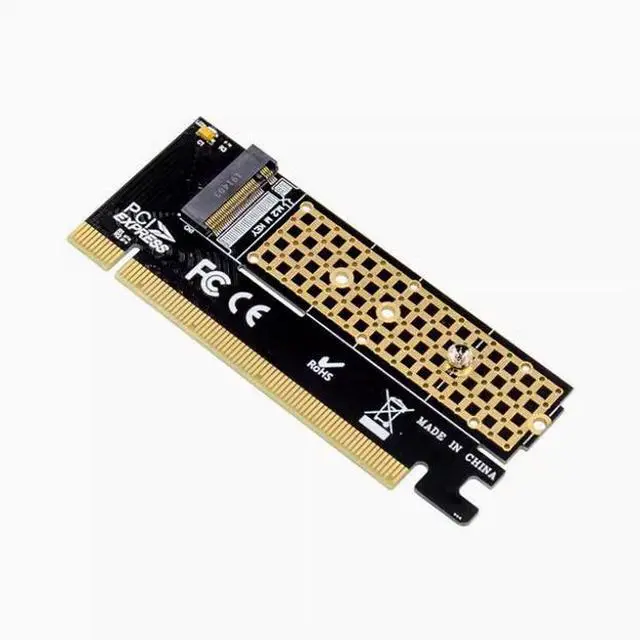


NVME M2 to PCIE16X high-speed expansion card PCI-E to M2 conversion card NGFF SSD conversion card
Limited time offer, ends 10/10 By NexusPoint
- It is necessary to explain: these transfer cards are all used in the desktop PCI-E slot, can not be used in the notebook, and is not converted into SATA hard disk interface, because someone bought the wrong, hereby remind you!
- Nvme SSD itself is actually 4X slot, so the actual speed used in the PCI-E 16X slot is still 4X, please note!
- Only the adapter card is included, but not SSDS. The SSD installed in the following picture is not an accessory and is only used to show the installation effect
- Special note: Only m-key NVME SSDS are supported, B-Key SATA SSDS are not supported
- Note: If your motherboard chipset is below Series 9, do not use PCIE X4 specifications such as pm951, sm951, pm950!
- Tip: Ensure that your motherboard BI0S supports NVME boot before you can use it as a system disk. Many old motherboards such as H61,B75,B85(Huaqi B85PR04 measured exceptions, the store measured can be used) and so on generally do not support NVME startup, will only be used for extended storage, can no
+
+
Overview
Specs
Reviews

Any questions? Our AI mode will help you find out quickly.
Try me now
It is necessary to explain: these transfer cards are all used in the desktop PCI-E slot, can not be used in the notebook, and is not converted into SATA hard disk interface, because someone bought the wrong, hereby remind you!
Nvme SSD itself is actually 4X slot, so the actual speed used in the PCI-E 16X slot is still 4X, please note!
Only the adapter card is included, but not SSDS. The SSD installed in the following picture is not an accessory and is only used to show the installation effect
Special note: Only m-key NVME SSDS are supported, B-Key SATA SSDS are not supported
Note: If your motherboard chipset is below Series 9, do not use PCIE X4 specifications such as pm951, sm951, pm950!
Tip: Ensure that your motherboard BI0S supports NVME boot before you can use it as a system disk. Many old motherboards such as H61, B75, B85(Huaqi B85PR04 measured exceptions, the store measured can be used) and so on generally do not support NVME startup, will only be used for extended storage, can not be used as a system disk start. The B85 PR04 can support NVME startup by updating the BI0S It is necessary to explain: these transfer cards are all used in the desktop PCI-E slot, can not be used in the notebook, and is not converted into SATA hard disk interface, because someone bought the wrong, hereby remind you!
Nvme SSD itself is actually 4X slot, so the actual speed used in the PCI-E 16X slot is still 4X, please note!
Only the adapter card is included, but not SSDS. The SSD installed in the following picture is not an accessory and is only used to show the installation effect
Special note: Only m-key NVME SSDS are supported, B-Key SATA SSDS are not supported
Note: If your motherboard chipset is below Series 9, do not use PCIE X4 specifications such as pm951, sm951, pm950!
Tip: Ensure that your motherboard BI0S supports NVME boot before you can use it as a system disk. Many old motherboards such as H61, B75, B85(Huaqi B85PR04 measured exceptions, the store measured can be used) and so on generally do not support NVME startup, will only be used for extended storage, can not be used as a system disk start. The B85 PR04 can support NVME boot by updating the BI0S
Nvme SSD itself is actually 4X slot, so the actual speed used in the PCI-E 16X slot is still 4X, please note!
Only the adapter card is included, but not SSDS. The SSD installed in the following picture is not an accessory and is only used to show the installation effect
Special note: Only m-key NVME SSDS are supported, B-Key SATA SSDS are not supported
Note: If your motherboard chipset is below Series 9, do not use PCIE X4 specifications such as pm951, sm951, pm950!
Tip: Ensure that your motherboard BI0S supports NVME boot before you can use it as a system disk. Many old motherboards such as H61, B75, B85(Huaqi B85PR04 measured exceptions, the store measured can be used) and so on generally do not support NVME startup, will only be used for extended storage, can not be used as a system disk start. The B85 PR04 can support NVME startup by updating the BI0S It is necessary to explain: these transfer cards are all used in the desktop PCI-E slot, can not be used in the notebook, and is not converted into SATA hard disk interface, because someone bought the wrong, hereby remind you!
Nvme SSD itself is actually 4X slot, so the actual speed used in the PCI-E 16X slot is still 4X, please note!
Only the adapter card is included, but not SSDS. The SSD installed in the following picture is not an accessory and is only used to show the installation effect
Special note: Only m-key NVME SSDS are supported, B-Key SATA SSDS are not supported
Note: If your motherboard chipset is below Series 9, do not use PCIE X4 specifications such as pm951, sm951, pm950!
Tip: Ensure that your motherboard BI0S supports NVME boot before you can use it as a system disk. Many old motherboards such as H61, B75, B85(Huaqi B85PR04 measured exceptions, the store measured can be used) and so on generally do not support NVME startup, will only be used for extended storage, can not be used as a system disk start. The B85 PR04 can support NVME boot by updating the BI0S
Warranty & Returns
Warranty, Returns, And Additional Information
Warranty
- Please contact the Seller directly for warranty information. Warranty information may also be found on the Manufacturer's website.
- CONTACT
Return Policies
- Return for refund within: 30 days
- Return for replacement within: non-replaceable
- This item is covered by NexusPoint Return Policy
Manufacturer Contact Info
- For a directory of all our manufacturers, please click below.
- Manufacturers Directory
LOADING...