Your Browsing History
- Free 30-day Returns
$118.49
Meet Your Seller
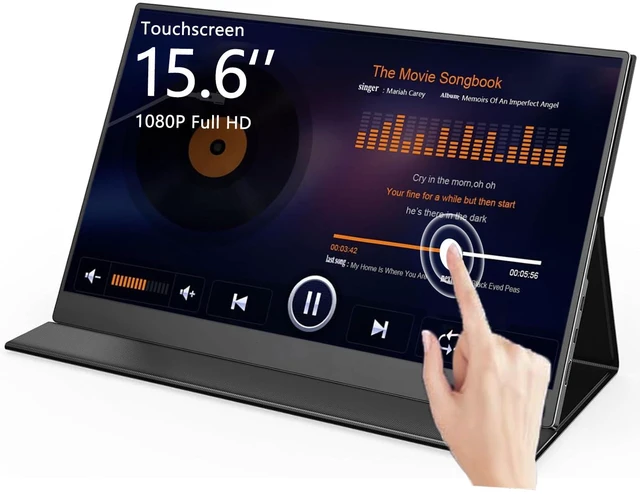
15.6" Touchscreen Portable Monitor FHD 1080P IPS/HDR Laptop Screen Extender for Gaming and Computer Display, Travel Monitor with Speaker Compatible with Laptop PC Phone PS Xbox Switch
Limited time offer, ends 11/23 By DrakeMount FortunaTech Parts
- Must Read Before PurchaseGlitchy behavior and screen jumps are caused by insufficient power from your computers USB-C port. Use an external power adapter for the monitor instead of relying solely on the computers power. Apple devices support single-touch only. Confirm that your Apple device has a USB-C port and supports USB 3.0 or above. Non-Apple devices can support multi-touch. Touch functionality is not supported when connected via HDMI only. Touch functionality is temporarily unavailable on game consoles due to copyright restrictions. 15.6" 1080P FHD Touch ScreenThis 10-point touchscreen portable monitor features a 1920x1080P resolution and touch capability for gaming and work with a laptop or computer. It is compatible with Windows and macOS. Use a Type-C to Type-C cable to connect your device to the fully featured USB-C port in the middle of the monitors side to enable touch functionality on a laptop, PC, or MacBook. No extra drivers are required. IPS/HDR TechnologyWith an advanced IPS screen and HDR technology, this screen extender features a 178° wide viewing angle, a 1000:1 contrast ratio, and a 16:9 aspect ratio, delivering vibrant colors and a superior visual experience. Ultra-Slim, Lightweight, and Versatile Cover & StandThis 15.6-inch touchscreen portable monitor weighs 1.74 lbs and features a slim, lightweight design. The smart protective cover helps keep dust and scratches away and also doubles as a stand. Fold the screen side backward to p
+
+
Overview
Specs
Reviews
Any questions? Ask CelesteSM will help you find out quickly.
Try me now
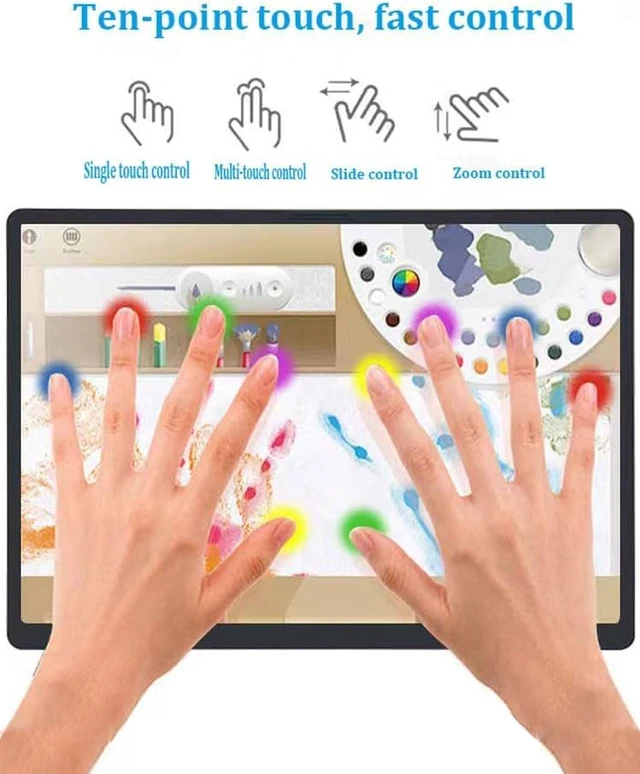
Must Read Before PurchaseGlitchy behavior and screen jumps are caused by insufficient power from your computers USB-C port. Use an external power adapter for the monitor instead of relying solely on the computers power. Apple devices support single-touch only. Confirm that your Apple device has a USB-C port and supports USB 3.0 or above. Non-Apple devices can support multi-touch. Touch functionality is not supported when connected via HDMI only. Touch functionality is temporarily unavailable on game consoles due to copyright restrictions. 15.6" 1080P FHD Touch ScreenThis 10-point touchscreen portable monitor features a 1920x1080P resolution and touch capability for gaming and work with a laptop or computer.
It is compatible with Windows and macOS. Use a Type-C to Type-C cable to connect your device to the fully featured USB-C port in the middle of the monitors side to enable touch functionality on a laptop, PC, or MacBook. No extra drivers are required. IPS/HDR TechnologyWith an advanced IPS screen and HDR technology, this screen extender features a 178° wide viewing angle, a 1000:1 contrast ratio, and a 16:9 aspect ratio, delivering vibrant colors and a superior visual experience. Ultra-Slim, Lightweight, and Versatile Cover & StandThis 15.6 -inch touchscreen portable monitor weighs 1.74 lbs and features a slim, lightweight design.
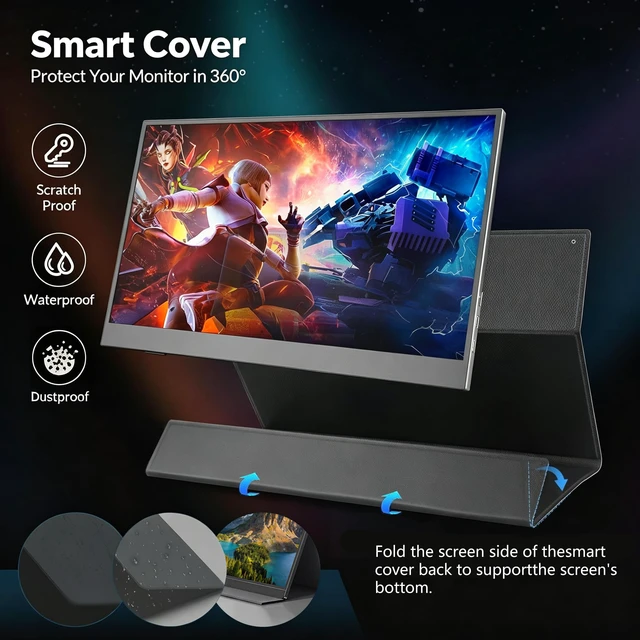
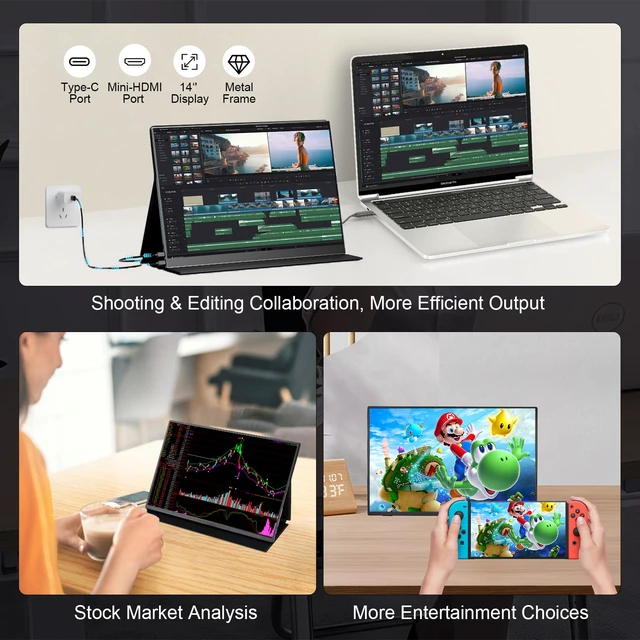
The smart protective cover helps keep dust and scratches away and also doubles as a stand. Fold the screen side backward to prop up the monitor. When traveling or on the go, the cover protects the 1080p display from pressure and bumps, making the monitor convenient to carry for mobile use. Optional landscape and portrait modes help save desktop space. Plug and PlayThis monitor features dual USB Type-C ports and a Mini HDMI port for power and data transmission, providing a one-cable solution. No drivers or complicated setup are required. Simply plug it in to expand your view.
Connection Method: If your device has a Type-C 3.1 DP Alt-Mode or Thunderbolt 3/4 port, use a single USB-C to USB-C cable to connect power, video, and touch. If your device does not have these ports, connect using HDMI to Mini HDMI and USB-A to USB-C. If your devices volume or brightness is set too high, or the screen is already flickering, USB-C to USB-C power may not meet the power requirements. For separate power and stable performance, use a 30W (15V/3A) charger (not included) with the included USB-A to USB-C cable, and plug it into the topmost DC Type-C port on the side of the monitor. Built-in Speakers & Multiple Display ModesThis monitor has two 8/1W speakers and supports duplicate and extend modes. When connected to a computer, it defaults to mirroring the computers display. To use extend mode, open Display Settings on your computer and select Extend these displays. The monitor can then extend your desktop, allowing you to view different tabs on two screens at the same time
It is compatible with Windows and macOS. Use a Type-C to Type-C cable to connect your device to the fully featured USB-C port in the middle of the monitors side to enable touch functionality on a laptop, PC, or MacBook. No extra drivers are required. IPS/HDR TechnologyWith an advanced IPS screen and HDR technology, this screen extender features a 178° wide viewing angle, a 1000:1 contrast ratio, and a 16:9 aspect ratio, delivering vibrant colors and a superior visual experience. Ultra-Slim, Lightweight, and Versatile Cover & StandThis 15.6 -inch touchscreen portable monitor weighs 1.74 lbs and features a slim, lightweight design.
The smart protective cover helps keep dust and scratches away and also doubles as a stand. Fold the screen side backward to prop up the monitor. When traveling or on the go, the cover protects the 1080p display from pressure and bumps, making the monitor convenient to carry for mobile use. Optional landscape and portrait modes help save desktop space. Plug and PlayThis monitor features dual USB Type-C ports and a Mini HDMI port for power and data transmission, providing a one-cable solution. No drivers or complicated setup are required. Simply plug it in to expand your view.
Connection Method: If your device has a Type-C 3.1 DP Alt-Mode or Thunderbolt 3/4 port, use a single USB-C to USB-C cable to connect power, video, and touch. If your device does not have these ports, connect using HDMI to Mini HDMI and USB-A to USB-C. If your devices volume or brightness is set too high, or the screen is already flickering, USB-C to USB-C power may not meet the power requirements. For separate power and stable performance, use a 30W (15V/3A) charger (not included) with the included USB-A to USB-C cable, and plug it into the topmost DC Type-C port on the side of the monitor. Built-in Speakers & Multiple Display ModesThis monitor has two 8/1W speakers and supports duplicate and extend modes. When connected to a computer, it defaults to mirroring the computers display. To use extend mode, open Display Settings on your computer and select Extend these displays. The monitor can then extend your desktop, allowing you to view different tabs on two screens at the same time
Warranty & Returns
Warranty, Returns, And Additional Information
Warranty
- Please contact the Seller directly for warranty information. Warranty information may also be found on the Manufacturer's website.
- CONTACT
Return Policies
- Return for refund within: 30 days
- Return for replacement within: 30 days
- This item is covered by DrakeMount FortunaTech Parts Return Policy
Manufacturer Contact Info
- For a directory of all our manufacturers, please click below.
- Manufacturers Directory
LOADING...