Your Browsing History
Meet Your Seller
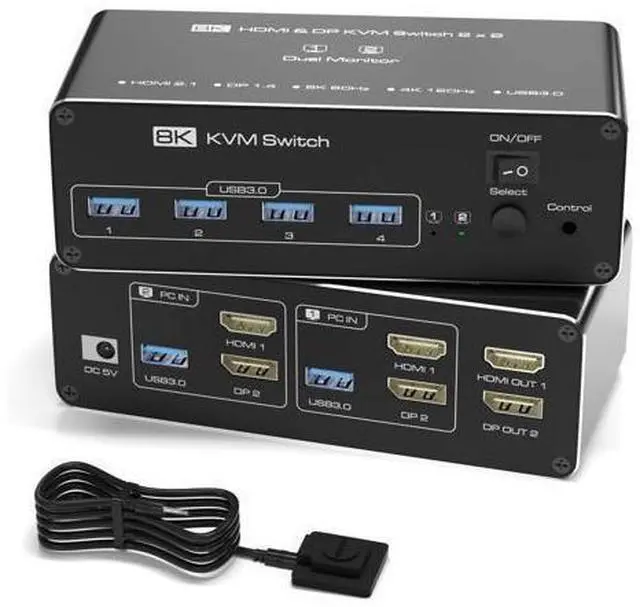
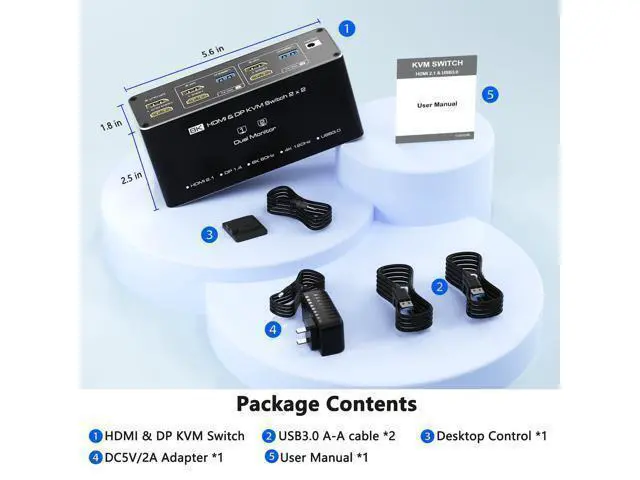
KVM Switch 2 Monitors 2 Computers, 8K HDMI+DP Dual Monitor KVM Switch, USB 3.0 Hub for 2 PC Share 2 Screens, Support Extended/Copy Mode with Desktop Controller with 2 USB Cables & Desktop Controller
Limited time offer, ends 07/25 By ProGear Haven
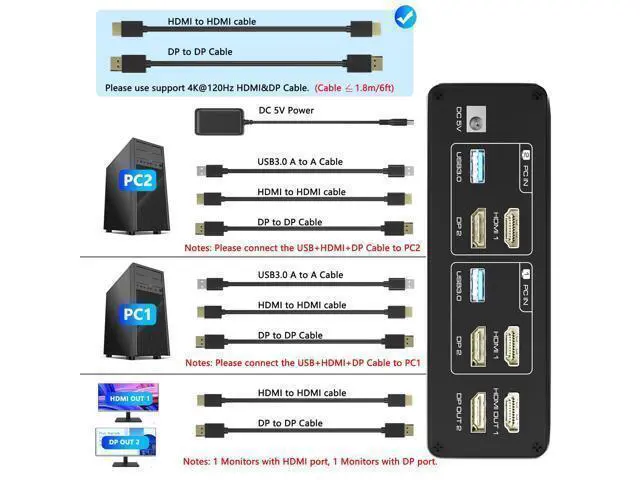
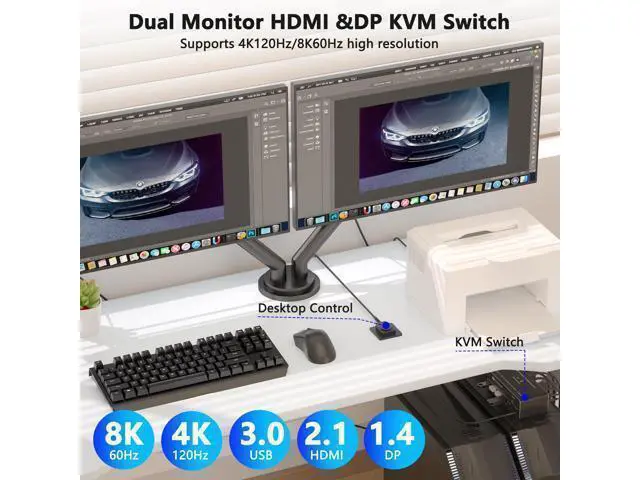
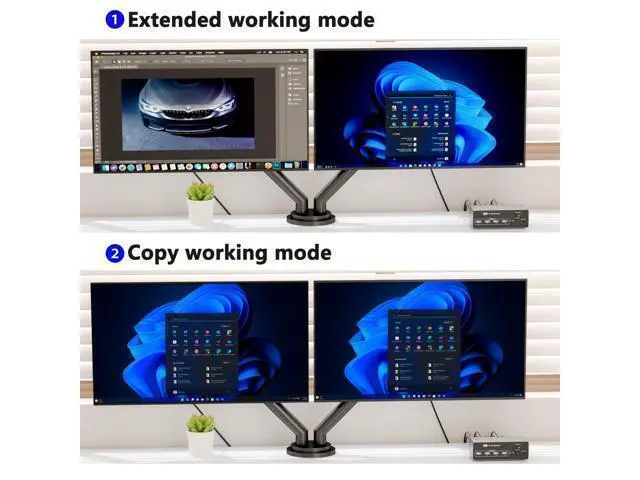
- [Dual Monitor KVM Switch for 2 Computers (HDMI + DP)]Easily control two computers with one keyboard, mouse, and dual monitors (1x HDMI + 1x DisplayPort). Supports Extended & Mirror Mode for flexible workspace setups. Important: Your PCs/laptops must have both HDMI + DP ports (no signal conversion between inputs). HDMI and DP ports must connect to the same computer (e.g., HDMI 1 + DP 1 PC 1).; [Ultra HD 4K@120Hz (DP) & 8K@60Hz (HDMI) Support]Enjoy crisp visuals with 4K@120Hz (DisplayPort 1.4) or 8K@60Hz (HDMI 2.1)ideal for gaming, design, and multitasking. Note: Requires 4K/8K-compatible source, monitor, and cables, otherwise, flickering may occur.; [USB 3.0 KVM Switcher]This HDMI KVM switch 2 port is equipped with 4 USB 3.0 ports that can reach a [USB 3.0 Hub (5Gbps) with 4 Portsr]Share keyboard, mouse, printers, and USB drives across both PCs. Backward compatible with USB 2.0/1.1 devices. Note: Adapters are not supportedconnect USB devices directly to avoid recognition issues.; [Two Easy Switching Methods]Press the KVMs button or use the included desktop controller (LED indicators show active PC). Works with Windows, macOS, Linux, and Unix. No keyboard hotkeysphysical switching only.; [Note] When connecting two monitors, both HDMI and DP inputs need to be connected to the ports of the independent graphics card so that both monitors can work. If one of the monitors does not work, you can consider replacing the HDMI cable or DP cable to solve the problem.

+
+
Overview
Specs
Reviews
Any questions? Our AI beta will help you find out quickly.
Try me now
[Dual Monitor KVM Switch for 2 Computers (HDMI + DP)]Easily control two computers with one keyboard, mouse, and dual monitors (1x HDMI + 1x DisplayPort). Supports Extended & Mirror Mode for flexible workspace setups.
Important: Your PCs/laptops must have both HDMI + DP ports (no signal conversion between inputs). HDMI and DP ports must connect to the same computer (e. g., HDMI 1 + DP 1 PC 1).; [Ultra HD 4K@120Hz (DP) & 8K@60Hz (HDMI) Support]Enjoy crisp visuals with 4K@120Hz (DisplayPort 1.4 ) or 8K@60Hz (HDMI 2.1 )ideal for gaming, design, and multitasking.
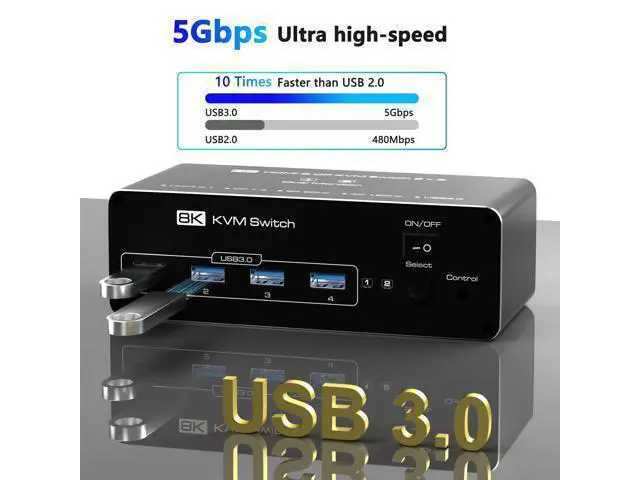
Note: Requires 4K/8K-compatible source, monitor, and cables, otherwise, flickering may occur.; [USB 3.0 KVM Switcher]This HDMI KVM switch 2 port is equipped with 4 USB 3.0 ports that can reach a [USB 3.0 Hub (5Gbps) with 4 Portsr]Share keyboard, mouse, printers, and USB drives across both PCs. Backward compatible with USB 2.0 / 1.1 devices.
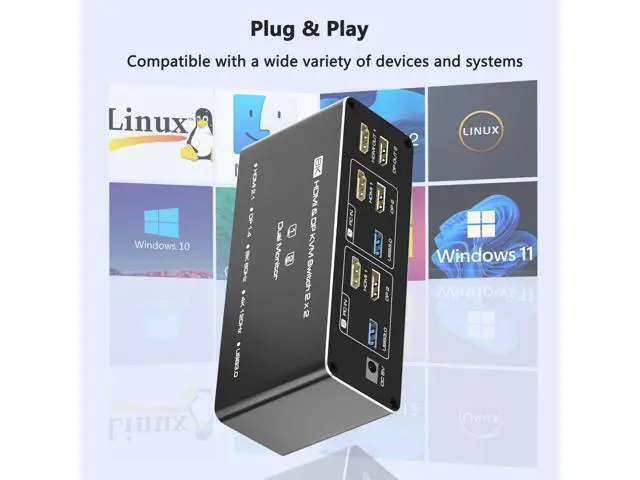
Note: Adapters are not supportedconnect USB devices directly to avoid recognition issues.; [Two Easy Switching Methods]Press the KVMs button or use the included desktop controller (LED indicators show active PC). Works with Windows, macOS, Linux, and Unix. No keyboard hotkeysphysical switching only.; [Note] When connecting two monitors, both HDMI and DP inputs need to be connected to the ports of the independent graphics card so that both monitors can work. If one of the monitors does not work, you can consider replacing the HDMI cable or DP cable to solve the problem.
Important: Your PCs/laptops must have both HDMI + DP ports (no signal conversion between inputs). HDMI and DP ports must connect to the same computer (e. g., HDMI 1 + DP 1 PC 1).; [Ultra HD 4K@120Hz (DP) & 8K@60Hz (HDMI) Support]Enjoy crisp visuals with 4K@120Hz (DisplayPort 1.4 ) or 8K@60Hz (HDMI 2.1 )ideal for gaming, design, and multitasking.
Note: Requires 4K/8K-compatible source, monitor, and cables, otherwise, flickering may occur.; [USB 3.0 KVM Switcher]This HDMI KVM switch 2 port is equipped with 4 USB 3.0 ports that can reach a [USB 3.0 Hub (5Gbps) with 4 Portsr]Share keyboard, mouse, printers, and USB drives across both PCs. Backward compatible with USB 2.0 / 1.1 devices.
Note: Adapters are not supportedconnect USB devices directly to avoid recognition issues.; [Two Easy Switching Methods]Press the KVMs button or use the included desktop controller (LED indicators show active PC). Works with Windows, macOS, Linux, and Unix. No keyboard hotkeysphysical switching only.; [Note] When connecting two monitors, both HDMI and DP inputs need to be connected to the ports of the independent graphics card so that both monitors can work. If one of the monitors does not work, you can consider replacing the HDMI cable or DP cable to solve the problem.
Warranty & Returns
Warranty, Returns, And Additional Information
Warranty
- Please contact the Seller directly for warranty information. Warranty information may also be found on the Manufacturer's website.
- CONTACT
Return Policies
- Return for refund within: 30 days
- Return for replacement within: 30 days
- This item is covered by ProGear Haven Return Policy
Manufacturer Contact Info
- For a directory of all our manufacturers, please click below.
- Manufacturers Directory
LOADING...