• $69.99
  • Free 30-day Returns
  • Ships from China.
    Sold by Nexlly

    Shipped by Nexlly

    Price alert
    Shop it at NeweggBusiness.

    Meet Your Seller

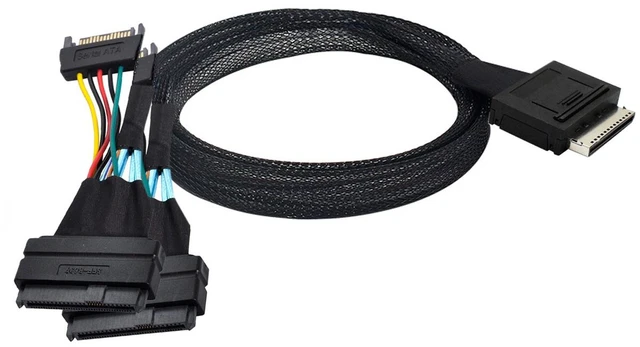
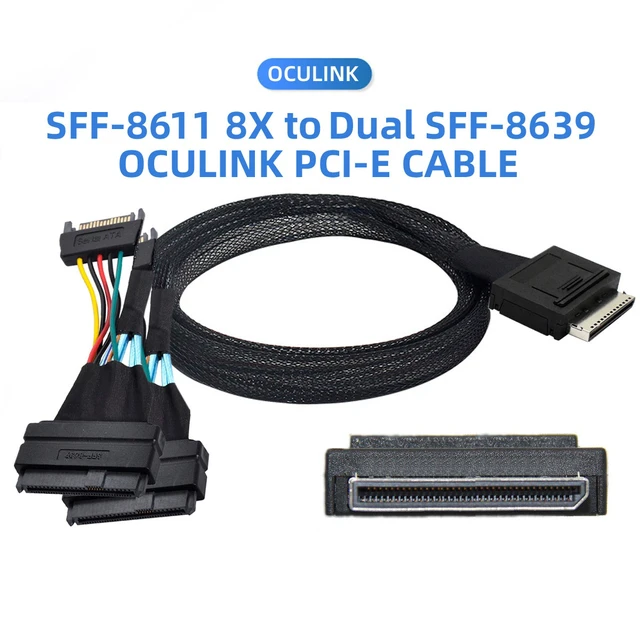
    SFF-8611 OCuLink 8X to 2x SFF-8639 U.2 PCIe 4.0 Data Cable, 16Gb/s x8 OCuLink Splitter Cable for NVMe SSD, Server HBA, RAID Controller & Storage Expansion

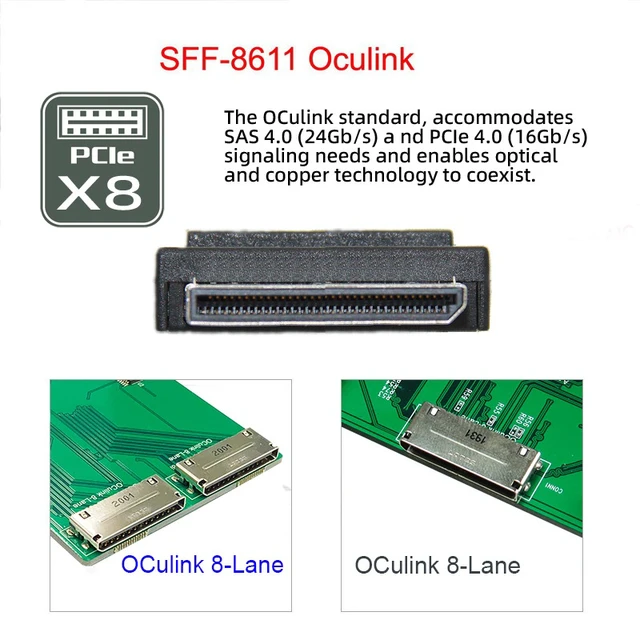
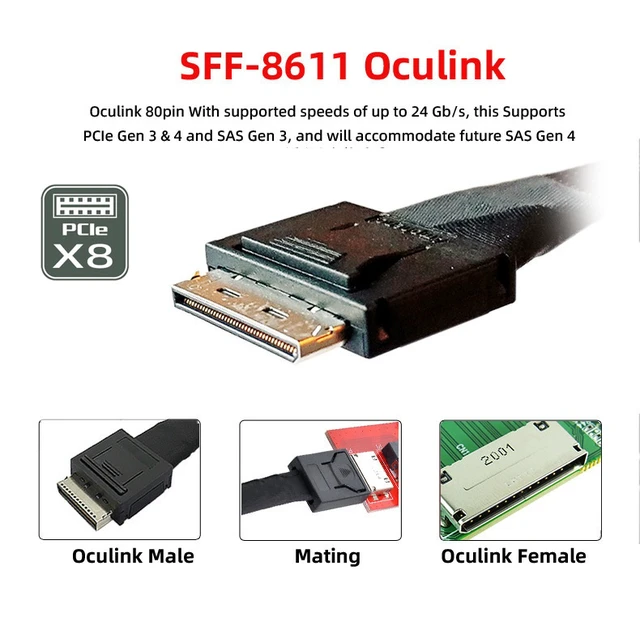
    • Dual Protocol Support PCIe 4.0 & SAS 4.0: Built to the OCuLink standard, this cable accommodates both PCIe 4.0 x8 signaling at 16Gb/s and SAS 4.0 at 24Gb/s, enabling optical and copper technologies to coexist. Connect NVMe SSDs, SAS drives, or mixed storage backplanes from a single host port.
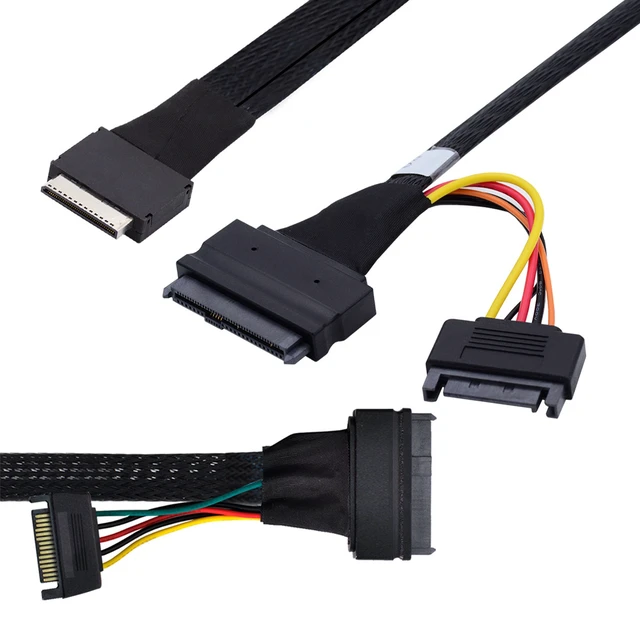
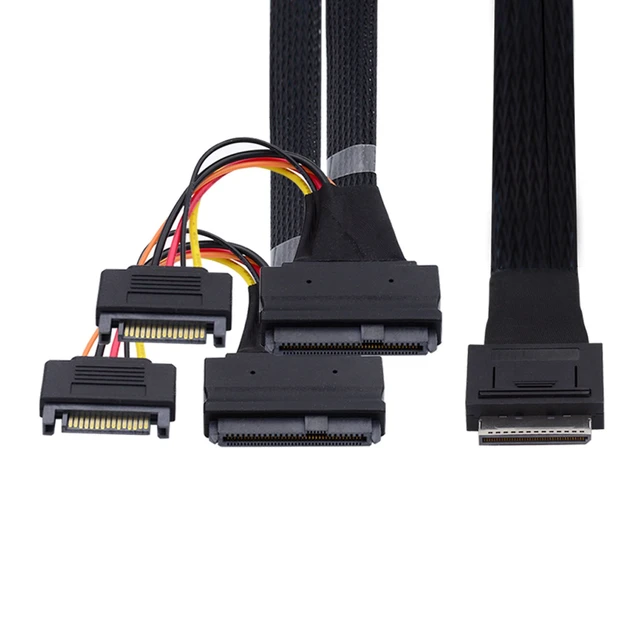
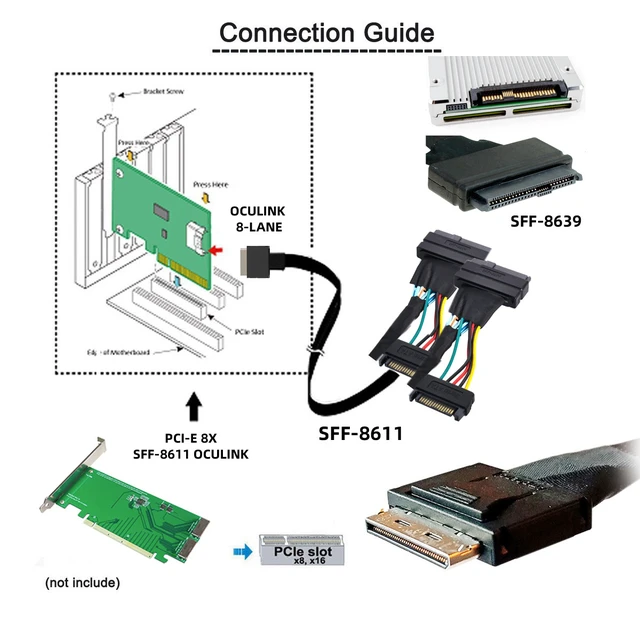
    • One-to-Two U.2 Splitter Design: Features a single SFF-8611 OCuLink 8X host connector that splits into two SFF-8639 U.2 device connectors, letting you connect two U.2 NVMe SSDs or storage backplanes from one OCuLink port. Maximizes drive density in servers, workstations, and storage enclosures.
    • PCIe 4.0 x8 Bandwidth: Delivers up to 16Gb/s per lane across 8 lanes, providing the throughput needed for high-performance NVMe SSD arrays, RAID configurations, and SAS expanders without bandwidth bottlenecks.
    • Durable Braided Construction: Features a tightly woven black braided outer sleeve over multi-colored internal conductors, providing excellent abrasion resistance, improved flexibility for tight chassis routing, and a clean, professional appearance inside the case.
    • Broad Storage Compatibility: Works with a wide range of server and storage hardware including OCuLink host ports, HBA cards, RAID controllers, SAS expanders, U.2 NVMe backplanes, and storage enclosures that use SFF-8611 and SFF-8639 interfaces.
    +
    +
    Overview
    Specs
    Reviews

    Any questions? Ask CelesteSM will help you find out quickly.

    Expand your storage capacity with this SFF-8611 OCuLink 8X to 2x SFF-8639 U.2 PCIe 4.0 Data Cable, engineered for modern high-density storage architectures.

    The OCuLink standard is designed to accommodate both SAS 4.0 (24Gb/s) and PCIe 4.0 (16Gb/s) signaling needs, enabling optical and copper technologies to coexist in the same infrastructure. This cable delivers the full PCIe 4.0 x8 bandwidth, providing the headroom needed for NVMe SSD arrays, high-speed SAS backplanes, and multi-drive RAID configurations.

    The one-to-two splitter topology is the key advantage: a single SFF-8611 OCuLink 8X host connector splits into two SFF-8639 U.2 device connectors, letting you connect two U.2 NVMe SSDs or backplanes from one host port. This maximizes port density and simplifies cabling in cramped server chassis and storage enclosures.

    The cable is protected by a durable black braided sleeve over multi-colored internal conductors a combination that resists abrasion, routes cleanly through tight server chassis, and looks professional in any build.

    Whether you're building a storage server, expanding a NAS, upgrading a RAID array, or connecting U.2 NVMe drives in a workstation, this OCuLink cable provides the bandwidth and reliability your infrastructure demands.

    Specifications

    1. Product Type: Internal High-Speed Storage Data Cable
    2. Connector A (Host): SFF-8611 OCuLink 8X Male
    3. Connector B (Device): 2x SFF-8639 U.2 Male
    4. Lanes: 8-lane (x8)
    5. Standard: PCIe 4.0 / SAS 4.0 (OCuLink)
    6. Transfer Rate: PCIe 4.0 up to 16Gb/s; SAS 4.0 up to 24Gb/s
    7. Cable Jacket: Black braided sleeve with multi-colored internal conductors
    8. Application: Servers, workstations, HBA cards, RAID controllers, SAS expanders, U.2 NVMe backplanes, storage enclosures, JBOD

    Compatibility & Installation Note

    1. Verify Interface Match: This cable requires an SFF-8611 OCuLink 8X host port and SFF-8639 U.2 device ports. It is not compatible with other OCuLink variants (x4, x16) or SFF-8639 variants with different pin counts. Please confirm your hardware's connector type and lane count before ordering.
    2. PCIe 4.0 Backward Compatibility: The cable is backward compatible with PCIe 3.0 hardware, but will operate at the lower speed of the connected device.
    3. Installation: Always power down and unplug the system before connecting or disconnecting internal cables. Route the cable to avoid sharp bends and keep it clear of cooling fans.


    Warranty & Returns

    Warranty, Returns, And Additional Information

    Warranty

    • Please contact the Seller directly for warranty information. Warranty information may also be found on the Manufacturer's website.
    • CONTACT

    Return Policies

    • Return for refund within: 30 days
    • Return for replacement within: 30 days
    • This item is covered by Nexlly Return Policy

    Manufacturer Contact Info

    LOADING...