




Accessories for PS5/PS5 Slim/PS5 Pro Gaming Console
 Cooling Fan for PS5 Pro |  Cooling Fan for PS5 Pro |  Cooling Fan for PS5 |  Cooling Fan for PS5 Slim |  Cooling Fan for PS5 Slim | |
|---|---|---|---|---|---|
Customer Reviews | — | — | — | — | — |
Price | — | — | — | — | — |
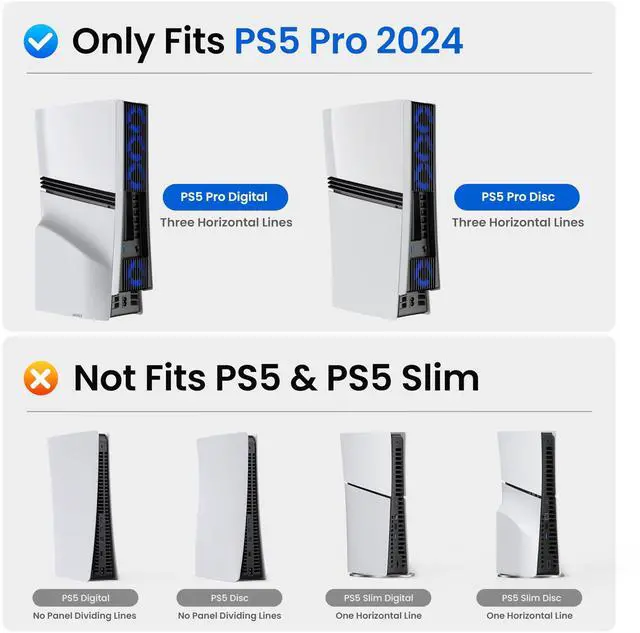
Compatibility | for PS5 Pro | for PS5 Pro | for PS5 | for PS5 Slim | for PS5 Slim |
Design | Outward-expanding | Outward-expanding | Outward-expanding | Outward-expanding | Outward-expanding |
Fan Quantity | 4 Fans | 3 Fans | 3 Fans | 3 Fans | 4 Fans |
Adjustable Speed | 4 Speeds, Max 3400±10%RPM | 3 Speeds, Max 5000±10%RPM | 3 Speeds, Max 5000±10%RPM | 3 Speeds, Max 5000±10%RPM | 3 Speeds, Max 5000±10%RPM |
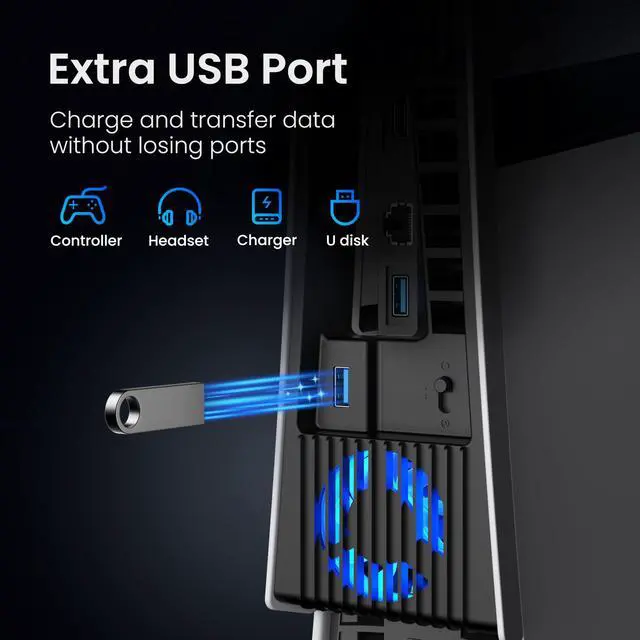
USB Hub | 1* USB3.0 Hubs | 1* USB3.0 Hubs | 1* USB3.0 Hubs | 1* USB3.0 Hubs | 1* USB3.0 Hubs |
LED | 1* Blue LED Light | 1* Blue LED Light | 1* Blue LED Light | 1* Blue LED Light | 1* Blue LED Light |
Cooling | The Back Cooling | The Back Cooling | The Back Cooling | The Back Cooling | The Back Cooling |
How does the fan deliver stronger yet quieter cooling?
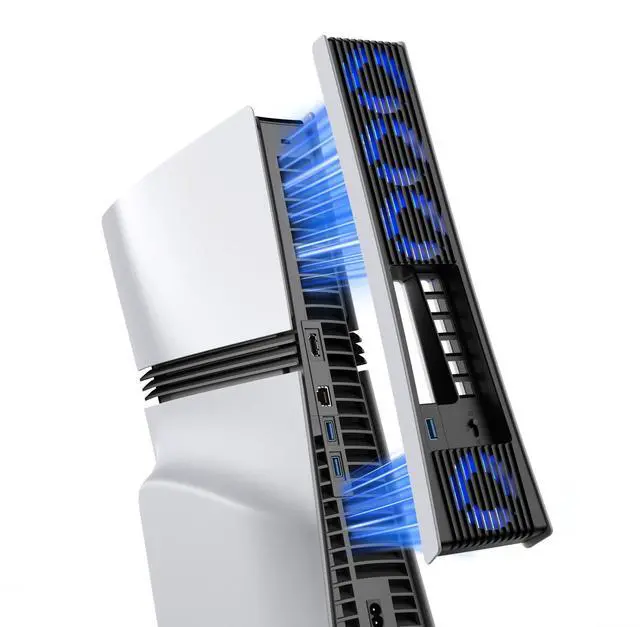
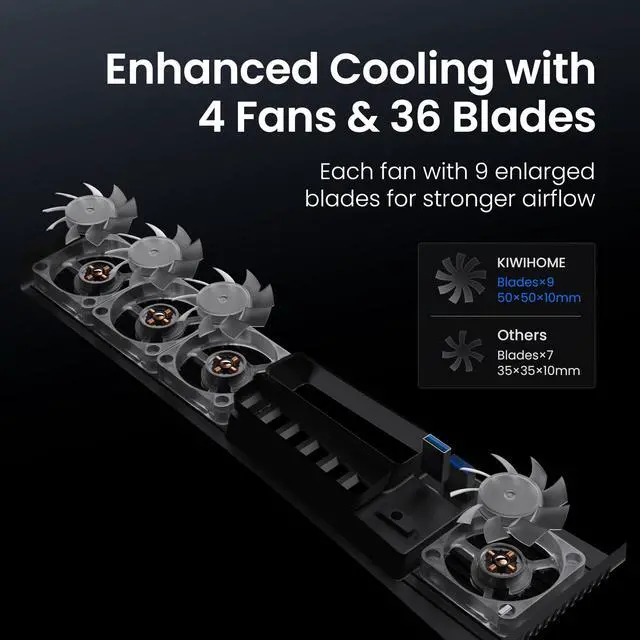
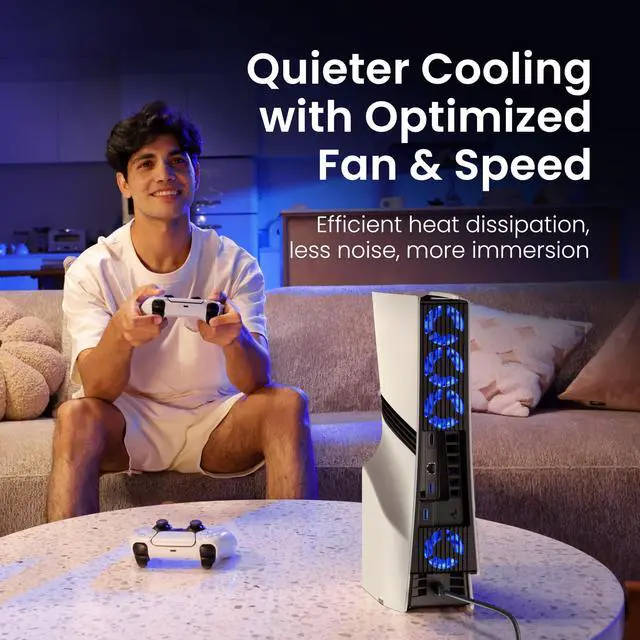
Upgraded 4×9-blade fans (36 total) for higher airflow vs. standard 7-blade. Optimized 50×50×10mm structure & 2300–3400 RPM range reduce turbulence, enhance circulation. Delivers stable airflow at ~38–43 dB for cooler, immersive gaming.
Does it make the console louder?
The fan is engineered for balanced airflow and controlled sound levels. Thanks to the upgraded 9-blade design and optimized RPM range, operating noise remains around 38–43 dB under normal use, helping maintain an immersive gaming environment.
What are the 4 speed settings and how do they work?
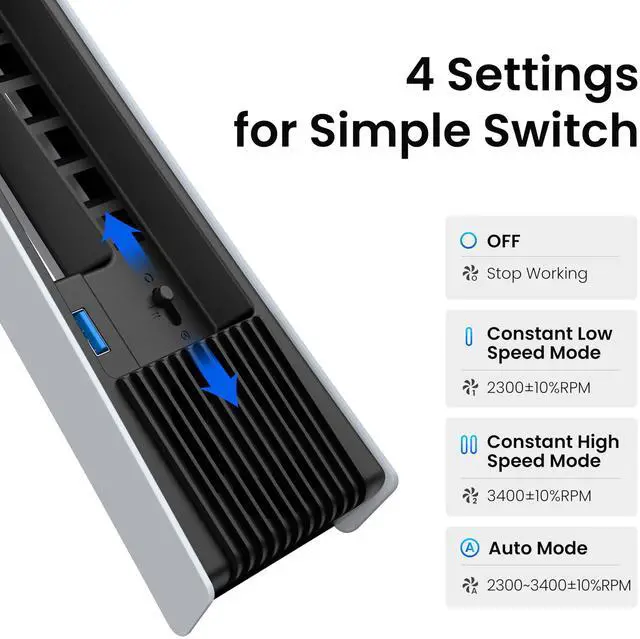
4 adjustable modes: Auto (2300–3400 RPM, smart temp detection),Constant High (3400 RPM),Constant Low (2300 RPM),OFF
In Auto/Constant modes, fan powers on/off with console for hands-free operation.
Does the fan have adjustable lighting?
It features a built-in blue LED indicator that turns on while operating to show active cooling status. The light remains steady and does not flash.
Why does the fan run at first and then stop?
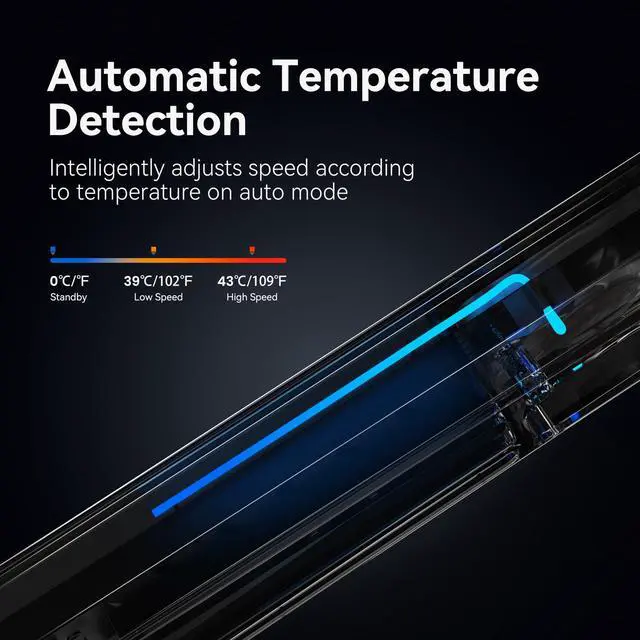
On power-on, fan enters Auto Mode, runs low speed 2–3 min for temp calibration. After detection: <39°C—standby; 39–43°C—low (3500 RPM); >43°C—high (5000 RPM). Fan may stop if console temp low. Normal behavior.


About Us
Since its founding in 2019, KIWIHOME has been driven to manufacture high-quality console game accessories by integrating leading R&D and ISO standard practices.
Adhering to the core concept of "Make Life Easier", we retail our products to global customers.
Choose KIWIHOME, we will back you!
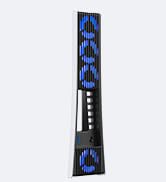
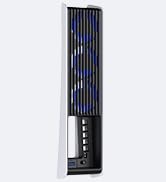
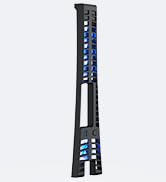
Cooling Accessories




Protective Cover


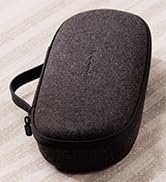

Playstation Portal Case
How did we get our start?
When we realize that most products can be iteratively optimized and even innovative, we rethink, re-inspire and re-design, we firmly believe that unique design and reliable quality are the keys to success.
What problem are we solving?
KIWIHOME is an electronic company based on independent research, dedicated to creating innovative ideas, allowing you to experience electronic life in a new way.
What makes our products unique?
Authenticity and concentration are our simplest generalizations. KIWIHOME cherishes the real product experience given by every customer.


Accessories for PS5/PS5 Slim/PS5 Pro Gaming Console
Cooling Fan for PS5 Pro | Cooling Fan for PS5 Pro | Cooling Fan for PS5 | Cooling Fan for PS5 Slim | Cooling Fan for PS5 Slim |
|---|---|---|---|---|
| Customer Reviews | ||||
| — | — | — | — | — |
| Price | ||||
| — | — | — | — | — |
| Compatibility | ||||
| for PS5 Pro | for PS5 Pro | for PS5 | for PS5 Slim | for PS5 Slim |
| Design | ||||
| Outward-expanding | Outward-expanding | Outward-expanding | Outward-expanding | Outward-expanding |
| Fan Quantity | ||||
| 4 Fans | 3 Fans | 3 Fans | 3 Fans | 4 Fans |
| Adjustable Speed | ||||
| 4 Speeds, Max 3400±10%RPM | 3 Speeds, Max 5000±10%RPM | 3 Speeds, Max 5000±10%RPM | 3 Speeds, Max 5000±10%RPM | 3 Speeds, Max 5000±10%RPM |
| USB Hub | ||||
| 1* USB3.0 Hubs | 1* USB3.0 Hubs | 1* USB3.0 Hubs | 1* USB3.0 Hubs | 1* USB3.0 Hubs |
| LED | ||||
| 1* Blue LED Light | 1* Blue LED Light | 1* Blue LED Light | 1* Blue LED Light | 1* Blue LED Light |
| Cooling | ||||
| The Back Cooling | The Back Cooling | The Back Cooling | The Back Cooling | The Back Cooling |
How does the fan deliver stronger yet quieter cooling?
Upgraded 4×9-blade fans (36 total) for higher airflow vs. standard 7-blade. Optimized 50×50×10mm structure & 2300–3400 RPM range reduce turbulence, enhance circulation. Delivers stable airflow at ~38–43 dB for cooler, immersive gaming.
Does it make the console louder?
The fan is engineered for balanced airflow and controlled sound levels. Thanks to the upgraded 9-blade design and optimized RPM range, operating noise remains around 38–43 dB under normal use, helping maintain an immersive gaming environment.
What are the 4 speed settings and how do they work?
4 adjustable modes: Auto (2300–3400 RPM, smart temp detection),Constant High (3400 RPM),Constant Low (2300 RPM),OFF
In Auto/Constant modes, fan powers on/off with console for hands-free operation.
Does the fan have adjustable lighting?
It features a built-in blue LED indicator that turns on while operating to show active cooling status. The light remains steady and does not flash.
Why does the fan run at first and then stop?
On power-on, fan enters Auto Mode, runs low speed 2–3 min for temp calibration. After detection: <39°C—standby; 39–43°C—low (3500 RPM); >43°C—high (5000 RPM). Fan may stop if console temp low. Normal behavior.
About Us
Since its founding in 2019, KIWIHOME has been driven to manufacture high-quality console game accessories by integrating leading R&D and ISO standard practices.
Adhering to the core concept of "Make Life Easier", we retail our products to global customers.
Choose KIWIHOME, we will back you!
Cooling Accessories
Protective Cover
Playstation Portal Case
How did we get our start?
When we realize that most products can be iteratively optimized and even innovative, we rethink, re-inspire and re-design, we firmly believe that unique design and reliable quality are the keys to success.
What problem are we solving?
KIWIHOME is an electronic company based on independent research, dedicated to creating innovative ideas, allowing you to experience electronic life in a new way.
What makes our products unique?
Authenticity and concentration are our simplest generalizations. KIWIHOME cherishes the real product experience given by every customer.