here!
here!
I’m your shopping assistant for PC builds, upgrades, and everything tech.
Got questions? Ask away!
Start a conversation
here!
I’m your shopping assistant for PC builds, upgrades, and everything tech.
Got questions? Ask away!
Start a conversation




Any questions? Ask CelesteSM will help you find out quickly.
Important Note on Calibrating GuliKit Joysticks:
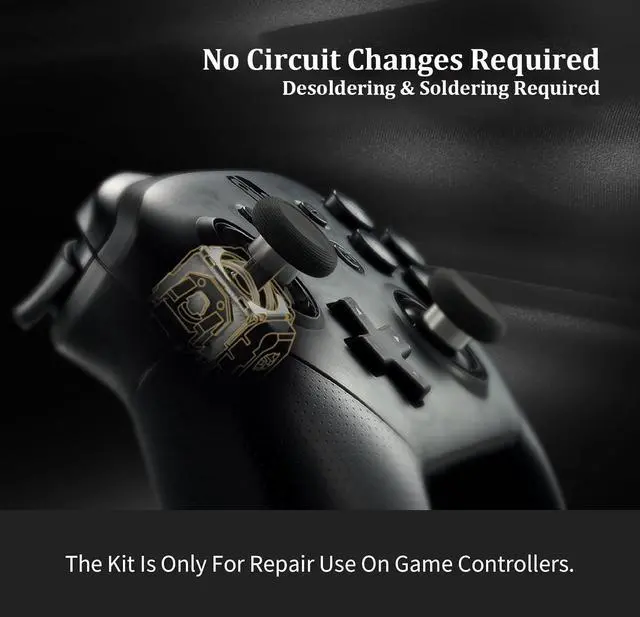
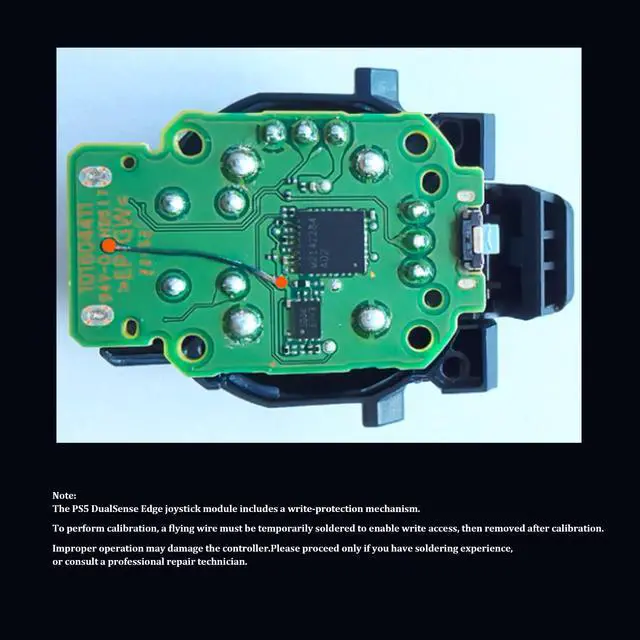
For P S4 DualShock,P S5 DualSense controllers and Switch Pro controllers, after replacing the joysticks, use the Test Tool on our site to run stick calibration first before use. We also have the controller joysticks installation video on our listing for your reference.
For Xbox Series controllers, after replacing the joysticks, you can go to the X BOX console or download the "X BOX Accessories" software from the Microsoft Store on PC, then find the "Recalibrate" option and follow the instructions to calibrate the joysticks.
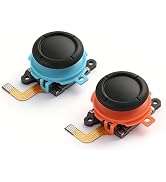
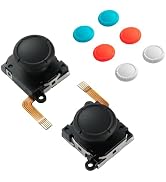
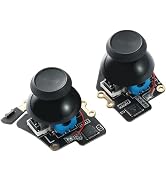
 GuliKit Joysticks Replacement for P S5 | 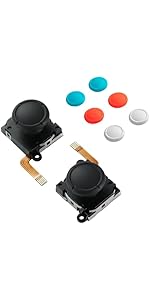 GuliKit Switch Joysticks Replacement, Updated Anti-Drift TMR Electromagnetic ... |  GuliKit Hall Effect Joystick Module For Steam Deck OLED, Electromagnetic Thum... |  GuliKit Analog Joystick For Steam Deck LCD (Type A&B), Hall Effect No Drift E... |  GuliKit Hall Effect Joystick Module For ROG Ally X, Anti Drift Electromagneti... | |
|---|---|---|---|---|---|
| Customer Reviews | — | — | — | — | — |
| Price | — | — | — | — | — |
| Fit for | For P S5 DualSense Controller | Switch/Switch OLED/Switch Lite | Steam Deck OLED | Steam Deck LCD | ROG Ally X |
| Joystick | TMR Anti-Drift | TMR Anti-Drift | Hall Effect Anti-Drift | Hall Effect Anti-Drift | Hall Effect Anti-Drift |
| No Soldering | Soldering Required | ? | ? | ? | ? |
| Touch Sense Stick Cap | ? | ? | ? | ? | No Caps |
| Calibration Button | No | No | ? | ? | No |

Important Note on Calibrating GuliKit Joysticks:
For P S4 DualShock,P S5 DualSense controllers and Switch Pro controllers, after replacing the joysticks, use the Test Tool on our site to run stick calibration first before use. We also have the controller joysticks installation video on our listing for your reference.
For Xbox Series controllers, after replacing the joysticks, you can go to the X BOX console or download the "X BOX Accessories" software from the Microsoft Store on PC, then find the "Recalibrate" option and follow the instructions to calibrate the joysticks.
GuliKit Joysticks Replacement for P S5 | GuliKit Switch Joysticks Replacement, Updated Anti-Drift TMR Electromagnetic ... | GuliKit Hall Effect Joystick Module For Steam Deck OLED, Electromagnetic Thum... | GuliKit Analog Joystick For Steam Deck LCD (Type A&B), Hall Effect No Drift E... | GuliKit Hall Effect Joystick Module For ROG Ally X, Anti Drift Electromagneti... | |
|---|---|---|---|---|---|
| Customer Reviews | — | — | — | — | — |
| Price | — | — | — | — | — |
| Fit for | For P S5 DualSense Controller | Switch/Switch OLED/Switch Lite | Steam Deck OLED | Steam Deck LCD | ROG Ally X |
| Joystick | TMR Anti-Drift | TMR Anti-Drift | Hall Effect Anti-Drift | Hall Effect Anti-Drift | Hall Effect Anti-Drift |
| No Soldering | Soldering Required | ? | ? | ? | ? |
| Touch Sense Stick Cap | ? | ? | ? | ? | No Caps |
| Calibration Button | No | No | ? | ? | No |