Your Browsing History
Meet Your Seller
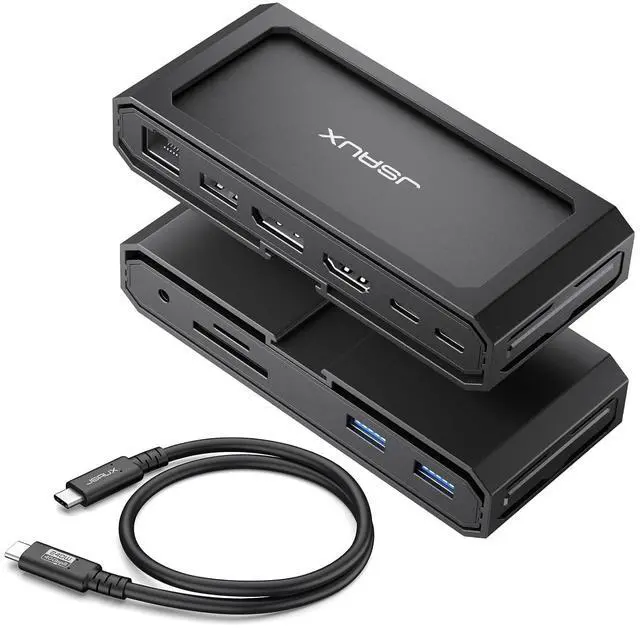
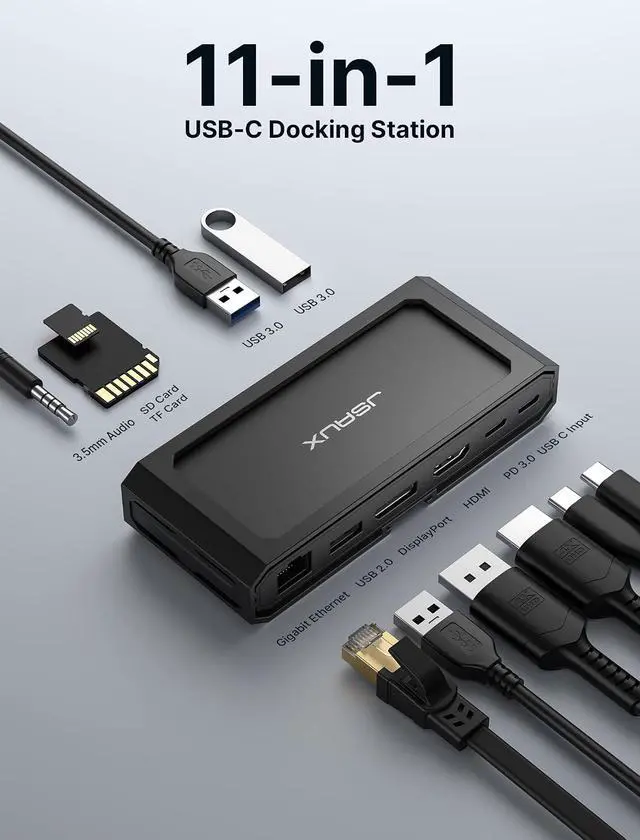
11 in 1 USB C Docking Station for Handheld Gaming, 8K HDMI and DisplayPort, 100W PD Pass Through, Gigabit Ethernet, USB C Data, 3 USB A, SD TF, 3.5mm Audio, Steam Deck, ROG Ally, MacBook-HB1101
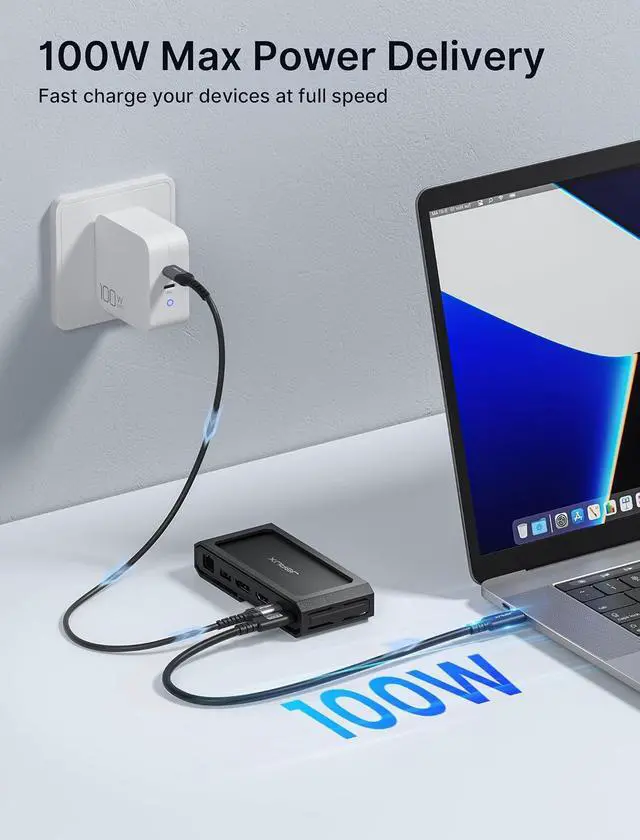
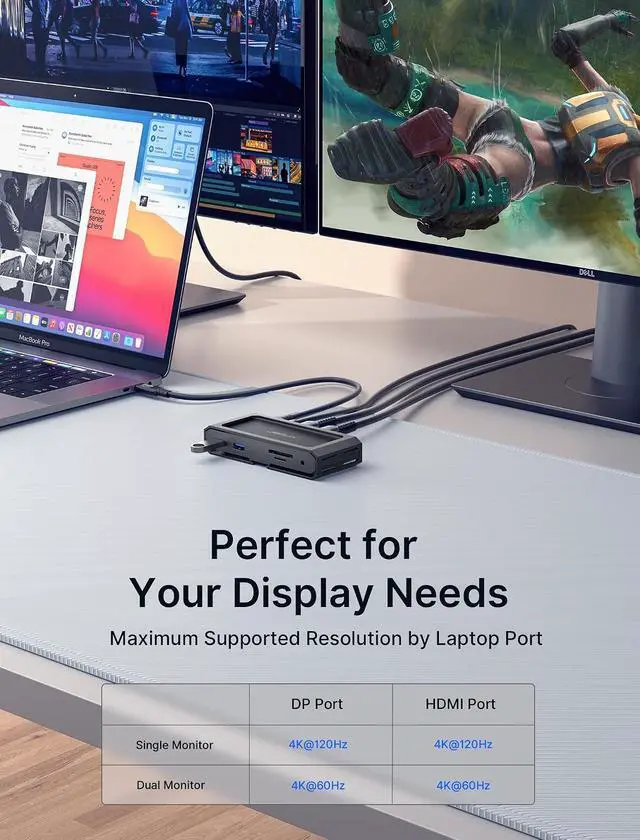
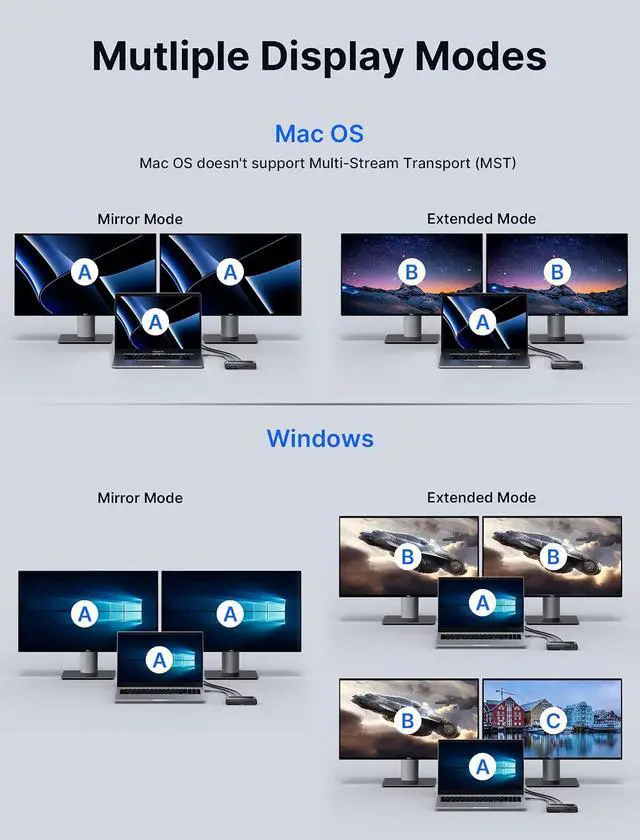
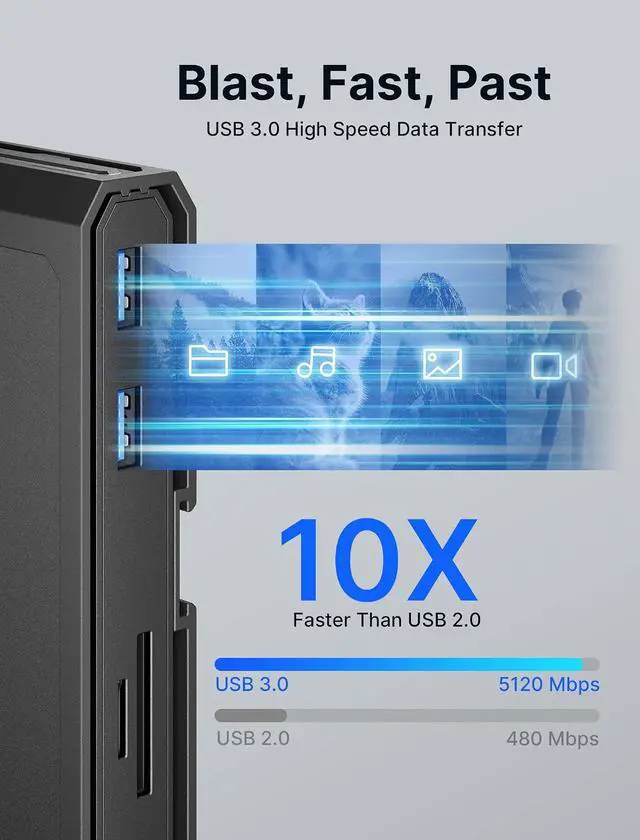
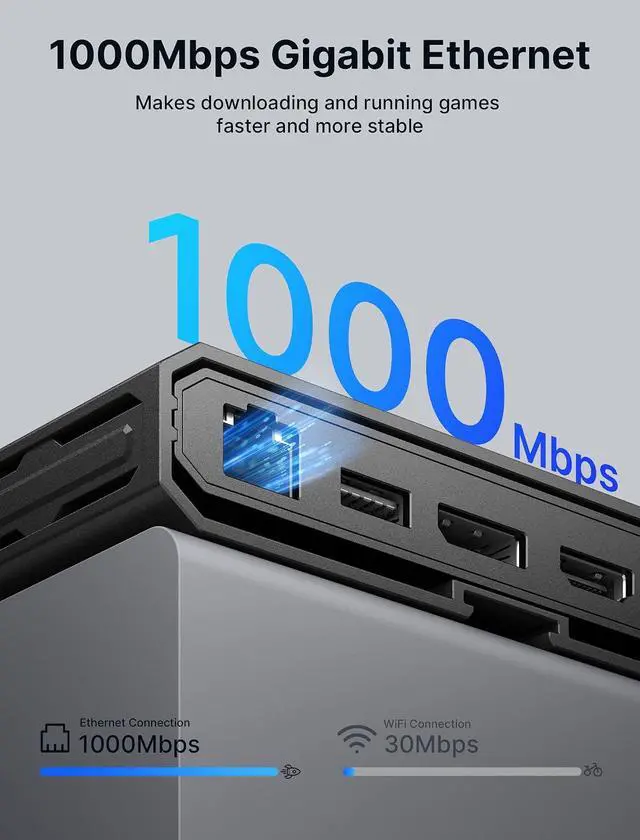
- HB1101 USB C Docking Station Built for handheld gaming and laptop setups: connect one dock to add big screen display, wired internet, and your favorite peripherals in one place. Includes a USB C to USB C 3.2 cable, Gigabit Ethernet, HDMI and DisplayPort, USB C data, two USB A 3.0 ports up to 5 Gbps, one USB A 2.0 port for keyboard, mouse, or controller receiver, SD and TF reader up to 104 MB per second, and a 3.5 mm Mic and Audio jack for headset and voice chat; 8K Single or 4K Dual Display Docking StationClear display rules for smoother setup: use HDMI or DisplayPort for single display up to 8K at 30Hz, or use HDMI plus DisplayPort for dual displays up to 4K. For video output, the host device must support USB C video output and DP Alt Mode. Actual resolution depends on your device, cable, and monitor support; 100W Max Power DeliveryPD pass through input up to 100W to power your device while running display and peripherals. Charging power depends on the device. Note for Steam Deck: maximum charging speed is 45W. Note for ROG Ally: 30W Turbo Mode is not guaranteed, it may require a 65W or higher PD charger, and activation depends on your charger and connection setup; Transfer Files in SecondsUSB C data port and USB A 3.0 ports support up to 5 Gbps transfers for SSDs, drives, and capture libraries, so you can move game clips, screenshots, and large files quickly. SD and TF reader supports up to 104 MB per second for fast media import; Wide CompatibilityWorks with Win
+
+
Overview
Specs
Reviews
Any questions? Our AI beta will help you find out quickly.
Try me now
Product description Higher Parameter JSAUX 11-in-1 USB C Laptop Docking Station Maximize your device's potential and resolve port connectivity issues with our docking station.
Note: Due to different batches, the included cables may look different, but they do not affect use and have the same function. 1 8K or 4K 2 PD 100W Fast Charge 3 Gigabit Ethernet 4 Orderly Internal 5
Excellent External Note: It is recommended to use the included C-C cable to connect the docking station for full functionality. A PD charger connection is required during operation. When using other brands of C-C cables or lower version cables to connect the docking station, the HDMI & DP interfaces may not output video. The USB-A port can still transmit data and provide charging, but the speed is influenced by the connection interface. The SD/TF card reader supports simultaneous reading, with the speed also dependent on the connection interface. The product should not be subjected to severe vibration during operation to avoid the risk of data loss and product damage. Avoid pulling or straining the docking station, as it may lead to damage to the internal wiring, resulting in product malfunction and potential safety hazards. Why do we design plastic casings? First, the unique shell design of our docking station is specially designed for steam deck users. It can also be used as a stand when paired with PC0104 protective case from our store. In the meantime, if you dont have a steam deck, you can use it as a decoration.
JSAUX Dock: Why & how different from other 11-in-1 models? How does it work? Can USB C PD connect to other USB C devices and transfer data? Is it capable of simultaneously reading TF and SD cards? No video output detected when HDMI and DP ports are connected. What might be the missing component or issue? Specially designed for Steam Deck The dock with our PC0104 Modcase can be used as a Steam Deck stand to explore more ways to play game For Steam Deck For iPad For Laptop Application Scope For Windows/Linux For Mac Os

Note: Due to different batches, the included cables may look different, but they do not affect use and have the same function. 1 8K or 4K 2 PD 100W Fast Charge 3 Gigabit Ethernet 4 Orderly Internal 5
Excellent External Note: It is recommended to use the included C-C cable to connect the docking station for full functionality. A PD charger connection is required during operation. When using other brands of C-C cables or lower version cables to connect the docking station, the HDMI & DP interfaces may not output video. The USB-A port can still transmit data and provide charging, but the speed is influenced by the connection interface. The SD/TF card reader supports simultaneous reading, with the speed also dependent on the connection interface. The product should not be subjected to severe vibration during operation to avoid the risk of data loss and product damage. Avoid pulling or straining the docking station, as it may lead to damage to the internal wiring, resulting in product malfunction and potential safety hazards. Why do we design plastic casings? First, the unique shell design of our docking station is specially designed for steam deck users. It can also be used as a stand when paired with PC0104 protective case from our store. In the meantime, if you dont have a steam deck, you can use it as a decoration.
JSAUX Dock: Why & how different from other 11-in-1 models? How does it work? Can USB C PD connect to other USB C devices and transfer data? Is it capable of simultaneously reading TF and SD cards? No video output detected when HDMI and DP ports are connected. What might be the missing component or issue? Specially designed for Steam Deck The dock with our PC0104 Modcase can be used as a Steam Deck stand to explore more ways to play game For Steam Deck For iPad For Laptop Application Scope For Windows/Linux For Mac Os
Warranty & Returns
Warranty, Returns, And Additional Information
Warranty
- Please contact the Seller directly for warranty information. Warranty information may also be found on the Manufacturer's website.
- CONTACT
Return Policies
- Return for refund within: 30 days
- Return for replacement within: non-replaceable
- This item is covered by TechMax Depot Return Policy
Manufacturer Contact Info
- For a directory of all our manufacturers, please click below.
- Manufacturers Directory
LOADING...