Your Browsing History
- Free 30-day Returns
$718.99
Meet Your Seller
Xvive A58+ P58 Wireless Guitar Pedal System
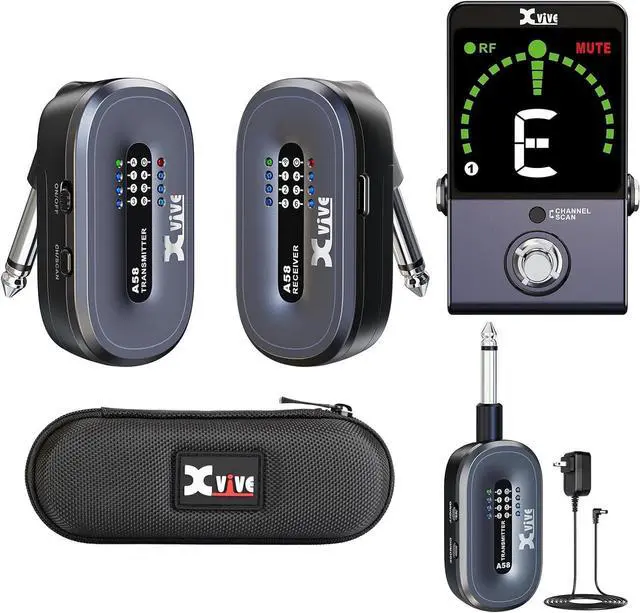
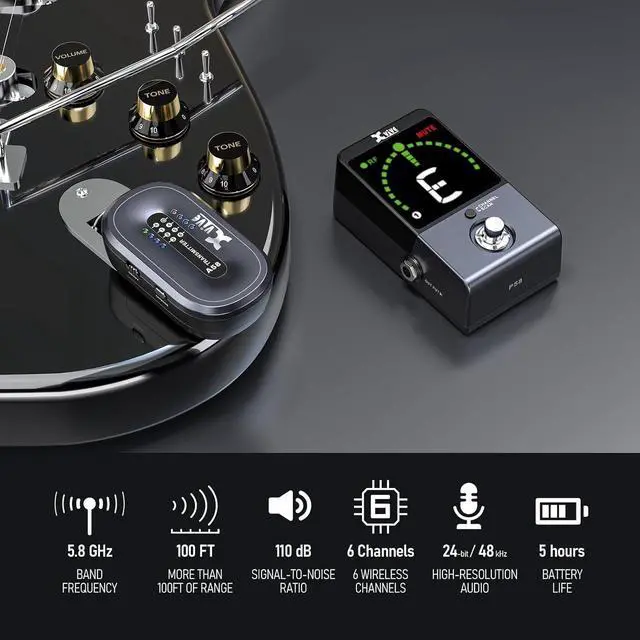
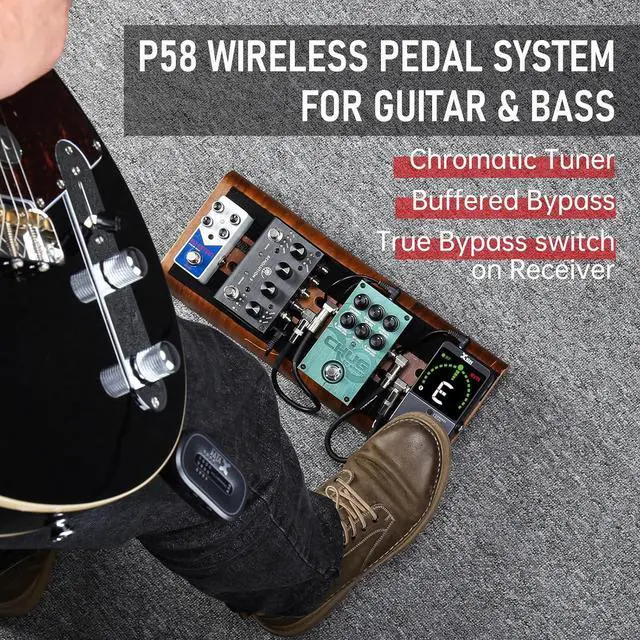
- An additional A58T transmitter offers greater flexibility for users. The A58T transmitter can also be used with the P58R Tuner Pedal receiver to form a P58 Guitar Pedal Wireless system. Moreover, having a spare A58T transmitter allows for quick switching between multiple instruments, making performances more efficient and seamless.
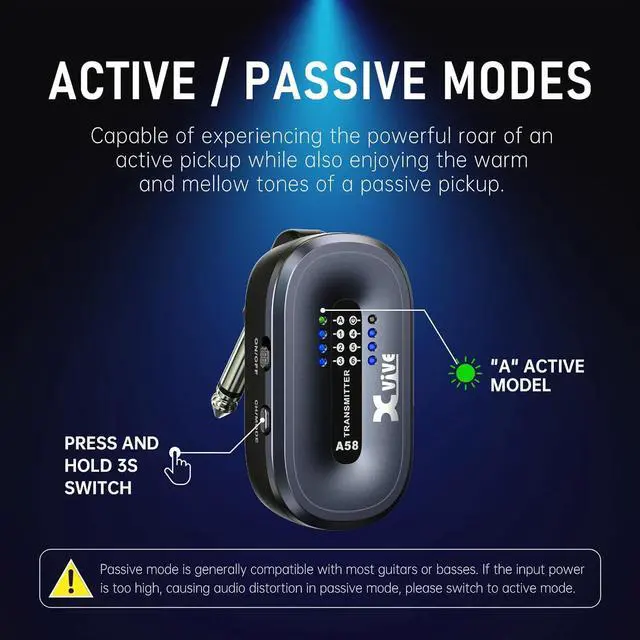
- Active and Passive Modes: A58 wireless guitar system supports both Active and Passive modes, making it compatible with all pickups, including high-output active pickups. To use it with active pickups, hold the transmitters Channel button for 3 seconds to activate Active mode, indicated by the Active LED. [Passive mode is generally compatible with most guitars or basses. If the input power is too high, causing audio distortion in passive mode, please switch to active mode.]
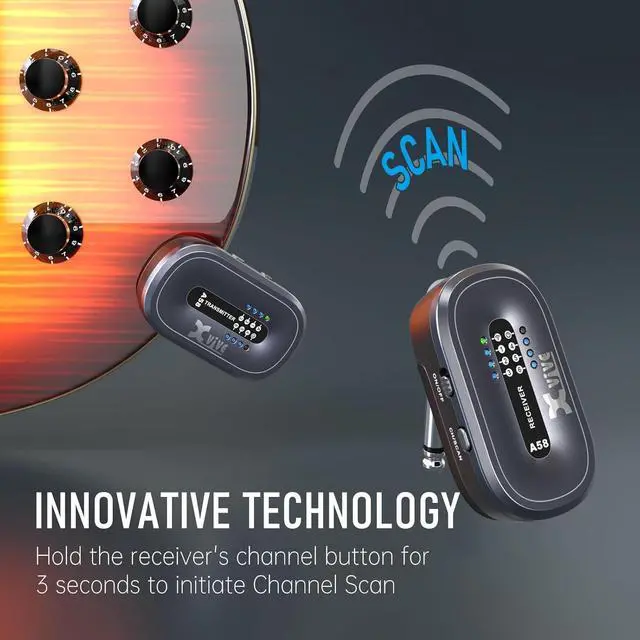
- Channel Scan Mode: Hold the receiver's channel button for 3 seconds to initiate Channel Scan mode. The receiver's LED will flash while scanning, then remain steady on the best wireless
+
+
Overview
Specs
Reviews
Any questions? Our AI beta will help you find out quickly.
Try me now
An additional A58T transmitter offers greater flexibility for users. The A58T transmitter can also be used with the P58R Tuner Pedal receiver to form a P58 Guitar Pedal Wireless system. Moreover, having a spare A58T transmitter allows for quick switching between multiple instruments, making performances more efficient and seamless.
Active and Passive Modes: A58 wireless guitar system supports both Active and Passive modes, making it compatible with all pickups, including high-output active pickups. To use it with active pickups, hold the transmitters Channel button for 3 seconds to activate Active mode, indicated by the Active LED. [Passive mode is generally compatible with most guitars or basses. If the input power is too high, causing audio distortion in passive mode, please switch to active mode.]
Channel Scan Mode: Hold the receiver's channel button for 3 seconds to initiate Channel Scan mode. The receiver's LED will flash while scanning, then remain steady on the best wireless channel. Set the transmitter's channel manually to match the receiver's channel after scanning completes

Active and Passive Modes: P58 wireless guitar pedal system supports both Active and Passive modes, making it compatible with all pickups, including high-output active pickups. To use it with active pickups, hold the transmitters Channel button for 3 seconds to activate Active mode, indicated by the Active LED
Channel Scan Mode: Hold the pedal receiver's channel button for 3 seconds to initiate Channel Scan mode. The receiver's LED will flash while scanning, then remain steady on the best wireless channel. Set the transmitter's channel manually to match the receiver's channel after scanning completes
Active and Passive Modes: A58 wireless guitar system supports both Active and Passive modes, making it compatible with all pickups, including high-output active pickups. To use it with active pickups, hold the transmitters Channel button for 3 seconds to activate Active mode, indicated by the Active LED. [Passive mode is generally compatible with most guitars or basses. If the input power is too high, causing audio distortion in passive mode, please switch to active mode.]
Channel Scan Mode: Hold the receiver's channel button for 3 seconds to initiate Channel Scan mode. The receiver's LED will flash while scanning, then remain steady on the best wireless channel. Set the transmitter's channel manually to match the receiver's channel after scanning completes
Active and Passive Modes: P58 wireless guitar pedal system supports both Active and Passive modes, making it compatible with all pickups, including high-output active pickups. To use it with active pickups, hold the transmitters Channel button for 3 seconds to activate Active mode, indicated by the Active LED
Channel Scan Mode: Hold the pedal receiver's channel button for 3 seconds to initiate Channel Scan mode. The receiver's LED will flash while scanning, then remain steady on the best wireless channel. Set the transmitter's channel manually to match the receiver's channel after scanning completes

Warranty & Returns
Warranty, Returns, And Additional Information
Warranty
- Please contact the Seller directly for warranty information. Warranty information may also be found on the Manufacturer's website.
- CONTACT
Return Policies
- Return for refund within: 30 days
- Return for replacement within: 30 days
- This item is covered by Guhong Trade'Shop Return Policy
Manufacturer Contact Info
- For a directory of all our manufacturers, please click below.
- Manufacturers Directory
LOADING...