





Tattoo Stencil Transfer Copier Printer With 20 Pcs Transfer paper
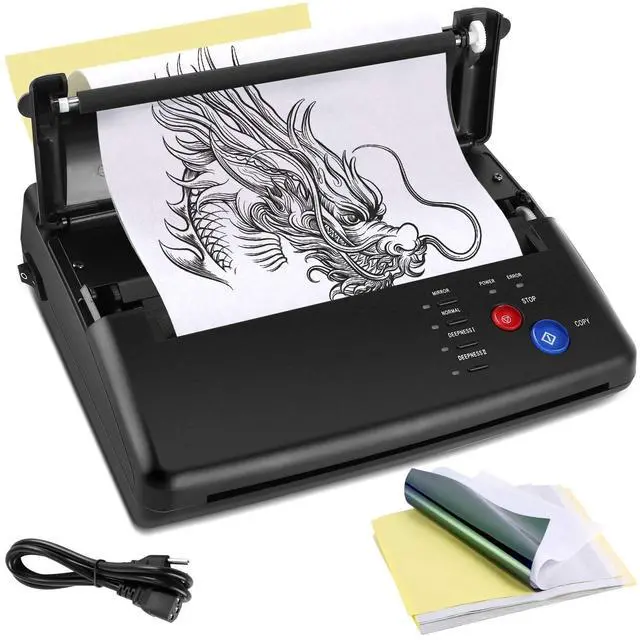
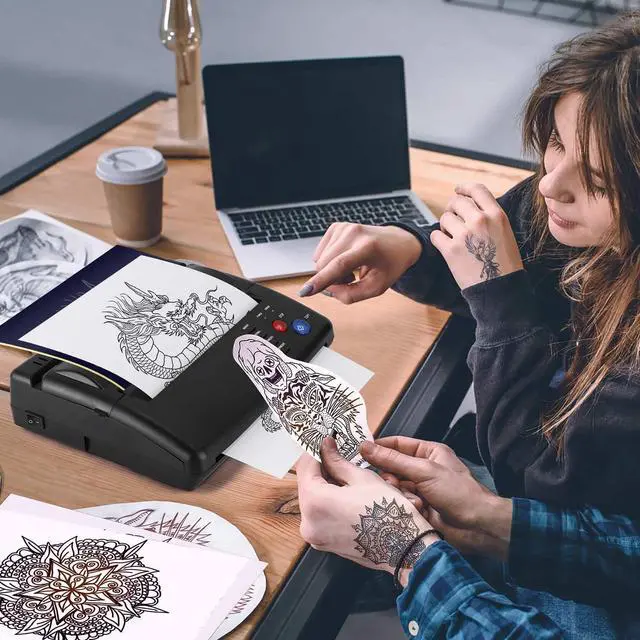
Tattoo Transfer Stencil Machine is a machine for professional tattooing as well as tattoo enthusiasts, it allows you to convert your designs directly from original drawings to stencil paper in a very short time, making it easy to transfer to the skin, it is a reliable copier !

Why Choose PMOTPKOM Machine?
- Perfect transfer effect with clear lines and distinct layers. No more printed streak & half faded stencil.
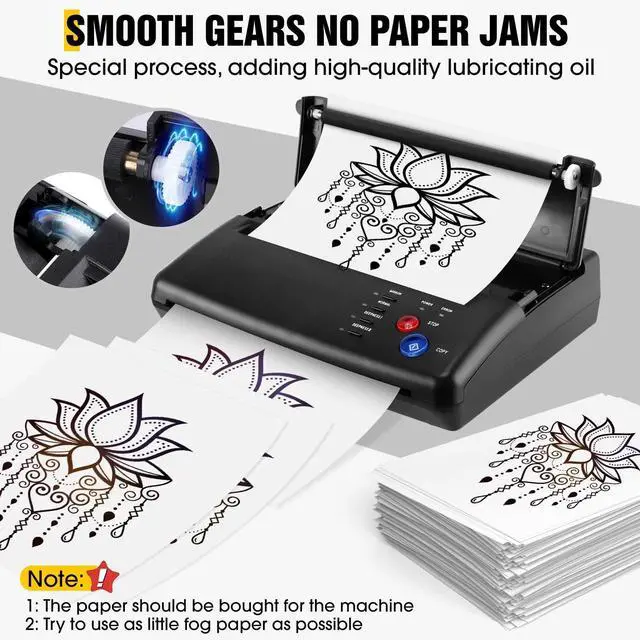
- Thermal copier tattoo stencil adding lubricating oil and special processes, reducing friction, not easy to jam, save your time and energy.
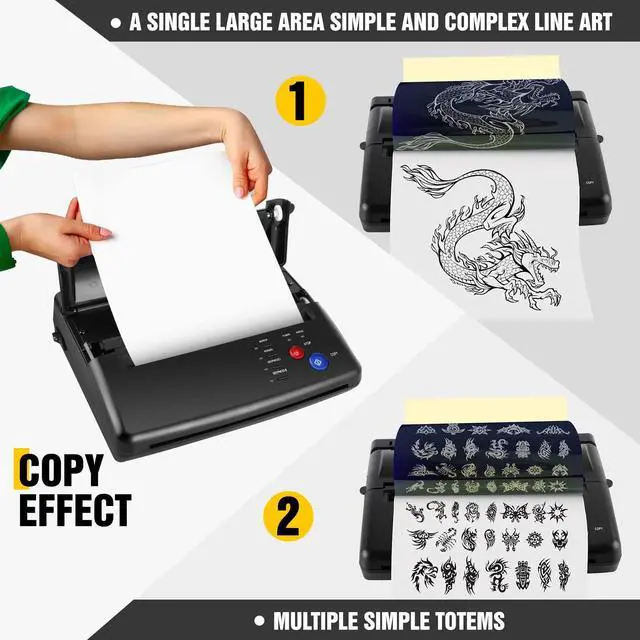
- Can choose different modes,the copy methods, deepness etc.Even if a single large area simple or complex line art,can ensure the art copy effect

About Tattoo machine
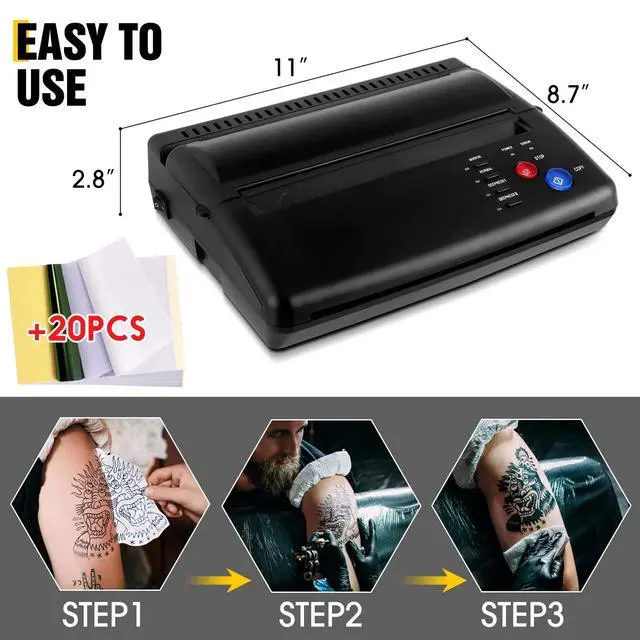
Size:11"" x 6.5"" x 2.8"" (L x W x H)
Weight:1.17Kg/2.57lb
Power: AC 110V-220V(Used globally)
Effective Scanning Width: 210 mm/8.3in
Document size: A5~A4
Document Thickness: 0.06mm-0.15mm
Document Type: Fine/Photo
50Hz/0.46A
Power Consumption: 5W
Recording Mode: TPH

NOTE: Attention before purchasing the transfer machine!!
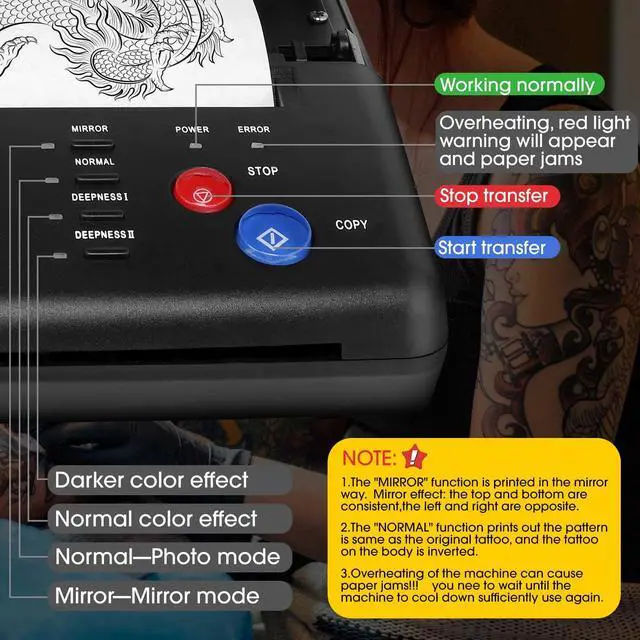
1:Over heating of the machine can cause paper jams!!! you need to wait until the machine to cool down sufficiently use again
2:Don’t transfer complex patterns continuously,and matte map. you need to wait until the cover is opened to allow the machine to cool down sufficiently use again
3:Please To use stencil transfer paper that can be used by the machine, too thick hand-painted paper will cause paper jams.
4:Transfer machine is not a printer and has no printing function.
FQA:
--Why is there a paper jam?
Solution: The machine is overheated and will jam, let the machine cool down for a few minutes and then use it without jamming.
--Why does the machine print messy lines or black lines?
Solution: Please restore the default settings, and regularly clean the roller, will reduce the possibility of the above problems, you can try this solution.
1. Press the "stop" button for 3 seconds, then you will hear a beep;
2. press the "mirror" button;
3. press the "copy" button.

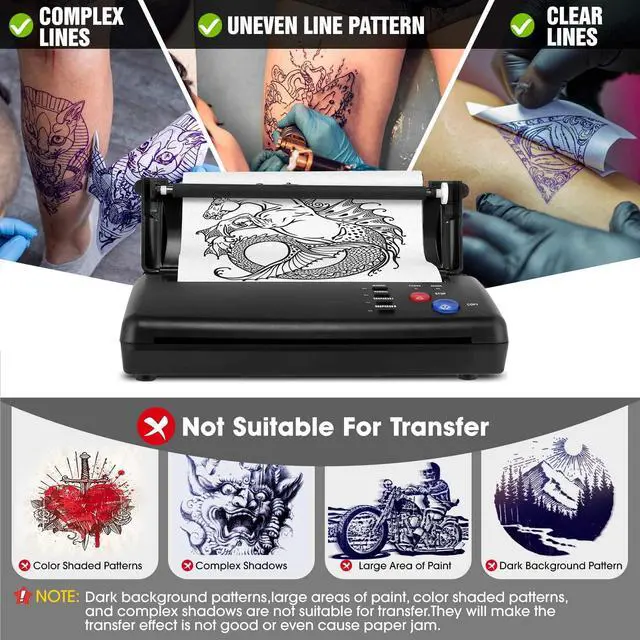
Not Suitable For Transfer

Complex Lines

Uneven Line Pattern

Line draft patterns


Tattoo Stencil Transfer Copier Printer With 20 Pcs Transfer paper
Tattoo Transfer Stencil Machine is a machine for professional tattooing as well as tattoo enthusiasts, it allows you to convert your designs directly from original drawings to stencil paper in a very short time, making it easy to transfer to the skin, it is a reliable copier !
Why Choose PMOTPKOM Machine?
- Perfect transfer effect with clear lines and distinct layers. No more printed streak & half faded stencil.
- Thermal copier tattoo stencil adding lubricating oil and special processes, reducing friction, not easy to jam, save your time and energy.
- Can choose different modes,the copy methods, deepness etc.Even if a single large area simple or complex line art,can ensure the art copy effect
About Tattoo machine
Size:11"" x 6.5"" x 2.8"" (L x W x H)
Weight:1.17Kg/2.57lb
Power: AC 110V-220V(Used globally)
Effective Scanning Width: 210 mm/8.3in
Document size: A5~A4
Document Thickness: 0.06mm-0.15mm
Document Type: Fine/Photo
50Hz/0.46A
Power Consumption: 5W
Recording Mode: TPH
NOTE: Attention before purchasing the transfer machine!!
1:Over heating of the machine can cause paper jams!!! you need to wait until the machine to cool down sufficiently use again
2:Don’t transfer complex patterns continuously,and matte map. you need to wait until the cover is opened to allow the machine to cool down sufficiently use again
3:Please To use stencil transfer paper that can be used by the machine, too thick hand-painted paper will cause paper jams.
4:Transfer machine is not a printer and has no printing function.
FQA:
--Why is there a paper jam?
Solution: The machine is overheated and will jam, let the machine cool down for a few minutes and then use it without jamming.
--Why does the machine print messy lines or black lines?
Solution: Please restore the default settings, and regularly clean the roller, will reduce the possibility of the above problems, you can try this solution.
1. Press the "stop" button for 3 seconds, then you will hear a beep;
2. press the "mirror" button;
3. press the "copy" button.
Not Suitable For Transfer
Complex Lines
Uneven Line Pattern