


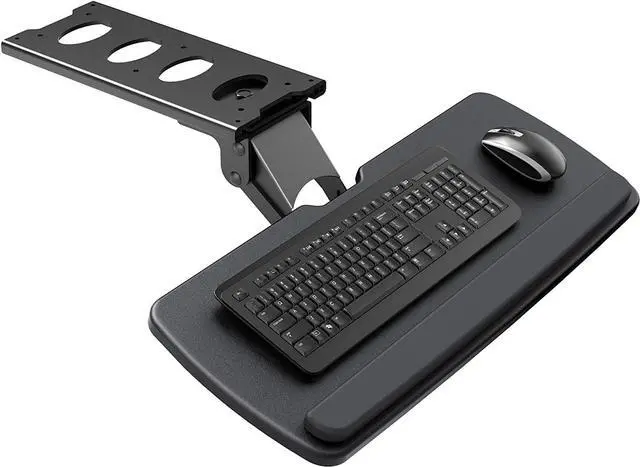
Have you ever complained the messy and crowded desktop? Have you ever felt uncomfortable in your wrist for long-time work with a keyboard?
Soft-Touch Wrist Rest
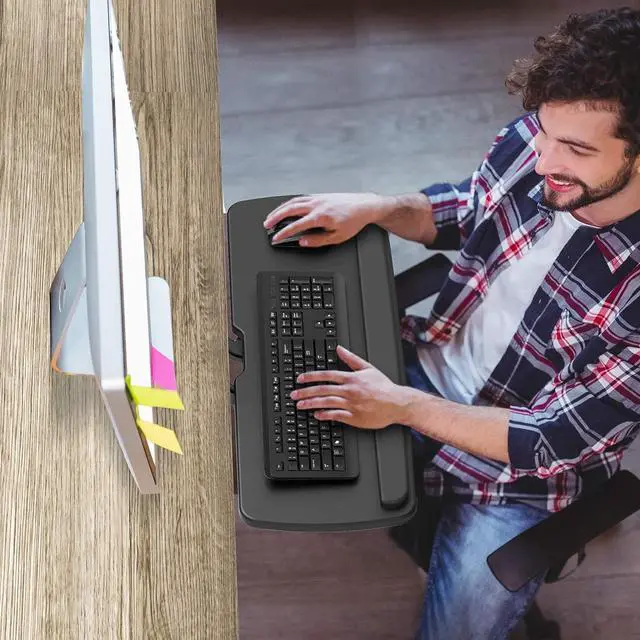
Lay your palms on the soft cushion while typing, reducing fatigue in your wrists.
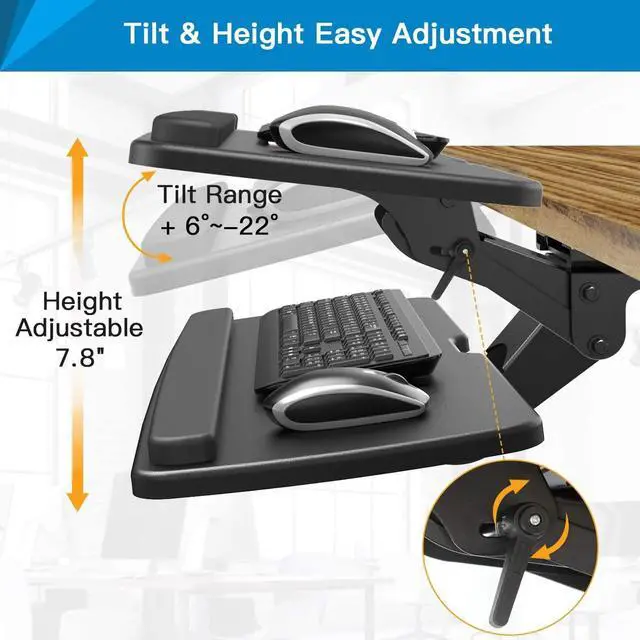
Height & Tilt Adjustable
Easily set your keyboard tray to a comfortable height and angle for comfortable typing posture.
Angle Adjustable
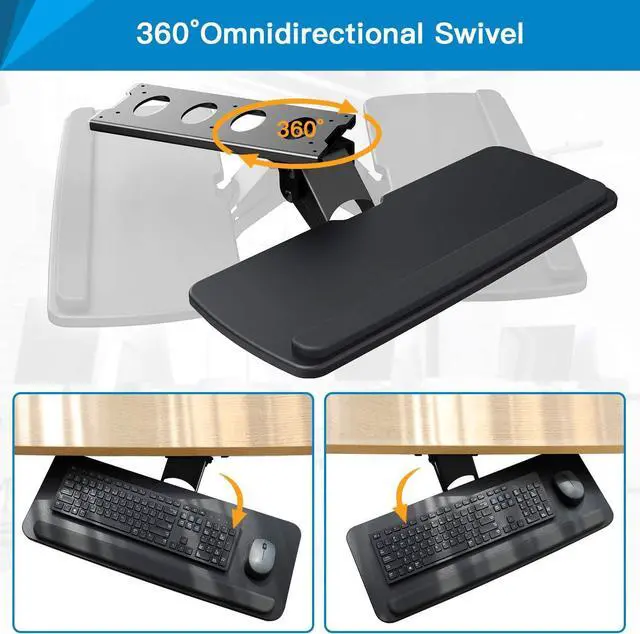
The adjustable keyboard tray swivels from +90° to -90°. Allows you freely change your sitting position as you need.
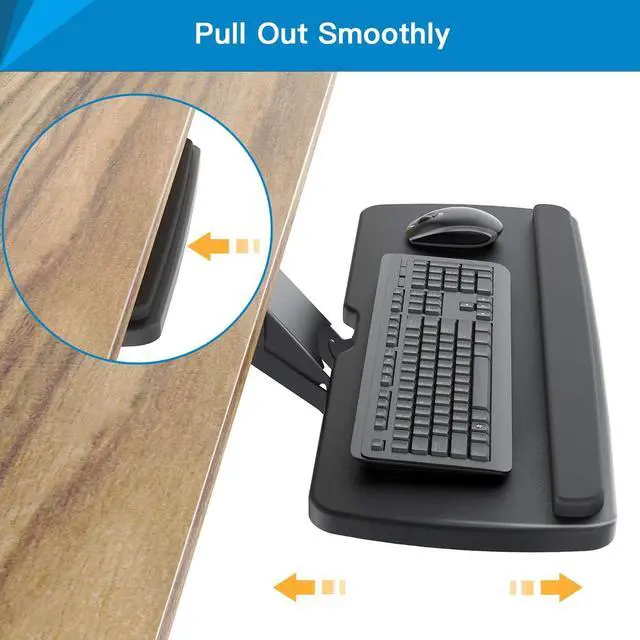
Easy Slide In/Out
Simply pull out the tray while using the keyboard and slide in when it is out of work. Save space on desktop!
TIPS:
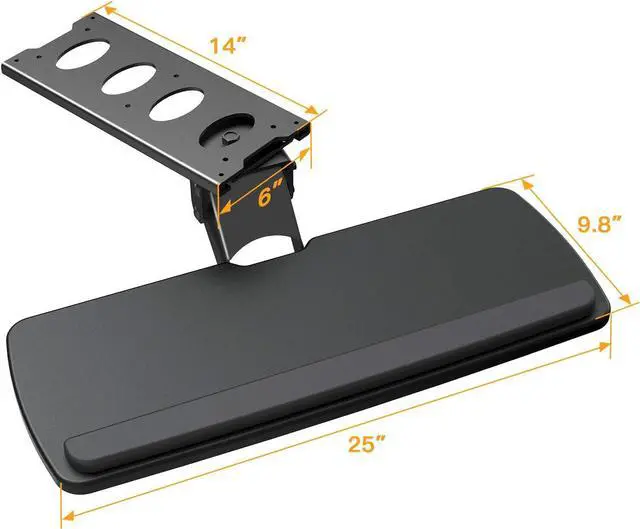
1. This tray is not compatible with some desktops that have beveled edges or bars, so please measure the size of your desk and make sure there are no barriers under your desk before purchasing.
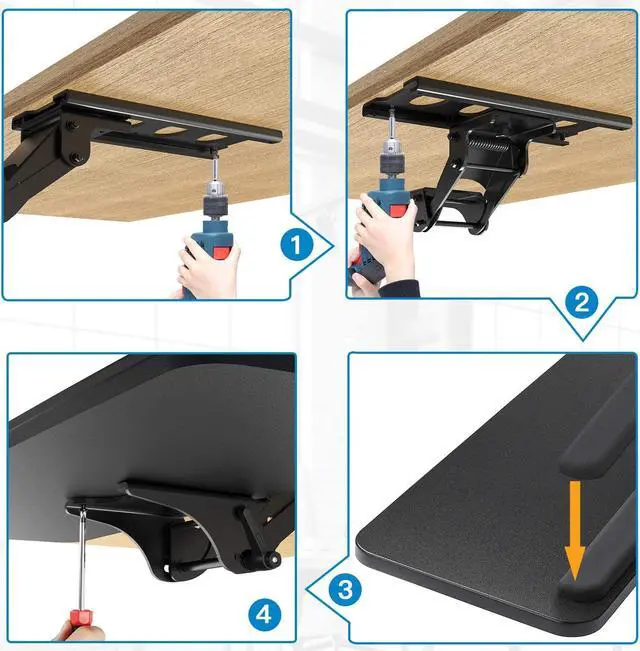
2. All necessary hardware and instructions are provided for assembly, and mounting your keyboard tray to the desk is an easy process, please be careful not to lose them.
3. Just use a screwdriver to tighten the screws according to the specified position in the manual. The product is easy to use, please read the instructions carefully before installation and follow the operation.
Are you still worried about the messy desktop?
Want to improve your typing posture to relieve the pain of sedentary sitting?
HUANUO Under Desk Keyboard Tray is a perfect solution to provide ergonomic products.
This keyboard tray is intended to help create a ergonomic environment for work.
Enhance your typing posture a get to comfortable working position while using our under-desk keyboard tray mount.When not in use, simply slide the tray under the desk.Easy to operate and save space!
Full Motion Adjustable
The platform can swivel left and right 180 degrees in each direction. It can also tilt +6 degrees up and 22 degrees down for improved comfort.
You can easily adjust your typing angle by adjust the height throughout the day for enhanced wrist health.
TIPS:
1. This tray is not compatible with some desktops that have beveled edges or bars, so please measure the size of your desk and make sure there are no barriers under your desk before purchasing.
2. All necessary hardware and instructions are provided for assembly, and mounting your keyboard tray to the desk is an easy process, please be careful not to lose them.
3. Just use a screwdriver to tighten the screws according to the specified position in the manual. The product is easy to use, please read the instructions carefully before installation and follow the operation.