

Your Browsing History
- Free 30-day Returns
$28.98
Ships from China.

Meet Your Seller


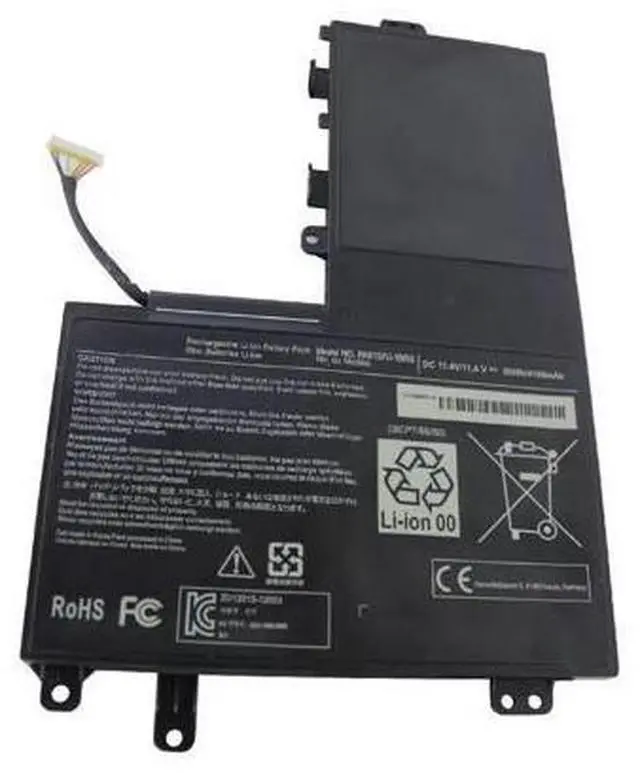
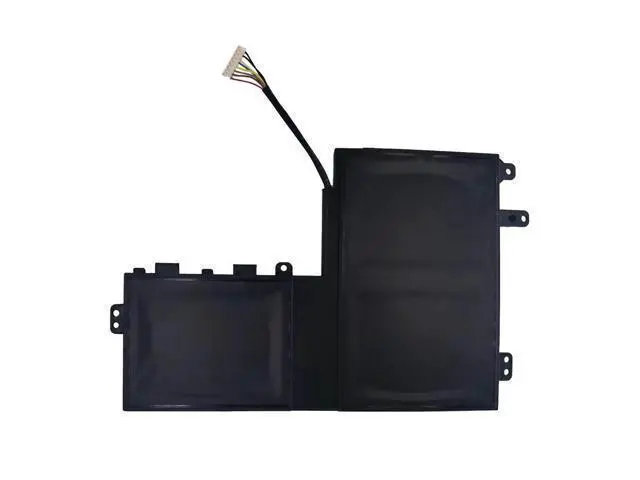
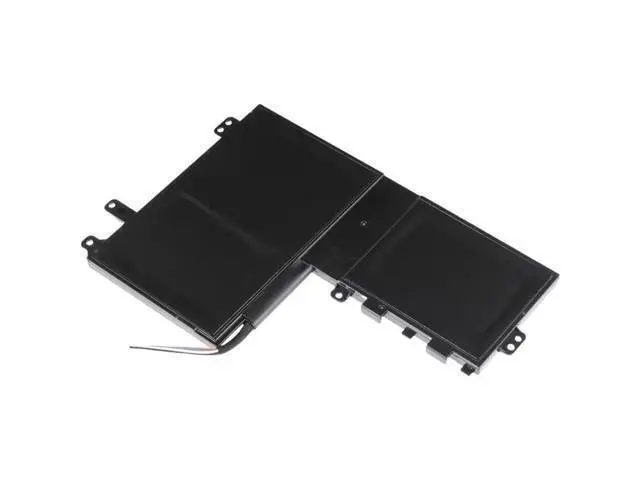


PA5157U-1BRS Replacement Battery for Toshiba Satellite U940, E45T, E55 Series Laptop - 11.1V 50Wh High-Capacity Polymer Cell
Limited time offer, ends 08/31 By VoltSync
- Revive Your Toshiba Laptop with Premium, Long-Lasting Power; Tired of your Toshiba laptop dying after just an hour? Give it the reliable energy it needs with our high-performance PA5157U-1BRS replacement battery. Featuring a robust 50Wh capacity and advanced Polymer Li-ion cells, this battery is engineered to restoreand often exceedyour laptop's original runtime. Enjoy fast charging, extended use for work or entertainment, and a hassle-free installation process.
+
+
Overview
Specs
Reviews

Any questions? Our AI mode will help you find out quickly.
Try me now
PERFECT COMPATIBILITY VERIFY BEFORE YOU BUY This is a direct, compatible replacement designed to match the original specifications of your Toshiba laptop. Compatible With These Toshiba Laptop Series: Toshiba Satellite U940 Toshiba Satellite E45T (including models: E45T-A4100, A4200, A4300, B4106, B4204) Toshiba Satellite E55 /
E55T (including models: E55-A5114, E55T-A5320) Toshiba Satellite M50-A Series Replaces These Original
Part Numbers: PA5157U-1BRS
P000577250 PA5157U Important: Always check the part number on your original battery to confirm it matches one of the codes above. This ensures a perfect fit and safe operation. KEY FEATURES & TECHNICAL SPECS Superior
Capacity & Power: 50 Watt-hours (Wh) of energy at 11.1V provides substantial runtime for browsing, streaming, and productivity.
Premium Grade A Polymer Cells: Unlike standard Li-ion cells, high-quality polymer cells offer greater stability, a slimmer profile, and enhanced safety for longer-lasting performance.
Fast Recharging: Get back to work quickly. Our optimized cell design supports efficient charging cycles.
Easy Drop-In Installation: No technical expertise needed. Simply replace your old battery following the standard removal procedure for your Toshiba model. Brand New & Ready to
Go: 100% new battery cells ensure optimal performance from the very first charge. SIMPLE INSTALLATION & BEST PRACTICES Power Down & Unplug: Completely shut down your laptop and disconnect the AC power adapter.
Remove the Old Battery: Flip your laptop over, slide the battery lock/unlock latches (common on these models), and remove the depleted battery.
Install the New Battery: Insert this new PA5157U-1BRS compatible battery, ensuring it clicks securely into place.
Charge Fully & Calibrate: Connect the power adapter and charge the battery to 100% before first use. For the most accurate battery life indicator, allow 2-3 full charge and discharge cycles. SAFETY & WARRANTY INFORMATION For optimal safety and battery health, always use the original Toshiba AC adapter. Please recycle your old laptop battery responsibly at a designated e-waste facility. We stand behind the quality of our product. This battery is covered by our standard warranty (check seller details for term length). WHAT'S IN THE BOX 1 x 50Wh PA5157U-1BRS Compatible Laptop Battery
E55T (including models: E55-A5114, E55T-A5320) Toshiba Satellite M50-A Series Replaces These Original
Part Numbers: PA5157U-1BRS
P000577250 PA5157U Important: Always check the part number on your original battery to confirm it matches one of the codes above. This ensures a perfect fit and safe operation. KEY FEATURES & TECHNICAL SPECS Superior
Capacity & Power: 50 Watt-hours (Wh) of energy at 11.1V provides substantial runtime for browsing, streaming, and productivity.
Premium Grade A Polymer Cells: Unlike standard Li-ion cells, high-quality polymer cells offer greater stability, a slimmer profile, and enhanced safety for longer-lasting performance.
Fast Recharging: Get back to work quickly. Our optimized cell design supports efficient charging cycles.
Easy Drop-In Installation: No technical expertise needed. Simply replace your old battery following the standard removal procedure for your Toshiba model. Brand New & Ready to
Go: 100% new battery cells ensure optimal performance from the very first charge. SIMPLE INSTALLATION & BEST PRACTICES Power Down & Unplug: Completely shut down your laptop and disconnect the AC power adapter.
Remove the Old Battery: Flip your laptop over, slide the battery lock/unlock latches (common on these models), and remove the depleted battery.
Install the New Battery: Insert this new PA5157U-1BRS compatible battery, ensuring it clicks securely into place.
Charge Fully & Calibrate: Connect the power adapter and charge the battery to 100% before first use. For the most accurate battery life indicator, allow 2-3 full charge and discharge cycles. SAFETY & WARRANTY INFORMATION For optimal safety and battery health, always use the original Toshiba AC adapter. Please recycle your old laptop battery responsibly at a designated e-waste facility. We stand behind the quality of our product. This battery is covered by our standard warranty (check seller details for term length). WHAT'S IN THE BOX 1 x 50Wh PA5157U-1BRS Compatible Laptop Battery
Warranty & Returns
Warranty, Returns, And Additional Information
Warranty
- Please contact the Seller directly for warranty information. Warranty information may also be found on the Manufacturer's website.
- CONTACT
Return Policies
- Return for refund within: 30 days
- Return for replacement within: 30 days
- This item is covered by VoltSync Return Policy
Manufacturer Contact Info
- For a directory of all our manufacturers, please click below.
- Manufacturers Directory
LOADING...