




Next Generation Technology ! Own It - NO Monthly Fees
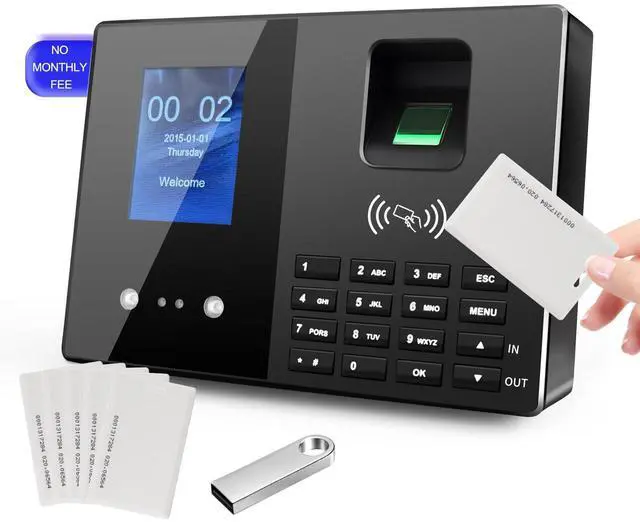
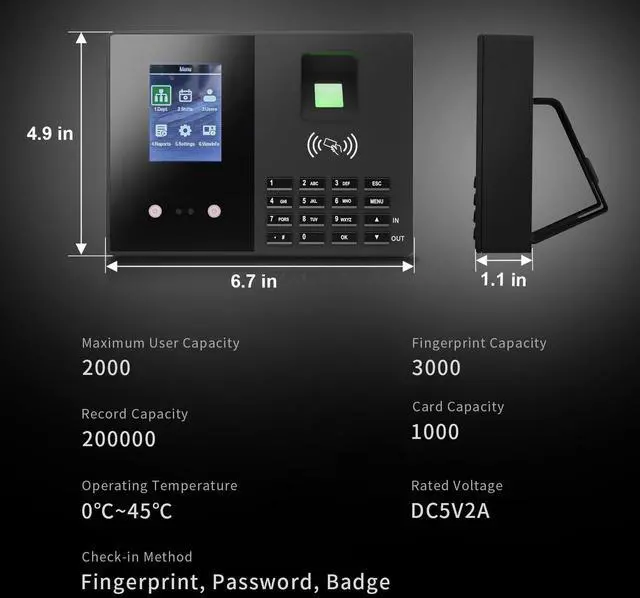
JIAN BOLAND T200 biological attendance machine is suitable for small and medium-sized enterprises
You can track and monitor the employee’s attendance to ensure productivity and workflow during the working hours.
You can view the attendance details of the employees and generate statistical reports
This automated device greatly reduces the computational errors and transcriptional errors thus facilitating hassle-free attendance calculation.
Automatic clock in / clock out employees can clock out repeatedly in the same day
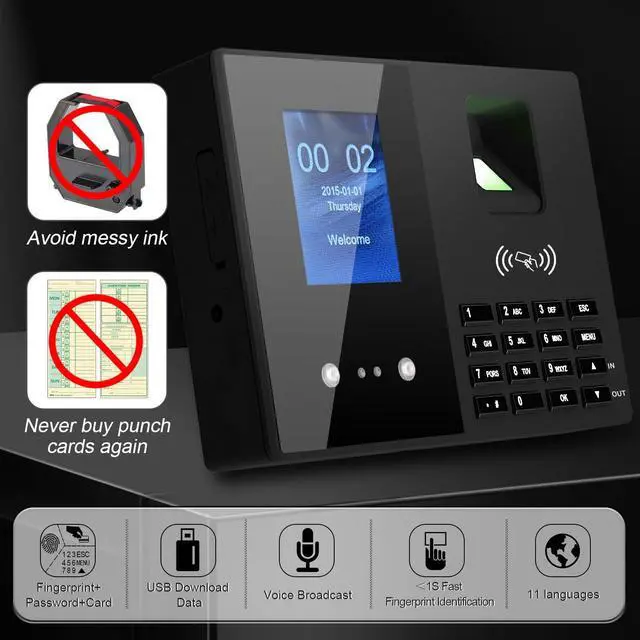
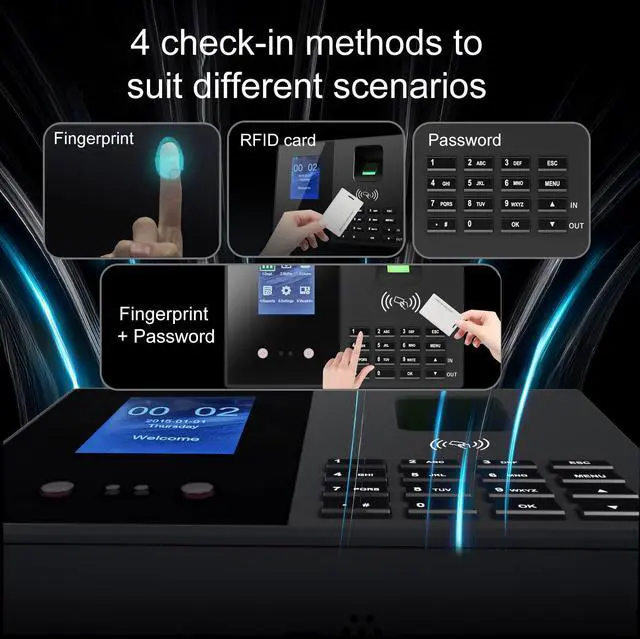
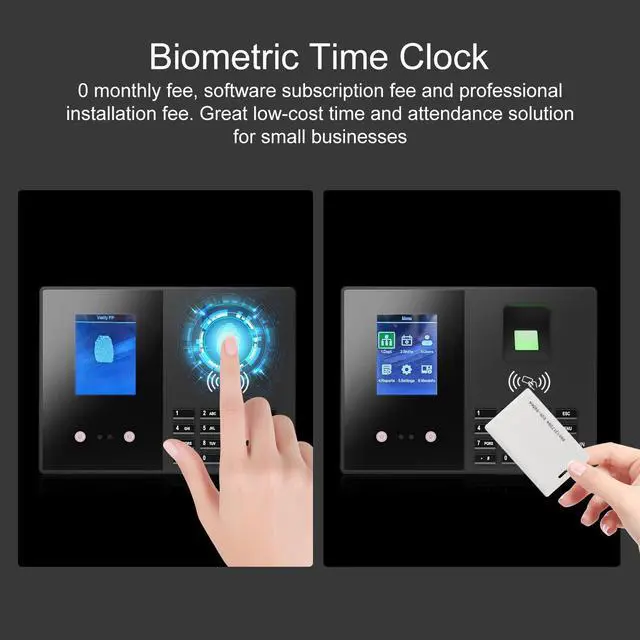
T200 time clock supports Badges fingerprint + password authentication without installing application software and connecting to the network.


Support for 11 languages
Chinese/English/German/French/Indonesian/Portuguese/Arabic/Spanish/Vietnamese/Thai/Japanese

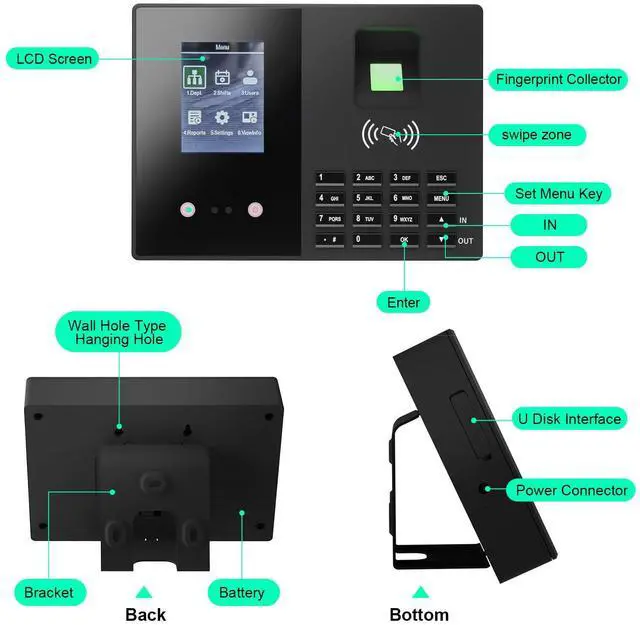
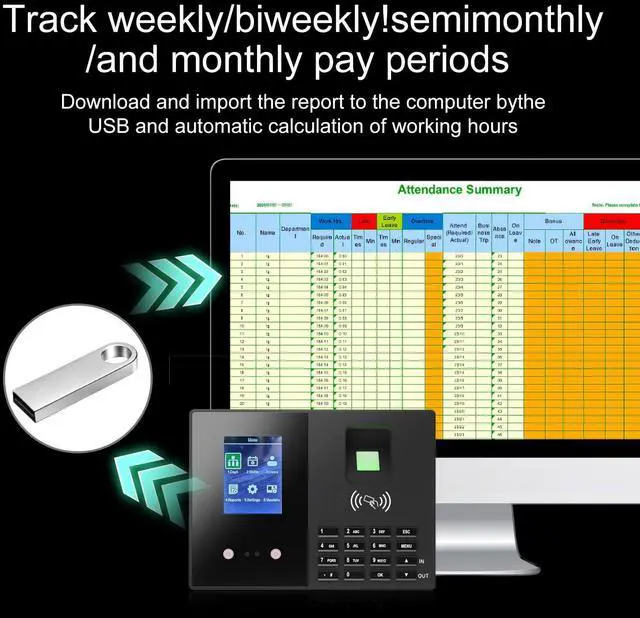
Upload and download data via USB
- Easily transfer data via USB memory stick to PC. Open reports in Excel for review and printing
- If you need to modify the Excel sheet, the administrative password is “asdw123”.

Badges
- With 5 Badges
- If you need more badges, please search ASIN : B0CKN3BP47 to buy!
Tips:You can assign any employee on the list as an Administrator. Certain critical changes and operations will require Administrator approval
Attendance Machine FAQs (Q&A Format)
Q: How to set up an administrator??
A: Modify permissions in the personnel list.
Q: Why can't downloaded files be edited??
A: To protect the company's legal interests, the files are locked by default. If modifications are needed, use the unlock password: "asdw123".
Q: How to set the date and time on the attendance machine??
A: Enter the system settings menu, select "Date & Time," and adjust as prompted.
Q: What if the attendance machine fails to recognize fingerprints??
A: Clean the fingerprint sensor, re-register the fingerprint, or use the password clock-in option (ensure fingers are clean before registration).
Q: How to export attendance records??
A: Connect the device to a computer via USB flash drive, then open the Excel file using the accompanying software.
Q: Unable to download attendance data??
A: Try formatting the USB flash drive or using a different one. Ensure the USB is formatted as FAT32 and has a capacity of less than 16GB.
Q: What to do if the administrator password is forgotten??
A: Use the super administrator account (Employee ID: 0, Password: 436517) to access the menu, delete the administrator account, and reset it.
Q: Why does fingerprint recognition fail?
A: Before each fingerprint verification, please make sure your finger is dry and clean.


Next Generation Technology ! Own It - NO Monthly Fees
JIAN BOLAND T200 biological attendance machine is suitable for small and medium-sized enterprises
You can track and monitor the employee’s attendance to ensure productivity and workflow during the working hours.
You can view the attendance details of the employees and generate statistical reports
This automated device greatly reduces the computational errors and transcriptional errors thus facilitating hassle-free attendance calculation.
Automatic clock in / clock out employees can clock out repeatedly in the same day
T200 time clock supports Badges fingerprint + password authentication without installing application software and connecting to the network.
Support for 11 languages
Chinese/English/German/French/Indonesian/Portuguese/Arabic/Spanish/Vietnamese/Thai/Japanese
Upload and download data via USB
- Easily transfer data via USB memory stick to PC. Open reports in Excel for review and printing
- If you need to modify the Excel sheet, the administrative password is “asdw123”.
Badges
- With 5 Badges
- If you need more badges, please search ASIN : B0CKN3BP47 to buy!
Tips:You can assign any employee on the list as an Administrator. Certain critical changes and operations will require Administrator approval
Attendance Machine FAQs (Q&A Format)
Q: How to set up an administrator??
A: Modify permissions in the personnel list.
Q: Why can't downloaded files be edited??
A: To protect the company's legal interests, the files are locked by default. If modifications are needed, use the unlock password: "asdw123".
Q: How to set the date and time on the attendance machine??
A: Enter the system settings menu, select "Date & Time," and adjust as prompted.
Q: What if the attendance machine fails to recognize fingerprints??
A: Clean the fingerprint sensor, re-register the fingerprint, or use the password clock-in option (ensure fingers are clean before registration).
Q: How to export attendance records??
A: Connect the device to a computer via USB flash drive, then open the Excel file using the accompanying software.
Q: Unable to download attendance data??
A: Try formatting the USB flash drive or using a different one. Ensure the USB is formatted as FAT32 and has a capacity of less than 16GB.
Q: What to do if the administrator password is forgotten??
A: Use the super administrator account (Employee ID: 0, Password: 436517) to access the menu, delete the administrator account, and reset it.
Q: Why does fingerprint recognition fail?
A: Before each fingerprint verification, please make sure your finger is dry and clean.