

Your Browsing History

Meet Your Seller



Label Printer, M421 4 x 6 Shipping Label Printer | Bluetooth Thermal Portable Printers for Shipping, Warehouse, Barcode, Address,Compatible with Phone & PC
Limited time offer, ends 08/27 By Taste Global Store
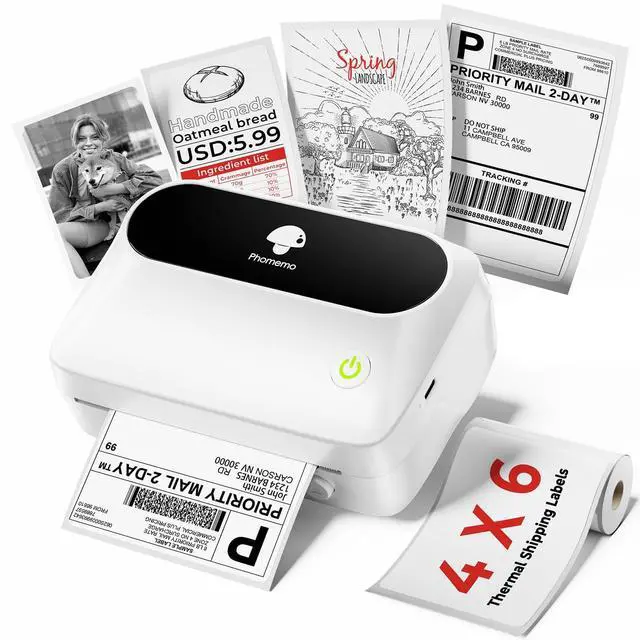
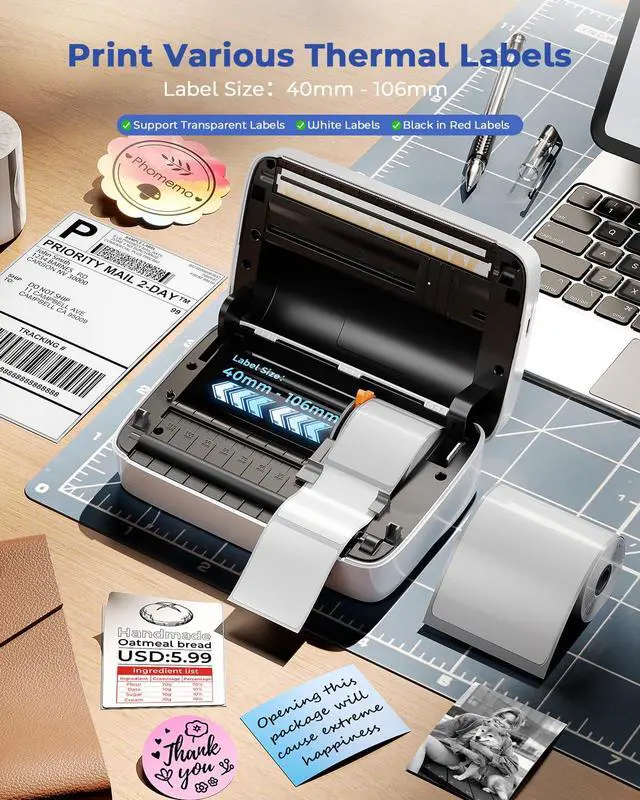
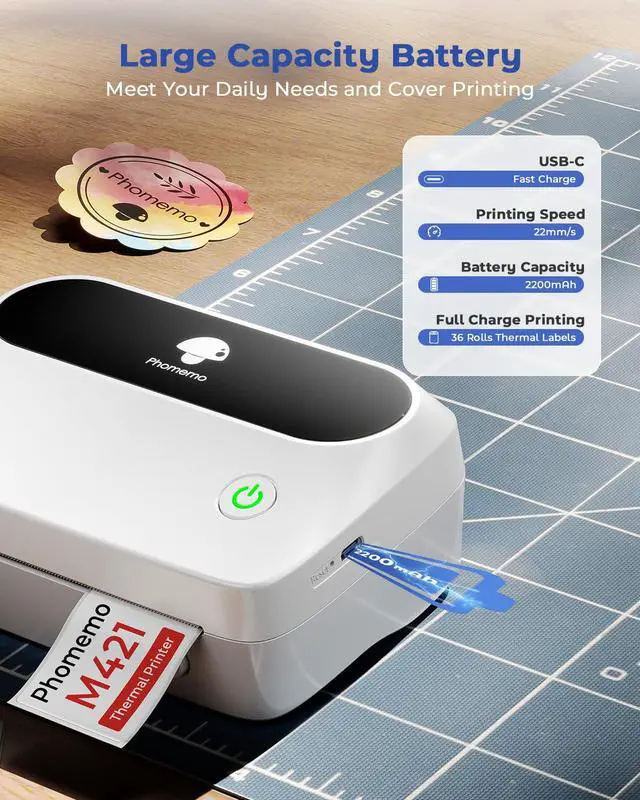
- Advanced thermal label printer: The M421 label printer is equipped with a high-tech thermal print head. No ink, toner, or ribbons are needed. 203dpi high printing quality delivers clean, clear results without any mess. It supports roll labels and fanfold labels. The compatible thermal labels width range is from 40mm (1.57") to 106mm (4.1"). The M421 thermal printer functions as a compact label maker and a 4 x 6 thermal shipping label printer. Print via Bluetooth: This thermal label printer is compatible with phones and tablets. Download the "Print Master" app from Google Play or the App Store, connect via Bluetooth within the app, and enjoy fast, smooth, wireless printing. Please note: The printer cannot connect via Bluetooth directly from your phone or tablet settings; connection must be established through the app. Print via USB: The M421 label printer is compatible with Windows, Mac OS, and Chrome OS laptops or PCs. Download the driver and the "Labelife" app, connect using the provided USB data cable, and use it as a desktop label printer to print any labels you create. Smaller, Lighter, and Space-Saving Design: It is more compact and lighter than traditional shipping label printers, occupying less space on your desk. This thermal label printer supports printing barcodes, addresses, shipping labels, and more. It is well-suited for home, office, small business, warehouse, and shared workspaces. Smart Customization with Professional Support: Unlock extensive creativity wit
+
+
Overview
Specs
Reviews

Any questions? Our AI mode will help you find out quickly.
Try me now
Advanced thermal label printer: The M421 label printer is equipped with a high-tech thermal print head. No ink, toner, or ribbons are needed. 203dpi high printing quality delivers clean, clear results without any mess. It supports roll labels and fanfold labels. The compatible thermal labels width range is from 40mm ( 1.57" ) to 106mm ( 4.1" ). The M421 thermal printer functions as a compact label maker and a 4 x 6 thermal shipping label printer.
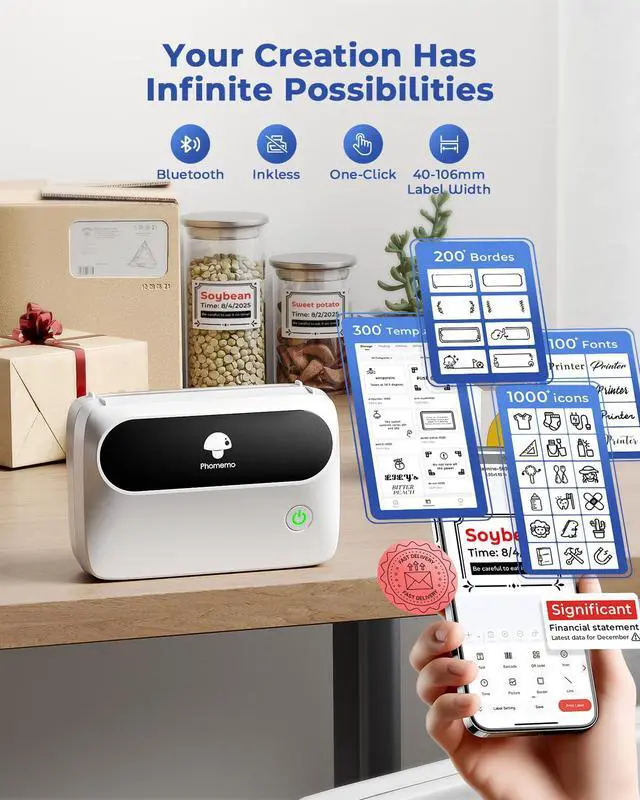
Print via Bluetooth: This thermal label printer is compatible with phones and tablets. Download the "Print Master" app from Google Play or the App Store, connect via Bluetooth within the app, and enjoy fast, smooth, wireless printing.
Please note: The printer cannot connect via Bluetooth directly from your phone or tablet settings; connection must be established through the app.
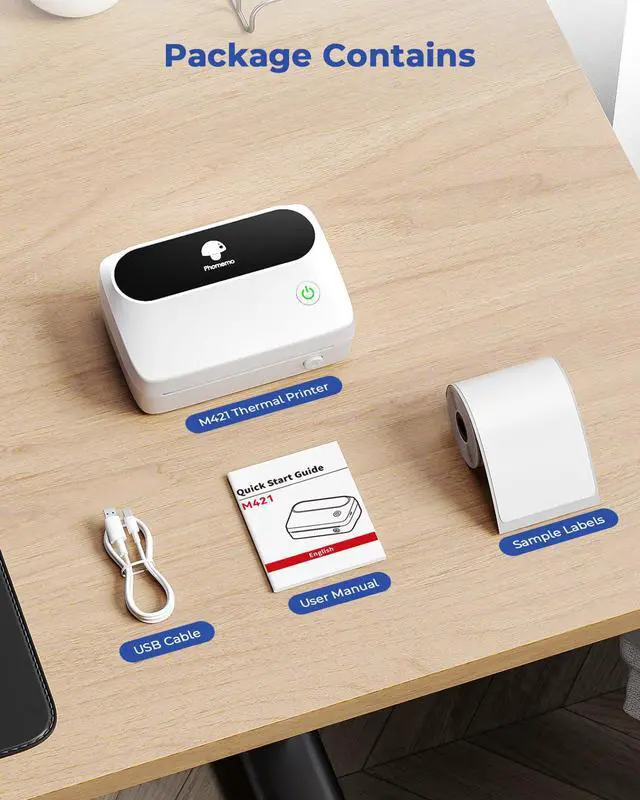
Print via USB: The M421 label printer is compatible with Windows, Mac OS, and Chrome OS laptops or PCs. Download the driver and the "Labelife" app, connect using the provided USB data cable, and use it as a desktop label printer to print any labels you create. Smaller, Lighter, and
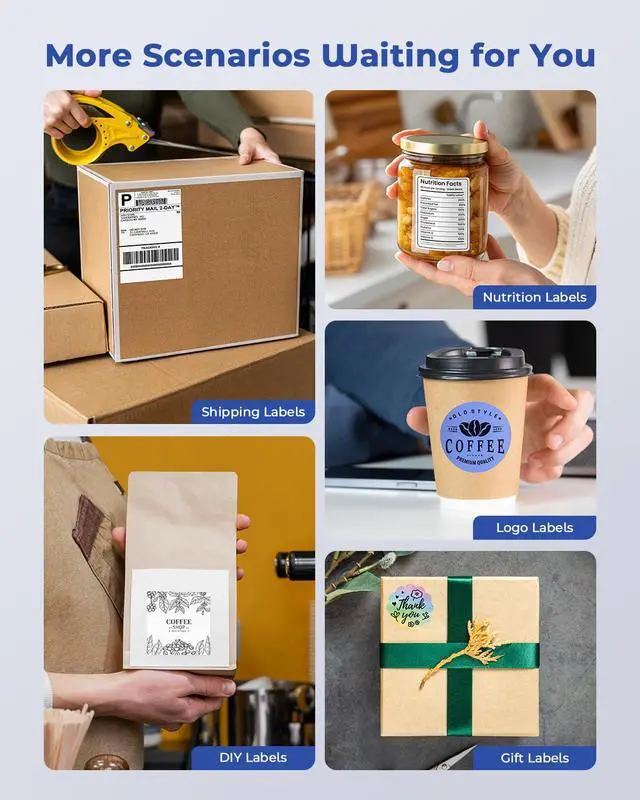
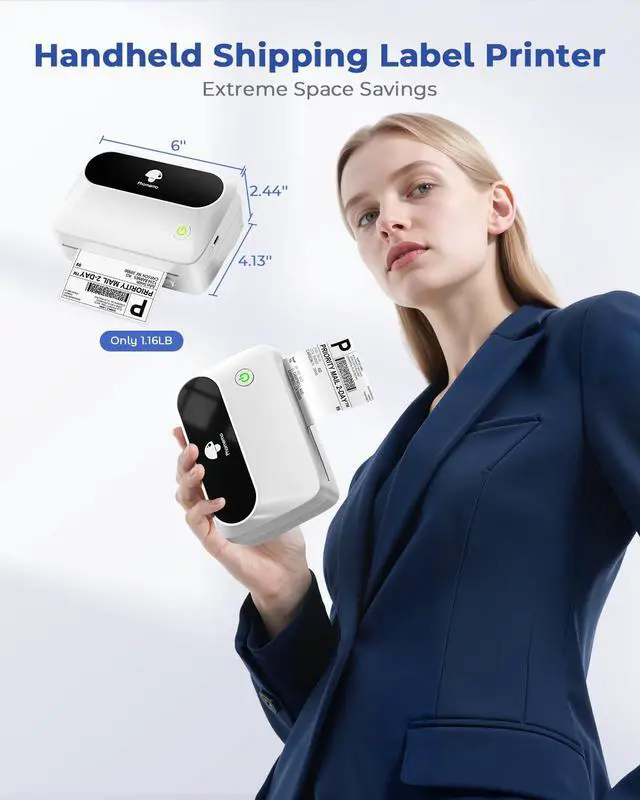
Space-Saving Design: It is more compact and lighter than traditional shipping label printers, occupying less space on your desk. This thermal label printer supports printing barcodes, addresses, shipping labels, and more. It is well-suited for home, office, small business, warehouse, and shared workspaces. Smart Customization with
Professional Support: Unlock extensive creativity with the "Print Master" app, which provides over 6000 icons, more than 400 fonts, and over 700 templates. Print shipping labels, branding logos, or home organization tags in 20 languages. How to Clean the
Print Head: Gently wipe the cut parts of the label maker, particularly the black lines, with an alcohol cotton swab to ensure no adhesive or foreign objects remain on the print head.
Note: Avoid scratching the print head with any hard objects
Print via Bluetooth: This thermal label printer is compatible with phones and tablets. Download the "Print Master" app from Google Play or the App Store, connect via Bluetooth within the app, and enjoy fast, smooth, wireless printing.
Please note: The printer cannot connect via Bluetooth directly from your phone or tablet settings; connection must be established through the app.
Print via USB: The M421 label printer is compatible with Windows, Mac OS, and Chrome OS laptops or PCs. Download the driver and the "Labelife" app, connect using the provided USB data cable, and use it as a desktop label printer to print any labels you create. Smaller, Lighter, and
Space-Saving Design: It is more compact and lighter than traditional shipping label printers, occupying less space on your desk. This thermal label printer supports printing barcodes, addresses, shipping labels, and more. It is well-suited for home, office, small business, warehouse, and shared workspaces. Smart Customization with
Professional Support: Unlock extensive creativity with the "Print Master" app, which provides over 6000 icons, more than 400 fonts, and over 700 templates. Print shipping labels, branding logos, or home organization tags in 20 languages. How to Clean the
Print Head: Gently wipe the cut parts of the label maker, particularly the black lines, with an alcohol cotton swab to ensure no adhesive or foreign objects remain on the print head.
Note: Avoid scratching the print head with any hard objects
Warranty & Returns
Warranty, Returns, And Additional Information
Warranty
- Please contact the Seller directly for warranty information. Warranty information may also be found on the Manufacturer's website.
- CONTACT
Return Policies
- Return for refund within: 30 days
- Return for replacement within: 30 days
- This item is covered by Taste Global Store Return Policy
Manufacturer Contact Info
- For a directory of all our manufacturers, please click below.
- Manufacturers Directory
LOADING...