

Your Browsing History

Meet Your Seller
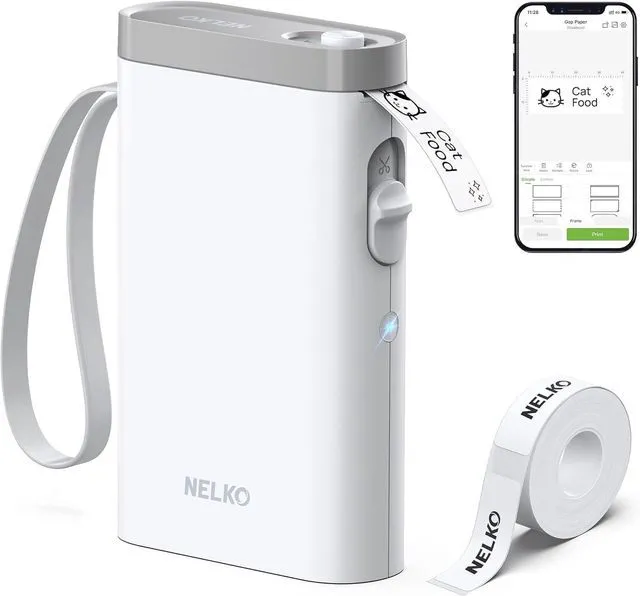


P21 Label Maker Machine with Tape, Bluetooth Label Printer, White Creative App & Multiple Templates, Inkless Printing, Built-in Cutter, Ideal for School, Teacher Supplies, Office, and Home
Limited time offer, ends 09/21 By SerendipHome PC Parts
- 2026 New Version: Compared with traditional label makers, the P21 handheld label maker has half the weight and size, making it more compact, smarter, and ultra-portable. This wireless Bluetooth label maker can fit into your pocket, letting you print anytime, anywhere. For optimal printing results, we suggest using our thermal label paper. Important Note for iOS Users: Please ensure your P21 app is updated to the latest version (V4.8.0) for the best experience. High-Quality Printing: The P21 label maker features BPA-Free Direct Thermal Technology. Equipped with high-speed chips and 203 DPI, the P21 label maker produces high-definition prints without ink or toner, ideal for back-to-school supplies. The label maker comes with a long-lasting built-in rechargeable battery for extended use. This label maker prints in monochrome (black text only), and you can create colorful labels by using color pattern label tapes. Note: Charging adapter is not included. Easy to Use: This label printer connects with iOS & Android phones via Bluetooth. Step 1: Download the app from Google Play or the App Store. Step 2: Install the paper roll. Step 3: Connect the P21 via Bluetooth in the APP. Step 4: Choose a quick template and print. It is not compatible with Google phones running Android 14. This label maker's APP includes 3600+ icons, 700+ borders, 5500+ materials, 750+ templates, and 29 languages. Note: This label maker does not work with computers. Multiple Creative Functions & Templates: Thi
+
+
Overview
Specs
Reviews

Any questions? Our AI mode will help you find out quickly.
Try me now
2026
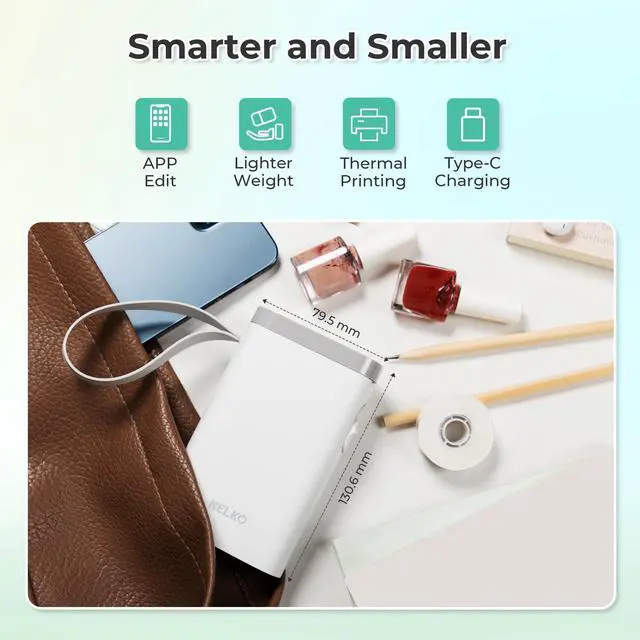
New Version: Compared with traditional label makers, the P21 handheld label maker has half the weight and size, making it more compact, smarter, and ultra-portable. This wireless Bluetooth label maker can fit into your pocket, letting you print anytime, anywhere. For optimal printing results, we suggest using our thermal label paper. Important Note for iOS
Users: Please ensure your P21 app is updated to the latest version (V 4.8. 0) for the best experience.
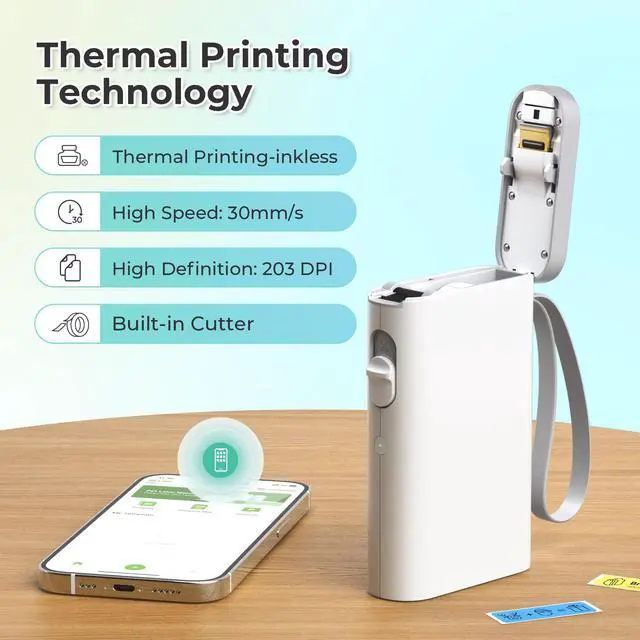
High-Quality Printing: The P21 label maker features BPA-Free Direct Thermal Technology. Equipped with high-speed chips and 203 DPI, the P21 label maker produces high-definition prints without ink or toner, ideal for back-to-school supplies. The label maker comes with a long-lasting built-in rechargeable battery for extended use. This label maker prints in monochrome (black text only), and you can create colorful labels by using color pattern label tapes.
Note: Charging adapter is not included.
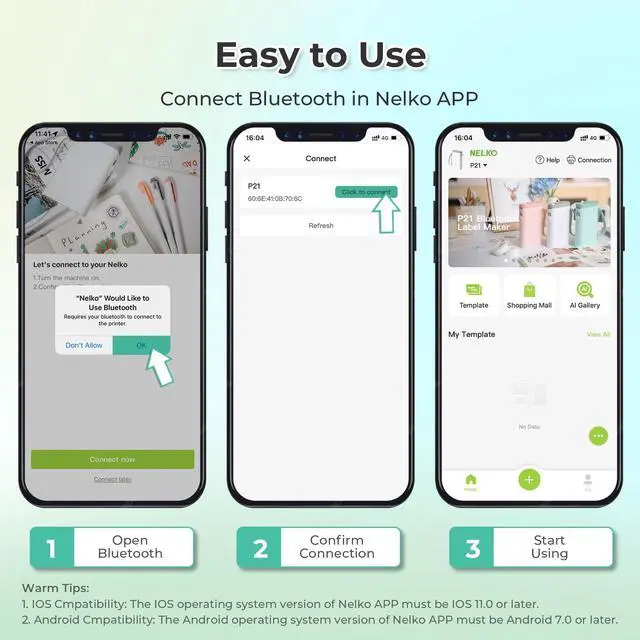
Easy to Use: This label printer connects with iOS & Android phones via Bluetooth.
Step 1: Download the app from Google Play or the App Store.
Step 2: Install the paper roll.
Step 3: Connect the P21 via Bluetooth in the APP.
Step 4: Choose a quick template and print. It is not compatible with Google phones running Android
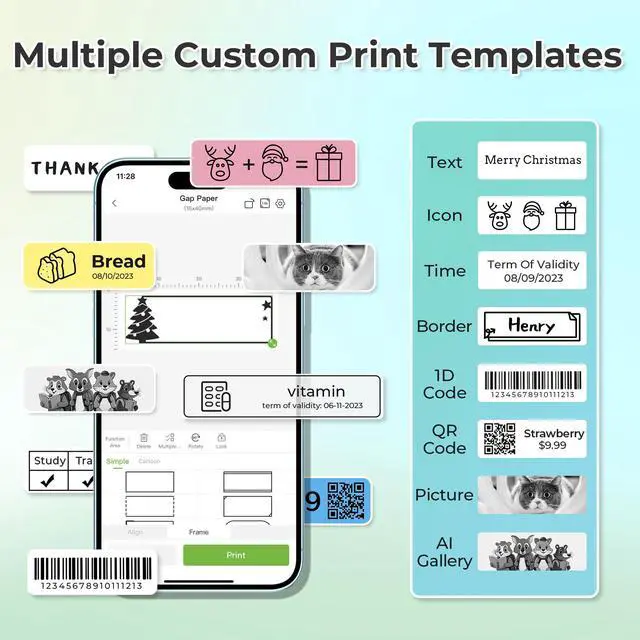
14. This label maker's APP includes 3600+ icons, 700+ borders, 5500+ materials, 750+ templates, and 29 languages.
Note: This label maker does not work with computers. Multiple Creative
Functions & Templates: This app for the label maker offers various features and templates, making it simple to create a wide range of designed label stickers in the App with text, QR codes, barcodes, materials, images, time, and borders, etc. The length of labels is fixed, including 14×40mm, 14×50mm, 14×75mm, and more. Please do not tear or damage the green sticker on the back of the label strip, as this will affect the printing effect.
(Note: Continuous label tapes are not supported. )
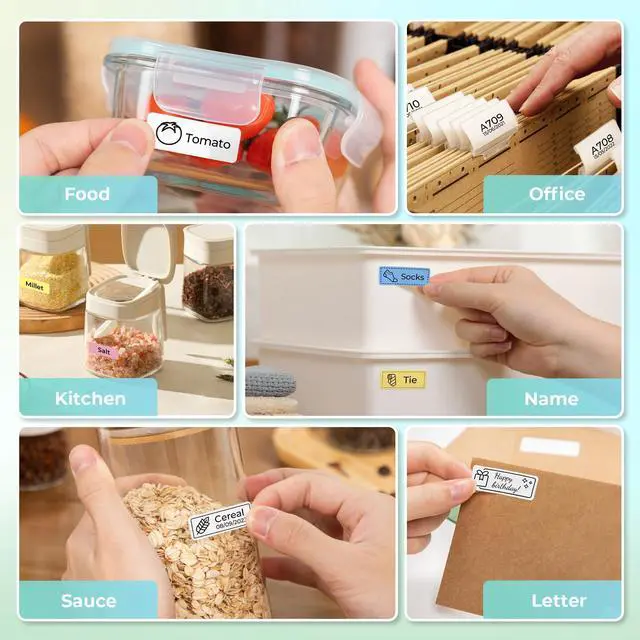
Design Your Own Labels: This label maker machine with tape is widely used at home, in the office, and at school. At home, it helps organize clothes, food storage, cosmetics, and mailings. In the office, it is perfect for notebook tags, price tags, reminder labels, and other office supplies. At school, it assists teachers and students with name tags, item identification, and classroom organization. You can also use it to create unique back-to-school decorations and fun school supplies for kids.
Classroom Must Haves: The P21 Bluetooth label maker is a classroom essential and a teacher must-have for organizing school supplies efficiently. It serves as a smart mini label maker for classroom teachers to sort books, bins, and student folders, while also being a waterproof label maker for kids' school items like lunch boxes and pencil cases. With its portable design, you can print labels anywhere to keep everything in its place, so your classroom always stays neat and well-organized
New Version: Compared with traditional label makers, the P21 handheld label maker has half the weight and size, making it more compact, smarter, and ultra-portable. This wireless Bluetooth label maker can fit into your pocket, letting you print anytime, anywhere. For optimal printing results, we suggest using our thermal label paper. Important Note for iOS
Users: Please ensure your P21 app is updated to the latest version (V 4.8. 0) for the best experience.
High-Quality Printing: The P21 label maker features BPA-Free Direct Thermal Technology. Equipped with high-speed chips and 203 DPI, the P21 label maker produces high-definition prints without ink or toner, ideal for back-to-school supplies. The label maker comes with a long-lasting built-in rechargeable battery for extended use. This label maker prints in monochrome (black text only), and you can create colorful labels by using color pattern label tapes.
Note: Charging adapter is not included.
Easy to Use: This label printer connects with iOS & Android phones via Bluetooth.
Step 1: Download the app from Google Play or the App Store.
Step 2: Install the paper roll.
Step 3: Connect the P21 via Bluetooth in the APP.
Step 4: Choose a quick template and print. It is not compatible with Google phones running Android
14. This label maker's APP includes 3600+ icons, 700+ borders, 5500+ materials, 750+ templates, and 29 languages.
Note: This label maker does not work with computers. Multiple Creative
Functions & Templates: This app for the label maker offers various features and templates, making it simple to create a wide range of designed label stickers in the App with text, QR codes, barcodes, materials, images, time, and borders, etc. The length of labels is fixed, including 14×40mm, 14×50mm, 14×75mm, and more. Please do not tear or damage the green sticker on the back of the label strip, as this will affect the printing effect.
(Note: Continuous label tapes are not supported. )
Design Your Own Labels: This label maker machine with tape is widely used at home, in the office, and at school. At home, it helps organize clothes, food storage, cosmetics, and mailings. In the office, it is perfect for notebook tags, price tags, reminder labels, and other office supplies. At school, it assists teachers and students with name tags, item identification, and classroom organization. You can also use it to create unique back-to-school decorations and fun school supplies for kids.
Classroom Must Haves: The P21 Bluetooth label maker is a classroom essential and a teacher must-have for organizing school supplies efficiently. It serves as a smart mini label maker for classroom teachers to sort books, bins, and student folders, while also being a waterproof label maker for kids' school items like lunch boxes and pencil cases. With its portable design, you can print labels anywhere to keep everything in its place, so your classroom always stays neat and well-organized
Warranty & Returns
Warranty, Returns, And Additional Information
Warranty
- Please contact the Seller directly for warranty information. Warranty information may also be found on the Manufacturer's website.
- CONTACT
Return Policies
- Return for refund within: 30 days
- Return for replacement within: 30 days
- This item is covered by SerendipHome PC Parts Return Policy
Manufacturer Contact Info
- For a directory of all our manufacturers, please click below.
- Manufacturers Directory
LOADING...