Out of stock
  • $84.99
  • Free 30-day Returns
Sold by DeJin Store

Shipped by DeJin Store

Price alert
Shop it at NeweggBusiness.

Meet Your Seller

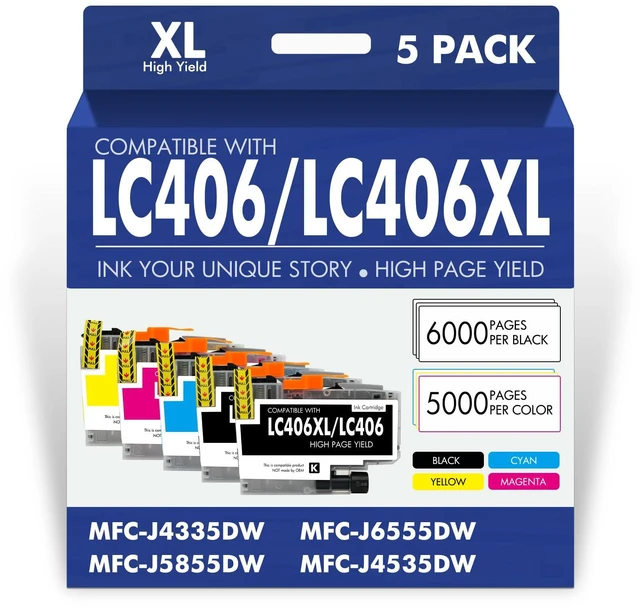
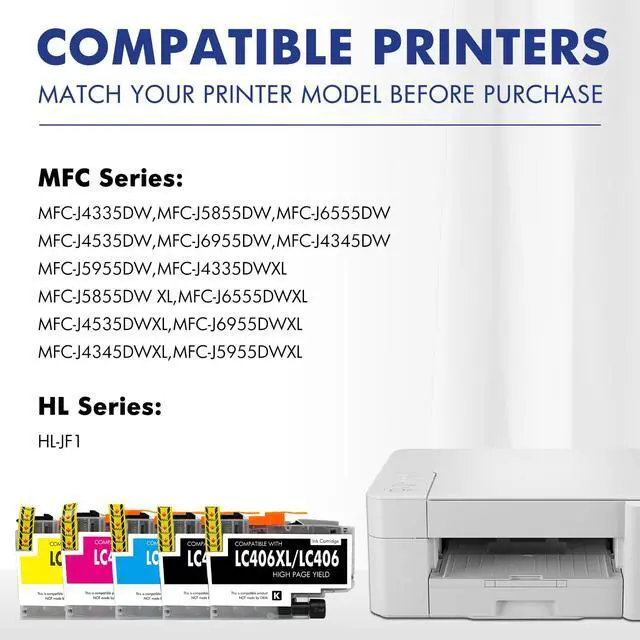
LC406XL LC406 Ink Cartridges for Brother Printer MFC-J4335DW MFC-J5855DW Compatible for LC 406 XL for Brother MFC-J6555DW MFC-J4535DW MFC-J6955DW MFC-J4345DW MFC-J5955DW HL-JF1 5 Pack-2BKCMY

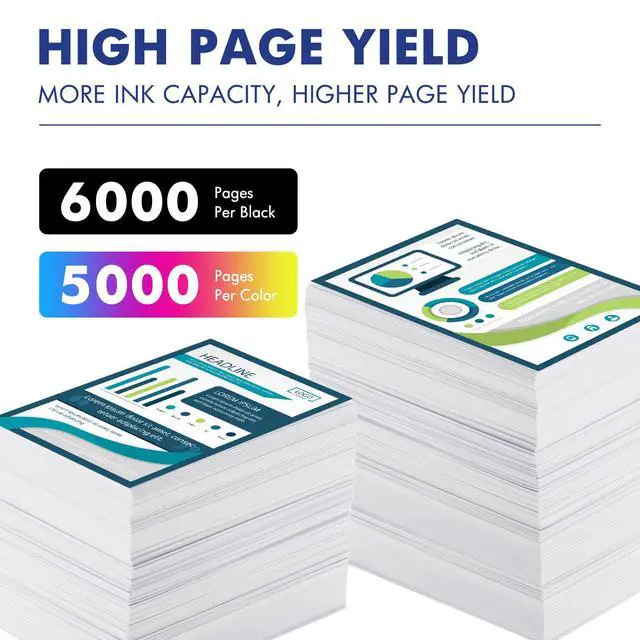
  • Product Model: LC 406 LC406XL Ink Cartridges for Brother Printer 5 Pack Black Cyan Magenta Yellow Package Content: 5 Pack LC406XL ink cartridges, 2 x Black LC406XL BK, 1 x Cyan LC406XL C, 1 x Magenta LC406XL M, 1 x Yellow LC406XL Y, 1 x User Guide Compatible Printers: MFC-J4335DW, MFC-J5855DW, MFC-J6555DW, MFC-J4535DW, MFC-J6955DW, MFC-J4345DW, MFC-J5955DW, HL-JF1 Printer High Page Yield: High yields up to 6000 pages per LC406XL Black Ink Cartridge and 5000 pages per LC406XL Color Ink Cartridge (5% coverage A4 paper size) Please Note: This is a NON-OEM Product for Brother LC406XL LC406 Ink Cartridges Installation Tips: [1] Don't remove or touch the CHIP. [2] When the printer prompts "non-original", please click OK or Next to continue. [3] When the printer appears "low ink", "empty", "replace ink cartridge" and other prompts, please remove the ink cartridge and reinstall it several times

+
+
Overview
Specs
Reviews
avatar

Any questions? Our AI mode will help you find out quickly.

Product Model: LC 406 LC406XL Ink Cartridges for Brother Printer 5 Pack Black Cyan Magenta Yellow
Package Content: 5 Pack LC406XL ink cartridges, 2 x Black LC406XL BK, 1 x Cyan LC406XL C, 1 x Magenta LC406XL M, 1 x Yellow LC406XL Y, 1 x User
Guide Compatible Printers: MFC-J4335DW, MFC-J5855DW, MFC-J6555DW, MFC-J4535DW, MFC-J6955DW, MFC-J4345DW, MFC-J5955DW, HL-JF1
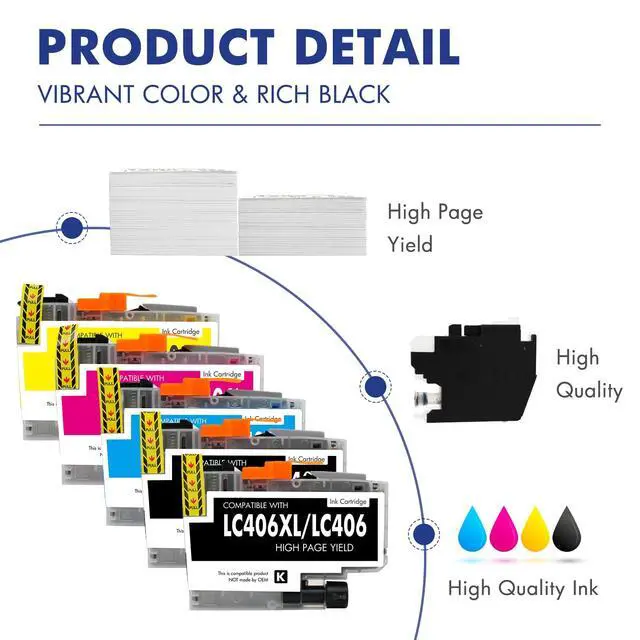
Printer High Page Yield: High yields up to 6000 pages per LC406XL Black Ink Cartridge and 5000 pages per LC406XL Color Ink Cartridge (5% coverage A4 paper size)
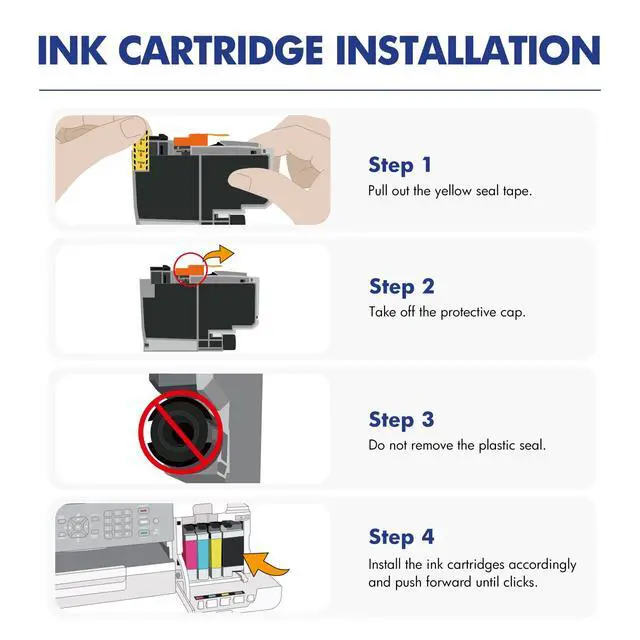
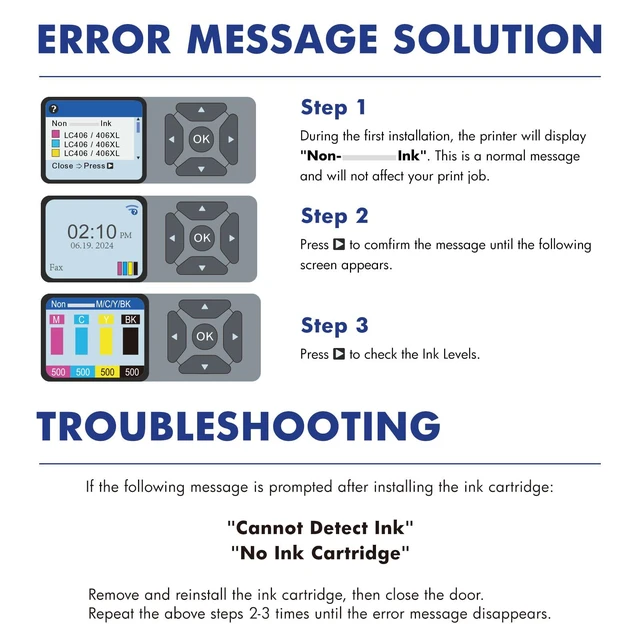
Please Note: This is a NON-OEM Product for Brother LC406XL LC406 Ink Cartridges Installation Tips: [1] Don't remove or touch the CHIP. [2] When the printer prompts "non-original", please click OK or Next to continue. [3] When the printer appears "low ink", "empty", "replace ink cartridge" and other prompts, please remove the ink cartridge and reinstall it several times

Warranty & Returns

Warranty, Returns, And Additional Information

Warranty

  • Please contact the Seller directly for warranty information. Warranty information may also be found on the Manufacturer's website.
  • CONTACT

Return Policies

Manufacturer Contact Info

LOADING...