

Your Browsing History

Meet Your Seller


Label Maker, Bluetooth Thermal Printer for Barcode, Address, Home, Mailing, Small Business,Clothing, Portable Label Maker Machine with 3 Label
Limited time offer, ends 09/21 By SerendipHome PC Parts
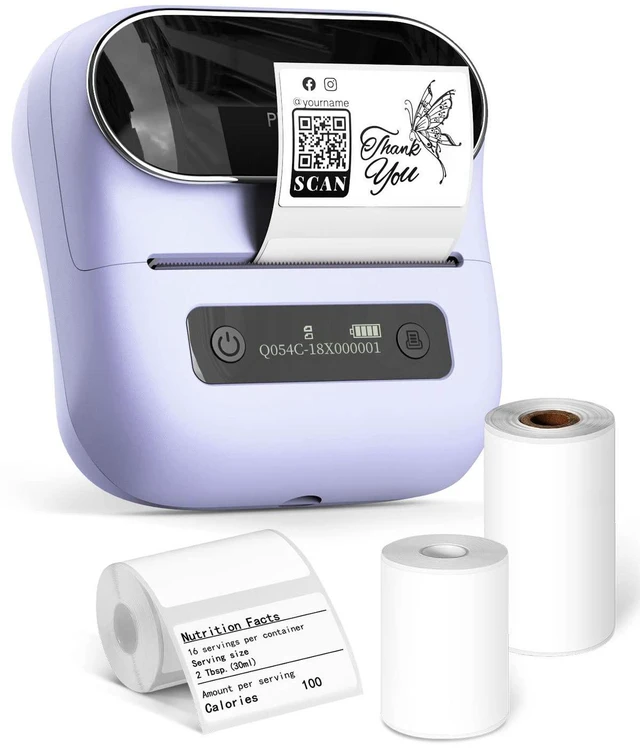
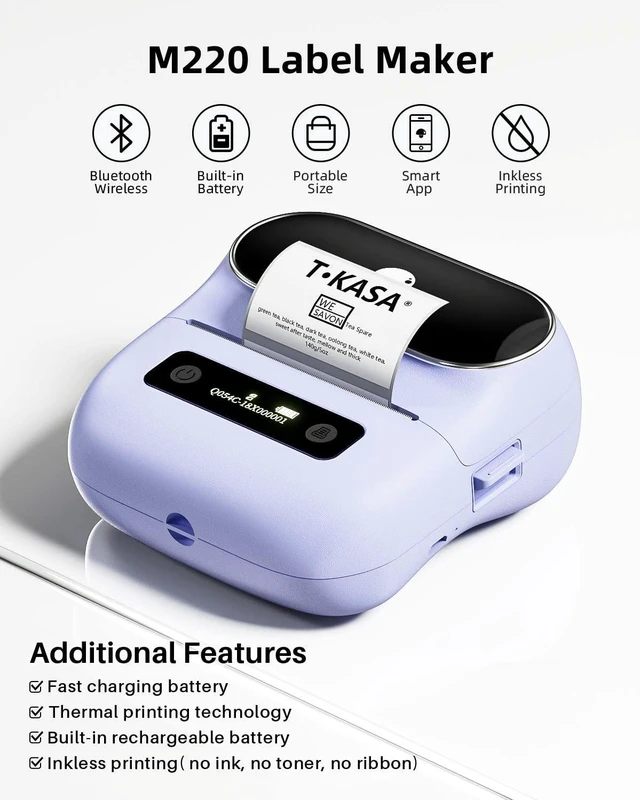
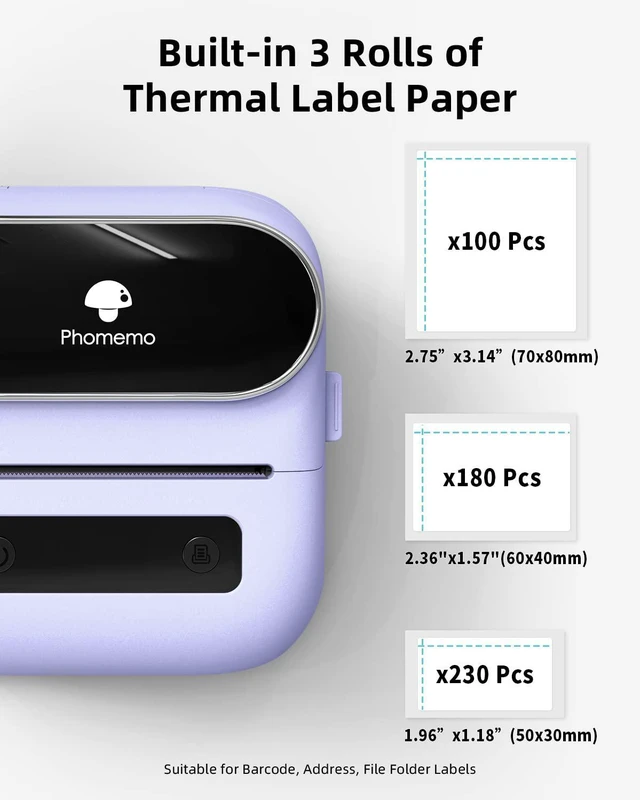
- Thermal Label Printer - No need for ink, toner, or ribbon ever again. This barcode label printer works with thermal technology, so you only need to restock on labels. The thermal label maker includes 3 rolls of labels (1 roll 40x30mm, 1 roll 60x40mm, 1 roll 70x80mm). (Note: This label maker only supports printing labels with a width of 0.78''- 3.14'', and it cannot print 4 x 6 shipping labels.) Feature-Rich APP - Our R&D team developed the Print Master APP for you, packed with a variety of built-in functions. One-click access to text, pictures, barcodes, QR codes, OCR, forms, hundreds of icons, and numerous pre-made templates for both commercial and home use. Boost your productivity. High Compatibility - The M220 label maker supports IOS and Android mobile phones via Bluetooth connection, and also supports USB connection for MAC and Windows 10. (WARNING: For optimal performance, please make sure to watch the software installation tutorial on the page.) Long Battery Life - The M220 Label Printer features an upgraded 2200 mAh battery that provides up to 36 rolls of continuous printing, along with a newly added auto-sleep mode that can cut power consumption by 25% and extend usage time by 2-3 hours. Widespread Use - The M220 3.14 Inch Bluetooth label printer offers a wide range of uses and creative possibilities. Enjoy labeling anything anywhere, such as for small businesses: clothing, crafts, retail, jewelry, etc. Create address, barcode, shipping, price, date, ingredients, a
+
+
Overview
Specs
Reviews

Any questions? Our AI mode will help you find out quickly.
Try me now
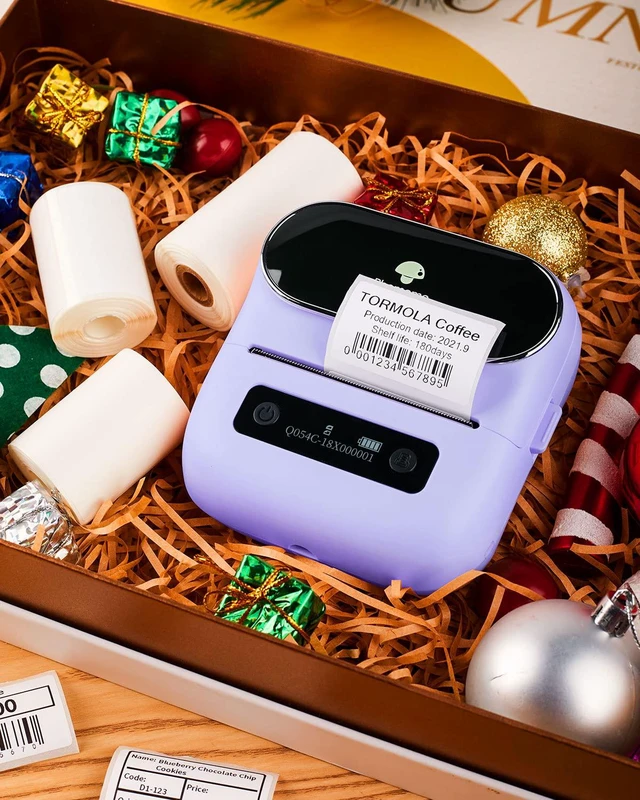
Thermal Label Printer - No need for ink, toner, or ribbon ever again. This barcode label printer works with thermal technology, so you only need to restock on labels. The thermal label maker includes 3 rolls of labels (1 roll 40x30mm, 1 roll 60x40mm, 1 roll 70x80mm).
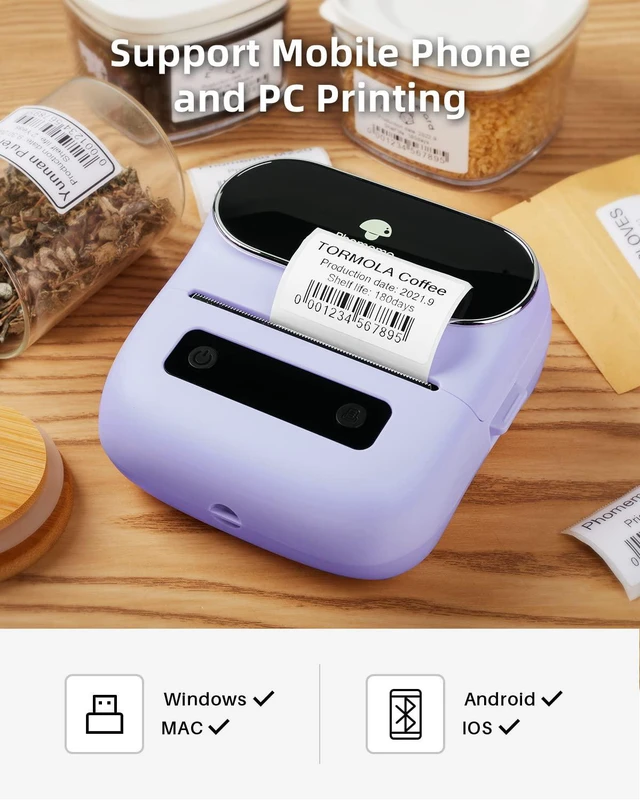
(Note: This label maker only supports printing labels with a width of 0.78 ''- 3.14 '', and it cannot print 4 x 6 shipping labels. ) Feature-Rich APP - Our R&D team developed the Print Master APP for you, packed with a variety of built-in functions. One-click access to text, pictures, barcodes, QR codes, OCR, forms, hundreds of icons, and numerous pre-made templates for both commercial and home use. Boost your productivity. High Compatibility - The M220 label maker supports IOS and Android mobile phones via Bluetooth connection, and also supports USB connection for MAC and Windows 10.
(WARNING: For optimal performance, please make sure to watch the software installation tutorial on the page. ) Long Battery Life - The M220 Label Printer features an upgraded 2200 mAh battery that provides up to 36 rolls of continuous printing, along with a newly added auto-sleep mode that can cut power consumption by 25% and extend usage time by 2-3 hours. Widespread Use - The M220 3.14 Inch Bluetooth label printer offers a wide range of uses and creative possibilities. Enjoy labeling anything anywhere, such
as for small businesses: clothing, crafts, retail, jewelry, etc. Create address, barcode, shipping, price, date, ingredients, and logo labels for your products. Save significant time on handwriting labels, letting you focus more on your small business. Phone and Tablet Printing -
Step 1: Download the 'Print Master' App.
Step 2: Turn on the M220 label maker and your phone's or tablet's Bluetooth.
Step 3: Tap the 'Printer' icon in the App to search for the M220 portable label printer, connect it via Bluetooth in the App, select the label size, and edit the content to start printing. Laptop/PC Printing -
Step 1: Check your laptop/PC's operating system (OS) and download and install the correct M220 driver and the 'Labelife' app from the website.
Step 2: Connect the M220 label maker to your computer using the USB data cable.
Step 3: Select the label size, edit the content, and choose M220 from the printer list
(Note: This label maker only supports printing labels with a width of 0.78 ''- 3.14 '', and it cannot print 4 x 6 shipping labels. ) Feature-Rich APP - Our R&D team developed the Print Master APP for you, packed with a variety of built-in functions. One-click access to text, pictures, barcodes, QR codes, OCR, forms, hundreds of icons, and numerous pre-made templates for both commercial and home use. Boost your productivity. High Compatibility - The M220 label maker supports IOS and Android mobile phones via Bluetooth connection, and also supports USB connection for MAC and Windows 10.
(WARNING: For optimal performance, please make sure to watch the software installation tutorial on the page. ) Long Battery Life - The M220 Label Printer features an upgraded 2200 mAh battery that provides up to 36 rolls of continuous printing, along with a newly added auto-sleep mode that can cut power consumption by 25% and extend usage time by 2-3 hours. Widespread Use - The M220 3.14 Inch Bluetooth label printer offers a wide range of uses and creative possibilities. Enjoy labeling anything anywhere, such
as for small businesses: clothing, crafts, retail, jewelry, etc. Create address, barcode, shipping, price, date, ingredients, and logo labels for your products. Save significant time on handwriting labels, letting you focus more on your small business. Phone and Tablet Printing -
Step 1: Download the 'Print Master' App.
Step 2: Turn on the M220 label maker and your phone's or tablet's Bluetooth.
Step 3: Tap the 'Printer' icon in the App to search for the M220 portable label printer, connect it via Bluetooth in the App, select the label size, and edit the content to start printing. Laptop/PC Printing -
Step 1: Check your laptop/PC's operating system (OS) and download and install the correct M220 driver and the 'Labelife' app from the website.
Step 2: Connect the M220 label maker to your computer using the USB data cable.
Step 3: Select the label size, edit the content, and choose M220 from the printer list
Warranty & Returns
Warranty, Returns, And Additional Information
Warranty
- Please contact the Seller directly for warranty information. Warranty information may also be found on the Manufacturer's website.
- CONTACT
Return Policies
- Return for refund within: 30 days
- Return for replacement within: 30 days
- This item is covered by SerendipHome PC Parts Return Policy
Manufacturer Contact Info
- For a directory of all our manufacturers, please click below.
- Manufacturers Directory
LOADING...