Your Browsing History
Meet Your Seller
Label Maker,M220 Label Printer, Bluetooth Label Maker Machine 3 Inch with 7900+ Icons,1900+ Templates,550+ Fonts,for Kids School Items,Small Business,Large Sticker
Limited time offer, ends 09/21 By SerendipHome PC Parts
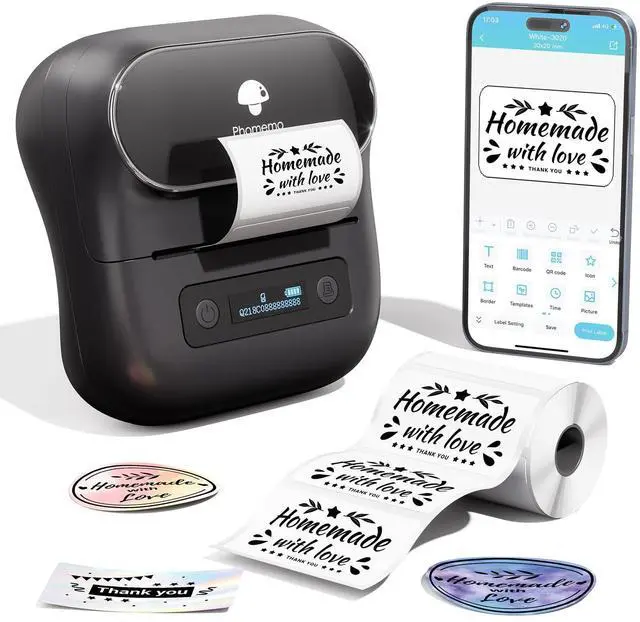
- Compact Design: This portable thermal label marker features clean lines and a stylish look. Weighing about half as much as traditional label maker machines, the M220 thermal label printer saves desktop space and is simple to carry, making it a great fit for individuals, teachers, and businesses. The label maker printer works with thermal label widths from 0.78'' to 3.14''. Choose this label printer for Home: organizing clothes, food storage, and cosmetics items. For Office: organizing files, price tags, reminder tags, and other office supplies. For School: remarking for classroom teachers and kids' school items, school supplies labeling, personal item identification, and name tags. Note: Not compatible with 4 x 6 labels. User Friendly & Simple Operation: The M220 label maker is a popular and classic model, using advanced thermal technology to deliver clear printing that is easy to scan and read. It has a built-in 2200mAh rechargeable battery and comes with a powerful app "Print Master", allowing you to create barcode labels, text, icons, photos, AI stickers, and more to unleash your creativity. Fast operation in just three steps: 1. Download "Print Master" from Google Play or App Store. 2. Turn on the printer and your Bluetooth. 3. Connect the printer via Bluetooth on the App, then enjoy your label trip. Note: Not all devices can connect via Bluetooth directly with the label maker; PC connects via USB data cable. Multiple Creative Functions & Templates: The app "Print Maste
+
+
Overview
Specs
Reviews
Any questions? Our AI mode will help you find out quickly.
Try me now
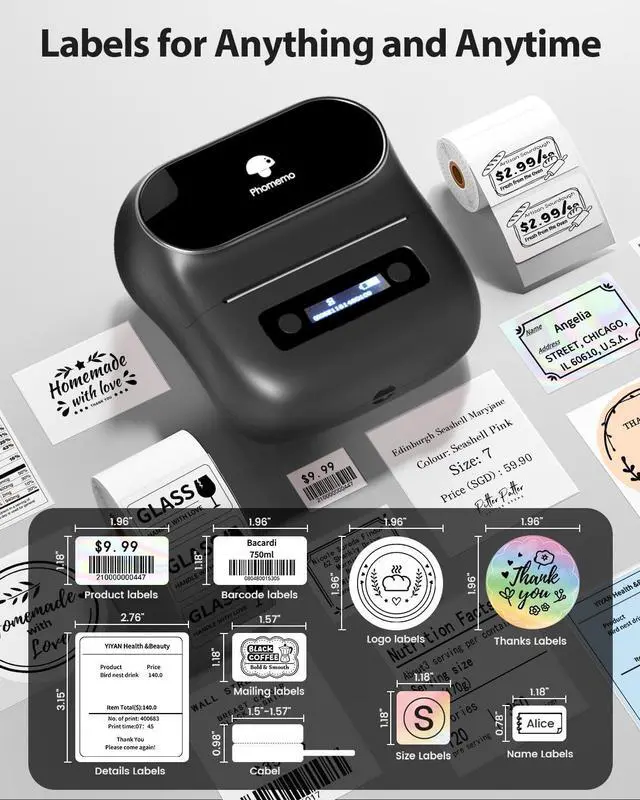
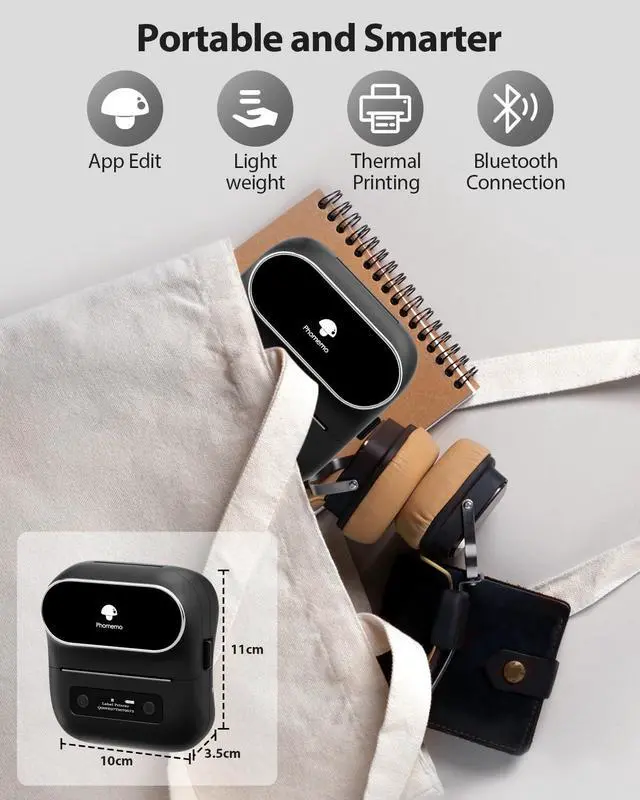
Compact Design: This portable thermal label marker features clean lines and a stylish look. Weighing about half as much as traditional label maker machines, the M220 thermal label printer saves desktop space and is simple to carry, making it a great fit for individuals, teachers, and businesses. The label maker printer works with thermal label widths from 0.78 '' to 3.14 ''. Choose this label printer for
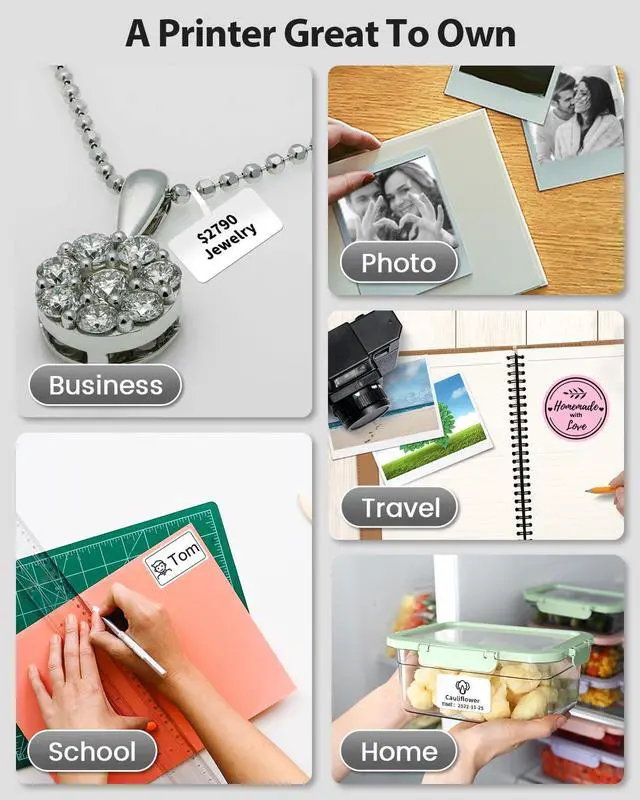
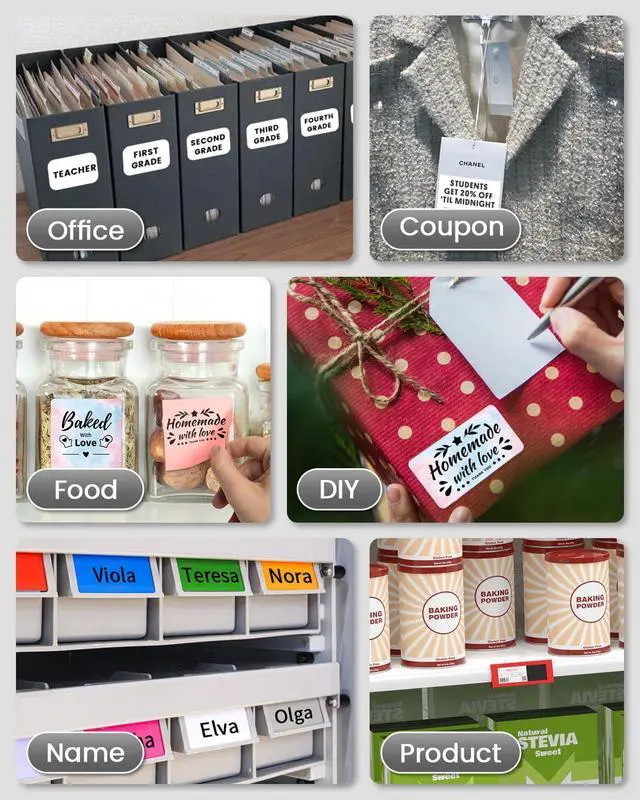
Home: organizing clothes, food storage, and cosmetics items.
For Office: organizing files, price tags, reminder tags, and other office supplies.
For School: remarking for classroom teachers and kids' school items, school supplies labeling, personal item identification, and name tags.
Note: Not compatible with 4 x 6 labels.
User Friendly & Simple Operation: The M220 label maker is a popular and classic model, using advanced thermal technology to deliver clear printing that is easy to scan and read. It has a built-in 2200mAh rechargeable battery and comes with a powerful app "Print Master", allowing you to create barcode labels, text, icons, photos, AI stickers, and more to unleash your creativity. Fast operation in just three steps:
1. Download "Print Master" from Google Play or App Store.
2. Turn on the printer and your Bluetooth.
3. Connect the printer via Bluetooth on the App, then enjoy your label trip.
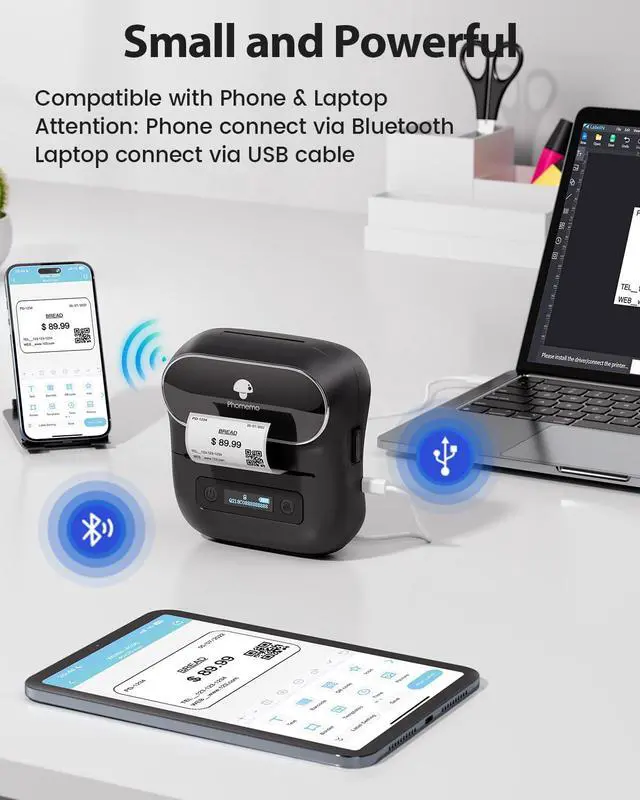
Note: Not all devices can connect via Bluetooth directly with the label maker; PC connects via USB data cable. Multiple Creative
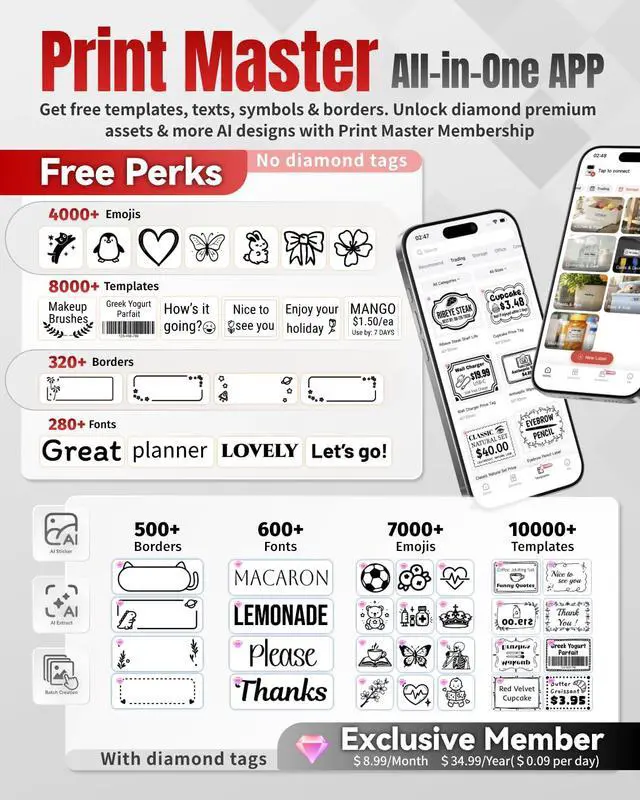
Functions & Templates: The app "Print Master" offers various features and templates, with 7900+ icons, 458+ borders, 1900+ templates, and 550+ fonts. Easily create various design label stickers from the App with Text, QR code, Barcode, Logos, Images, Time, and Borders, etc. The app also supports Excel imports, scanning, OCR, and voice recognition. Enjoy convenience, fun, and effortless labeling that saves time. Design and
Create Your Own Labels: This label maker is widely used in home, office, store, and daily life.
For home organizing: organize your kitchen, clothes, food storage, cosmetics items, and mailings.
For Store: price tags, barcodes, QR codes, product names.
For Office: notebook tags, reminder tags, and other office supplies, kids' school items and teacher classroom supplies (name labels, study notes, office files), cable and personal item identification, and small business use (jewelry tags, and more).
Long Lasting: The M220 thermal label maker printer, measuring 6.2 x 5.7 x 3.4 inches and weighing only 400g, is capable of printing at least 36 rolls of labels continuously. Experience the efficiency and joy this mini Bluetooth label printer brings to your labeling tasks.
The Label Maker Complete Package: The package mm thermal labels (already loaded into the label maker). Phone and
Tablet Start Printing: Step
1: Download the App 'Print Master'.
Step 2: Turn on the M220 label maker and your phone's or tablet's Bluetooth.
Step 3: Click the 'Printer' icon in the App to search for the M220 portable label printer, connect it via Bluetooth in the App, select the label size, and edit the content to start printing.
Laptop/PC Starts Printing: Step
1: Check your laptop/PC's operating system (OS) and download and install the correct M220 driver and the 'Labelife' app from the website.
Step 2: Use the USB data cable to connect the M220 label maker to your computer.
Step 3: Select the label size, edit the content, and choose M220 from the printer list

Home: organizing clothes, food storage, and cosmetics items.
For Office: organizing files, price tags, reminder tags, and other office supplies.
For School: remarking for classroom teachers and kids' school items, school supplies labeling, personal item identification, and name tags.
Note: Not compatible with 4 x 6 labels.
User Friendly & Simple Operation: The M220 label maker is a popular and classic model, using advanced thermal technology to deliver clear printing that is easy to scan and read. It has a built-in 2200mAh rechargeable battery and comes with a powerful app "Print Master", allowing you to create barcode labels, text, icons, photos, AI stickers, and more to unleash your creativity. Fast operation in just three steps:
1. Download "Print Master" from Google Play or App Store.
2. Turn on the printer and your Bluetooth.
3. Connect the printer via Bluetooth on the App, then enjoy your label trip.
Note: Not all devices can connect via Bluetooth directly with the label maker; PC connects via USB data cable. Multiple Creative
Functions & Templates: The app "Print Master" offers various features and templates, with 7900+ icons, 458+ borders, 1900+ templates, and 550+ fonts. Easily create various design label stickers from the App with Text, QR code, Barcode, Logos, Images, Time, and Borders, etc. The app also supports Excel imports, scanning, OCR, and voice recognition. Enjoy convenience, fun, and effortless labeling that saves time. Design and
Create Your Own Labels: This label maker is widely used in home, office, store, and daily life.
For home organizing: organize your kitchen, clothes, food storage, cosmetics items, and mailings.
For Store: price tags, barcodes, QR codes, product names.
For Office: notebook tags, reminder tags, and other office supplies, kids' school items and teacher classroom supplies (name labels, study notes, office files), cable and personal item identification, and small business use (jewelry tags, and more).
Long Lasting: The M220 thermal label maker printer, measuring 6.2 x 5.7 x 3.4 inches and weighing only 400g, is capable of printing at least 36 rolls of labels continuously. Experience the efficiency and joy this mini Bluetooth label printer brings to your labeling tasks.
The Label Maker Complete Package: The package mm thermal labels (already loaded into the label maker). Phone and
Tablet Start Printing: Step
1: Download the App 'Print Master'.
Step 2: Turn on the M220 label maker and your phone's or tablet's Bluetooth.
Step 3: Click the 'Printer' icon in the App to search for the M220 portable label printer, connect it via Bluetooth in the App, select the label size, and edit the content to start printing.
Laptop/PC Starts Printing: Step
1: Check your laptop/PC's operating system (OS) and download and install the correct M220 driver and the 'Labelife' app from the website.
Step 2: Use the USB data cable to connect the M220 label maker to your computer.
Step 3: Select the label size, edit the content, and choose M220 from the printer list
Warranty & Returns
Warranty, Returns, And Additional Information
Warranty
- Please contact the Seller directly for warranty information. Warranty information may also be found on the Manufacturer's website.
- CONTACT
Return Policies
- Return for refund within: 30 days
- Return for replacement within: 30 days
- This item is covered by SerendipHome PC Parts Return Policy
Manufacturer Contact Info
- For a directory of all our manufacturers, please click below.
- Manufacturers Directory
LOADING...