Your Browsing History
Meet Your Seller
M220 Label Maker, 3.14 Bluetooth Thermal Label Printer for Address, Barcode & Product Label, Portable Small Printer Compatible with Phone, Tablet & PC
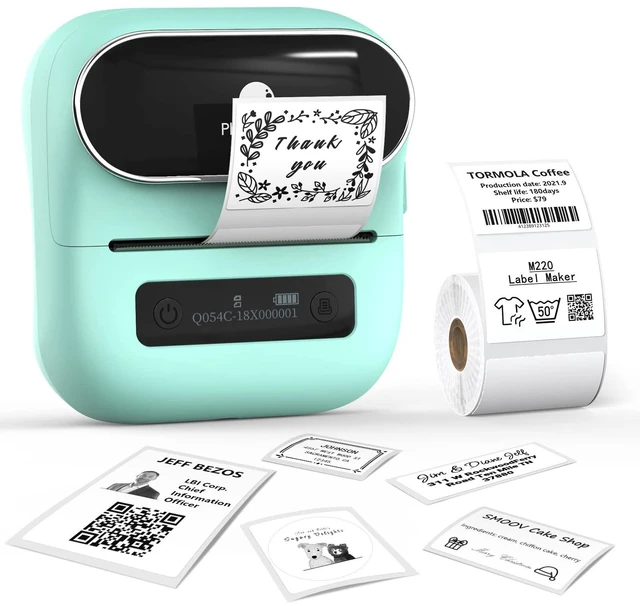
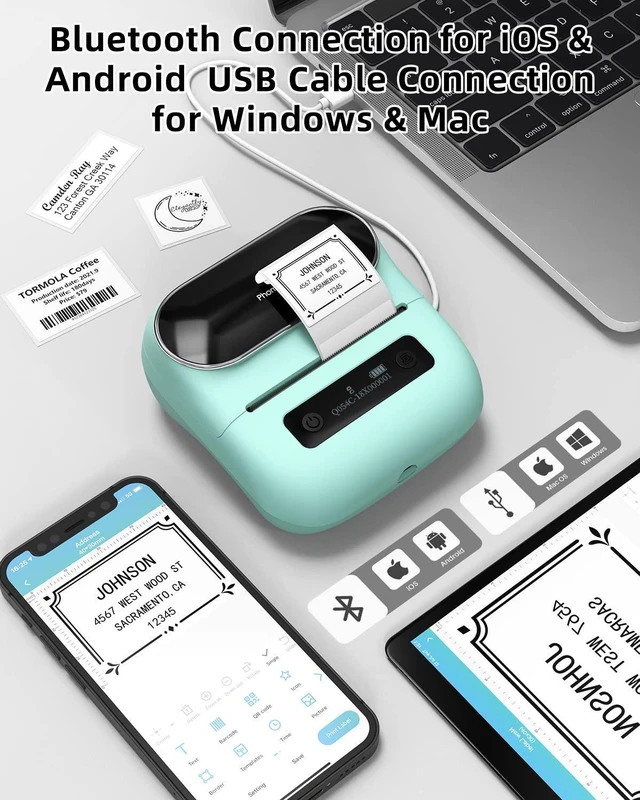
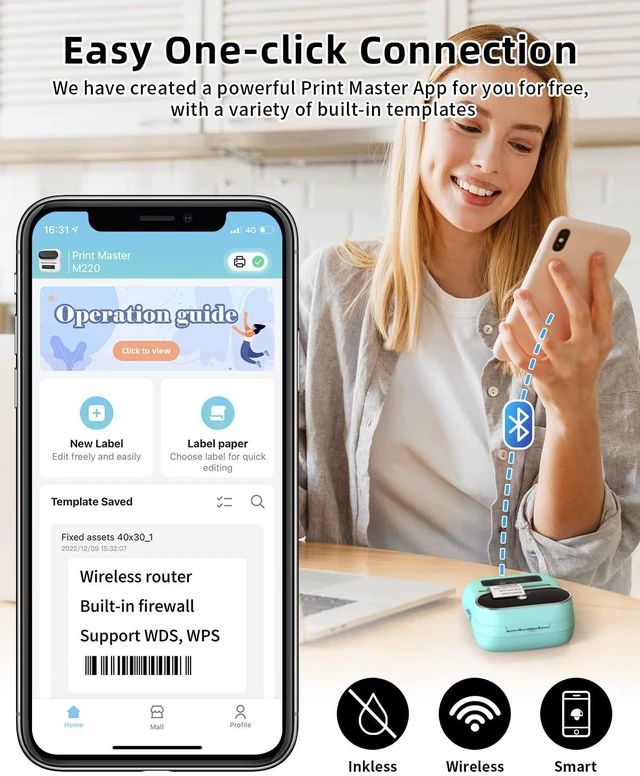
- Wireless Bluetooth Connectivity - Pair instantly via Bluetooth 4.2 with phones, tablets, or connect through USB-C to a laptop or PC. The Print Master app enables smooth mobile printing with over 1000 templates for home, office, and small business organization. Inkless Thermal Technology - A Japanese Roma print head delivers sharp 203DPI prints without needing ink or ribbons. Print width of 0.78"-3.14" supports address labels, barcodes, shipping labels, file organization, and product labeling (Note: Cannot print 4"x6" shipping labels). Long-Lasting Battery Power - The M220 label maker features an upgraded 2200mAh battery that prints up to 36 label rolls continuously. Auto-sleep mode cuts power consumption by 25%, adding 2-3 hours of use for all-day productivity. Versatile Label Applications - Ideal for small businesses, home organization, shipping, inventory management, and crafting. Design custom labels with text, QR codes, barcodes, icons, and graphics using the intuitive Print Master app. Complete Starter Kit - Comes with the M220 thermal printer, USB-C cable, a 100-piece sample label roll (1.57"x1.18"), and a user manual. Compact, portable design fits any workspace. Phone and Tablet Start Printing - Step 1: Download the 'Print Master' app. Step 2: Turn on the M220 label maker and your phone's or tablet's Bluetooth. Step 3: Tap the 'Printer' icon in the app to search for the M220 portable label printer, connect it via Bluetooth in the app, select the label size, and edit
+
+
Overview
Specs
Reviews
Any questions? Our AI mode will help you find out quickly.
Try me now
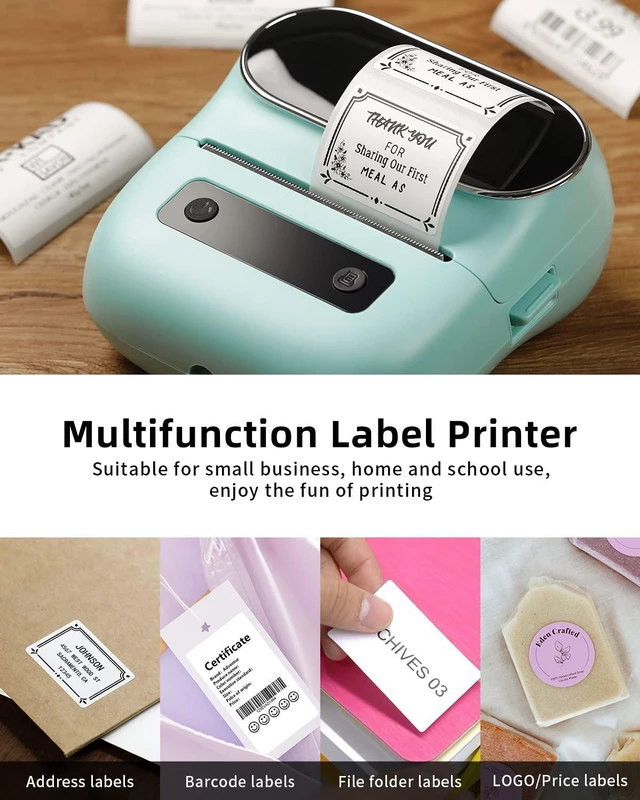
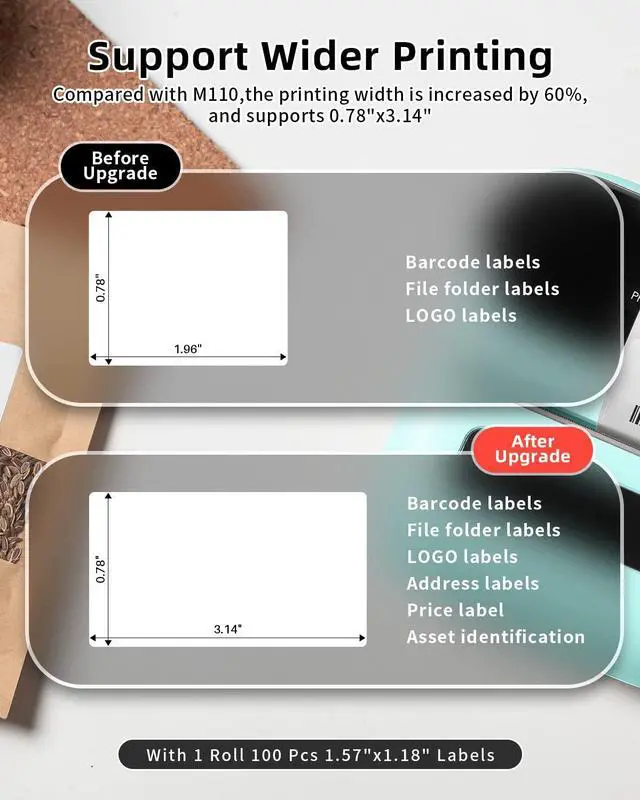
Wireless Bluetooth Connectivity - Pair instantly via Bluetooth 4.2 with phones, tablets, or connect through USB-C to a laptop or PC. The Print Master app enables smooth mobile printing with over 1000 templates for home, office, and small business organization. Inkless Thermal Technology - A Japanese Roma print head delivers sharp 203DPI prints without needing ink or ribbons. Print width of 0.78" - 3.14" supports address labels, barcodes, shipping labels, file organization, and
product labeling (Note: Cannot print 4"x6" shipping labels). Long-Lasting Battery Power - The M220 label maker features an upgraded 2200mAh battery that prints up to 36 label rolls continuously. Auto-sleep mode cuts power consumption by 25%, adding 2-3 hours of use for all-day productivity. Versatile Label Applications - Ideal for small businesses, home organization, shipping, inventory management, and crafting. Design custom labels with text, QR codes, barcodes, icons, and graphics using the intuitive Print Master app. Complete Starter Kit - Comes with the M220 thermal printer, USB-C cable, a 100-piece sample label roll ( 1.57" x 1.18" ), and a user manual. Compact, portable design fits any workspace. Phone and Tablet Start Printing -
Step 1: Download the 'Print Master' app.
Step 2: Turn on the M220 label maker and your phone's or tablet's Bluetooth.
Step 3: Tap the 'Printer' icon in the app to search for the M220 portable label printer, connect it via Bluetooth in the app, select the label size, and edit the content to begin printing. Laptop/PC Start Printing -
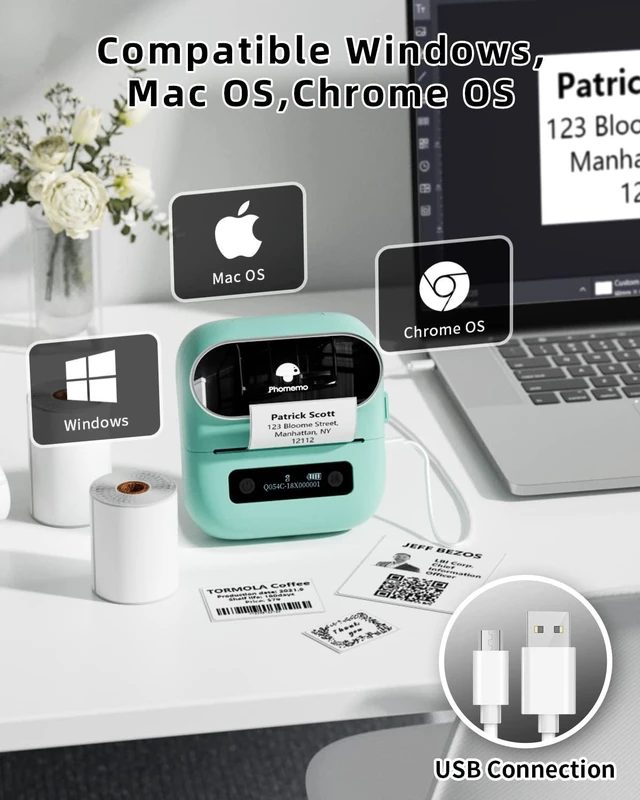
Step 1: Check your laptop/PC's operating system (OS), then download and install the correct M220 driver and the 'Labelife' app from the website.
Step 2: Use the USB data cable to link the M220 label maker to your computer.
Step 3: Select the label size, edit the content, and pick M220 from the printer list

product labeling (Note: Cannot print 4"x6" shipping labels). Long-Lasting Battery Power - The M220 label maker features an upgraded 2200mAh battery that prints up to 36 label rolls continuously. Auto-sleep mode cuts power consumption by 25%, adding 2-3 hours of use for all-day productivity. Versatile Label Applications - Ideal for small businesses, home organization, shipping, inventory management, and crafting. Design custom labels with text, QR codes, barcodes, icons, and graphics using the intuitive Print Master app. Complete Starter Kit - Comes with the M220 thermal printer, USB-C cable, a 100-piece sample label roll ( 1.57" x 1.18" ), and a user manual. Compact, portable design fits any workspace. Phone and Tablet Start Printing -
Step 1: Download the 'Print Master' app.
Step 2: Turn on the M220 label maker and your phone's or tablet's Bluetooth.
Step 3: Tap the 'Printer' icon in the app to search for the M220 portable label printer, connect it via Bluetooth in the app, select the label size, and edit the content to begin printing. Laptop/PC Start Printing -
Step 1: Check your laptop/PC's operating system (OS), then download and install the correct M220 driver and the 'Labelife' app from the website.
Step 2: Use the USB data cable to link the M220 label maker to your computer.
Step 3: Select the label size, edit the content, and pick M220 from the printer list
Warranty & Returns
Warranty, Returns, And Additional Information
Warranty
- Please contact the Seller directly for warranty information. Warranty information may also be found on the Manufacturer's website.
- CONTACT
Return Policies
- Return for refund within: 30 days
- Return for replacement within: 30 days
- This item is covered by DeJin Store Return Policy
Manufacturer Contact Info
- For a directory of all our manufacturers, please click below.
- Manufacturers Directory
LOADING...