• $29.99
  • Free 30-day Returns
  • Sold by DeJin Store

    Shipped by DeJin Store

    Price alert
    Shop it at NeweggBusiness.

    Meet Your Seller

    Presentation Clicker for PowerPoint, Wireless Remote Control with Red Laser Slide Clicker with Red Laser Pointer, Compatible with Mac Windows Linux, Laptop Desktop, Google Slides PPT Keynote

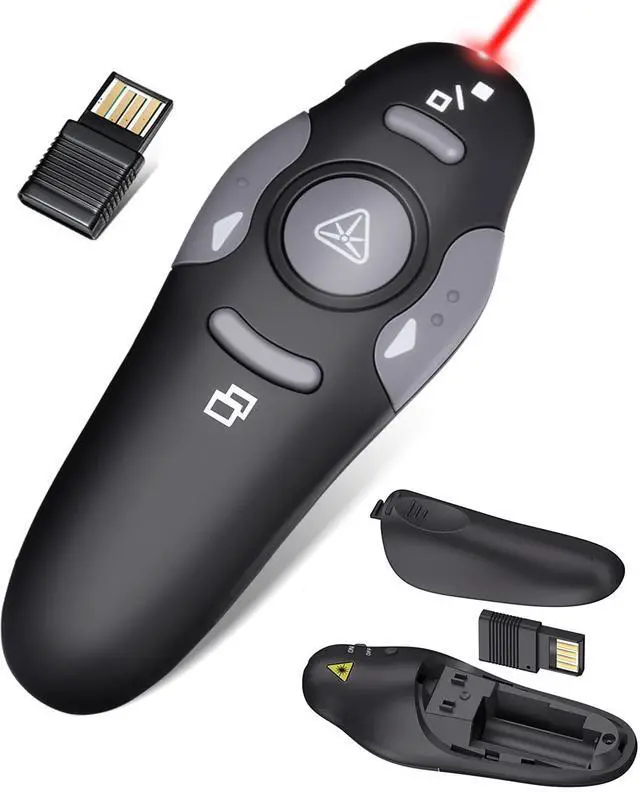
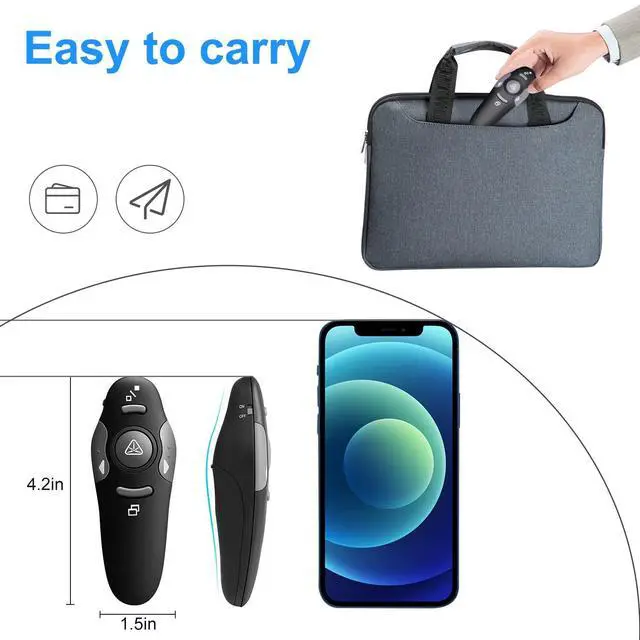
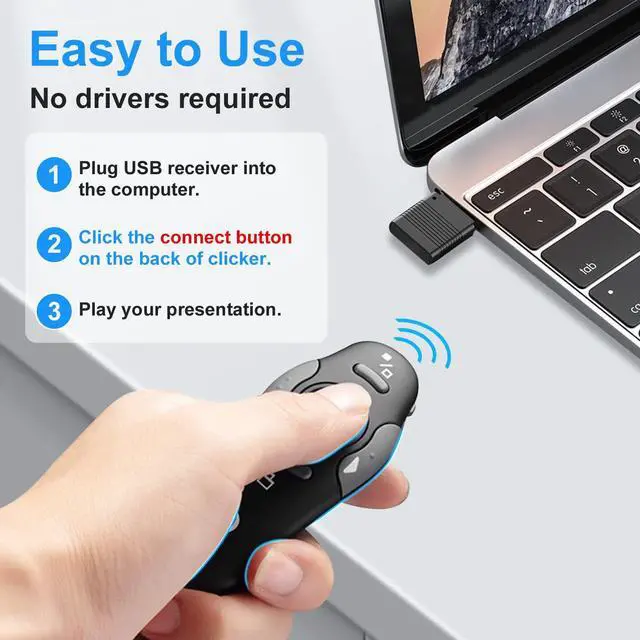
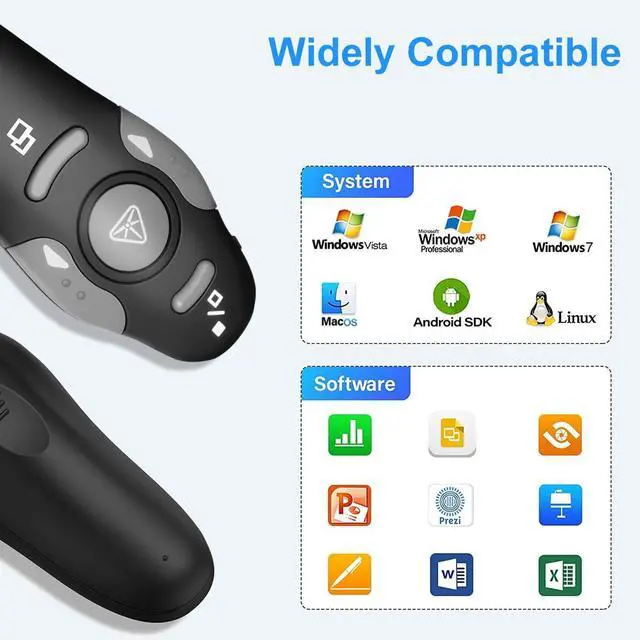
    • Amazing ErgonomicWireless presentation clicker for PowerPoint presentations features a sleek ergonomic design that keeps you comfortable while navigating PPT, Keynote, or Google Slides. The dark gray buttons and black body reflect the designer's minimalist philosophy. This PPT clicker suits various settings such as teaching, office work, conferences, and speeches. Compact DesignThe USB dongle stores neatly inside the slot within the battery compartment of the remote powerpoint clicker with laser pointer. Easy to carry, the remote presentation pointer measures 109mm and weighs 38g (battery included). This wireless presenter remote with laser pointer fits easily in your pocket or bag. How to UseNo drivers required. Simply plug in the USB dongle, press the connect button on the back of the presentation remote, and start clicking. Supports systems: Windows 2003, XP, Vista, 7, 8, 10, Mac OS, Linux; supports software: Keynote, Google Slides, MS Word, Excel, PowerPoint, Website, PDF. Just Need 1 AAA BatteryNo special button cell battery needed. Just one AAA battery lets you switch your PPT in classroom or office. One AAA battery lasts about two months. Tip: remove the battery film when starting to use the power point remote clicker with laser out of the box. 100FT Control DistanceSlide clicker with laser pointer for presentations offers a control distance of 98FT/30M, and the laser pointer light range reaches 328FT/100M. Say goodbye to boring typical teacher pointers for
    +
    +
    Overview
    Specs
    Reviews
    avatar

    Any questions? Our AI mode will help you find out quickly.

    Amazing ErgonomicWireless presentation clicker for PowerPoint presentations features a sleek ergonomic design that keeps you comfortable while navigating PPT, Keynote, or Google Slides. The dark gray buttons and black body reflect the designer's minimalist philosophy. This PPT clicker suits various settings such as teaching, office work, conferences, and speeches. Compact DesignThe USB dongle stores neatly inside the slot within the battery compartment of the remote powerpoint clicker with laser pointer. Easy to carry, the remote presentation pointer measures 109mm and weighs 38g (battery included). This wireless presenter remote with laser pointer fits easily in your pocket or bag.

    How to UseNo drivers required. Simply plug in the USB dongle, press the connect button on the back of the presentation remote, and start clicking.
    Supports systems: Windows 2003, XP, Vista, 7, 8, 10, Mac OS, Linux
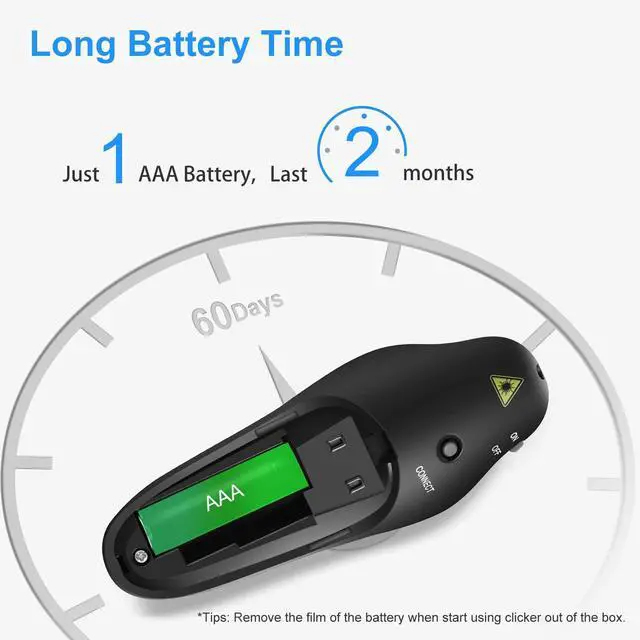
    ; supports software: Keynote, Google Slides, MS Word, Excel, PowerPoint, Website, PDF. Just Need 1 AAA BatteryNo special button cell battery needed. Just one AAA battery lets you switch your PPT in classroom or office. One AAA battery lasts about two months.
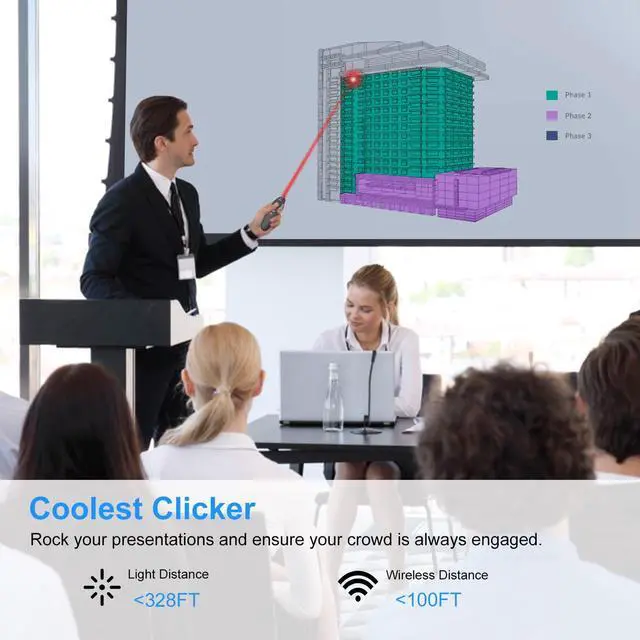
    Tip: remove the battery film when starting to use the power point remote clicker with laser out of the box. 100FT Control DistanceSlide clicker with laser pointer for presentations offers a control distance of 98FT/30M, and the laser pointer light range reaches 328FT/100M. Say goodbye to boring typical teacher pointers for the classroom. This computer clicker for presentations control will elevate your presentations and keep your audience fully engaged!

    Warranty & Returns

    Warranty, Returns, And Additional Information

    Warranty

    • Please contact the Seller directly for warranty information. Warranty information may also be found on the Manufacturer's website.
    • CONTACT

    Return Policies

    Manufacturer Contact Info

    LOADING...