

Your Browsing History

Meet Your Seller


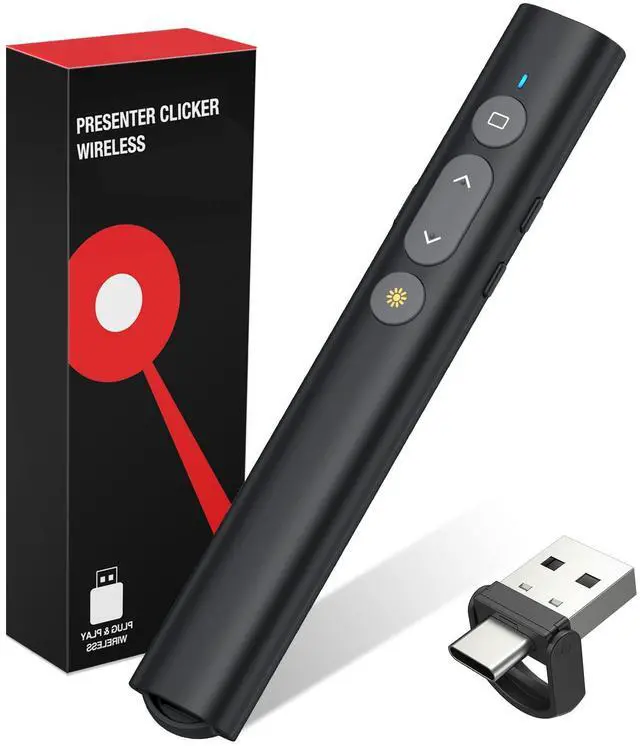


USB C Presentation Clicker with Red Laser, 2-in-1 USB-A/Type-C Receiver Plug & Play, Compact Lightweight Design, Wireless Presenter Compatible with Mac/Windows, Works with PPT/Keynote/Google Slides
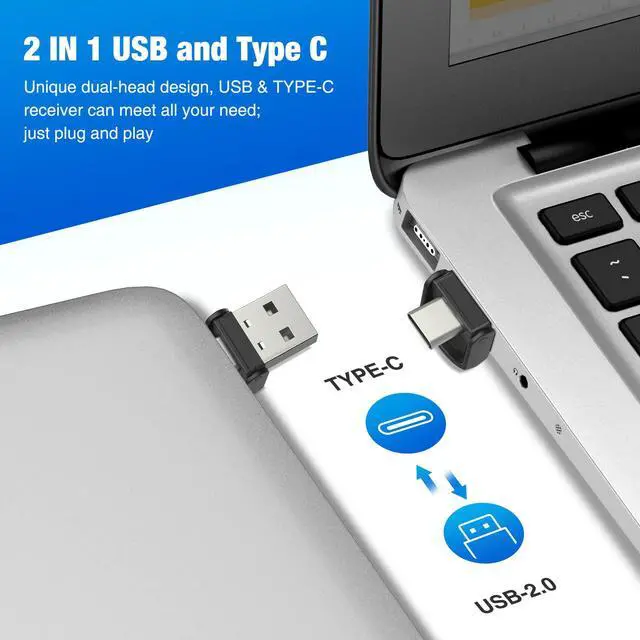
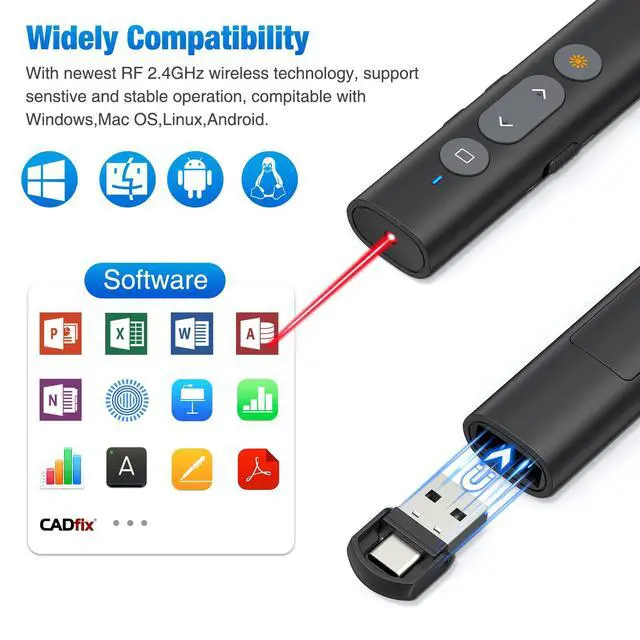
- TRUE PLUG & PLAYNO DRIVERS, NO PAIRING, NO IT DEGREE REQUIRED Simply plug the receiver into your computer, flip the switch, and your presentation is live no software installs, no Bluetooth pairing, no tech headaches. Works right out of the box with Windows 10/11, Mac OS, and Linux. Fully compatible with PowerPoint, Keynote, Google Slides, and PDFs. Because nothing kills confidence like fumbling with technology right before a room full of people. 2-IN-1 USB-A & USB-C RECEIVERONE DONGLE, ALL YOUR DEVICESThe swivel receiver works with both older USB-A ports and the latest USB-C ports MacBook, iPad Pro, Surface, Chromebooks, you name it. No need to carry separate dongles or pray the host computer has the right port. Just plug it in, it clicks securely into place, and youre ready. A lifesaver for teachers and professionals who juggle multiple devices throughout the day. AFFORDABLE, BUT DEFINITELY NOT DISPOSABLEBUILT FOR REAL-WORLD USEYes, its priced for the budget-conscious. No, it doesnt feel like a toy. The compact body is lightweight (so your hand doesnt cramp during long lectures) but sturdy enough for daily classroom or office use. The USB dongle snaps into a built-in magnetic storage slot so you wont lose it, and you wont have to buy a replacement in two weeks. Real quality at a fraction of the big-brand price. STRAIGHTFORWARD CONTROLSYES, THE BUTTONS ARE REVERSED (AND WE TELL YOU UPFRONT)Full slide control at your thumb: forward/back, play/stop,
+
+
Overview
Specs
Reviews

Any questions? Our AI mode will help you find out quickly.
Try me now
TRUE PLUG & PLAYNO DRIVERS, NO PAIRING, NO IT DEGREE REQUIRED Simply plug the receiver into your computer, flip the switch, and your presentation is live no software installs, no Bluetooth pairing, no tech headaches. Works right out of the box with Windows 10/11, Mac OS, and Linux. Fully compatible with PowerPoint, Keynote, Google Slides, and PDFs. Because nothing kills confidence like fumbling with technology right before a room full of people. 2-IN-1 USB-A & USB-C RECEIVERONE DONGLE, ALL YOUR DEVICESThe swivel receiver works with both older USB-A ports and the latest USB-C ports MacBook, iPad Pro, Surface, Chromebooks, you name it.
No need to carry separate dongles or pray the host computer has the right port. Just plug it in, it clicks securely into place, and youre ready. A lifesaver for teachers and professionals who juggle multiple devices throughout the day. AFFORDABLE, BUT DEFINITELY NOT DISPOSABLEBUILT FOR REAL-WORLD USEYes, its priced for the budget-conscious. No, it doesnt feel like a toy. The compact body is lightweight (so your hand doesnt cramp during long lectures) but sturdy enough for daily classroom or office use. The USB dongle snaps into a built-in magnetic storage slot so you wont lose it, and you wont have to buy a replacement in two weeks.
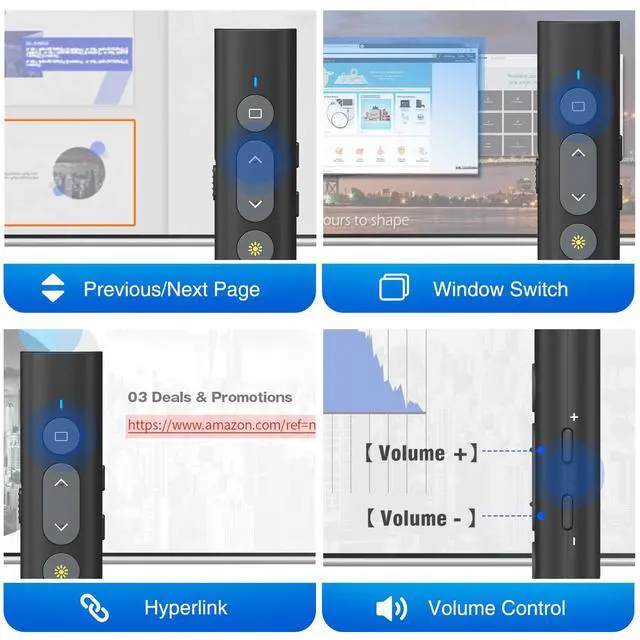
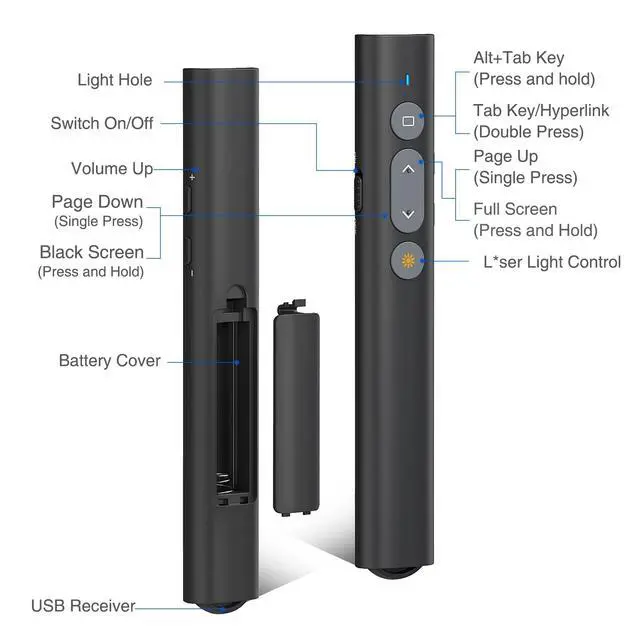
Real quality at a fraction of the big-brand price. STRAIGHTFORWARD CONTROLSYES, THE BUTTONS ARE REVERSED (AND WE TELL YOU UPFRONT) Full slide control at your thumb: forward/back, play/stop, black screen, plus side volume buttons (+/-).
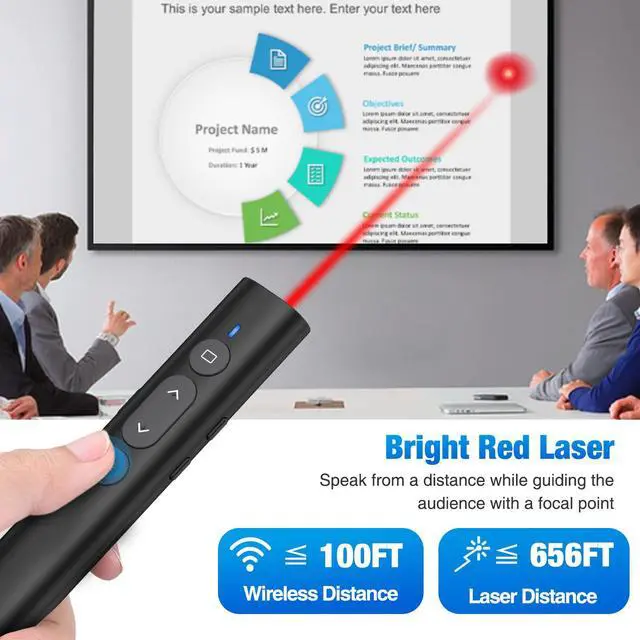
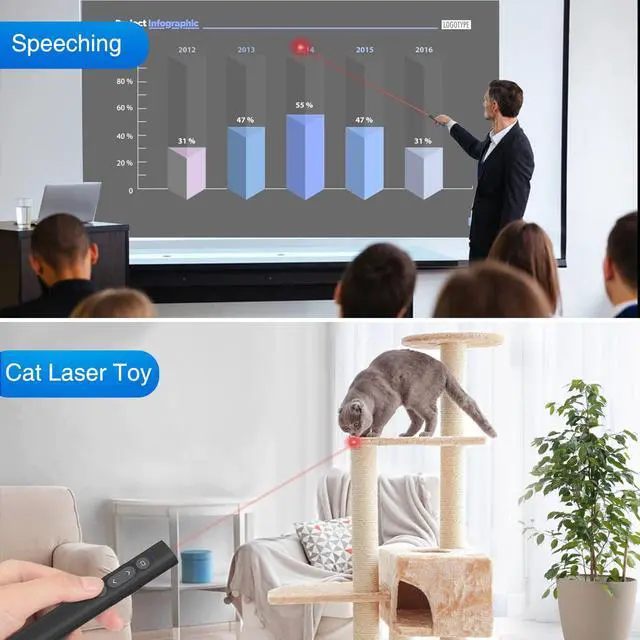
One quick heads-up: the forward button is the down arrow, and the back button is the up arrow. Takes about 30 seconds to rewire your muscle memory and after that, youll fly through slides without ever glancing down. Wed rather be honest than have you figure it out mid-presentation. BRIGHT RED LASEROPTIMIZED FOR PROJECTION SCREENS (HONEST WORD ON TVS) The red laser is crisp and clearly visible on standard projection screens, whiteboards, and even in well-lit conference rooms. Perfect for highlighting data points during lectures, team meetings, or Sunday sermons.
Real talk: red lasers dont show up on LED/LCD TVs or smart boards thats physics, not a flaw. We tell you this so you know exactly what youre getting
No need to carry separate dongles or pray the host computer has the right port. Just plug it in, it clicks securely into place, and youre ready. A lifesaver for teachers and professionals who juggle multiple devices throughout the day. AFFORDABLE, BUT DEFINITELY NOT DISPOSABLEBUILT FOR REAL-WORLD USEYes, its priced for the budget-conscious. No, it doesnt feel like a toy. The compact body is lightweight (so your hand doesnt cramp during long lectures) but sturdy enough for daily classroom or office use. The USB dongle snaps into a built-in magnetic storage slot so you wont lose it, and you wont have to buy a replacement in two weeks.
Real quality at a fraction of the big-brand price. STRAIGHTFORWARD CONTROLSYES, THE BUTTONS ARE REVERSED (AND WE TELL YOU UPFRONT) Full slide control at your thumb: forward/back, play/stop, black screen, plus side volume buttons (+/-).
One quick heads-up: the forward button is the down arrow, and the back button is the up arrow. Takes about 30 seconds to rewire your muscle memory and after that, youll fly through slides without ever glancing down. Wed rather be honest than have you figure it out mid-presentation. BRIGHT RED LASEROPTIMIZED FOR PROJECTION SCREENS (HONEST WORD ON TVS) The red laser is crisp and clearly visible on standard projection screens, whiteboards, and even in well-lit conference rooms. Perfect for highlighting data points during lectures, team meetings, or Sunday sermons.
Real talk: red lasers dont show up on LED/LCD TVs or smart boards thats physics, not a flaw. We tell you this so you know exactly what youre getting
Warranty & Returns
Warranty, Returns, And Additional Information
Warranty
- Please contact the Seller directly for warranty information. Warranty information may also be found on the Manufacturer's website.
- CONTACT
Return Policies
- Return for refund within: 30 days
- Return for replacement within: 30 days
- This item is covered by PlumLin Tool Store Return Policy
Manufacturer Contact Info
- For a directory of all our manufacturers, please click below.
- Manufacturers Directory
LOADING...