• $65.99
  • Free 30-day Returns
  • Price alert
    Shop it at NeweggBusiness.

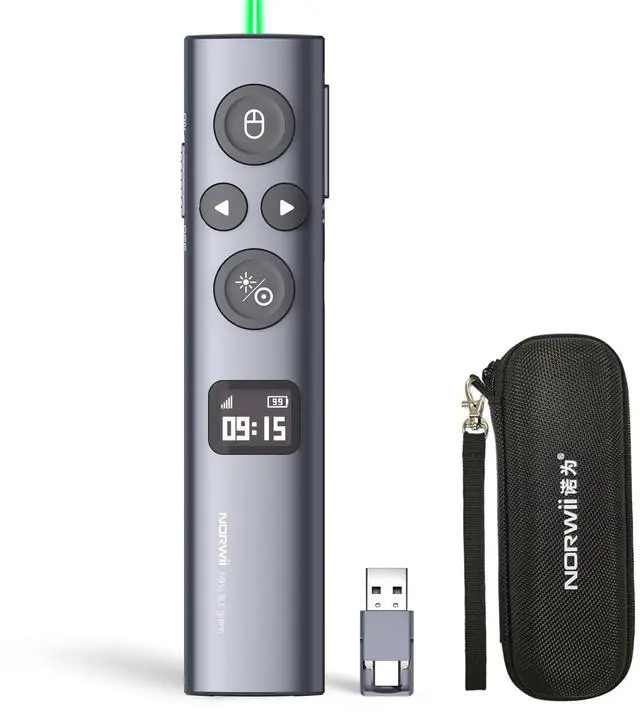
    N95s Presentation Remote, Slide Clicker for PowerPoint Presentations Digital pointer, spotlight, magnifier works on any screen. Tripleconnect via BT, or plug in the USBC / A. 328ft range

    Limited time offer, ends 09/21 By PlumLin Tool Store

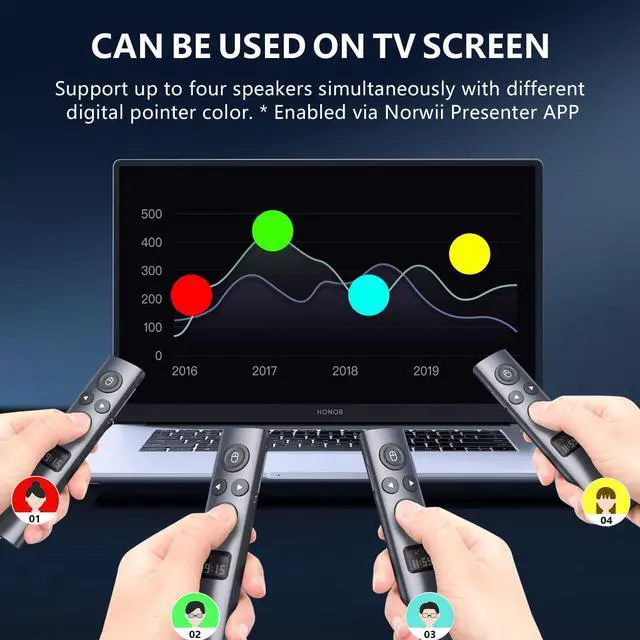
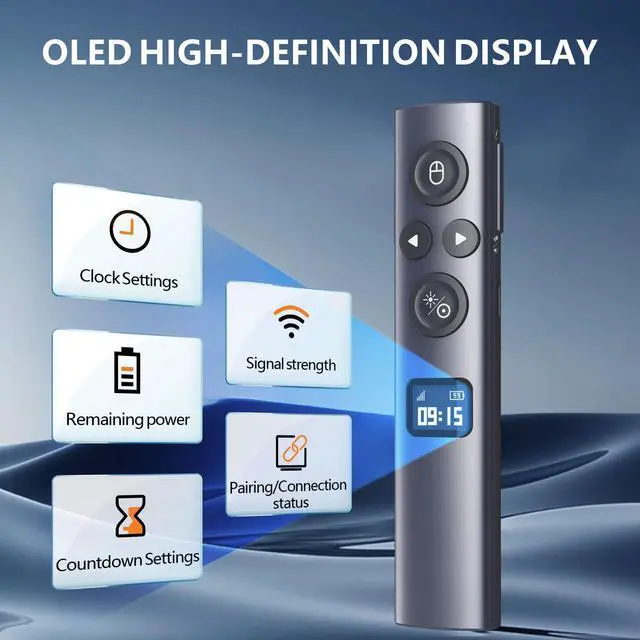
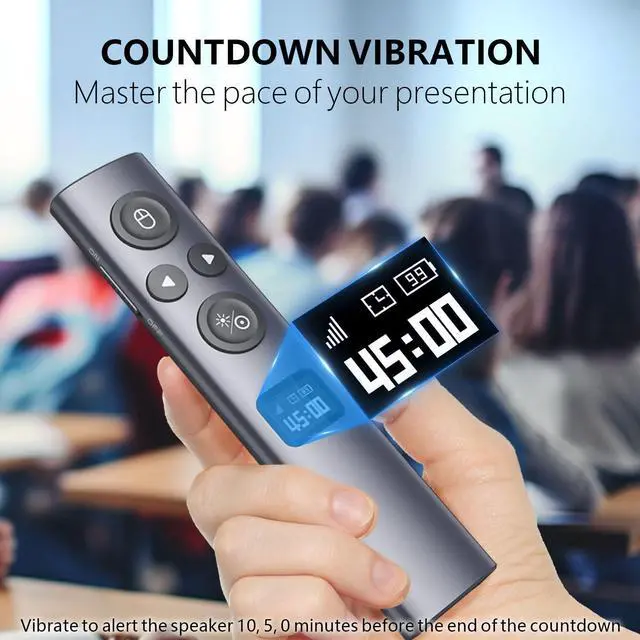
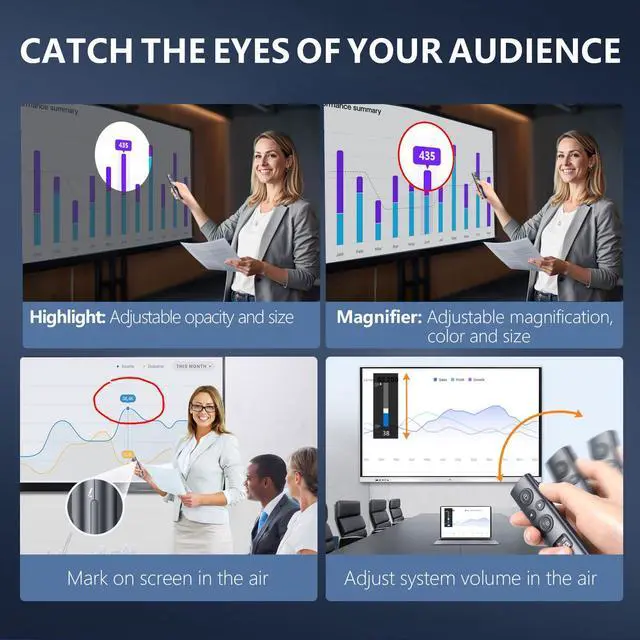
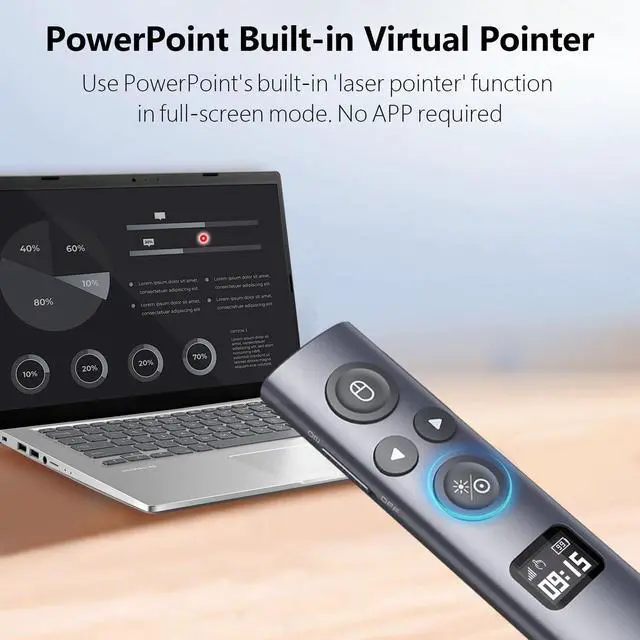
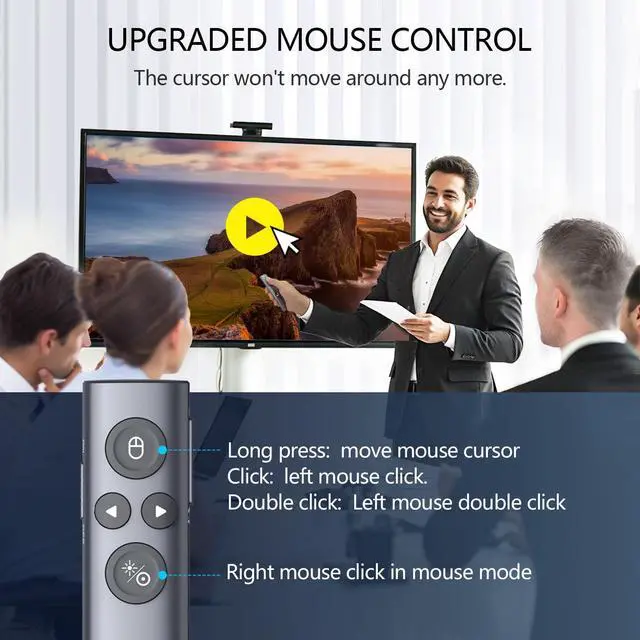
    • OLED High-Definition Display - Shows signal strength, remaining power, Clock/Countdown settings for vibration, and Pairing/Connection status. Keeps the presenter free from worries about battery life or losing control of the presentation pace. Countdown Vibration Alert - Can be set on the presentation clicker or via the software. Once configured, the presenter receives alerts 10, 5, and 0 minutes before the countdown ends, helping you stay on top of your presentation timing. Works on both TV screens and projection screens - Features like the digital pointer, magnify, highlight, and customized icon are clearly visible on a TV screen. The physical light is used for pointing on a projection screen. Class II, output power <1mW. Multiple connection options - 3 types of USB receivers are available: USB-A, USB-C, and USB-A&C. Each package contains only one type of receiver, not two or more simultaneously. The specific USB receiver included depends on the option selected at the time of ordering. Mouse Cursor Control - The presenter's mouse functions include left click, double click, and right click. The housing is made of a blend of ABS and PC, which is favorable for signal transmission. It features a modern, slim design, is lightweight, and comfortable for all-day use. Instant Access to PowerPoint Built-in Virtual Pointer - No Installation Required (Only works in Full-Screen Mode). Compatibility - This presentation remote works with devices running Windows 10, MacOS 10.15 or later,
    +
    +
    Overview
    Specs
    Reviews
    avatar

    Any questions? Our AI mode will help you find out quickly.

    OLED High-Definition Display - Shows signal strength, remaining power, Clock/Countdown settings for vibration, and Pairing/Connection status. Keeps the presenter free from worries about battery life or losing control of the presentation pace. Countdown Vibration Alert - Can be set on the presentation clicker or via the software. Once configured, the presenter receives alerts 10, 5, and 0 minutes before the countdown ends, helping you stay on top of your presentation timing. Works on both TV screens and projection screens - Features like the digital pointer, magnify, highlight, and customized icon are clearly visible on a TV screen.

    The physical light is used for pointing on a projection screen. Class II, output power <1mW. Multiple connection options - 3 types of
    USB receivers are available: USB-A, USB-C, and USB-A&C. Each package contains only one type of receiver, not two or more simultaneously. The specific USB receiver included depends on the option selected at the time of ordering. Mouse Cursor Control - The presenter's mouse functions include left click, double click, and right click. The housing is made of a blend of ABS and PC, which is favorable for signal transmission. It features a modern, slim design, is lightweight, and comfortable for all-day use. Instant Access to PowerPoint Built-in Virtual Pointer - No Installation Required (Only works in Full-Screen Mode). Compatibility - This presentation remote works with devices running Windows 10, MacOS 10.15 or later, Android 5.0 or later, Linux Kylin 10 / UOS 20 (amd64, arm64, loongarch64), and Kylin 11 / UOS 25 (amd64, arm64, loong64). For details on feature compatibility, refer to the User Guide on the product details page. Secure & Reliable Official Software - Proprietary companion software with digital signature and security testing unlocks all advanced features. New software versions may occasionally trigger antivirus false-positive alertsthis is a standard security protocol.

    Simply add the software to your antivirus trusted list for safe use. A comprehensive user guide and dedicated technical support are provided

    Warranty & Returns

    Warranty, Returns, And Additional Information

    Warranty

    • Please contact the Seller directly for warranty information. Warranty information may also be found on the Manufacturer's website.
    • CONTACT

    Return Policies

    Manufacturer Contact Info

    LOADING...