

Your Browsing History

Meet Your Seller


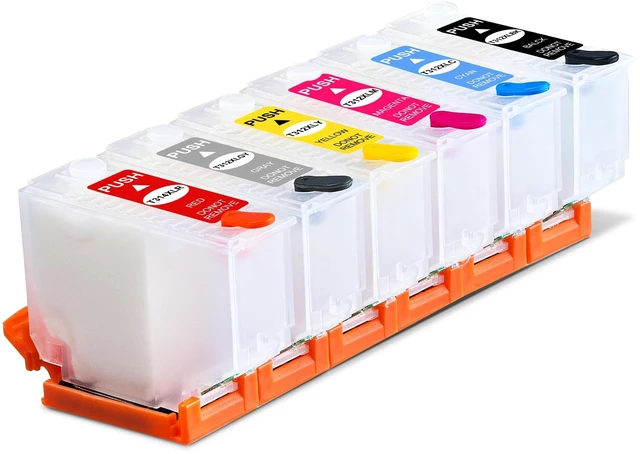
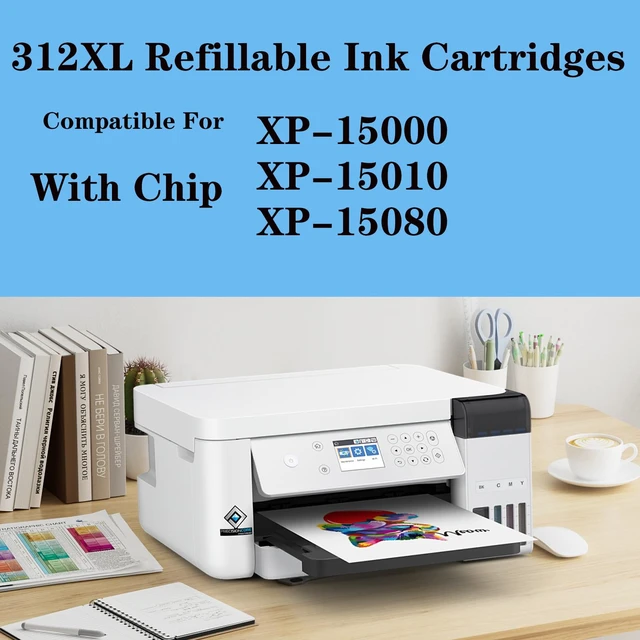




Empty CISS System Refillable Ink Cartridge Kit - Compatible with XP-15000 XP-15010 XP-15080 - with Disposable Chip - for Sublimation Printing
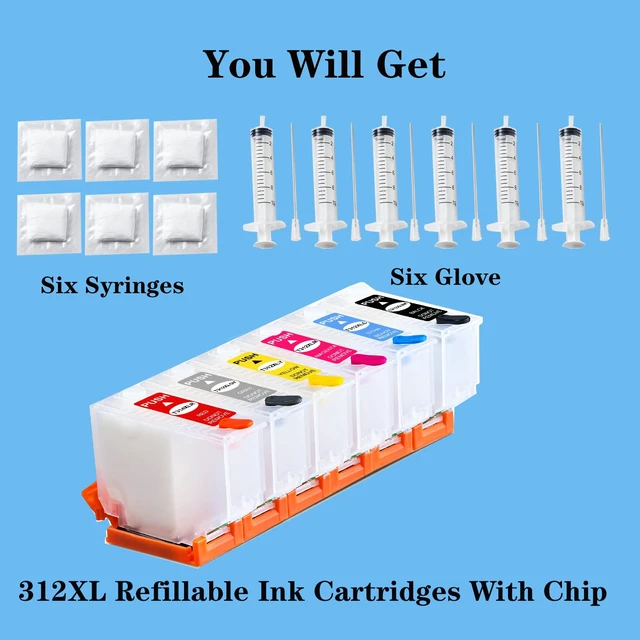
- Empty Ink Cartridge Kit: This kit contains 6 empty ink cartridges marked with corresponding colors for easy identification, along with 6 ink syringes and gloves to simplify ink refilling. The ink cartridges are equipped with disposable chips, eliminating the need to purchase chips separately. These printing cartridges can be reused, reducing the need for frequent cartridge replacement and helping reduce resource waste. Good compatibility: The L ink cartridge can be used with XP-15000, XP-15010, and XP-15080 printers. Please confirm your printer and ink cartridge type before buying. Convenient replenishment: The sublimation ink cartridge features a white transparent shell, allowing you to observe the ink level and daily ink usage more clearly. The included ink replenishment tool makes it easier to refill the cartridge. When the printer displays a non-genuine ink warning message, select Yes to use this ink. When the printer shows that the ink cartridge is empty, remove it from the printer, replace it with a new chip, fill it with ink, and reinstall it. Obstacle removal: If the printer is printing but no ink is coming out, air pockets in the print head may be preventing the ink from flowing. Refill the ink cartridge, shake it 4-5 times, and reinstall it in the printer. Push the ink cartridge down firmly to ensure that its nozzle is properly connected to the print head. IMPORTANT TIPS: Do not upgrade the printer firmware online. Please close the printers automatic upgrade fu
+
+
Overview
Specs
Reviews

Any questions? Our AI mode will help you find out quickly.
Try me now
Empty Ink Cartridge Kit: This kit contains 6 empty ink cartridges marked with corresponding colors for easy identification, along with 6 ink syringes and gloves to simplify ink refilling. The ink cartridges are equipped with disposable chips, eliminating the need to purchase chips separately. These printing cartridges can be reused, reducing the need for frequent cartridge replacement and helping reduce resource waste.
Good compatibility: The L ink cartridge can be used with XP-15000, XP-15010, and XP-15080 printers. Please confirm your printer and ink cartridge type before buying.
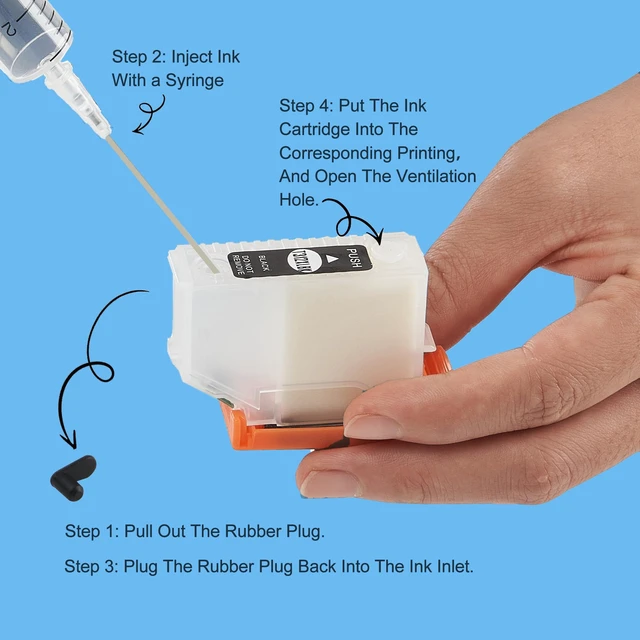
Convenient replenishment: The sublimation ink cartridge features a white transparent shell, allowing you to observe the ink level and daily ink usage more clearly. The included ink replenishment tool makes it easier to refill the cartridge. When the printer displays a non-genuine ink warning message, select Yes to use this ink. When the printer shows that the ink cartridge is empty, remove it from the printer, replace it with a new chip, fill it with ink, and reinstall it.
Obstacle removal: If the printer is printing but no ink is coming out, air pockets in the print head may be preventing the ink from flowing. Refill the ink cartridge, shake it 4-5 times, and reinstall it in the printer. Push the ink cartridge down firmly to ensure that its nozzle is properly connected to the print head.
IMPORTANT TIPS: Do not upgrade the printer firmware online. Please close the printers automatic upgrade function.
Suggestion: Empty ink cartridges should contain no more than 90% ink to help prevent overflow and printer contamination during use. Be sure to unplug the rubber plug from the ventilation hole during use. If your printer is brand new and you have not used the original ink cartridge, first install the original ink cartridge and initialize the printer so that it can recognize and use this ink cartridge
Good compatibility: The L ink cartridge can be used with XP-15000, XP-15010, and XP-15080 printers. Please confirm your printer and ink cartridge type before buying.
Convenient replenishment: The sublimation ink cartridge features a white transparent shell, allowing you to observe the ink level and daily ink usage more clearly. The included ink replenishment tool makes it easier to refill the cartridge. When the printer displays a non-genuine ink warning message, select Yes to use this ink. When the printer shows that the ink cartridge is empty, remove it from the printer, replace it with a new chip, fill it with ink, and reinstall it.
Obstacle removal: If the printer is printing but no ink is coming out, air pockets in the print head may be preventing the ink from flowing. Refill the ink cartridge, shake it 4-5 times, and reinstall it in the printer. Push the ink cartridge down firmly to ensure that its nozzle is properly connected to the print head.
IMPORTANT TIPS: Do not upgrade the printer firmware online. Please close the printers automatic upgrade function.
Suggestion: Empty ink cartridges should contain no more than 90% ink to help prevent overflow and printer contamination during use. Be sure to unplug the rubber plug from the ventilation hole during use. If your printer is brand new and you have not used the original ink cartridge, first install the original ink cartridge and initialize the printer so that it can recognize and use this ink cartridge
Warranty & Returns
Warranty, Returns, And Additional Information
Warranty
- Please contact the Seller directly for warranty information. Warranty information may also be found on the Manufacturer's website.
- CONTACT
Return Policies
- Return for refund within: 30 days
- Return for replacement within: 30 days
- This item is covered by Taste Global Store Return Policy
Manufacturer Contact Info
- For a directory of all our manufacturers, please click below.
- Manufacturers Directory
LOADING...