• $107.99
  • Free 30-day Returns
  • Sold by DeJin Store

    Shipped by DeJin Store

    Price alert
    Shop it at NeweggBusiness.

    Meet Your Seller

    WiFi Caregiver Call Button Calls Phone, 1Button 1 Wrist 1 Receiver Emergency Button for Seniors with App Alert, 2.4GHz WiFi Only, Senior Alarm Home Care, Bedside Bathroom Use

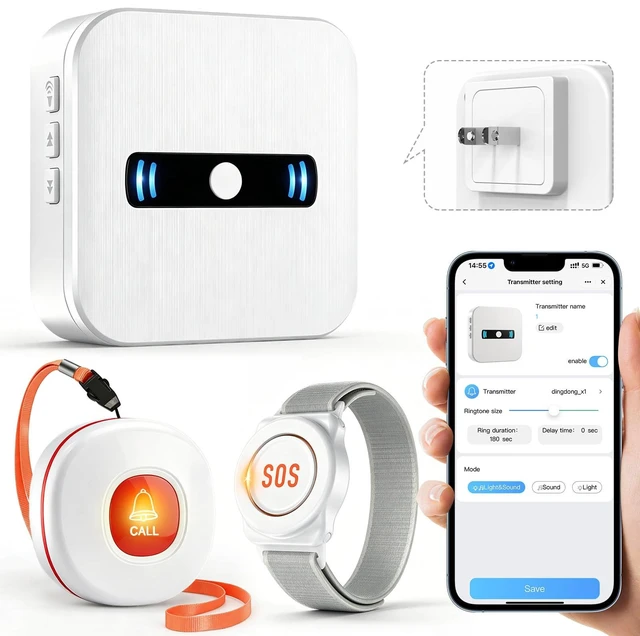
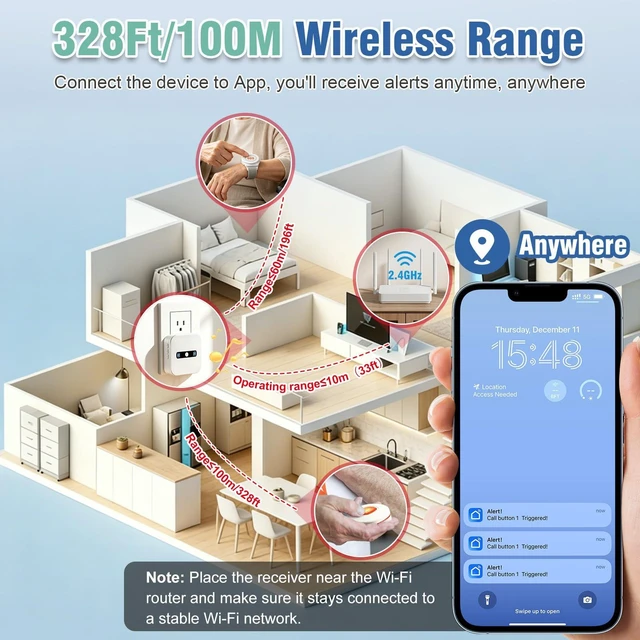
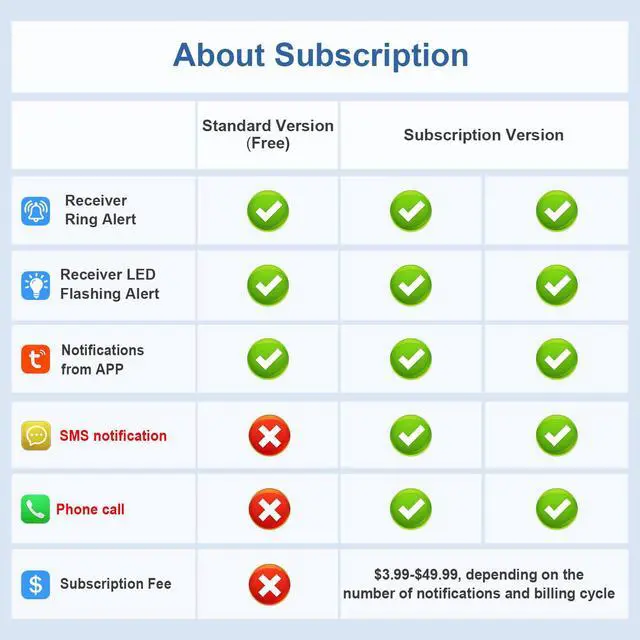
    • WIFI APP Caregiver Wireless Pager: This Wi-Fi pager is designed to address your concerns about the well-being of elderly, disabled, or ill family members while you're away from home. If they press the button or the watch, the pager will sound a loud alarm. (The receiver requires plugging into an outlet.) At the same time, you'll receive a notification on your mobile app. Share App Notifications: You can set up shared alerts in the app. If a family member presses the button, an emergency notification will be sent to the shared user's phone, ensuring you never miss a message. Customize button sounds to help you react quickly: You can set the button's ringtone (choose from 20 options) and adjust the volume (5 levels) in the mobile app. This way, when a family member presses the button, you'll know immediately where the call is coming from. App notifications + phone notifications: This Wi-Fi calling system allows you to receive app messages and notifications, so you can stay informed no matter where you are or what time it is. However, to ensure you don't miss any messages when you're offline, you can upgrade to phone and text message notifications, which will allow you to receive messages even without an internet connection

    +
    +
    Overview
    Specs
    Reviews
    avatar

    Any questions? Our AI mode will help you find out quickly.

    WIFI APP Caregiver
    Wireless Pager: This Wi-Fi pager is designed to address your concerns about the well-being of elderly, disabled, or ill family members while you're away from home. If they press the button or the watch, the pager will sound a loud alarm. (The receiver requires plugging into an outlet. ) At the same time, you'll receive a notification on your mobile app.
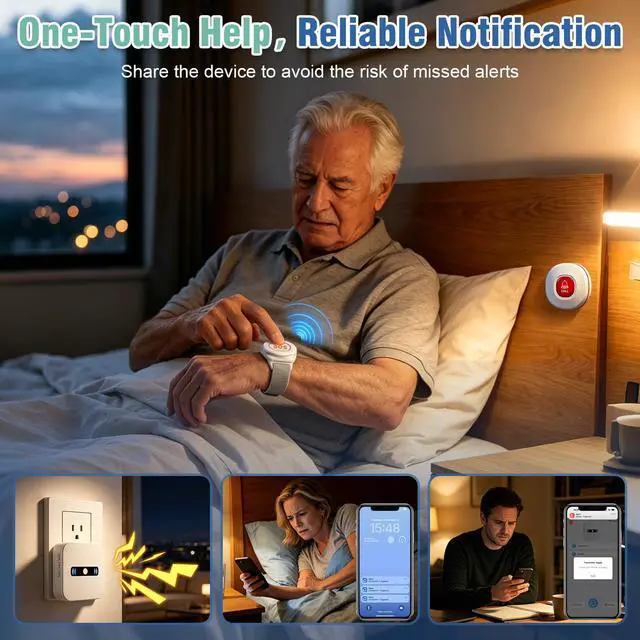
    Share App Notifications: You can set up shared alerts in the app. If a family member presses the button, an emergency notification will be sent to the shared user's phone, ensuring you never miss a message. Customize button sounds to help you react quickly: You can set the button's ringtone (choose from 20 options) and adjust the volume (5 levels) in the mobile app. This way, when a family member presses the button, you'll know immediately where the call is coming from.
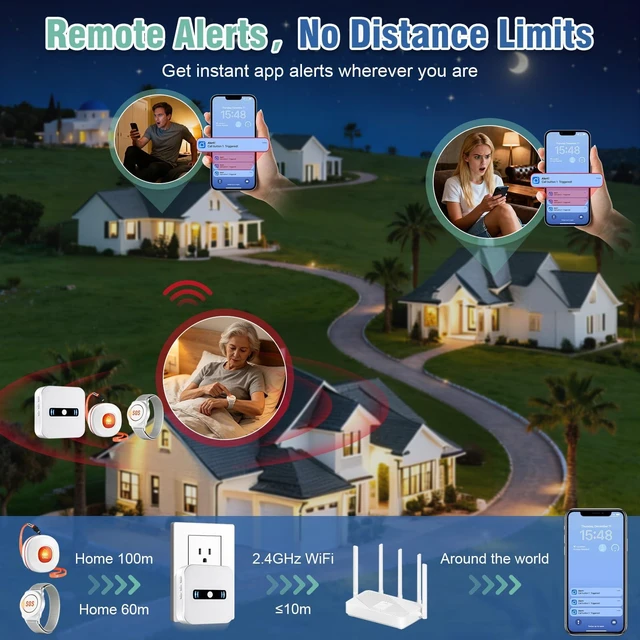
    App notifications + phone notifications: This Wi-Fi calling system allows you to receive app messages and notifications, so you can stay informed no matter where you are or what time it is. However, to ensure you don't miss any messages when you're offline, you can upgrade to phone and text message notifications, which will allow you to receive messages even without an internet connection

    Warranty & Returns

    Warranty, Returns, And Additional Information

    Warranty

    • Please contact the Seller directly for warranty information. Warranty information may also be found on the Manufacturer's website.
    • CONTACT

    Return Policies

    Manufacturer Contact Info

    LOADING...