





Features:
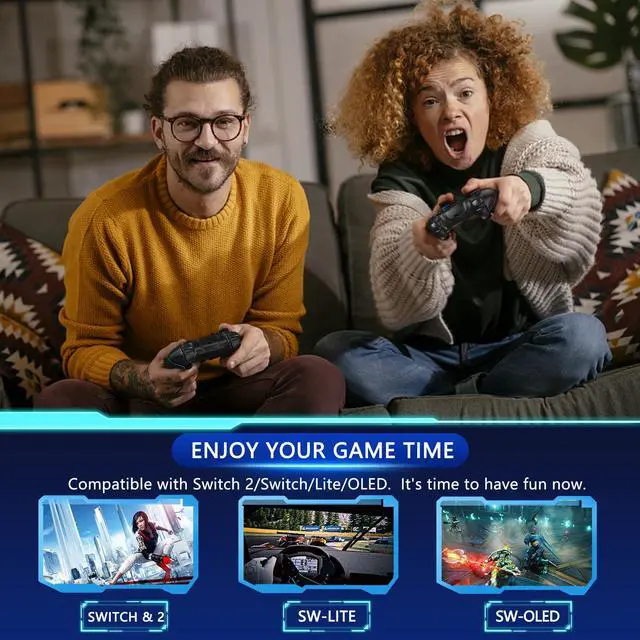
- CuleedTec switch controller - Compatible with Switch/Switch Lite/Switch OLED/Switch 2, supporting all games.
- The switch pro controller frees you from being tethered to the console and provides a tangle-free gaming experience. It provides stable and reliable signal without delay or drop-off within 10 meters. Featured with strong anti-interference technology and won't be affected by other wireless devices.
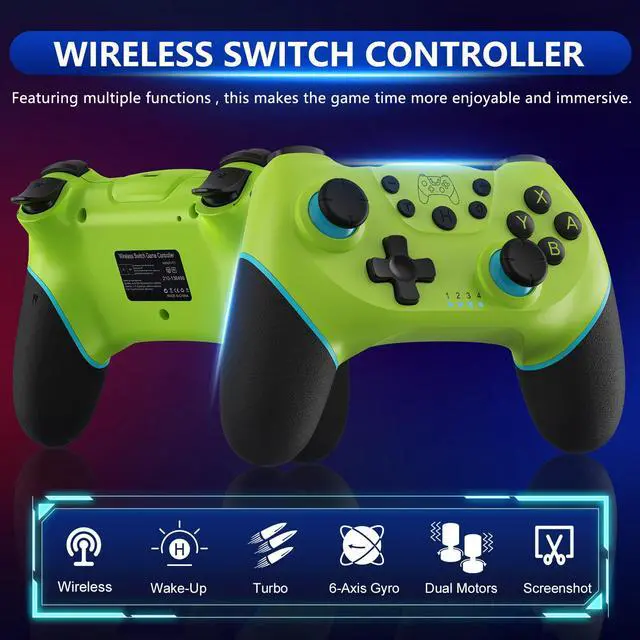
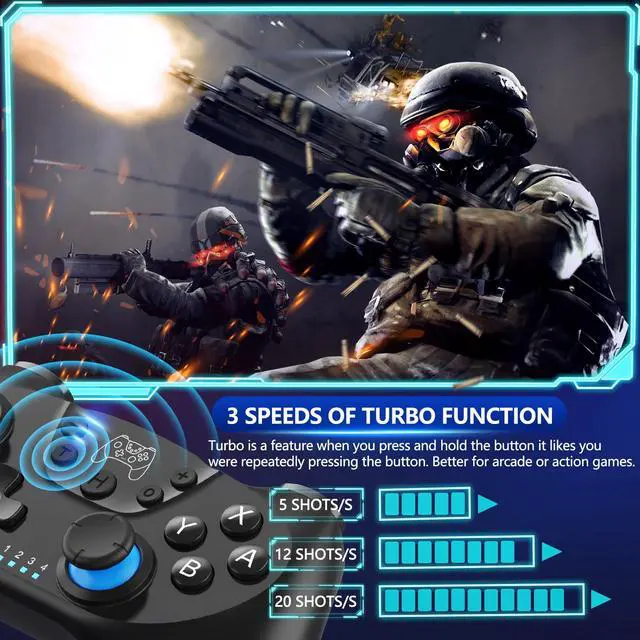
- The wireless switch controller supports 3 levels of turbo speed: 5 shots / s, 12 shots / s, 20 shots / s, the Turbo feature makes it easier to play arcade or action games, perfectly solves the pain points that traditional game handle make your fingers fatigued, and the control is more flexible and durable.
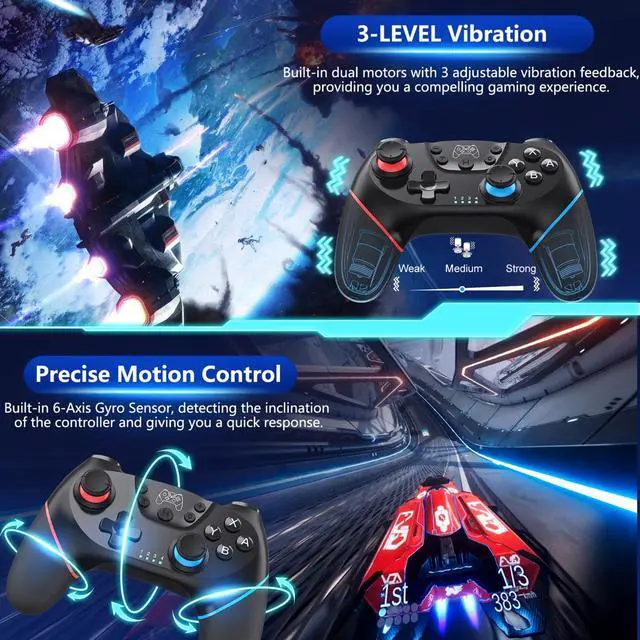
- The switch wireless controller supports 6-axis gyroscopic axis and dual shock motors. Shock feedback gives you a compelling gaming experience. Super sensitive button sensing provides an accurate gaming experience.
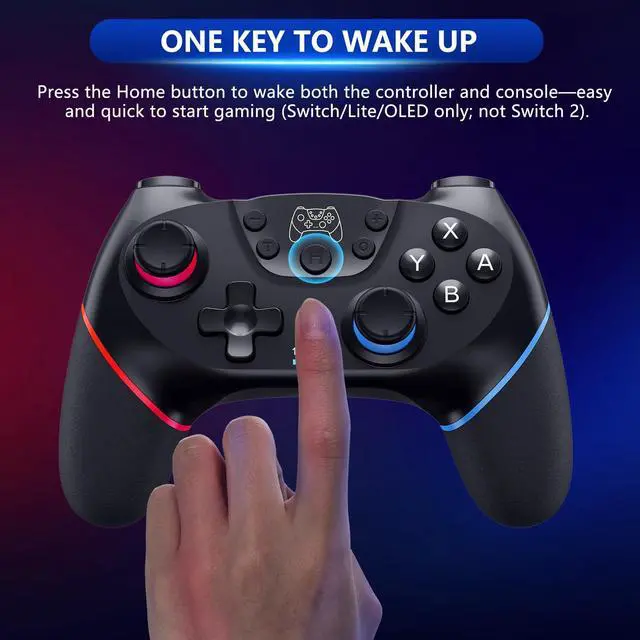
- The switch controller wireless supports capture function and wake up function. After the first time pairing, you could simply press the HOME button on the controller to wake up both the controller and the Switch game console, even if the Switch is in sleep mode. And the controller will pair back to Switch automatically. However, NO NFC function.
- Promise from CuleedTec - This switch remote controller is a third-party product. But we cherish every customer. We'll try our best to help you, even for the Re-fund or Replacement, as long as you're satisfied.


Ergonomic Design
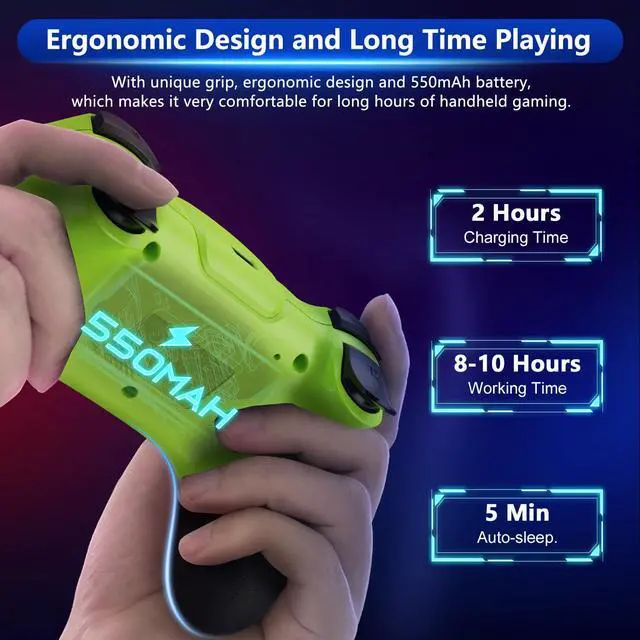
Ergonomic design, high-quality rubber, non-slip grip handles and light weight construction make it comfortable even for long hours of continuous gaming.

Enjoy the Game with Your Friends
Up to FOUR switch controller wireless can be connected to a Switch console simultaneously. Enjoy the time with your family or friends.

Long Playing Time
The switch wireless controller built-in 550mAh battery, the playing time can last up 8 hours, the fully charging time is about 2-3 hours. We also equip the USB cable for you. Let's enjoy the switch console game more for everyone.


Wake-up function
When the pro controller switch is in sleep mode, short press the "HOME" button on the controller to wake up both the game console and the controller; an easy way to pick up and start playing. No Wake-Up on Switch 2 currently.
Package Include:
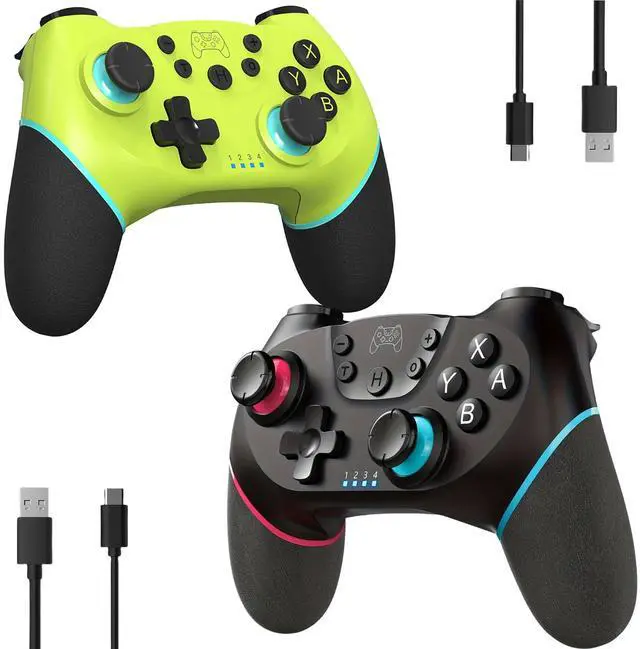
- 1* Switch controller
- 1* Type C USB cable
- 1* user manual
- 1* metal needle
Applicable Platform/Device:
- Compatible with Switch/Switch Lite/Switch OLED/Switch 2
- Compatible with Windows PC( this Switch controller only supports to connect your PC via USB cable).
Technical Specifications:
- Battery: Build-in 550mAh rechargeable lithium battery.
- Time to charge: about 2-3 hours.
- Time to use: about 8 hours.
Note:
- This third-party switch controller is produced by CuleedTec.
- NO NFC function.
Notes of CuleedTec Wireless Switch Pro Controller
Features:
- CuleedTec switch controller - Compatible with Switch/Switch Lite/Switch OLED/Switch 2, supporting all games.
- The switch pro controller frees you from being tethered to the console and provides a tangle-free gaming experience. It provides stable and reliable signal without delay or drop-off within 10 meters. Featured with strong anti-interference technology and won't be affected by other wireless devices.
- The wireless switch controller supports 3 levels of turbo speed: 5 shots / s, 12 shots / s, 20 shots / s, the Turbo feature makes it easier to play arcade or action games, perfectly solves the pain points that traditional game handle make your fingers fatigued, and the control is more flexible and durable.
- The switch wireless controller supports 6-axis gyroscopic axis and dual shock motors. Shock feedback gives you a compelling gaming experience. Super sensitive button sensing provides an accurate gaming experience.
- The switch controller wireless supports capture function and wake up function. After the first time pairing, you could simply press the HOME button on the controller to wake up both the controller and the Switch game console, even if the Switch is in sleep mode. And the controller will pair back to Switch automatically. However, NO NFC function.
- Promise from CuleedTec - This switch remote controller is a third-party product. But we cherish every customer. We'll try our best to help you, even for the Re-fund or Replacement, as long as you're satisfied.
Ergonomic Design
Ergonomic design, high-quality rubber, non-slip grip handles and light weight construction make it comfortable even for long hours of continuous gaming.
Enjoy the Game with Your Friends
Up to FOUR switch controller wireless can be connected to a Switch console simultaneously. Enjoy the time with your family or friends.
Long Playing Time
The switch wireless controller built-in 550mAh battery, the playing time can last up 8 hours, the fully charging time is about 2-3 hours. We also equip the USB cable for you. Let's enjoy the switch console game more for everyone.
Wake-up function
When the pro controller switch is in sleep mode, short press the "HOME" button on the controller to wake up both the game console and the controller; an easy way to pick up and start playing. No Wake-Up on Switch 2 currently.
Package Include:
- 1* Switch controller
- 1* Type C USB cable
- 1* user manual
- 1* metal needle
Applicable Platform/Device:
- Compatible with Switch/Switch Lite/Switch OLED/Switch 2
- Compatible with Windows PC( this Switch controller only supports to connect your PC via USB cable).
Technical Specifications:
- Battery: Build-in 550mAh rechargeable lithium battery.
- Time to charge: about 2-3 hours.
- Time to use: about 8 hours.
Note:
- This third-party switch controller is produced by CuleedTec.
- NO NFC function.
Notes of CuleedTec Wireless Switch Pro Controller
| First-Time Pairing: | To pair the controller for the first time, turn on your Switch and go to Controllers > Change Grip/Order. When the controller is in sleep mode, press and hold the HOME button for about 5 seconds. The LEDs will first flash slowly, then quickly—this indicates that pairing mode is active. Release the button when the lights flash quickly. |
| Reconnecting: | To reconnect to a previously paired Switch, simply press the HOME button once. The LEDs will flash slowly as the controller searches for the console. This will also wake the console if it’s in sleep mode—except on Switch 2, which does not support wake-up via our controller, so the console must be turned on manually. |
| Having Trouble Connecting? | If your controller won’t connect, reset it first, then go to Settings > Controllers and Sensors > Disconnect Controllers on your Switch to clear previous connections. Restart the console and try pairing again. Connection issues can happen if the Switch stores too much cache or after a system update. |
| Connection on PC | You can play on Windows PC via USB. If Steam or another platform is running, the controller appears as a “Pro Controller” (D-Input mode). Otherwise, it shows as an “Xbox 360 Controller” (X-Input mode), where A/B and X/Y buttons are swapped. Use emulator software to remap buttons if needed. |
| Charging & Lag Troubleshooting | If the controller doesn’t charge, please reset it. If you experience button lag, reset the controller and restart the Switch. |