




 here!
here!
I’m your shopping assistant for PC builds, upgrades, and everything tech.
Got questions? Ask away!
Start a conversation
here!
I’m your shopping assistant for PC builds, upgrades, and everything tech.
Got questions? Ask away!
Start a conversation
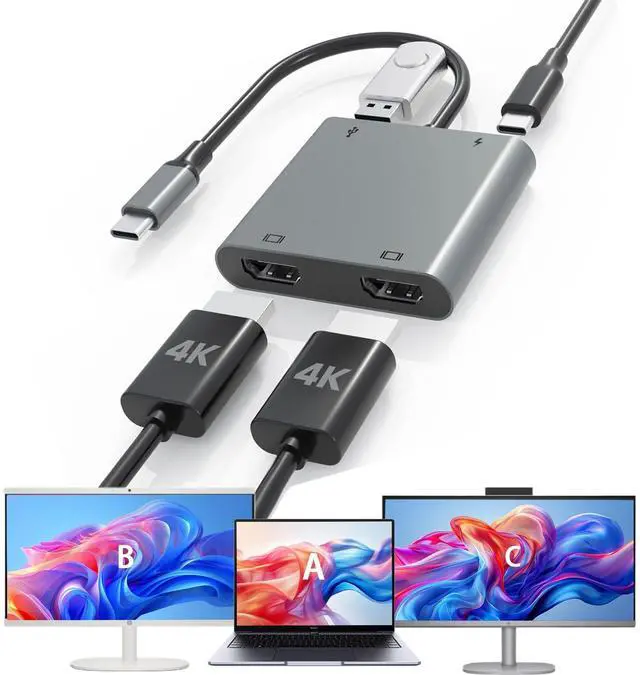
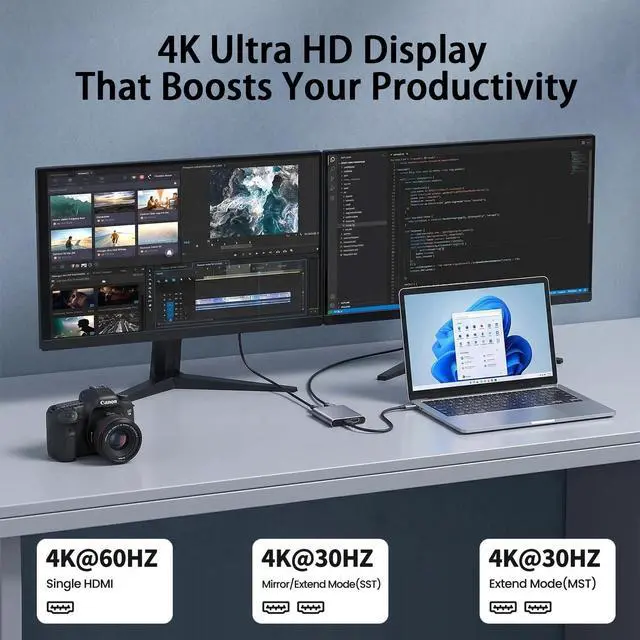
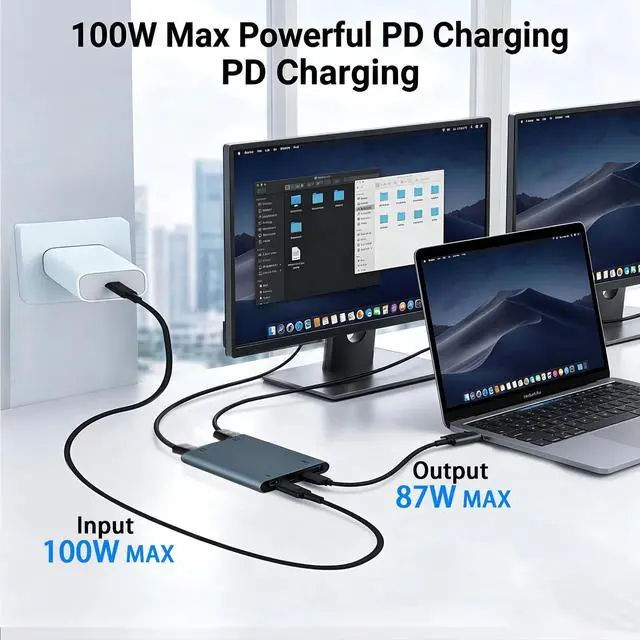
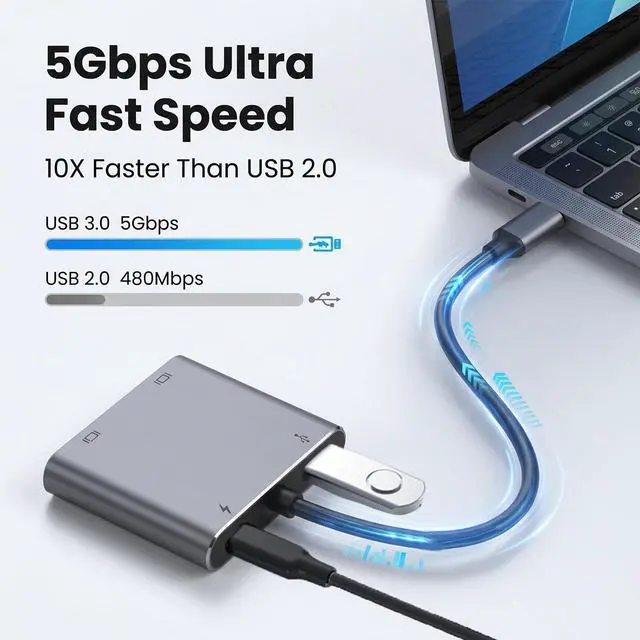



Any questions? Ask CelesteSM will help you find out quickly.


Attention:
1.Verify your device's USB-C port supports video output.
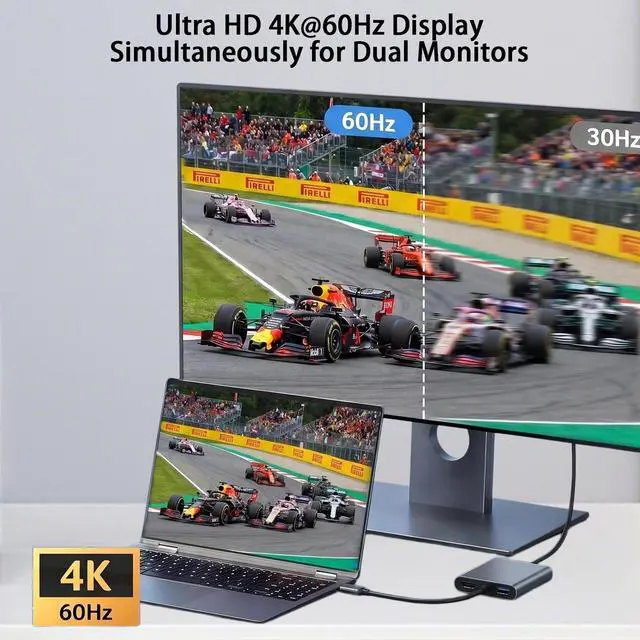
2.For 4K, ensure your device is 4K-compatible; output depends on the connected device.
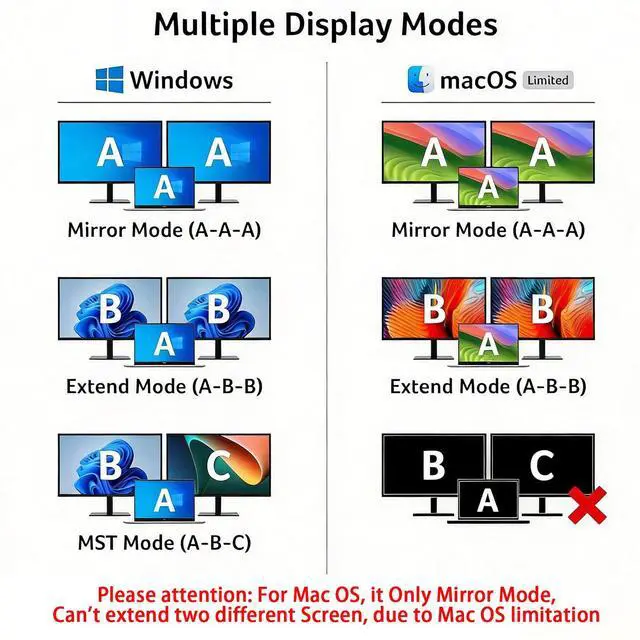
3.When connecting two monitors, the macOS device does not support MST mode, and both monitors can only display the same content

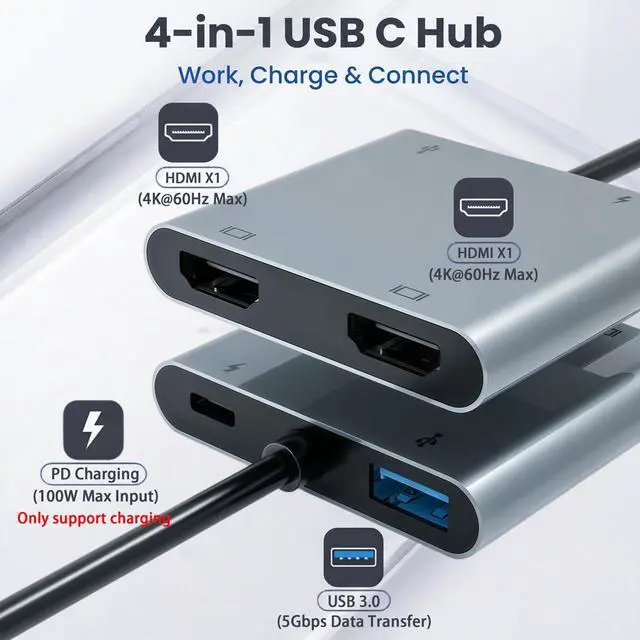
Supports up to 100W fast charging, dependent on your device's capabilities. Ideal for laptops, tablets, and other compatible devices. ????????: Ensure your laptop's USB-C port supports power delivery. Use a 65W or higher power adapter and cable (not included).

Our dual HDTV 4-in-1 dock offers fast and reliable data transfer, ensuring quick and efficient connectivity for all your devices. ????????: Ensure your device and HDMI cable support HDMI 2.0 or higher for full 4K resolution.
How to switch Mac device to Extend Mode?
"Setting"? "Display"? click the "mirror display" box to switch to Extend mode ? then you can drag a window of website/movie to the far right of your desktop screen until it disappear on your desktop screen and displays on the external monitor screen.
How to connect Extend Mode for Windows OS?
Right-click desktop? select Intel display Settings ? pop-up Settings screen select display? select multi-screen display? expand the desktop
(If the display 3 is not display, please to manually select the display?click apply confirm can set OK).
If one of display does not display, How to do?
Right click desktop > Graphics Settings > Select One or More Active Displays.
Is it possible for a MAC system computer to expand 3 screens differently?
Due to macOS limitations, both external monitors will be the same. It is not possible to accomplish the different expansion of three screens A-B-C
Why is there a delay or lag when connecting a mouse to the USB port?
If you use a 2.4GHz wireless mouse, temporary signal interference may occur. To reduce this, shorten the distance between the receiver and adapter, use a USB extension cable, or switch to a Bluetooth or wired mouse.
| macOS no dual screen extend | MacBook/ MacBook Pro (2021/2020/2019/2018/2017/2016), Macbook Air 2018-2021,Mac mini 2018-2020, iPad Pro 2018 |
|---|---|
| Can NOT work with (Not all) | HP Laptop 15.6" 15-D5000 / HP EliteBook 745 G4 / HP Elitebook 820 G3 / HP EliteBook 828 G4 / HP 14s-be102TX / HP 14-ce1004TX 14 / HP Probook 650 G2 / HP Probook 455 G4 / HP Probook 430 G5 / HP Pavilion-14 bf116tx / HP Pavilion 15 ck009 / HP Pavilion Power Laptop 15-cb / Lenovo ideapad 340s, Tablets / Google Pixel phones / Nintendo Switch / Acer Aspire A5 / Oneplus 5T Phone |
| All Mode | Lenovo Yoga 720-13IKB/ Yoga 900-13ISK/ Yoga 910/ Yoga 920/ Yoga 930 |
| All Mode | LG G5, LG gram 14Z990-V.AA52C |
| All Mode | HP Spectre Laptop 13-af001TU 13'' ASUS Zenbook UX330UA |
| All Mode | Microsoft Surface Book 2/ Surface Go/ Surface Laptop 3 |
| All Mode | Huawei Macbook Mate10/ Mate10 pro/ Mate20/ Mate20 pro / Mate30/ Mate30Pro |
| All Mode | Samsung Galaxy S10+/S10/S9+ /S9 /S8+ /S8 Plus, Note 10 / 9 / 8 |
| All Mode | Dell XPS12(9250) /Dell XPS13(9350) /Dell XPS15(9550), Dell Latitude 13 7000/Latitude 13 E7370 |


When the host device lacks sufficient power output (such as certain ultrabooks, tablets, or older models), the docking station requires an external USB-C PD power supply to operate reliably.


For macOS, click Apple logo-System Preferences Displays MirrorDisplay (Yes or Not).
For Windows, click the Graphic Settings or Win+P to choose mirror orextend mode.
Attention:
1.Verify your device's USB-C port supports video output.
2.For 4K, ensure your device is 4K-compatible; output depends on the connected device.
3.When connecting two monitors, the macOS device does not support MST mode, and both monitors can only display the same content
Supports up to 100W fast charging, dependent on your device's capabilities. Ideal for laptops, tablets, and other compatible devices. ????????: Ensure your laptop's USB-C port supports power delivery. Use a 65W or higher power adapter and cable (not included).
Our dual HDTV 4-in-1 dock offers fast and reliable data transfer, ensuring quick and efficient connectivity for all your devices. ????????: Ensure your device and HDMI cable support HDMI 2.0 or higher for full 4K resolution.
How to switch Mac device to Extend Mode?
"Setting"? "Display"? click the "mirror display" box to switch to Extend mode ? then you can drag a window of website/movie to the far right of your desktop screen until it disappear on your desktop screen and displays on the external monitor screen.
How to connect Extend Mode for Windows OS?
Right-click desktop? select Intel display Settings ? pop-up Settings screen select display? select multi-screen display? expand the desktop
(If the display 3 is not display, please to manually select the display?click apply confirm can set OK).
If one of display does not display, How to do?
Right click desktop > Graphics Settings > Select One or More Active Displays.
Is it possible for a MAC system computer to expand 3 screens differently?
Due to macOS limitations, both external monitors will be the same. It is not possible to accomplish the different expansion of three screens A-B-C
Why is there a delay or lag when connecting a mouse to the USB port?
If you use a 2.4GHz wireless mouse, temporary signal interference may occur. To reduce this, shorten the distance between the receiver and adapter, use a USB extension cable, or switch to a Bluetooth or wired mouse.


