

Your Browsing History

Meet Your Seller

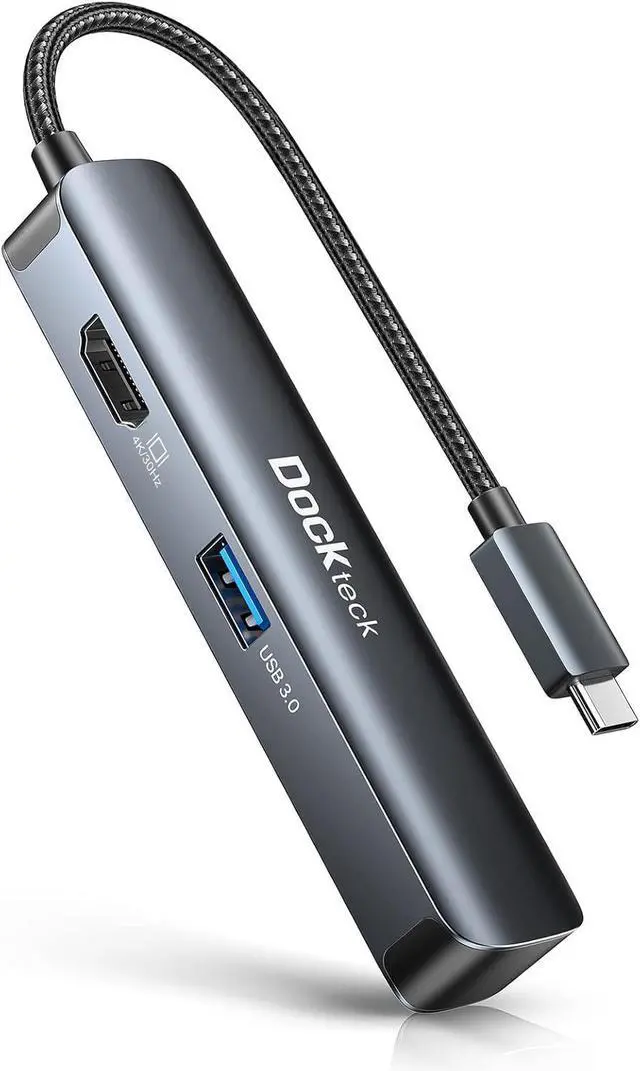
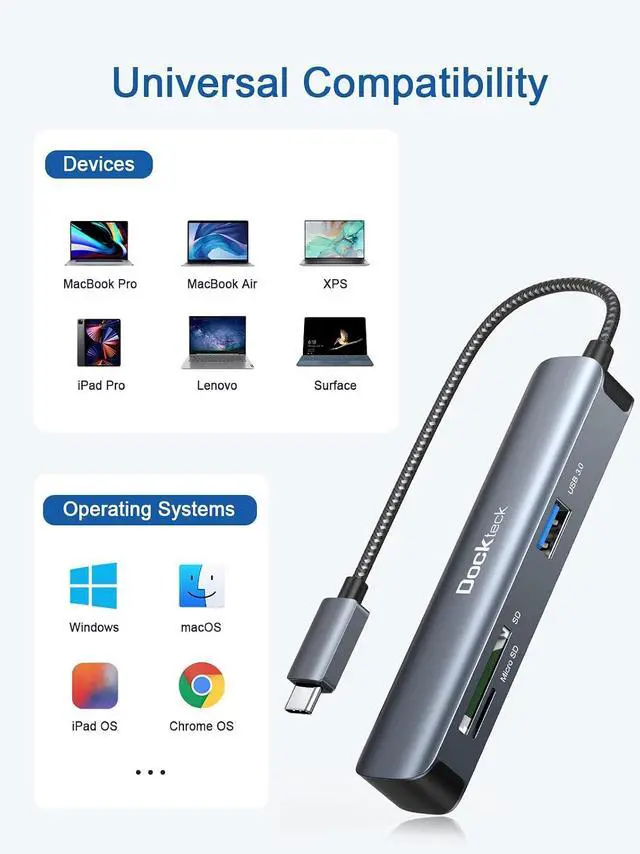
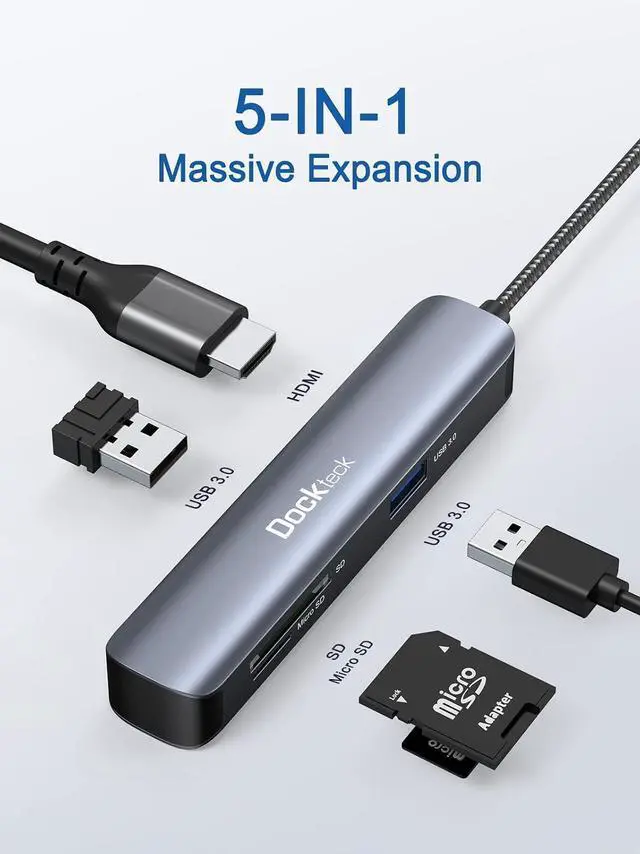


USB C Hub Multiport Adapter, 5-in-1 USB-C Hub with 4K 30Hz HDMI, SD/TF Card Slots, 2* USB 3.0 5Gbps Data Ports, for MacBook Pro, MacBook Air, iPad Pro, XPS
Limited time offer, ends 09/29 By EmpressTech
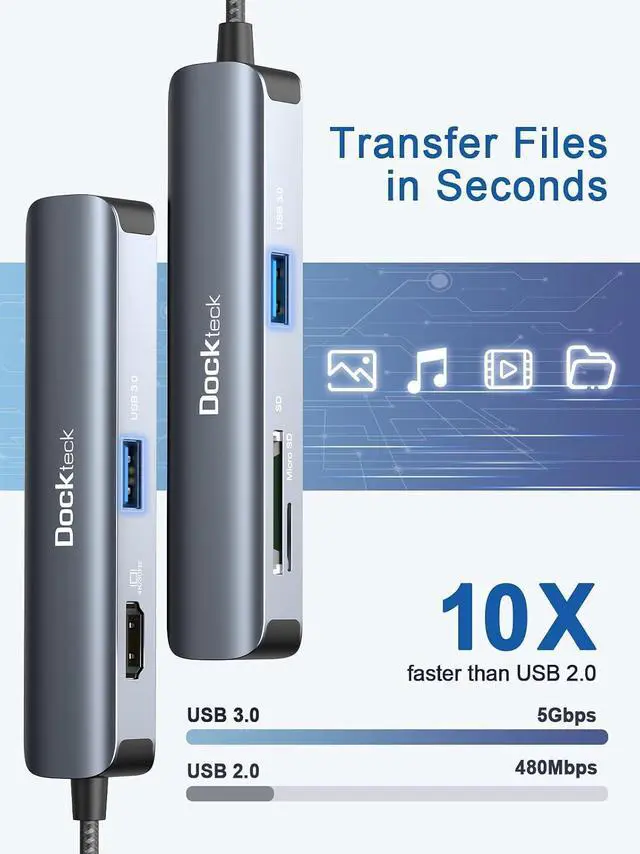
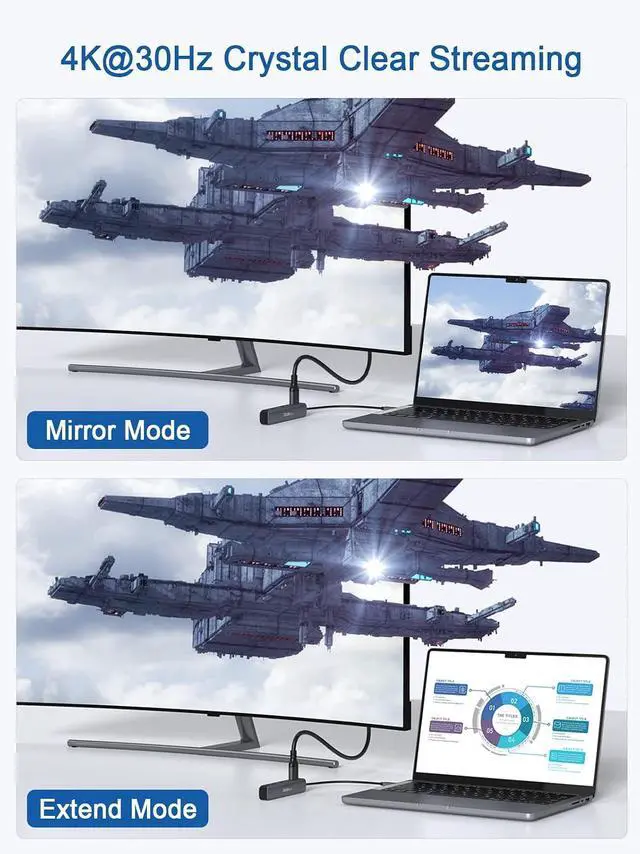
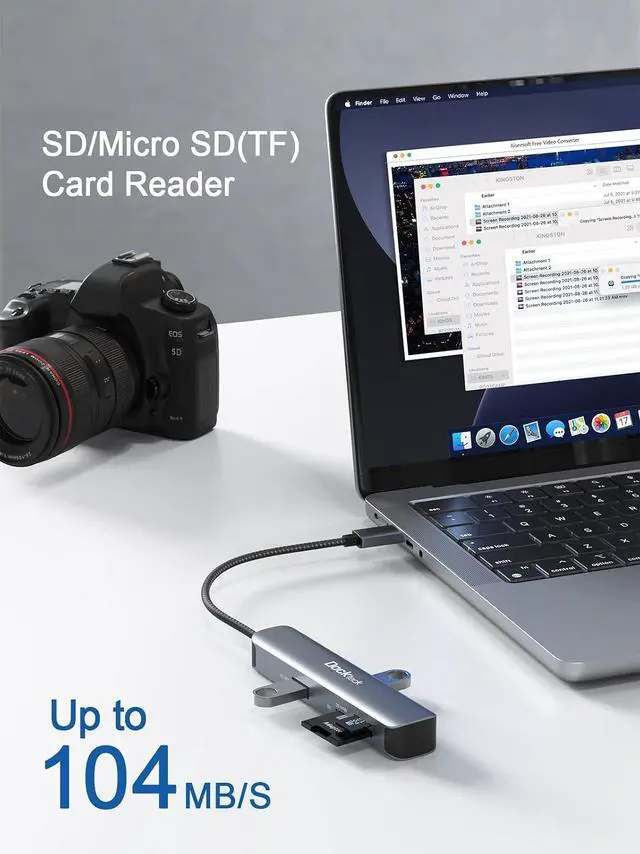
- 5 IN 1 USB C HUB - Dockteck type c hub can expand single usb c port to 5 multiple ports, equipped with 4K HDMI,2 USB3.0 data ports. SD TF card slots. All ports of Dockteck usb c adapter can work simultaneously, small yet mighty; 4K 30HZ UHD VISUAL FEAST - The usbc to HDMI adapter directly extends your screen to stream 4K UHD HDMI to HDTV, monitor or projector via usb c and thunderbolt 3/4 port perfect for home office. Plug and play, no other drivers required; Fast TransmissionTransfer large files up to 5Gbps with 2 USB 3.0 data ports. The TF and SD card slots support various memory card formats and can read SD/TF cards simultaneously. Perfect for daily work-from-home situations; 5Gbps DATA TRANSFER - USB C to USB 3.0 ports can transfer HD movies and files for USB port devices in seconds, compatible with USB 2.0 and below. Support fast speed data transfer up to 5Gbps, perfectly meet your daily needs; WHAT YOU WILL GET - 1 x Dockteck 5 IN 1 Usb-c Ethernet Hub, perfectly complements Macbook Pro and iPad Pro, worry-free 24-month warranty and 7 / 24 customer service
+
+
Overview
Specs
Reviews

Any questions? Our AI mode will help you find out quickly.
Try me now
Product description TYPE-C/Thunderbolt 3 to 2 USB 3.0 Ports, HDMI Port, SD & TF Card Reader This macbook adapter is a great compliment for your USB-C host, providing a solution for extending the port of Type-C or Thunderbolt 3 host (PC / Laptop / Mobile phone, etc. ). With this macbook pro adapter, you can stream/extend video to your monitor/projector/TV with HDMI port from your Laptop. And you can use 2 super fast speed usb 3.0 ports to connect your keyboard, mouse for your USB C devices and have two convinient SD & TF card reader that perfect for photographers and designers Compatible Devices (Not a full list): MacBook Pro M1 2020 / 2019 / 2018 / 2017 / 2016 MacBook Air M1 2020/ 2019 / 2018 iPad Pro M1 2021 / 2020 / 2019 / 2018 iPad Air 2020 / 2018 Pixelbook 2017 / 2018 / 2019 Dell XPS 13 inch / 15 inch Microsoft Surfacebook 2 /
Surface Go Incompatible Devices: Nintendo Switch /
USB SuperDrive Supported Systems: Windows / macOS / iPadOS / Chrom / OS / Linu For more specific models, please confirm with us. We will also update in time Stable output HDMI Mirror or extend your display to an external monitor in resolutions up to 4K@30Hz, down compatible with 2K@60h/1080p/1080i/720p/480p, No driver Needed, Plug And Play Fast speed transmission 2 USB C 3.0 ports supports super faster data transfer up to 5Gbps, Built-in SD/Micro SD card reader allow reading both cards simultaneously and the speed up to 104mb/s Premium Construction This USB C Hub is very slim and portable. Aluminum housing can easily dissipate heat, and the braided nylon cable is designed to withstand up to 2000 bends
FAQ: (Frequently
Asked Questions):
Q1: How if the SD card cannot be recognized? It is recommended to connect the hub to the main device first, and then connect the accessories to the ports Q2. Can all laptops and phones with a type c port be able to output video with this USB C dock? No. Not all devices with USB-C ports are compatible with our USB C Hub. Please Confirm if the connected USB-C port of your device supports "DP Alt Mode" before purchase. To do this, please consult your device's user manual, or check the manufacturer's website Q3. Does the usb-c hub affect wifi? According to Microsoft, USB 3.0 will affect 2.4GH z WiFi. It is suggested that you set your WiFi frequency to 5GHz to avoid this problem Q4. Does this USB 3.0 interface support charging? Yes, it can. I am using to charge the iPhone via USB A to USB C cable. You can charge an iPhone, but please note the USB ports are mainly intended for data transmisson and do not support charging power(especilly do not charge your high-power phone)
Q5: Does this multiport hub get hot? When the hub is fully loaded, it may reach a surface temperature of around 149°F, and this is normal for products of the USB-C multiport
Warm Tips:
1. The Hub is NOT compatible with Apple USB SuperDrive, Nintendo Switch
2. We suggest just one HDD/SSD is connected at a time due to the power output limitations of some laptops
3. If the wireless network is affected, please set your router from 2.4GH z to 5GHz
4. Pls do not plug and unplug the HDMI port when the hub is power on USB C HUB 5-in-1 USB C HUB 5-in-1 USB C HUB 5-in-1 USB C HUB 5-in-1 USB C HUB 4-in-1 USB C HUB 5-in-1 Add to Cart Buying Options Add to Cart Add to Cart Add to Cart Add to Cart Customer Reviews 4.3 out of 5 stars 99 4.2 out of 5 stars 438 4.5 out of 5 stars 302 4.4 out of 5 stars 1, 370 4.0 out of 5 stars 389 4.2 out of 5 stars 1, 372 Price $ 27.49 $27. 49 no data $ 30.68 $30. 68 $ 32.99 $32. 99 $ 34.99 $34. 99 $ 37.99 $37. 99 USB-A Data port 2 3 2 3 1 2 USB-C PD Port X X X X 100W-PD x 1 100W-PD x 1 HDMI Port 4K 30Hz HDMI x 1 4K 60Hz HDMI x 1 4K 60Hz HDMI x 1 4K 30Hz HDMI x 1 4K 30Hz HDMI x 1 4K 60Hz HDMI x 1 SD/TF Slot X X X X Ethernet Port X X X X Material Aluminum Aluminum Aluminum Aluminum Aluminum Aluminum Cable Length 0.6 ft 0.6 ft 0.6 ft 0.6 ft X X
Surface Go Incompatible Devices: Nintendo Switch /
USB SuperDrive Supported Systems: Windows / macOS / iPadOS / Chrom / OS / Linu For more specific models, please confirm with us. We will also update in time Stable output HDMI Mirror or extend your display to an external monitor in resolutions up to 4K@30Hz, down compatible with 2K@60h/1080p/1080i/720p/480p, No driver Needed, Plug And Play Fast speed transmission 2 USB C 3.0 ports supports super faster data transfer up to 5Gbps, Built-in SD/Micro SD card reader allow reading both cards simultaneously and the speed up to 104mb/s Premium Construction This USB C Hub is very slim and portable. Aluminum housing can easily dissipate heat, and the braided nylon cable is designed to withstand up to 2000 bends
FAQ: (Frequently
Asked Questions):
Q1: How if the SD card cannot be recognized? It is recommended to connect the hub to the main device first, and then connect the accessories to the ports Q2. Can all laptops and phones with a type c port be able to output video with this USB C dock? No. Not all devices with USB-C ports are compatible with our USB C Hub. Please Confirm if the connected USB-C port of your device supports "DP Alt Mode" before purchase. To do this, please consult your device's user manual, or check the manufacturer's website Q3. Does the usb-c hub affect wifi? According to Microsoft, USB 3.0 will affect 2.4GH z WiFi. It is suggested that you set your WiFi frequency to 5GHz to avoid this problem Q4. Does this USB 3.0 interface support charging? Yes, it can. I am using to charge the iPhone via USB A to USB C cable. You can charge an iPhone, but please note the USB ports are mainly intended for data transmisson and do not support charging power(especilly do not charge your high-power phone)
Q5: Does this multiport hub get hot? When the hub is fully loaded, it may reach a surface temperature of around 149°F, and this is normal for products of the USB-C multiport
Warm Tips:
1. The Hub is NOT compatible with Apple USB SuperDrive, Nintendo Switch
2. We suggest just one HDD/SSD is connected at a time due to the power output limitations of some laptops
3. If the wireless network is affected, please set your router from 2.4GH z to 5GHz
4. Pls do not plug and unplug the HDMI port when the hub is power on USB C HUB 5-in-1 USB C HUB 5-in-1 USB C HUB 5-in-1 USB C HUB 5-in-1 USB C HUB 4-in-1 USB C HUB 5-in-1 Add to Cart Buying Options Add to Cart Add to Cart Add to Cart Add to Cart Customer Reviews 4.3 out of 5 stars 99 4.2 out of 5 stars 438 4.5 out of 5 stars 302 4.4 out of 5 stars 1, 370 4.0 out of 5 stars 389 4.2 out of 5 stars 1, 372 Price $ 27.49 $27. 49 no data $ 30.68 $30. 68 $ 32.99 $32. 99 $ 34.99 $34. 99 $ 37.99 $37. 99 USB-A Data port 2 3 2 3 1 2 USB-C PD Port X X X X 100W-PD x 1 100W-PD x 1 HDMI Port 4K 30Hz HDMI x 1 4K 60Hz HDMI x 1 4K 60Hz HDMI x 1 4K 30Hz HDMI x 1 4K 30Hz HDMI x 1 4K 60Hz HDMI x 1 SD/TF Slot X X X X Ethernet Port X X X X Material Aluminum Aluminum Aluminum Aluminum Aluminum Aluminum Cable Length 0.6 ft 0.6 ft 0.6 ft 0.6 ft X X
Warranty & Returns
Warranty, Returns, And Additional Information
Warranty
- Please contact the Seller directly for warranty information. Warranty information may also be found on the Manufacturer's website.
- CONTACT
Return Policies
- Return for refund within: 30 days
- Return for replacement within: 30 days
- This item is covered by EmpressTech Return Policy
Manufacturer Contact Info
- For a directory of all our manufacturers, please click below.
- Manufacturers Directory
LOADING...