

Your Browsing History

Meet Your Seller

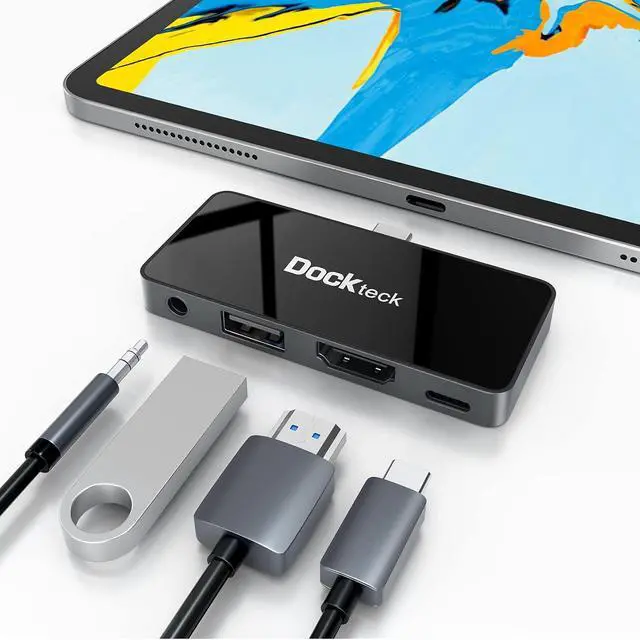
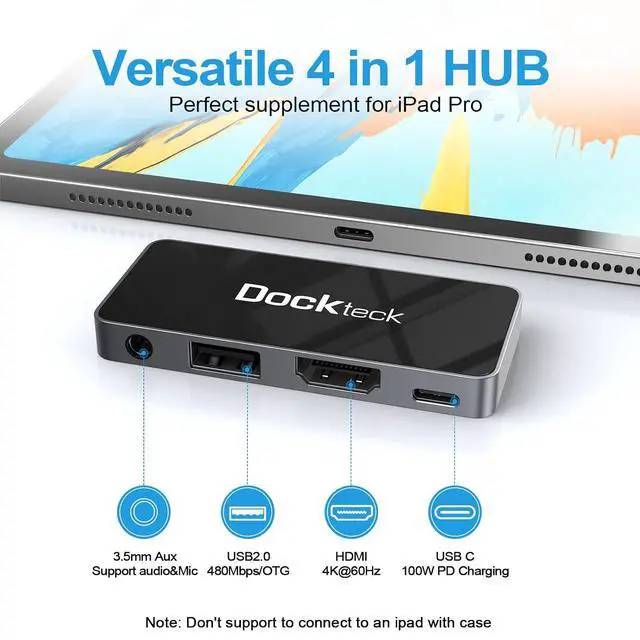


USB C Hub Adapter for iPad Pro 2021 2020 2018 11 12.9 / iPad Air 4 10.9 iPad mini6 4 in 1 iPad Pro USB-C Hub with 100W Power Delivery, 4K@60Hz HDMI Port, USB 2.0 Port and 3.5mm Headphone Jack
Limited time offer, ends 10/15 By EmpressTech
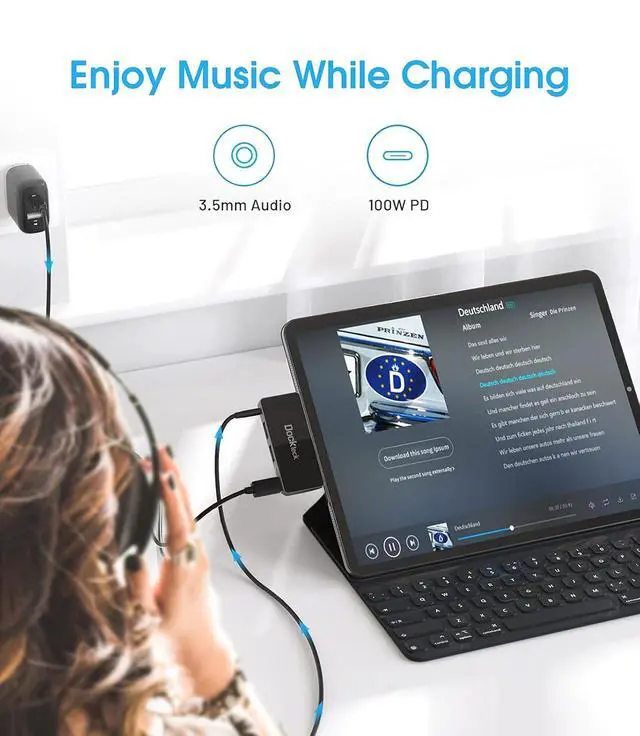
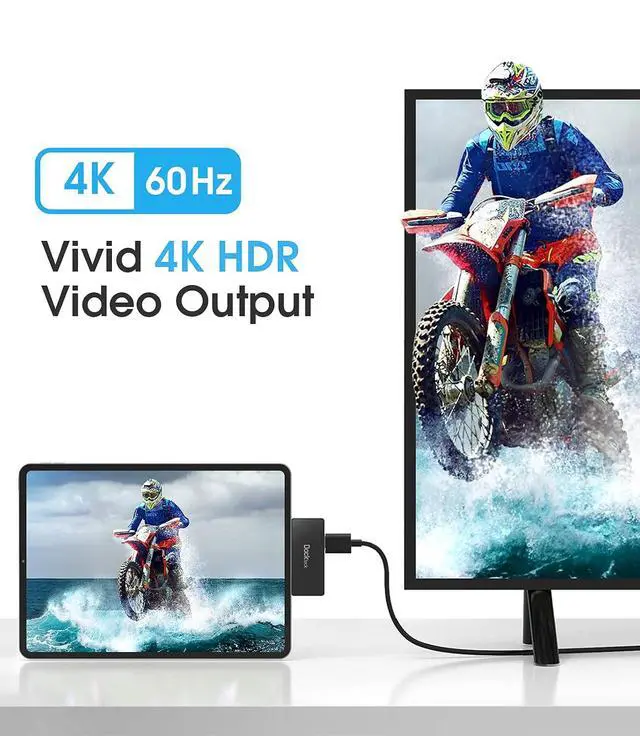
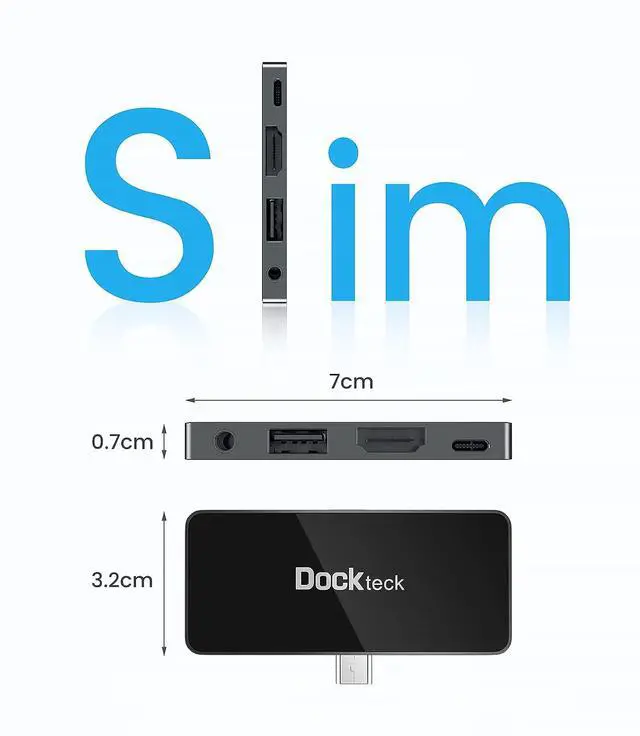
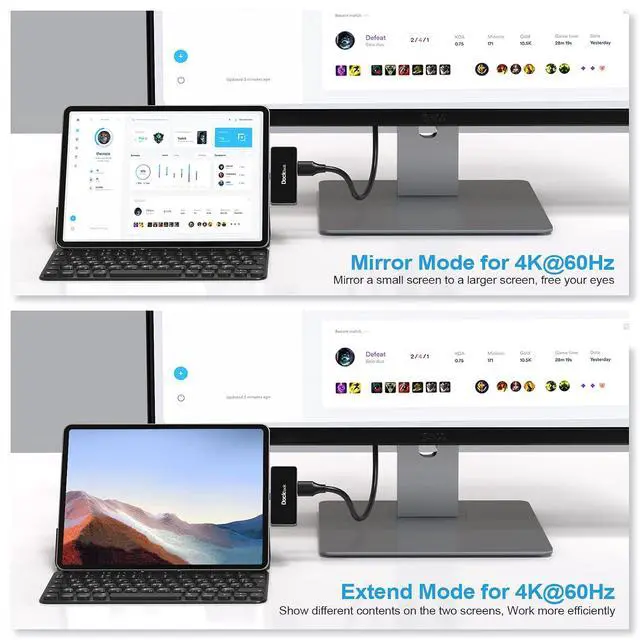
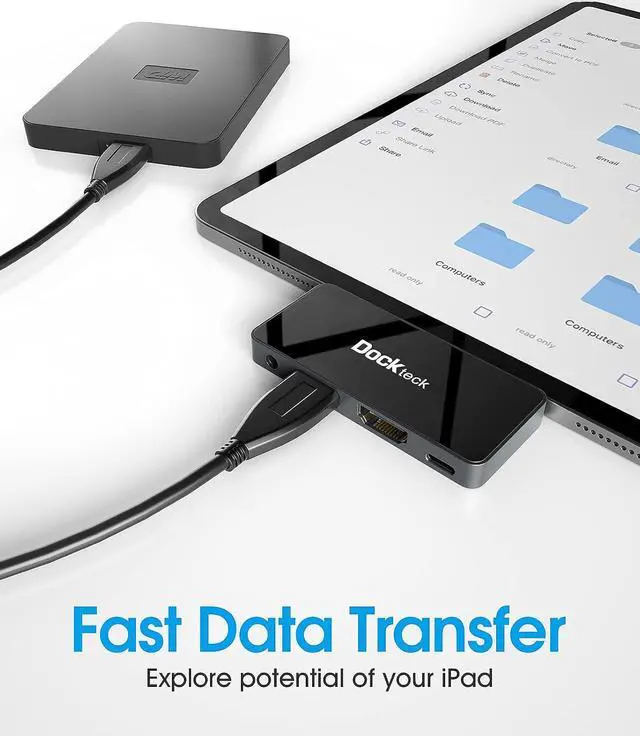
- iPad Pro USB-C Adapter 4 in 1: Turn your iPad Pros single USB C port into 4 ports - 4K 60Hz HDMI, USB 2.0, 3.5mm audio jack and Type C 100W PD charging port. Note: The type C adapter is incompatible with Lightning connector; 4K60Hz UHD HDMI iPad Pro Adapter: Mirror or extend your screen in stunning 4K@60Hz on compatible HDTV, monitors, or projector. Enjoying lifelike images and enhanced video with brighter colors and greater contrast. 3.5mm audio supports headphone and microphone; 100W PD Charging & USB 2.0: Support up to 100W PD, use hub and charge iPad Pro at the same time. Fast Speed data transfer and connect keyboard, mouse, USB flash drive, hard drive through USB 2.0 port; Designed for iPad: The iPad Pro USB-C hub with its slim, minimalist design feels like a natural extension of your iPad. The mirrored glass surface ensures a high-quality look. It's small and lightweight. The latest chip, more powerful functions; What You Get: 1 x Dockteck USB C hub for iPad Pro, 24 months worry-free warranty and lifetime technical support as well as friendly customer service. Compact, easy to carry and use. Compatible with 2021/2020/2018 iPad Pro 11inch/12.9inch/iPad Air 4 and more
+
+
Overview
Specs
Reviews

Any questions? Our AI mode will help you find out quickly.
Try me now
Product description ABOUT US "Creating convenience for life" is the whole point of existence at. "Integrating technology into life" is 's design philosophy 's promise Should you have any concerns or suggestions you wish to share, please do feel free to let us know We are committed to provide our customer the best solution and shopping experience USB C Hub for iPad Pro & iPad
Air NOTE: DOES NOT support 2017 & earlier iPad models A small but powerful iPad Pro hub, expands the single Type-C port from your iPad Pro & Air into 4 ports The aluminum housing can quickly dissipate heat and the mirrored acrylic panel make the multiport adapter look like a natural extension of your iPad Pro Plug and Play. No additional drivers or installations are required, simply connect the USB C Hub directly to your devices Lightweight and Pocket size. You can put it into your pocket and take it to everywhere and enjoy the movie, music Technical
USB C (power supply): up to 100W 1 x
HDMI: up to 4K @ 60Hz 1 x 3.5 mm audio jack 1 x USB 2.0 Key Feature 4K@60Hz UHD USB-C to HDMI Compared to 4K 30Hz, this 4K 60Hz ipad adapter improved video and audio technology. Support maximum resolution of 4K@60Hz in mirror or extension mode. Before using, please make sure your Type-C device supports DP ALT mode USB-C 100W PD charging dongle Stop worrying about running out of batteries while multitasking with a USB hub for iPad adapter. You can enjoy music or transferring files while charging. Support of PD 3.0 charging at max 20V / 5A 3.5 mm Audio and Mic Port The 3.5 mm headphone jack of this USB C iPad adapter has a high resolution of 24 bits and ensures good sound quality. Supports inline microphone and volume control Compatible Devices (Not a full list): iPad Pro 2021/2020/2018 11inch/ 12.9 inch iPad Air 2020 Samsung Galaxy Tab S7/S7+/S6 For more specific models, please confirm with us. We will also update in time Notes on the iPad
Hub: The iPad Hub fits perfectly with the iPad when connected to Magic Keyboard. Incompatible with iPad Pro cases The USB port is mainly used for data transfer, it is not recommended to charge the mobile phone or connect USB devices with a high load via the USB-A port To take a call or join a video conference with headphones, you must first connect the iPad Pro Hub Adapter to your iPad, and then connect the headphones. Otherwise, the sound will continue to play through your iPad USB 2.0 can meet the demands of daily file transfer and has WLAN anti-interference function compared to USB 3.0. While using USB 2.0 to transfer files, you can enjoy the wireless connection unhindered When the hub is fully loaded, it may reach a surface temperature of around 40°C, and this is normal for a iPad Pro USB C Hub 4 in 1 USB C Hub 5 in 1 USB C Hub 5 in 1 USB C Hub 5 in 1 USB C Hub 4 in 1 USB C Hub 5 in 1 USB C Hub Add to Cart Add to Cart Buying Options Add to Cart Buying Options Add to Cart Customer Reviews 4.0 out of 5 stars 389 4.2 out of 5 stars 1, 372 4.2 out of 5 stars 438 4.5 out of 5 stars 302 4.5 out of 5 stars 2, 061 4.5 out of 5 stars 2, 626 Price $ 34.99 $34.
99 $ 37.99 $37. 99 no data $ 30.68 $30. 68 no data $ 25.49 $25. 49 USB-A Data port 1 2 3 2 1 3 USB-C PD Port 100W-PD x 1 100W-PD x 1 X X 100W-PD x 1 100W-PD x 1 HDMI Port 4K 30Hz HDMI x 1 4K 60Hz HDMI x 1 4K 60Hz HDMI x 1 4K 60Hz HDMI x 1 4K 60Hz HDMI x 1 4K 60Hz HDMI x 1 3.5MM HEADPHONE JACK X X X X Material Aluminum Aluminum Aluminum Aluminum Ploycarbonate Ploycarbonate
Air NOTE: DOES NOT support 2017 & earlier iPad models A small but powerful iPad Pro hub, expands the single Type-C port from your iPad Pro & Air into 4 ports The aluminum housing can quickly dissipate heat and the mirrored acrylic panel make the multiport adapter look like a natural extension of your iPad Pro Plug and Play. No additional drivers or installations are required, simply connect the USB C Hub directly to your devices Lightweight and Pocket size. You can put it into your pocket and take it to everywhere and enjoy the movie, music Technical
Specifications
: 1 xUSB C (power supply): up to 100W 1 x
HDMI: up to 4K @ 60Hz 1 x 3.5 mm audio jack 1 x USB 2.0 Key Feature 4K@60Hz UHD USB-C to HDMI Compared to 4K 30Hz, this 4K 60Hz ipad adapter improved video and audio technology. Support maximum resolution of 4K@60Hz in mirror or extension mode. Before using, please make sure your Type-C device supports DP ALT mode USB-C 100W PD charging dongle Stop worrying about running out of batteries while multitasking with a USB hub for iPad adapter. You can enjoy music or transferring files while charging. Support of PD 3.0 charging at max 20V / 5A 3.5 mm Audio and Mic Port The 3.5 mm headphone jack of this USB C iPad adapter has a high resolution of 24 bits and ensures good sound quality. Supports inline microphone and volume control Compatible Devices (Not a full list): iPad Pro 2021/2020/2018 11inch/ 12.9 inch iPad Air 2020 Samsung Galaxy Tab S7/S7+/S6 For more specific models, please confirm with us. We will also update in time Notes on the iPad
Hub: The iPad Hub fits perfectly with the iPad when connected to Magic Keyboard. Incompatible with iPad Pro cases The USB port is mainly used for data transfer, it is not recommended to charge the mobile phone or connect USB devices with a high load via the USB-A port To take a call or join a video conference with headphones, you must first connect the iPad Pro Hub Adapter to your iPad, and then connect the headphones. Otherwise, the sound will continue to play through your iPad USB 2.0 can meet the demands of daily file transfer and has WLAN anti-interference function compared to USB 3.0. While using USB 2.0 to transfer files, you can enjoy the wireless connection unhindered When the hub is fully loaded, it may reach a surface temperature of around 40°C, and this is normal for a iPad Pro USB C Hub 4 in 1 USB C Hub 5 in 1 USB C Hub 5 in 1 USB C Hub 5 in 1 USB C Hub 4 in 1 USB C Hub 5 in 1 USB C Hub Add to Cart Add to Cart Buying Options Add to Cart Buying Options Add to Cart Customer Reviews 4.0 out of 5 stars 389 4.2 out of 5 stars 1, 372 4.2 out of 5 stars 438 4.5 out of 5 stars 302 4.5 out of 5 stars 2, 061 4.5 out of 5 stars 2, 626 Price $ 34.99 $34.
99 $ 37.99 $37. 99 no data $ 30.68 $30. 68 no data $ 25.49 $25. 49 USB-A Data port 1 2 3 2 1 3 USB-C PD Port 100W-PD x 1 100W-PD x 1 X X 100W-PD x 1 100W-PD x 1 HDMI Port 4K 30Hz HDMI x 1 4K 60Hz HDMI x 1 4K 60Hz HDMI x 1 4K 60Hz HDMI x 1 4K 60Hz HDMI x 1 4K 60Hz HDMI x 1 3.5MM HEADPHONE JACK X X X X Material Aluminum Aluminum Aluminum Aluminum Ploycarbonate Ploycarbonate
Warranty & Returns
Warranty, Returns, And Additional Information
Warranty
- Please contact the Seller directly for warranty information. Warranty information may also be found on the Manufacturer's website.
- CONTACT
Return Policies
- Return for refund within: 30 days
- Return for replacement within: 30 days
- This item is covered by EmpressTech Return Policy
Manufacturer Contact Info
- For a directory of all our manufacturers, please click below.
- Manufacturers Directory
LOADING...