

Your Browsing History

Meet Your Seller

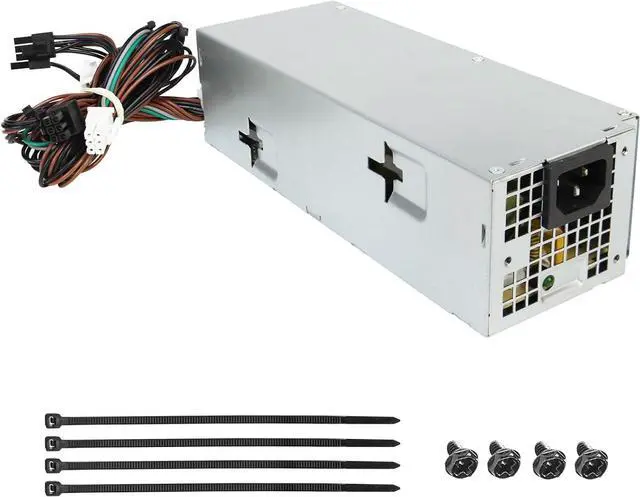
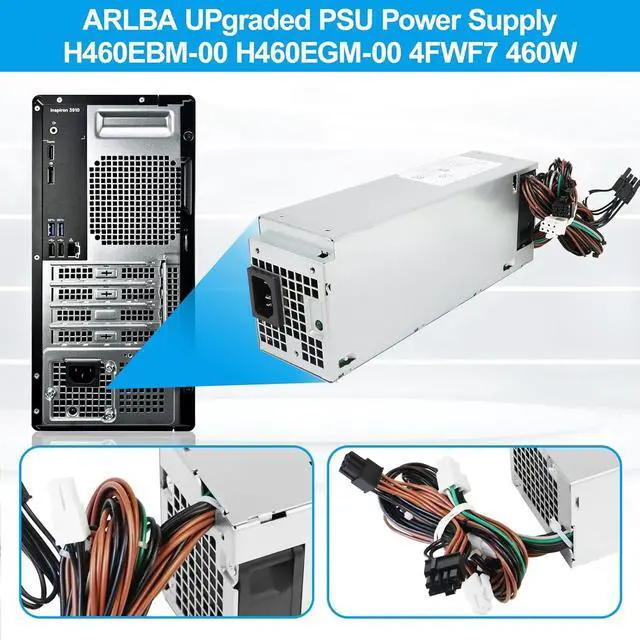
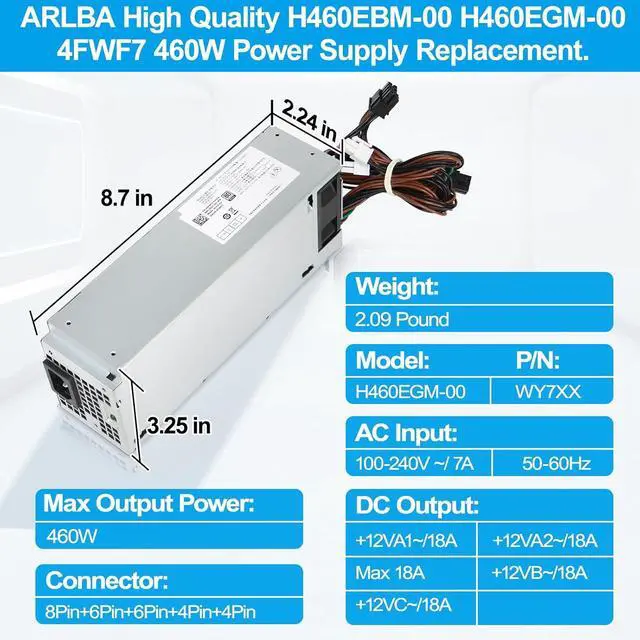
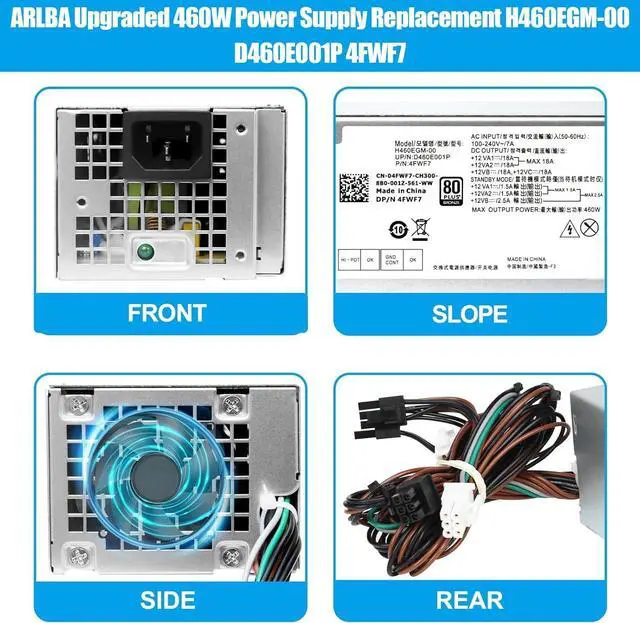


ARLBA Upgraded H460EGM-00 D460E001P 4FWF7 460W Power Supply Compatible with Dell Optiplex 3040 3046 3050 3650 5060 5080 5090 7050 7060 7070 7080 7090 8940 MT 92WNC L460EBM-00 H460EBM-00 (8+6+6+4+4) pi
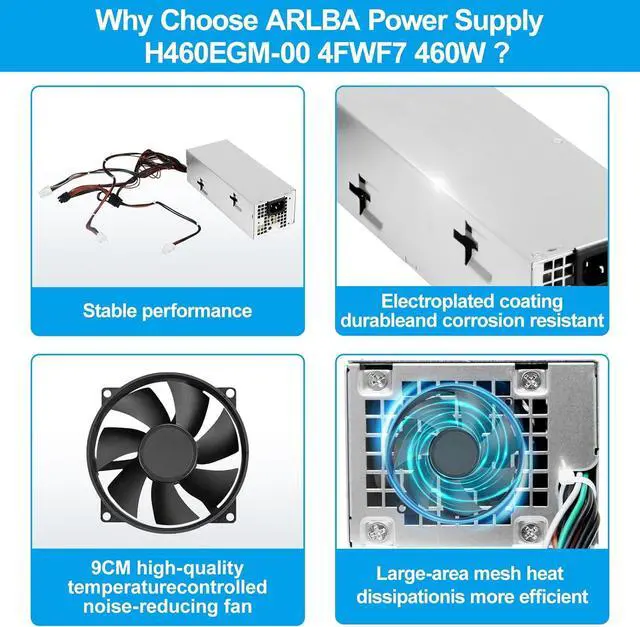
- ARLBA Power Supply- ImportantThe ARLBA high-quality H460EGM-00 460W power supply replaces for Dell Optiplex series power supply. The fan of the power supply adopts the latest temperature control system, and the fan speed is adjusted according to the data such as the computer CPU. The fan may be louder during high-power operation, but it will run quietly when the power supply temperature drops.
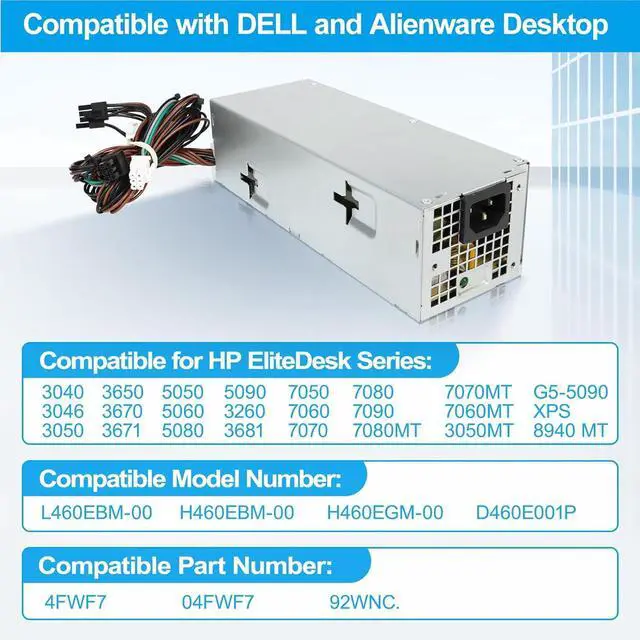
- Compatible Model:ARLBA H460EGM-00 460W power supply Replacement is compatible with Dell Optiplex 3040 3046 3050 3650 3670 3671 5050 5060 5080 5090 3260 3681 7050 7060 7070 7080 7090 7080MT 7070MT 7060MT 3050MT G5-5090 XPS 8940 MT Power Supply replaces L460EBM-00 H460EBM-00 H460EGM-00 D460E001P 4FWF7 04FWF7 92WNC
- Product details: ARLBA H460EGM-00 460W power supply uses a 9cm temperature-controlled silent fan, which is made of high-power power supply and can be rated at 500W output. Each power supply has been tested before leaving the factory. Meet OEM manufacturing standards.100-240V~/7A.
+
+
Overview
Specs
Reviews

Any questions? Our AI mode will help you find out quickly.
Try me now
Compatible Model Number:
Compatible for Dell Optiplex 3040 3046 3050 3650 3670 3671 5050 5060 5080 5090 3260 3681 7050 7060 7070 7080 7090 7080MT 7070MT 7060MT 3050MT G5-5090 XPS 8940 MT
Compatible Part Number:
460EBM-00 H460EBM-00 H460EGM-00 D460E001P 4FWF7 04FWF7 92WNC
Please check the system model Part Number and pictures before order
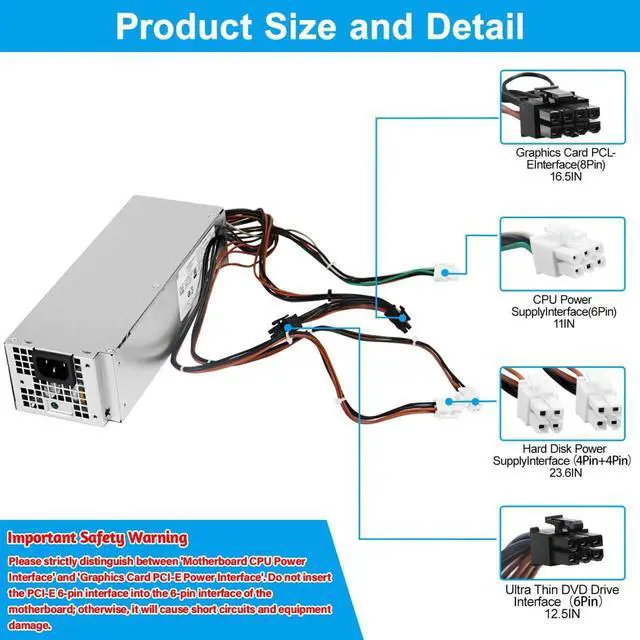
Please strictly distinguish between 'Motherboard CPU Power Interface' and 'Graphics Card PCI-E Power Interface'. Do not insert the PCI-E 6-pin interface into the 6-pin interface of the motherboard; otherwise, it will cause short circuits and equipment damage."
Input: 100-240V~/7A
Max Output Power : 460W
Connector: 8Pin+6Pin+6Pin+4Pin+4Pin
Power Down & Unplug Shut down your computer completely. Switch the power supplys rocker switch to the OFF (0) position. Unplug the power cord from the wall outlet or surge protector.
Open the Computer Case Remove the side panel from your computer tower (usually the left side when facing the front) to access the internal components.
Disconnect Old Cables (If Replacing) If you are replacing an old power supply, carefully unplug all cables from the motherboard, CPU, graphics card, and storage drives. Tip: Take a picture with your phone beforehand to remember where everything connects.
Remove the Old Power Supply (If Replacing) Locate the screws securing the old power supply to the back of the case. Remove the screws (usually 4) and gently slide the old unit out.
Position the New H460EGM-00 Slide the new H460EGM-00 power supply into the mounting bay. Align the screw holes on the unit with the holes on the case. Secure it firmly using the screws you removed earlier.
Connect the Main Power Cables 24-pin Motherboard: Connect the largest cable to the corresponding port on the motherboard. 4+4-pin CPU: Connect this cable (usually labeled "CPU") to the power port near the CPU at the top of the motherboard. SATA / Peripheral Cables: Connect these to your hard drives, SSDs, and optical drives.
Connect Graphics Card (If Required) If your system has a dedicated graphics card that requires power, connect the necessary PCIe cables from the power supply to the card.
Cable Management Tuck any excess cables neatly behind the motherboard tray or use zip ties to secure them. This keeps airflow inside the case optimal.
Close & Test Replace the computers side panel. Plug the power cord back into the power supply and the wall outlet. Switch the rocker switch on the back of the PSU to the ON (I) position. Press the power button on your computer to start it up.
Safety Note: The H460EGM-00 is a standard ATX power supply. Ensure it is compatible with your case size and provides enough wattage for your components before installation.
ARLBA started because too many products fail when you need them most. We set out to build something better: reliable, durable, and built to last. Quality first has been our principle from day one.
ARLBA High Quality H460EGM-00 D460E001P 4FWF7 460W Power Supply Compatible with Dell Optiplex 3040 3046 3050 (8+6+6+4+4) Pins Important Safety Warning Simple Installation Steps for H460EGM-00 Power Supply How did we get our start?
Compatible for Dell Optiplex 3040 3046 3050 3650 3670 3671 5050 5060 5080 5090 3260 3681 7050 7060 7070 7080 7090 7080MT 7070MT 7060MT 3050MT G5-5090 XPS 8940 MT
Compatible Part Number:
460EBM-00 H460EBM-00 H460EGM-00 D460E001P 4FWF7 04FWF7 92WNC
Please check the system model Part Number and pictures before order
Please strictly distinguish between 'Motherboard CPU Power Interface' and 'Graphics Card PCI-E Power Interface'. Do not insert the PCI-E 6-pin interface into the 6-pin interface of the motherboard; otherwise, it will cause short circuits and equipment damage."
Input: 100-240V~/7A
Max Output Power : 460W
Connector: 8Pin+6Pin+6Pin+4Pin+4Pin
Power Down & Unplug Shut down your computer completely. Switch the power supplys rocker switch to the OFF (0) position. Unplug the power cord from the wall outlet or surge protector.
Open the Computer Case Remove the side panel from your computer tower (usually the left side when facing the front) to access the internal components.
Disconnect Old Cables (If Replacing) If you are replacing an old power supply, carefully unplug all cables from the motherboard, CPU, graphics card, and storage drives. Tip: Take a picture with your phone beforehand to remember where everything connects.
Remove the Old Power Supply (If Replacing) Locate the screws securing the old power supply to the back of the case. Remove the screws (usually 4) and gently slide the old unit out.
Position the New H460EGM-00 Slide the new H460EGM-00 power supply into the mounting bay. Align the screw holes on the unit with the holes on the case. Secure it firmly using the screws you removed earlier.
Connect the Main Power Cables 24-pin Motherboard: Connect the largest cable to the corresponding port on the motherboard. 4+4-pin CPU: Connect this cable (usually labeled "CPU") to the power port near the CPU at the top of the motherboard. SATA / Peripheral Cables: Connect these to your hard drives, SSDs, and optical drives.
Connect Graphics Card (If Required) If your system has a dedicated graphics card that requires power, connect the necessary PCIe cables from the power supply to the card.
Cable Management Tuck any excess cables neatly behind the motherboard tray or use zip ties to secure them. This keeps airflow inside the case optimal.
Close & Test Replace the computers side panel. Plug the power cord back into the power supply and the wall outlet. Switch the rocker switch on the back of the PSU to the ON (I) position. Press the power button on your computer to start it up.
Safety Note: The H460EGM-00 is a standard ATX power supply. Ensure it is compatible with your case size and provides enough wattage for your components before installation.
ARLBA started because too many products fail when you need them most. We set out to build something better: reliable, durable, and built to last. Quality first has been our principle from day one.
ARLBA High Quality H460EGM-00 D460E001P 4FWF7 460W Power Supply Compatible with Dell Optiplex 3040 3046 3050 (8+6+6+4+4) Pins Important Safety Warning Simple Installation Steps for H460EGM-00 Power Supply How did we get our start?
Warranty & Returns
Warranty, Returns, And Additional Information
Warranty
- Please contact the Seller directly for warranty information. Warranty information may also be found on the Manufacturer's website.
- CONTACT
Return Policies
- Return for refund within: 30 days
- Return for replacement within: 30 days
- This item is covered by PartsPro Store Return Policy
Manufacturer Contact Info
- For a directory of all our manufacturers, please click below.
- Manufacturers Directory
LOADING...